Surfing Cyber-Duck


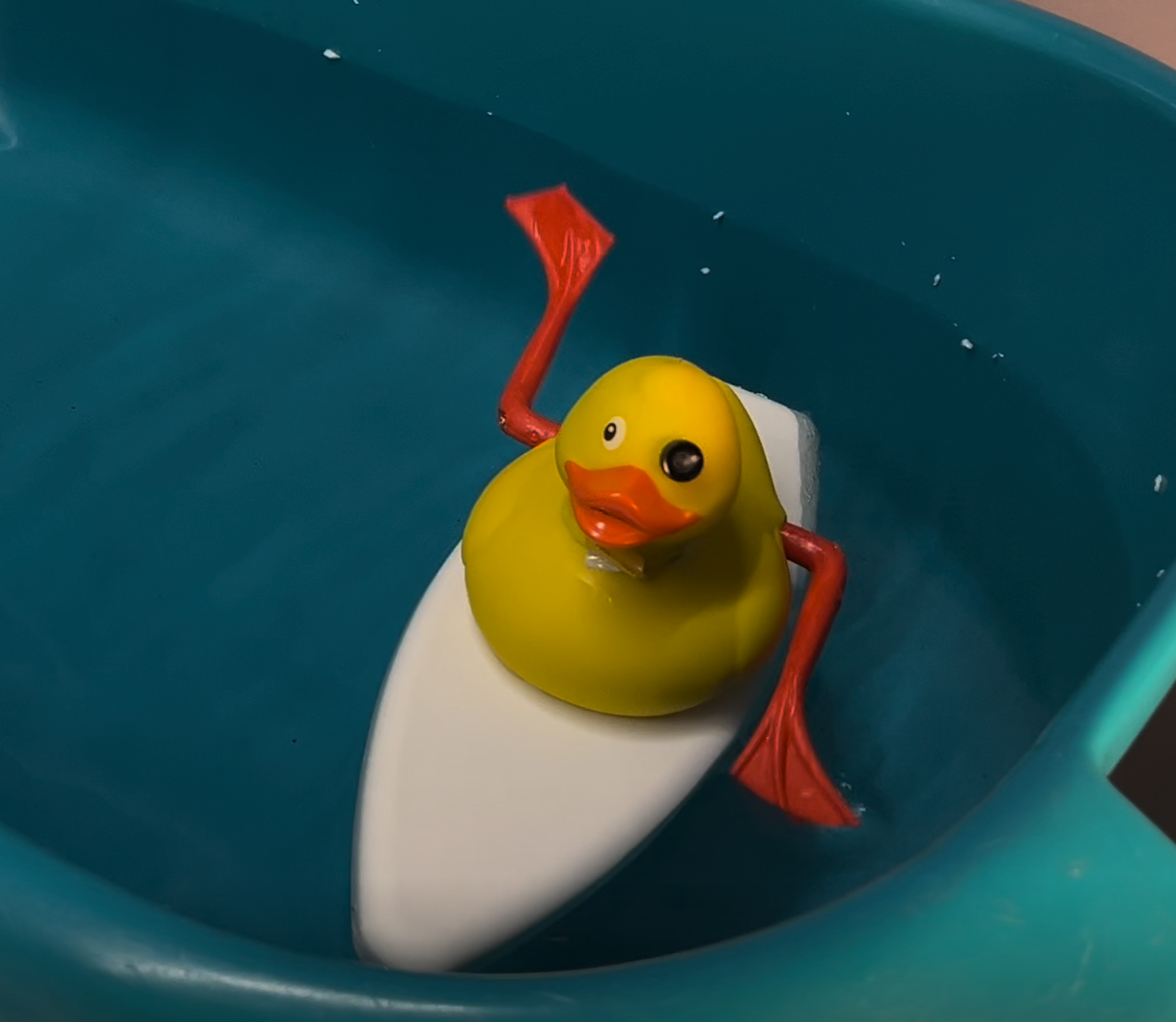
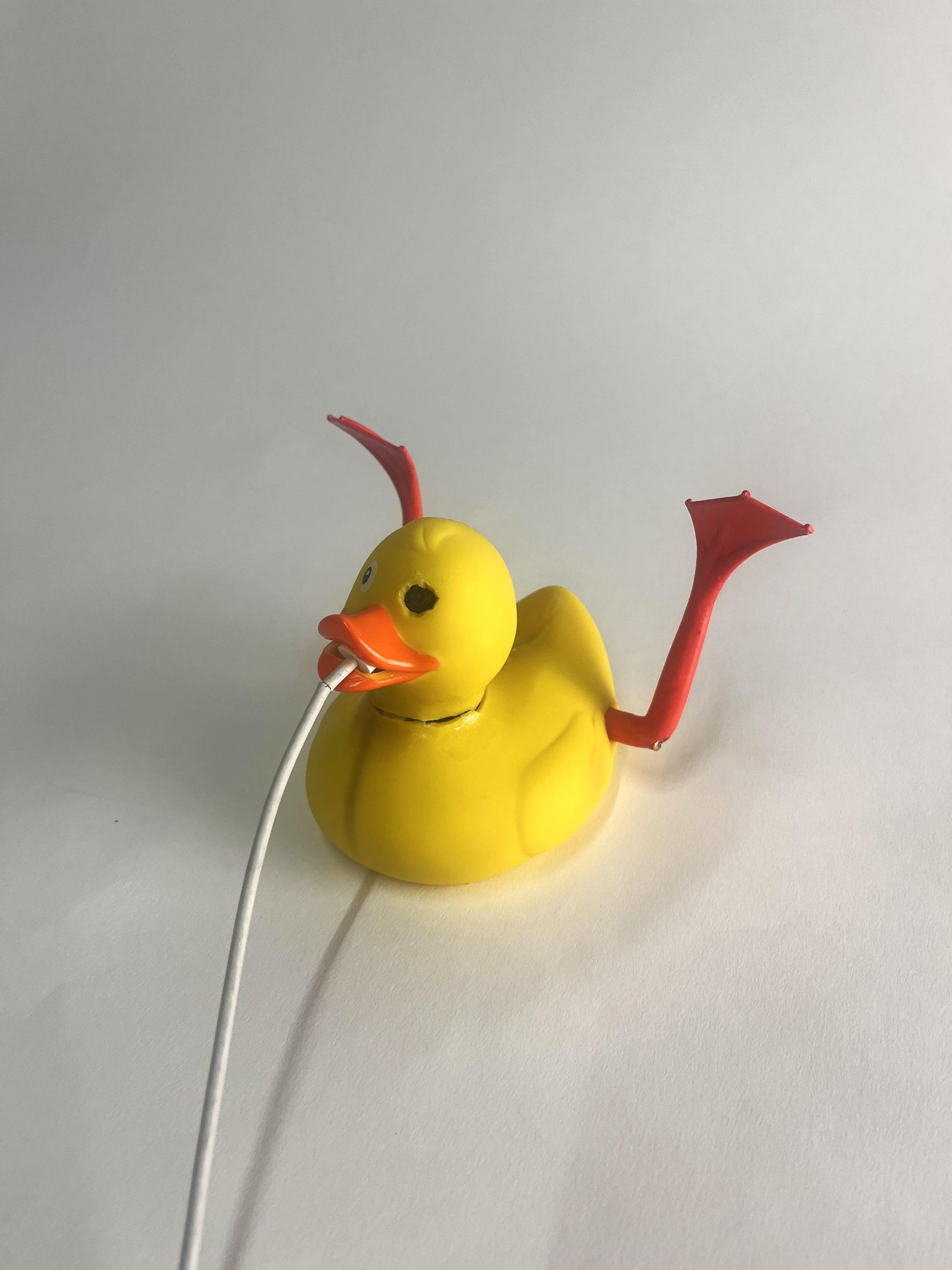
Rubber-ducks have a hard time making friends - but giving them vision, legs and a surfboard might help!
Have you ever seen your rubber ducks in the tub and felt bad for their lack of autonomy and stability in their native environment? When compared to ducks out in real ponds, our little yellow rubber ducks seem very sad and lonely. They can't communicate, swim or even really hold themselves upright on water. It was time for us to change that!
Meet the surfing cyber-duck! A new improved twist on the classical rubber duck. No longer trapped in its plastic casing, this surfing buddy is fully capable of moving on its own and making friends autonomously. Through an integrated state-of-the-art vision system we have provided our duck with the gift of sight, alongside an integrated brain and of course a pair of fins!
Do you want to bring your own rubber ducks to life with vision, cognition and locomotion? You'll find everything you need here in this instruction manual. We hope you have fun with your new cyber-duck friend!
Specs
- Vision-based navigation: fully capable of identifying all potential friends with an integrated camera
- Autonomous locomotion: independent movement achieved through a dual-fin propulsion system
- Stability: super cool surfboard provides optimal upright buoyancy in water environments
- Off-board real-time processing: high-speed decision-making powered by an ESP32 Wi-Fi link
This project was developed by Jacob Joergens, Sofia Lukac and Robin Paule as part of the Computational Design and Digital Fabrication Seminar in the Integrative Technologies & Architectural Design Research (ITECH) M.Sc. Program.
Supplies

Electronics
- 1 x 3000mAh rechargeable battery (link)
- 2 x JST-PH 2.0 Female connector (link)
- 1 x JST-PH 2.0 Male connector (link)
- 1 x Breadboard
- 2 x Continuous servo motors (link)
- 1 x XIAO ESP32S3 Sense Seeed Studio w/ integrated camera (link)
- 1 x 2640 Camera module (link) - Optional
- 14 x Pin headers (link)
- 4 x Jumper wires (male to male)
- 2 x Jumper wires (female to male)
- 1 x USB to USB-C / USB-C to USB-C cable
- 1 x 2W 8Ohm speaker (link)
Duck Body
- 1 x Large rubber duck 11cm (link)
- 2 x Duck fins (find file below)
- 1 x Surfboard (find file below)
- 1 x Surfboard fin (find file below)
- 2 x 2.5x20 screws (link)
- 2 x Small rubber duck 5cm (to test large duck on, both come as a family w/ large duck here)
- 1 x Orange Nail polish (to give your duck fins a pedicure) - Optional
Tools
(not included in image)
- 1 x Cutter Knife (to perform surgery)
- 1 x Tweezers (to place components)
- 1 x Screwdriver
- 1 x Superglue
- 1 x Double-sided tape
- 1 x Duck tape (quack)
- 1 x Soldering iron
- 1 x Soldering metal
- 1 x 3D Printer
- 1 x 3D Printing Filament (we used white PLA)
- 1 x Hot Glue Gun
- 1 x Hot Glue for Glue Gun
- 1 x Styrofoam
- 1 x Scissors
- 1 x Masking tape
- 1 x Laptop
- 2 x Heavy nuts
Code
Before we get started, make sure you have installed the Arduino IDE and downloaded the files from our GitHub. We will be covering this process in step 1.
Set Up Your Code
Before we begin the robotic assembly process, it's convenient to have our code up and running and solve any troubleshooting issues.
Supplies
- 1 x Laptop
Code Logic
Data Flow = [ESP32-S3 + Camera] ──JPEG @ 5fps──► [Laptop (YOLOv8)] ──Direction──► [ESP32 Servos]
- The camera module attached to the duck takes a picture ~5 times a second and sends it to your laptop over WiFi.
- The laptop runs a Python server that uses an AI model (YOLOv8) to find the duck in the picture. It replies with: is there a duck, and is it on the left, center, or right?
- The robot reads the reply and drives the two motors/fins:
- No duck → spin in place to scan around
- Duck on the left/right → turn that way
- Duck in the center → drive forward
- Duck is big (close) → stop
Steps (Setup)
- Make sure you have the Arduino IDE and all the GitHub files downloaded. Once in the Arduino IDE you will also need to install the ESP32 Board (Boards Manager > esp32 by Espressif Systems). When running the code we were using the "ESP32 Dev Module".
- Next, to install dependencies, open your terminal and run:
- Start the server by navigating to the server/ folder you downloaded from our GitHub and running the following from inside the folder:
- To see what the duck is seeing, open your browser to: http://localhost:8000/view.
- Find your laptop's IP address (e.g. 192.168.1.42), you'll need this when running the code.
Steps (Uploading the Code)
- Launch the Arduino IDE and open the duck_robot.ino file from the GitHub folder (under firmware/duck_robot/).
- Complete the code with your missing information. Check the top of the code and type in your details inside the question marks:
- WIFI_SSID = "your wifi name" <-- We were using our phone's hotspot, makes it more practical if you actually want to take your duck outside where there might not be any wifi available.
- WIFI_PASSWORD = "your wifi password"
- SERVER_URL = "http://<your-laptop-ip>:8000/detect" <-- Here's where you'll need your IP address.
- Now, we're ready to go and build a cyber-duck!
Prepare Surfboard and Fins
.jpeg)
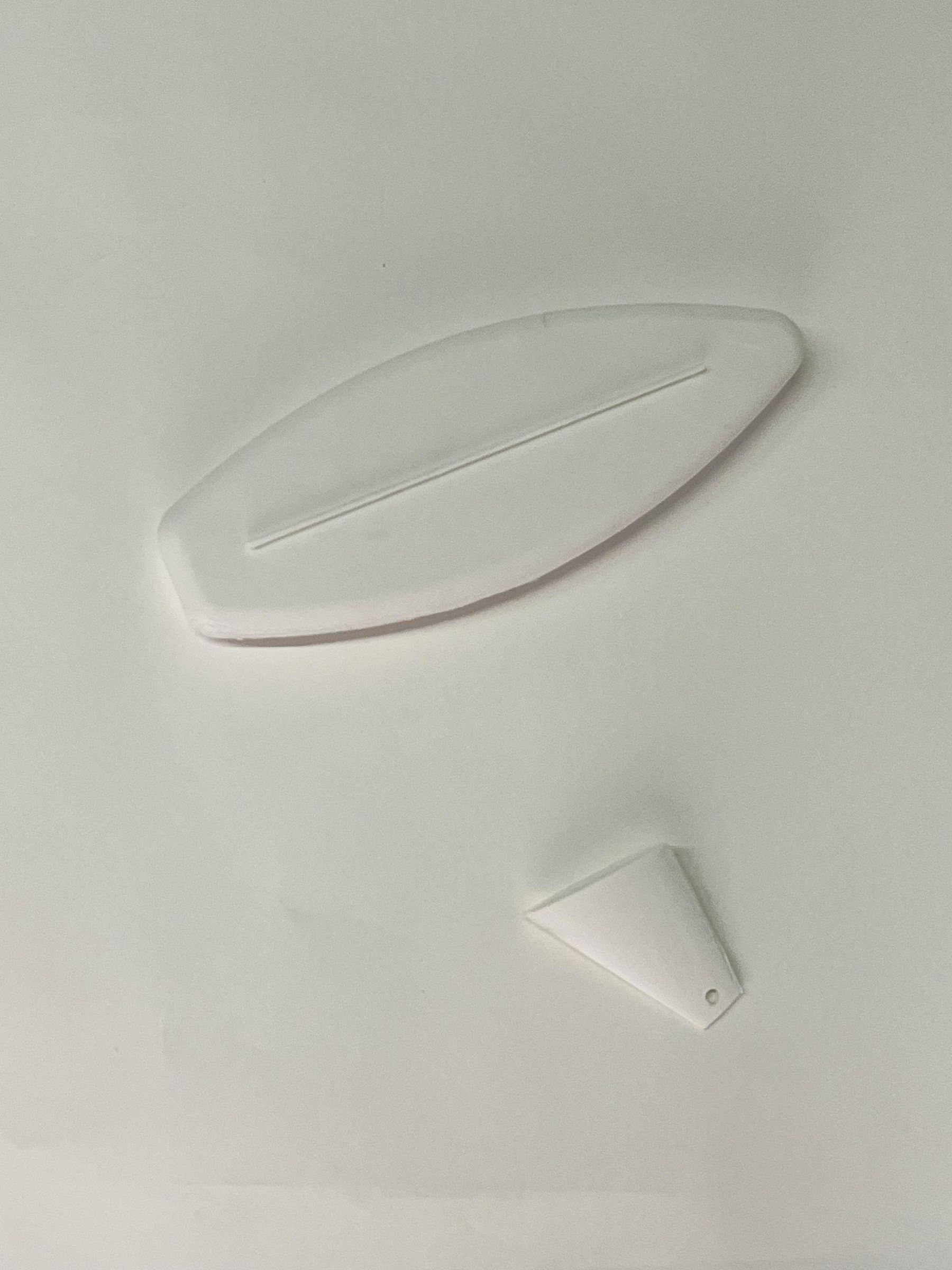

To ensure our duck can float and locomote in water, we start by printing it's fins and surfboard.
Supplies
- 1 x 3D Printer
- 1 x 3D Printing filament
- 1 x Orange Nail polish
- 1 x Cable tie
- 2 x Heavy nuts
Steps
- Using the files provided below, print the surfboard, surfboard fin and duck fins.
- Attach the surfboard fin to the surfboard.
- On the bottom of the surfboard fin, using the provided hole and a cable tie, attach 2 heavy nuts to make sure the surfboard will stay in it's upright position when placed in water.
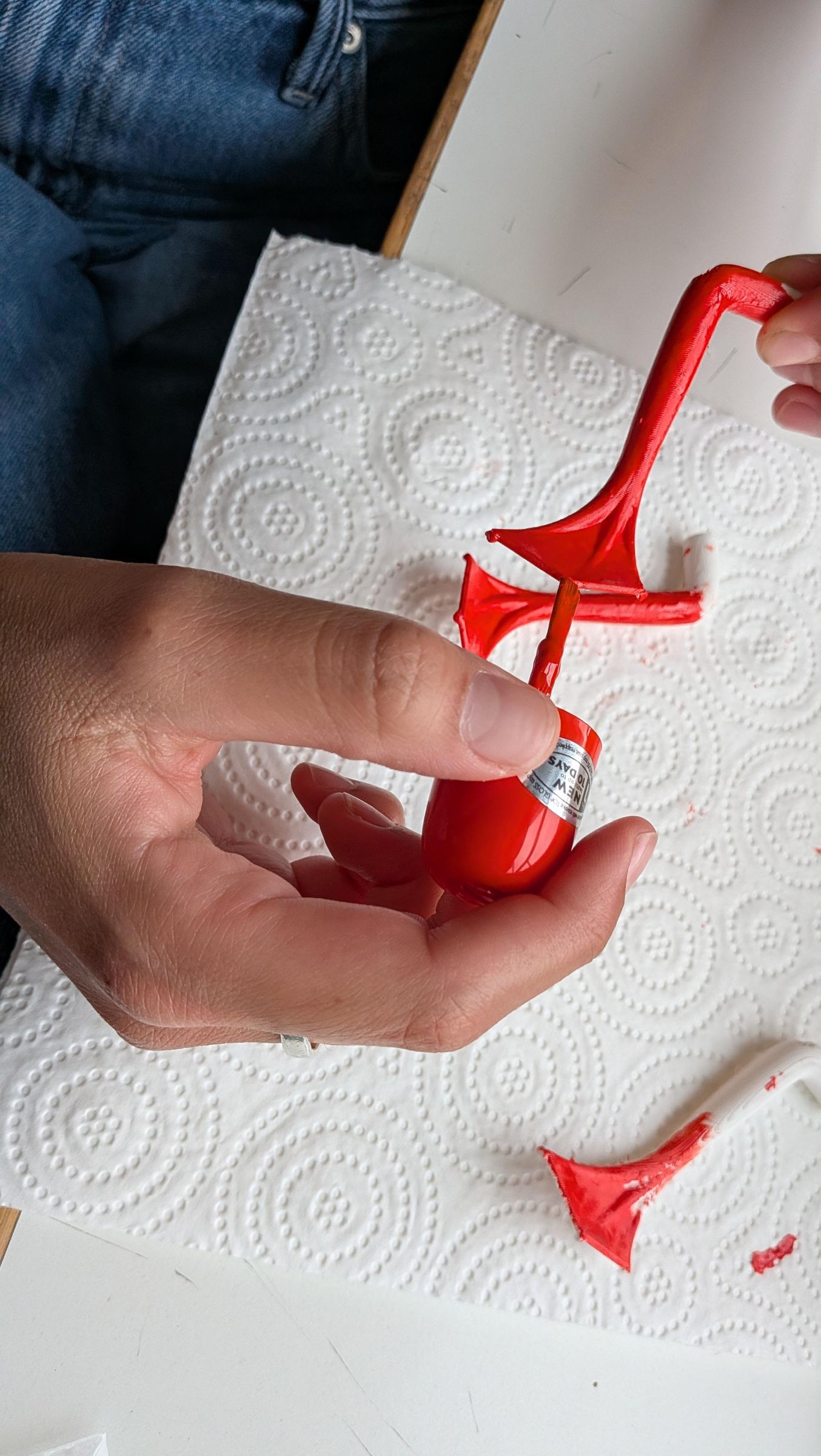
- Optional: Pedicure the duck fins with orange nail polish to match the bright orange beak.
Prepare Duck Body


For our duck to move and recognize other ducks, we start the long process of open-duck surgery. The large 11cm duck will be our patient.
Supplies
- 1 x Large rubber duck (11cm)
- 1 x Cutter knife
- 1 x Hot glue gun
- 1 x Glue for glue gun
Steps
- Using your scalpel (cutter knife), separate the head from the body.
- Open a slit through the back of the body, leaving about 2cm space from the tail.
- Open a slit through the back of the head, also making sure it does not pass the crown of the head, we need to make sure we can "sew" it back together later.
- Using your fins, measure and cut out two holes on the sides of the duck body.
- Using your camera, measure and cut out one hole for the new eye of the duck.
- Make a slit in the duck's mouth, large enough to fit your USB-C connector.
- With your hot glue gun, fill in the plug on the bottom of the duck to ensure no water comes in.
Place Servo Motors


We continue by focusing our surgery on the duck body. For this step, we put both our continuous servo motors into place so that our patient can move it's new fins.
Supplies
- 1 x Duck body (from step 3)
- 1 x Styrofoam (cut to measure)
- 1 x Double-sided tape
- 1 x Scissors
- 2 x Continuous Servo Motors
- 1 x Duck Tape
- 2 x Duck Fins
- 2 x 2.5x20 Screws
- 1 x Screwdriver
Steps
- Measure your styrofoam and cut it out to cover the entire interior base of the body. We want to create a levelled floor that is at the same height of the plug so that all of our components fit snugly. Once measured, attach to the inner base with your double-sided tape.
- Using duck tape, tape your servo motors together as indicated in the image.
- Place your prepared servo motors on top of your styrofoam base inside the duck body, aligned with the holes you cut out for the fins.
- Screw the fins onto the motors from the outside.
Connect Battery & Breadboard
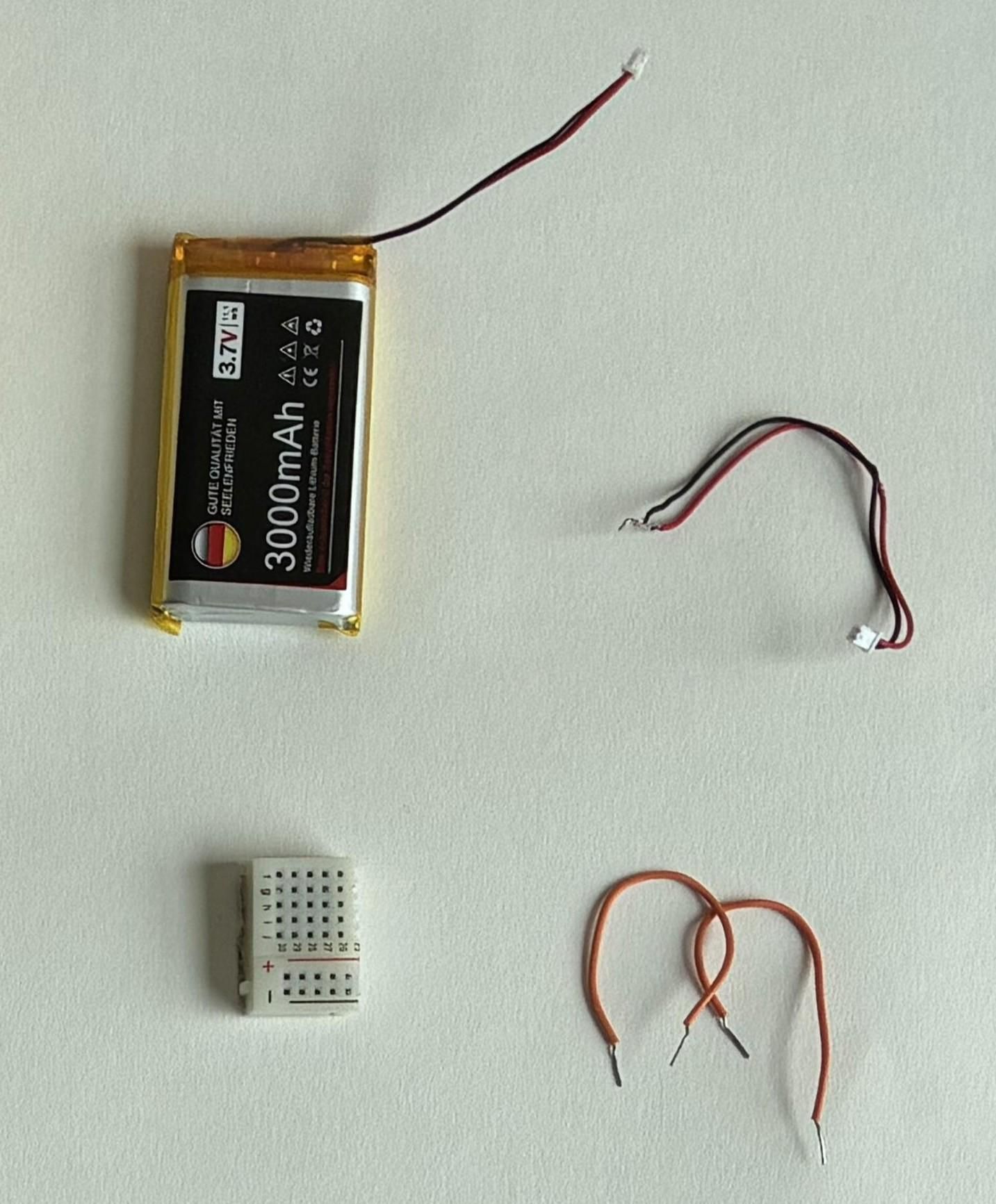


Staying on the body of the duck, we now add all missing connections to power our new fins.
Supplies
- 1 x Duck body (from step 4)
- 1 x 3000mAh battery
- 1 x Breadboard
- 4 x Jumper wires (male to male)
- 2 x Jumper wires (female to male)
- 1 x Female JST-PH 2.0 connector
- 1 x Male JST-PH 2.0 connector
Steps
- Place the battery on the styrofoam base in the duck, next to the already set up servo motors.
- Cut up the breadboard so that you only have a part of one power rail left with 4 negative and 4 positive slots.
- Attach the red wire (positive current) of the male JST-PH 2.0 connector to one of the positive terminals on the breadboard and the black wire (negative current) to one of the negative terminals.
- Repeat step 3 with the female JST-PH 2.0 connector. Connect this to the male connector coming out of the battery to power the board.
- Attach one of the male to male jumper wires to the "ground" output of one of the servo motors (brown wire), connect it to one of the negative terminals on the breadboard. Use another male to male jumper wire to connect the power output of the servo motor (red) to one of the positive terminals on the breadboard. Using one of the female to male jumper wires, attach it to the remaining slot on the servo motor and leave hanging (we will use this later to attach to the ESP32 module).
- Repeat step 5 with the other servo motor and your 3 remaining jumper wires.
See wiring diagram for more detailed information on wire connections.
Place ESP32 + Camera Module


The next step in our surgery focuses on the cyber-duck's head, integrating our camera and brain so that our cyborg can see and think.
Supplies
- 1 x Duck head (the one we detached in step 3)
- 1 x ESP32 module
- 1 x 2640 Camera module - Optional
- 14 x Pin headers
- 1 x Soldering iron
- 1 x Soldering metal
- 1 x Female JST-PH 2.0 connector
- 1 x Soldering iron
- 1 x Soldering metal
Steps
- Solder the pin headers to the corresponding spots on the ESP32 module, this will make attaching our jumper wires easier.
- Using your soldering iron, attach the red wire (positive current) of the female JST-PH 2.0 connector to the + via on the back ESP32 module and the black wire (negative current) to the - via next to it (see wiring diagram).
- If you have the separate 2640 camera module, unscrew it camera and thread it through the hole you made for the duck's new upgraded eye. Rescrew to fix in place. Then, replace it on the prepared ESP32 module. Alternatively use the already integrated module, although this one will be harder to fix in place. If you do, you can try using tweezers and superglue.
- Place the entire module (ESP32 + camera) inside the duck's head so that the USB-C port is aligned with the slit in the duck's mouth and so that the JST-PH 2.0 connector is running out of the head.
See wiring diagram for more detailed information on wire connections.
Connect Body and Head
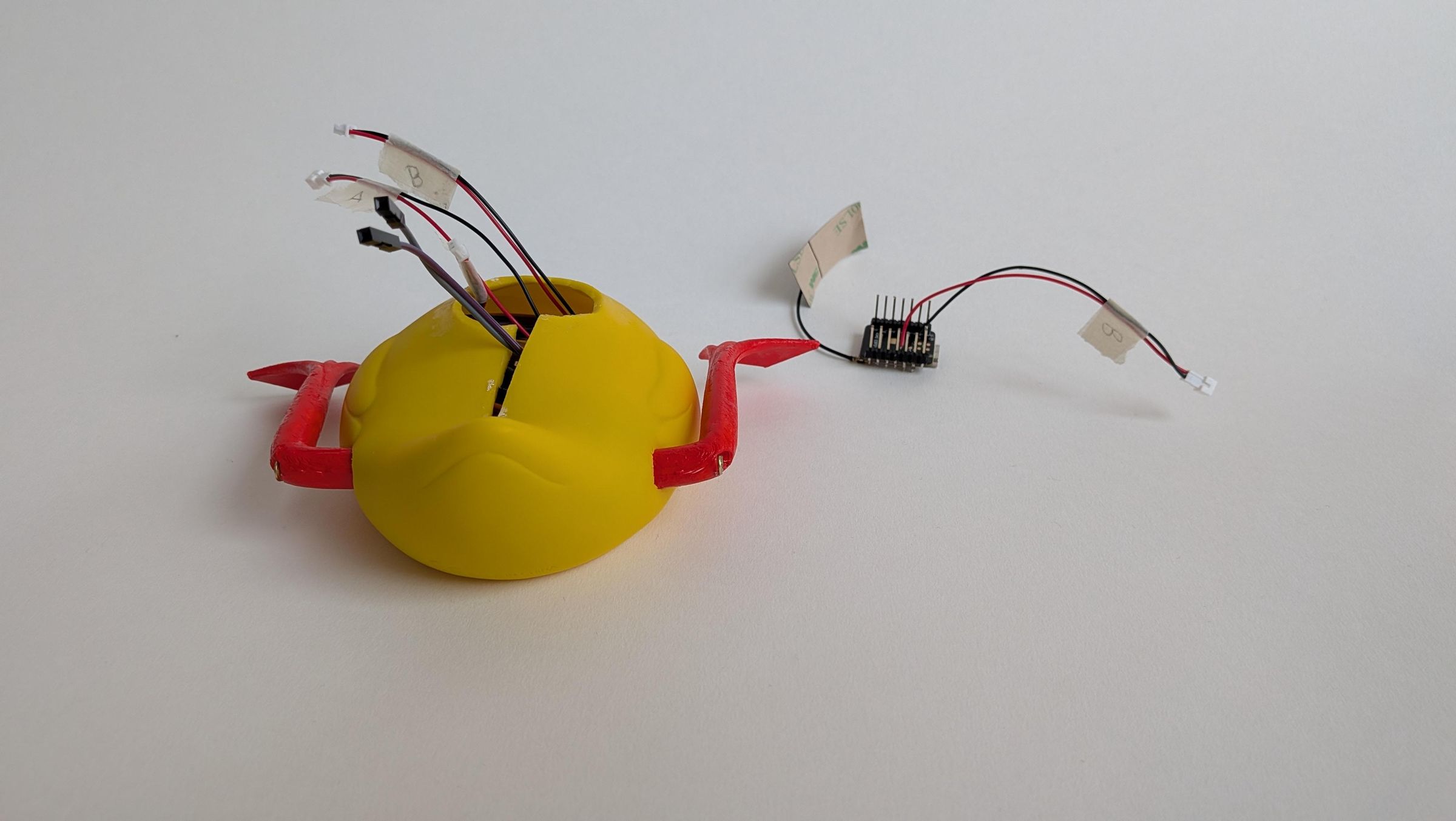


Now that all our components are fitted and assembled inside the patient, it is time to make our final connections and bring body and head back together.
Supplies
- 1 x Duck body (from step 5)
- 1 x Duck head (from step 6)
Steps
- Connect the female JST-PH 2.0 connector from your duck body to the male JST-PH 2.0 connector of the ESP32 on your duck head (see wires labelled as "B" in image).
- Connect the jumper wire from your left servo motor to pin 4 on your ESP32 and the jumper wire from your right servo motor to pin 10. <-- Make sure these pins correspond to the pins in your code.
Sitch Up Your Patient

With our code running smoothly (from step 1) it's time to test our components before we finally stitch our duck back up to prepare it for it's first surf!
Supplies
- 1 x Duck (from step 7)
- 1 x USB to USB-C / USB-C to USB-C cable
- 1 x Masking tape
- 1 x Superglue
Steps
- Upload the code we prepared in step 1 (duck_robot.ino) to the duck (using the USB-C port in the duck head) and connect the battery to the breadboard (the only remaining disconnected JST-PH 2.0 wires).
- If don't have any errors on your computer and all components have been correctly attached, both fins should be in constant motion and you should be able to access the camera live feed through this link: http://localhost:8000/view. Try placing other ducks in your cyber-duck's field of vision to see how it's reacting!
- If everything is working, it's time to stitch your patient up and get your duck ready for some surfing! Tuck the wires in neatly into empty spaces in the body and head, use masking tape or similar to group the wires if they get too messy.
- Once your wires are neatly tucked in, close the slit on the back of the body and head using superglue.
- Wait for the glue to dry and finally attach the head to the body. <-- If you're unsure and troubleshooting, keep these two steps until the very end.
Downloads
Cyber-Duck's First Surf

Our patient has successfully made it through surgery and come out the other side as it's improved cyborg version: a fully capable surfing cyber-duck! Now it's time for it to go on water for it's first surf.
Supplies
- 1 x Cyber-duck (from step 6)
- 1 x Surfboard (from step 1)
- 1 x Double-sided tape
- 2 x Small rubber ducks
Steps
- Before placing your surfing cyber-duck on open waters it is recommended to test your duck in a controlled environment. We used a tub filled with water for testing.
- Fix your cyber-duck on it's surfboard using the double-sided tape and place it in the water with it's potential friends.
- Once everything is working properly deploy your surfing cyber-duck in open waters and set it free to terrorize "real" ducks. Have fun with your new friend!