TFT World Map + BBC News Ticker
by Kingeta in Circuits > Microcontrollers
157 Views, 1 Favorites, 0 Comments
TFT World Map + BBC News Ticker
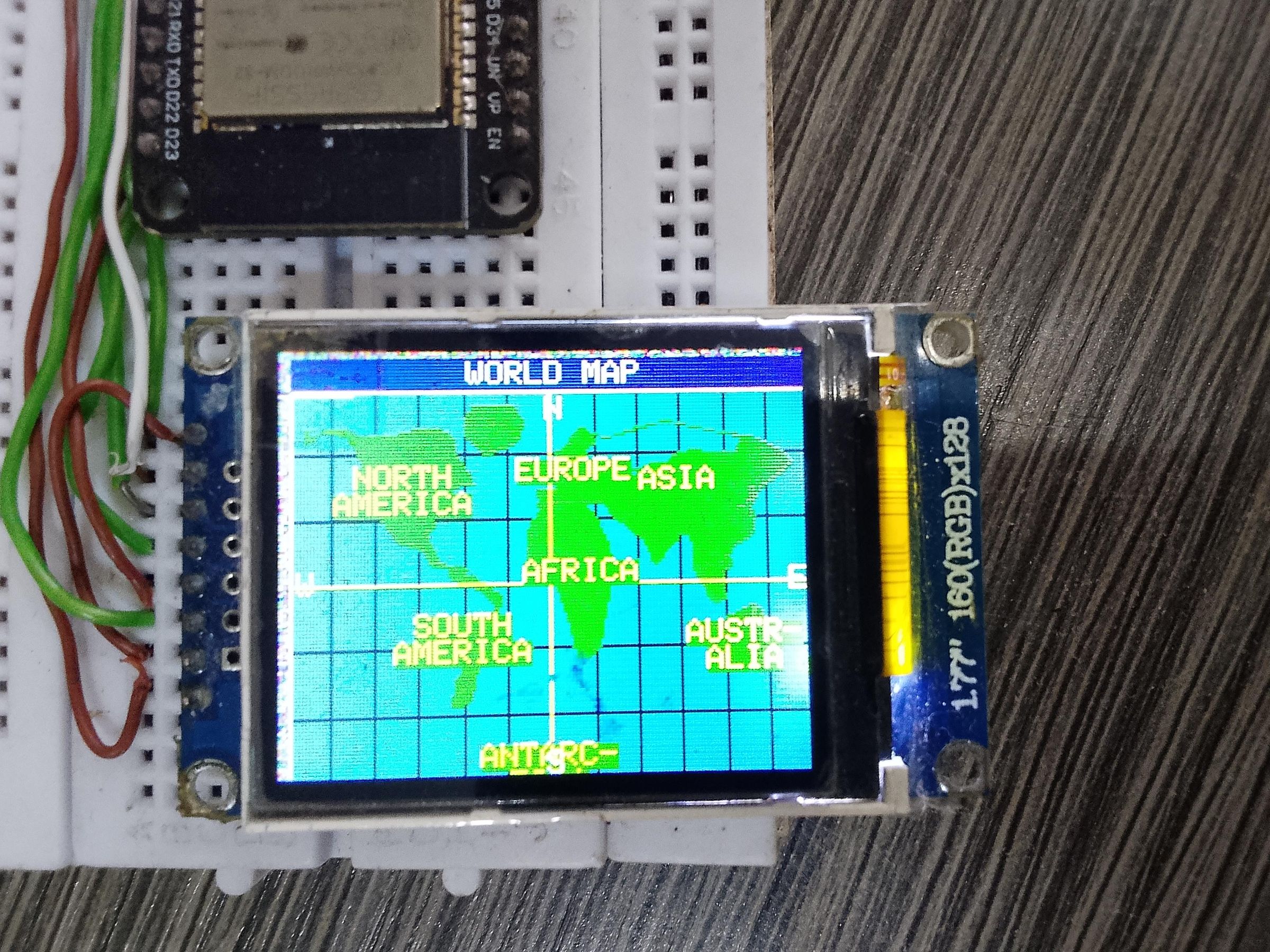

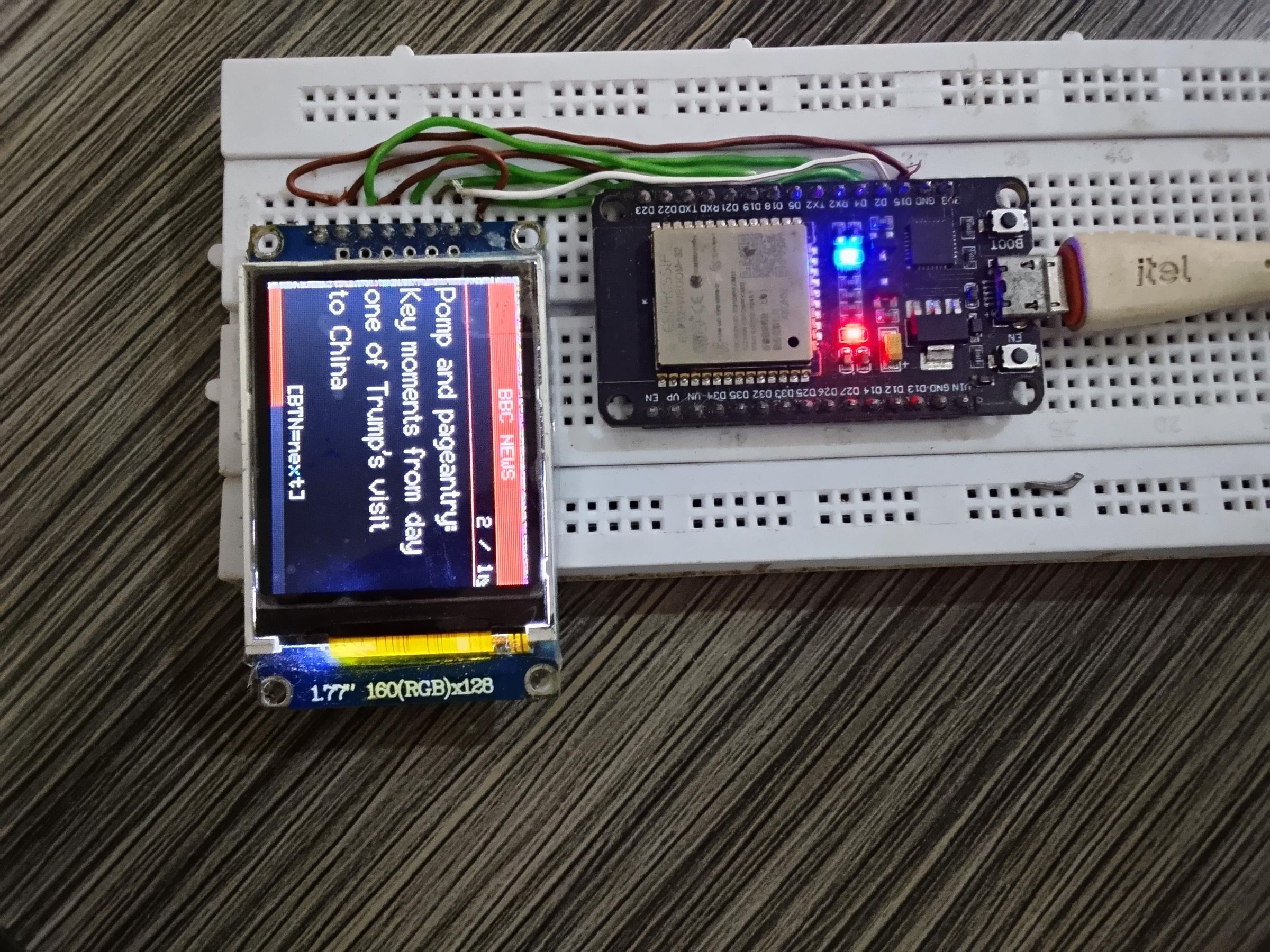
This project turns a $2 ST7735 TFT LCD module and an ESP32 development board into a dual-purpose information display that would look at home on any maker's desk. The screen continuously shows a scrolling equirectangular world map — complete with named continents, colour-coded ocean and land, a graticule grid, and an animated equator — then automatically switches every 30 seconds to display the latest BBC News headline fetched live from the internet, before returning to the map. A push-button lets the user skip through headlines on demand(optional).
i call it"A hand-held globe and live news terminal — for under $5 of parts."
Key Features at a Glance
- 🌍Smooth-scrolling world map (equirectangular projection, all 7 continents)
- 🏷️ Continent names rendered in yellow on green land, scroll-aware
- 📡 Live BBC News fetched via WiFi + RSS-to-JSON API
- ⏱️ Automatic mode switching: 30 s map → 10 s per headline → back to map
- 📊 Animated red countdown progress bar on news screen
- 🔘 Physical button to skip headlines or jump to news instantly(optional)
- 🔄 Background news refresh every 5 minutes — always current
- 💰 Total BOM cost under $8 including the ESP32 board
Supplies
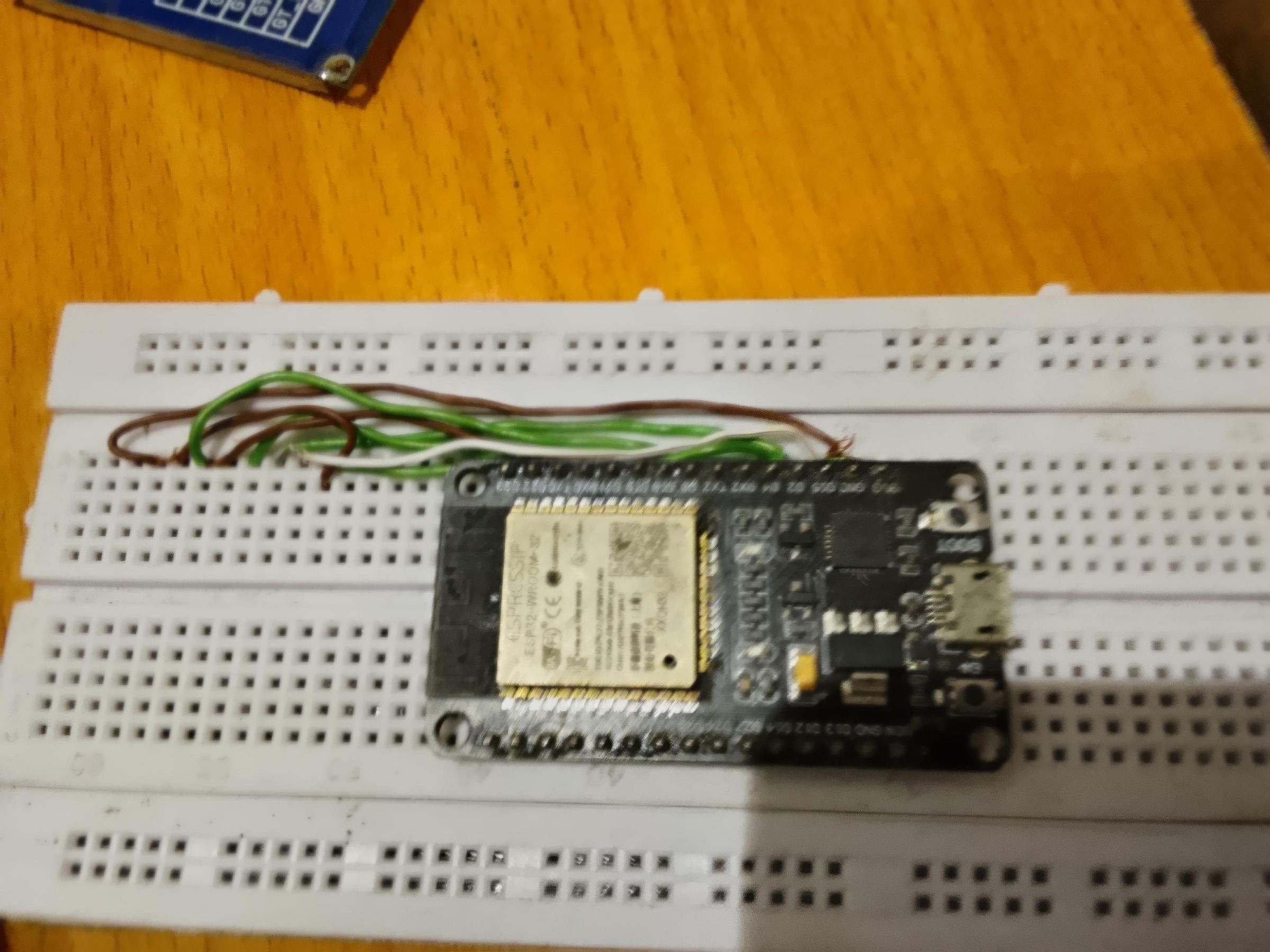
ESP32 Dev Board
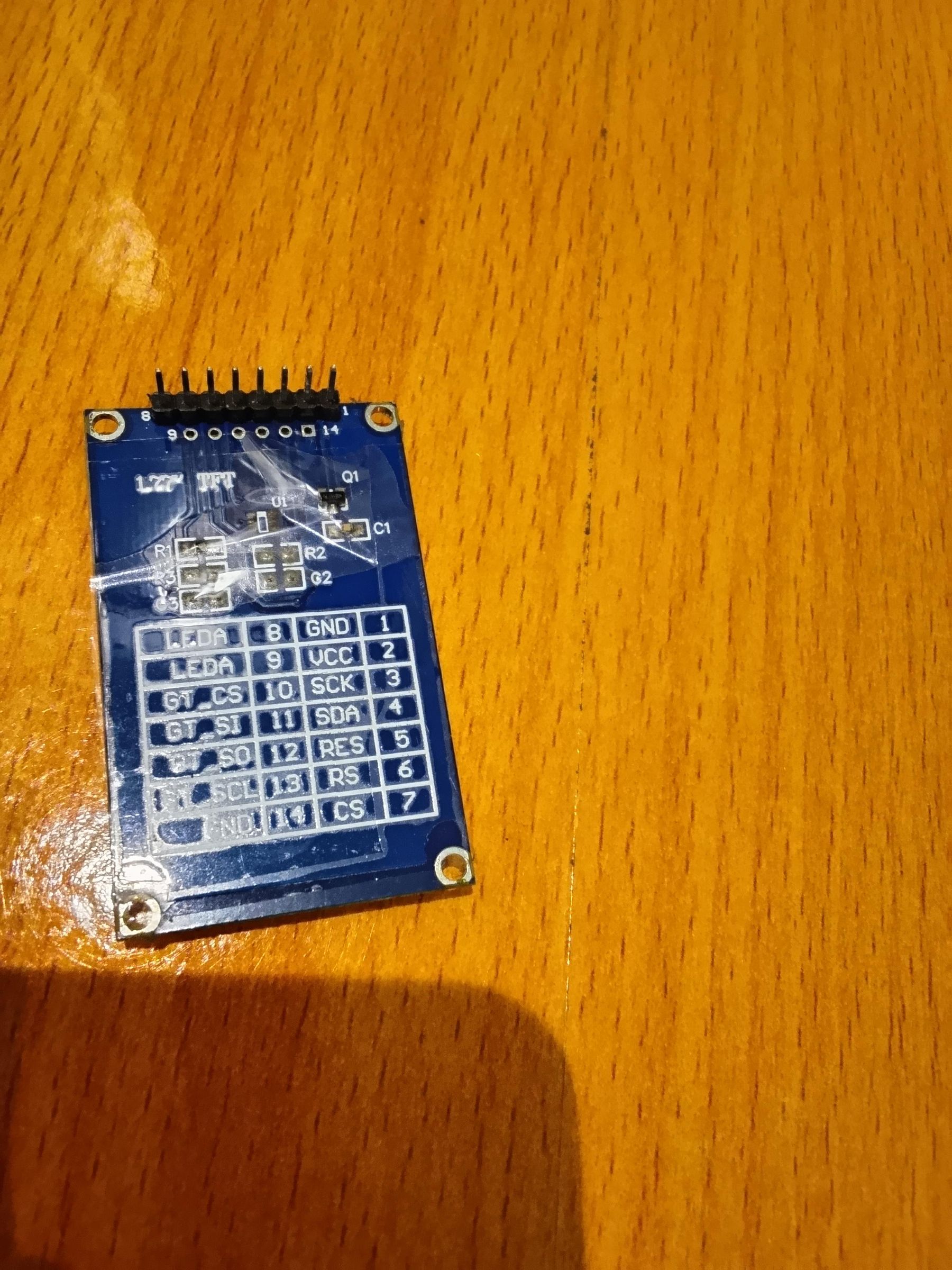
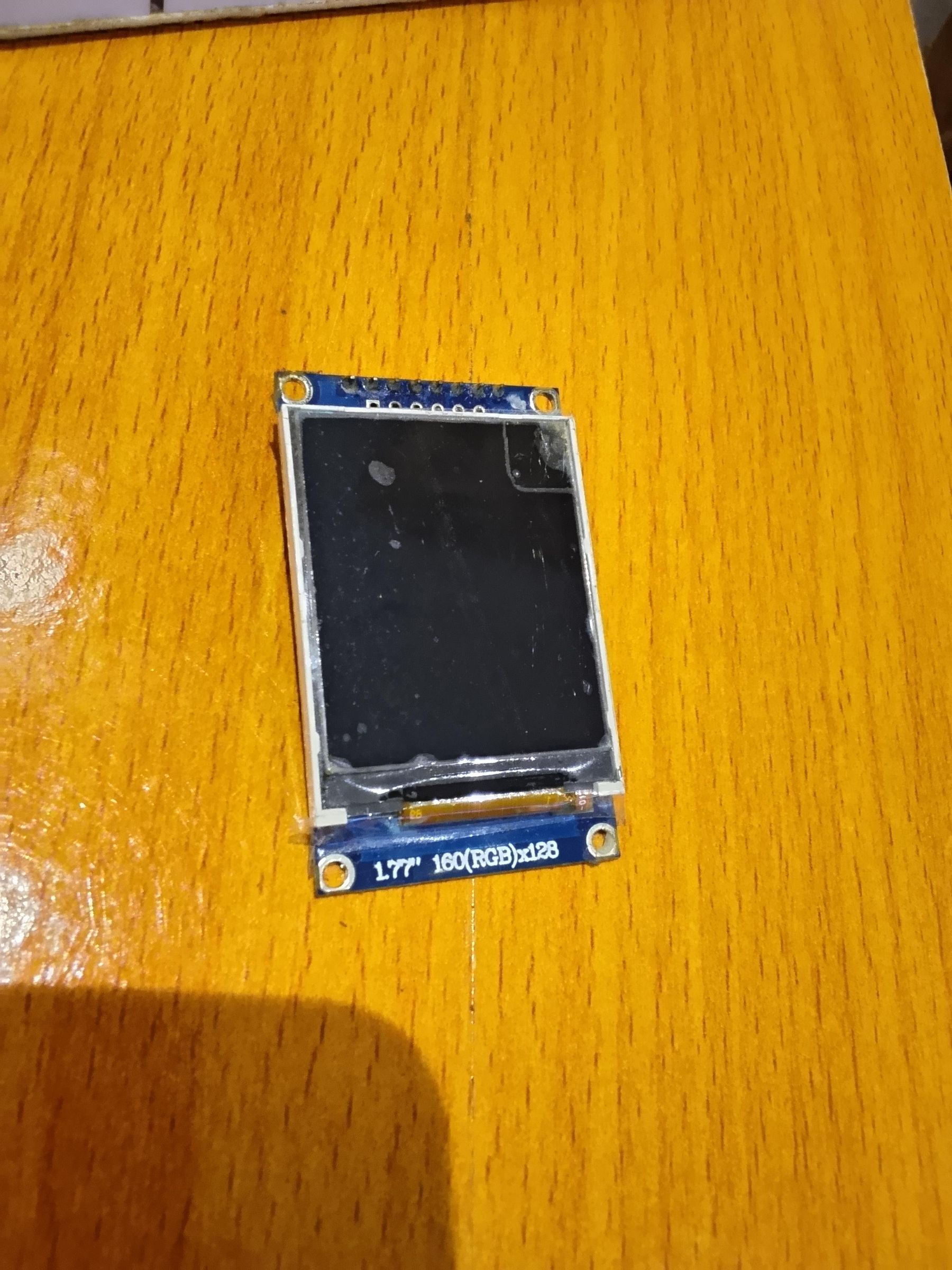
ST7735 TFT LCD
Breadboard + wires
USB cable
5V power source
Wiring & Connections
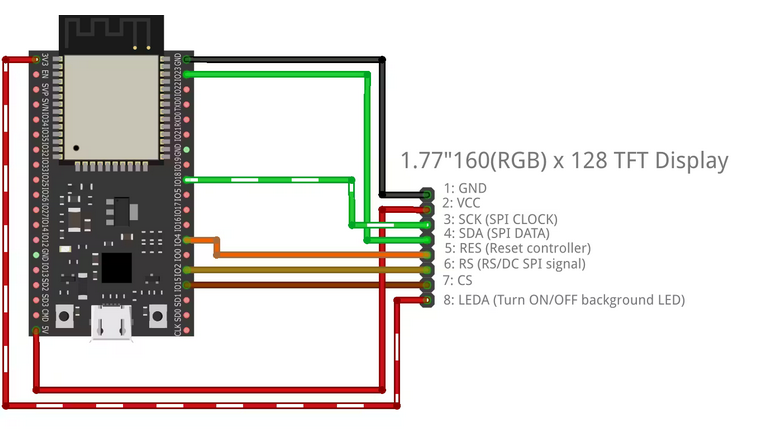
The ST7735 TFT connects to the ESP32 via hardware SPI. The TFT_eSPI library is configured via its User_Setup.h file — no pin changes are needed in the sketch. Wire the display and button as shown in the table below.
ST7735 Pin ESP32 GPIO Notes
VCC 3.3V Do NOT use 5V — will damage display
GND GND Common ground
SCL(CLK) GPIO 18 SPI Clock (VSPI_CLK)
SDA (MOSI) GPIO 23 SPI Data (VSPI_MOSI)
RES (RST) GPIO 4 Display reset
DC (A0) GPIO 2 Data / Command select
CS GPIO 15 Chip select
BL (LED) 3.3V or GPIO Backlight – tie to 3.3V
Software Setup
2.1 Arduino IDE & Board Package
- Install Arduino IDE 2.x from arduino.cc/en/software
- Add the ESP32 board package: File → Preferences → Additional Boards URLs → paste:
https://raw.githubusercontent.com/espressif/arduino-esp32/gh-pages/package_esp32_index.json
- Tools → Board → Board Manager → search "esp32" → install "esp32 by Espressif Systems"
- Select board: Tools → Board → ESP32 Arduino → "ESP32 Dev Module"
2.2 Required Libraries
Library Author Install via
TFT_eSPI Bodmer Library Manager
ArduinoJson Benoit Blanchon Library Manager (v6 or v7)
WiFi Espressif Built-in with ESP32 package
HTTPClient Espressif Built-in with ESP32package
2.3 User_Setup.h file TFT_eSPI Configuration
After installing TFT_eSPI, open its User_Setup.h file (found in your Arduino libraries folder) and make these changes:
// Uncomment the ST7735 driver:
#define ST7735_DRIVER
// Set pin numbers to match your wiring:
#define TFT_CS 15
#define TFT_DC 2
#define TFT_RST 4
#define TFT_MOSI 23
#define TFT_SCLK 18
// Select the correct tab header (1.8" display):
#define ST7735_GREENTAB// or REDTAB / BLACKTAB – try each if colours look wrong
2.4 Sketch Configuration
At the top of the .ino file, set your credentials and adjust timing:
#define WIFI_SSID"YourNetworkName"
#define WIFI_PASSWORD"YourPassword"
#define NEWS_INTERVAL30000UL // map → news every 30 s
#define NEWS_DISPLAY_TIME10000UL // each headline shows for 10 s
#define FETCH_INTERVAL300000UL // re-fetch RSS every 5 min
2.5 Upload
- Connect the ESP32 via USB.
- Select the correct COM/Serial port under Tools → Port.
- Click Upload (Ctrl+U). The TFT will show a WiFi connecting screen, then the map.
Code Walk Through
Code Walkthrough
lonToX() / latToY()
Convert geographic coordinates to screen pixels. lonToX() also applies the scroll offset and handles ±180° wrap-around.
fillPoly()
Scanline polygon fill. For each screen row, finds all edge intersections at that latitude, sorts them, then draws horizontal colour spans between pairs. Handles concave shapes correctly.
outlinePoly()
Draws the continent border by connecting adjacent vertices with drawLine(). Skips edges spanning more than MAP_W/2 pixels (date-line artefacts).
drawContinentNames()
Projects each continent's anchor lon/lat to screen x/y, skips labels outside the viewport, and renders one or two centred text rows in yellow on green.
fetchNews()
Performs an HTTP GET to the rss2json API. Uses ArduinoJson's filter feature to discard everything except item titles, keeping heap usage low on the ESP32.
showNewsScreen()
Clears the screen, draws the BBC header, article counter, word-wrapped headline using drawWrappedText(), the button hint, and an empty progress bar.
updateNewsProgress()
Called every loop iteration in MODE_NEWS. Computes elapsed/total ratio and redraws the progress bar — red portion shrinking left, grey portion growing right.
loop()
The state machine. In MODE_MAP: scroll the map every 120 ms, check if 30 s has elapsed. In MODE_NEWS: advance progress bar, handle button presses, auto-advance after 10 s.
Downloads
Screen Layout Guide
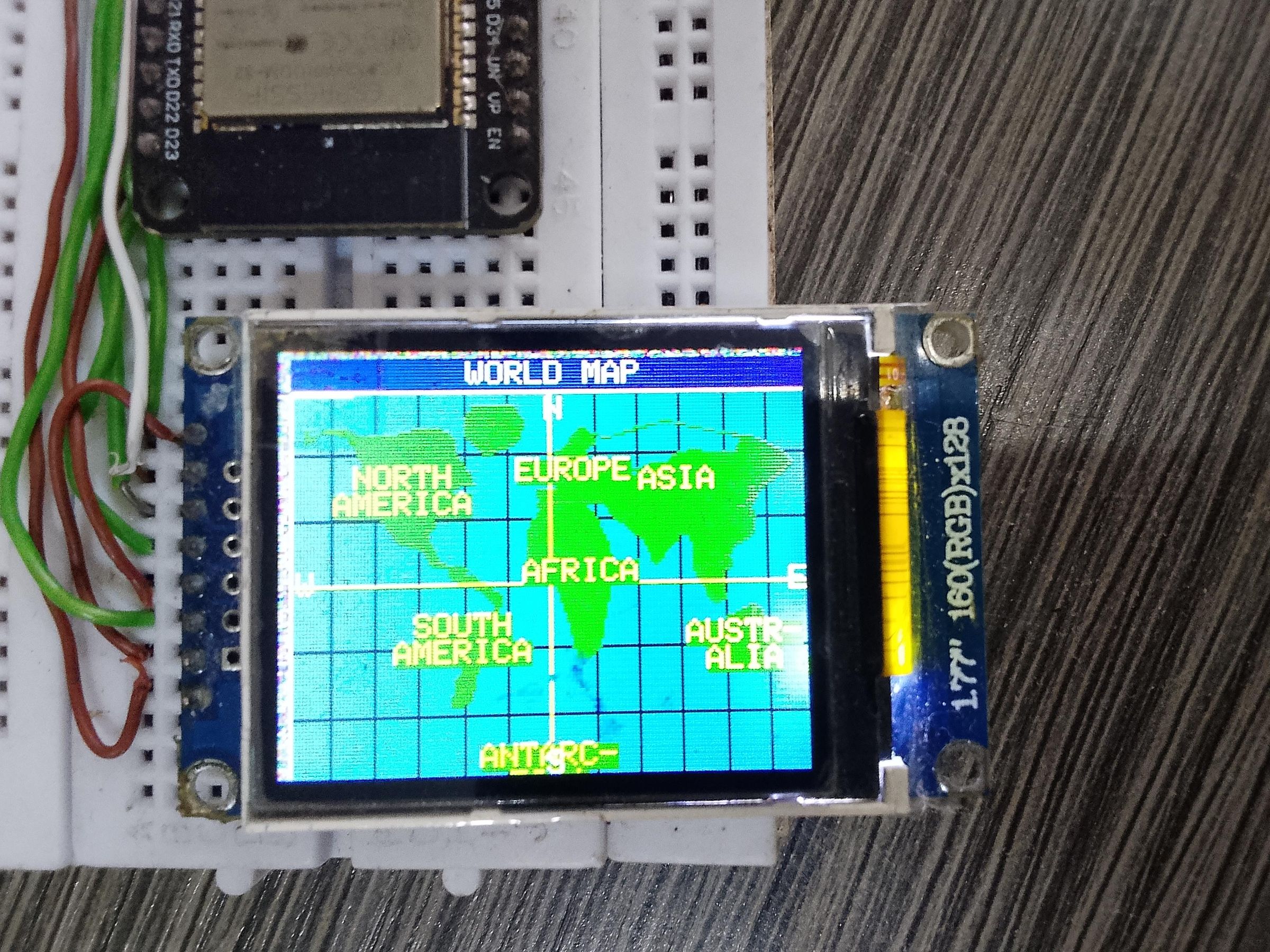

Map Mode (160 × 128 px)
Row 0–9 Navy title bar — "WORLD MAP" in white, Font 1
Row 10–127 Map area: ocean (TFT_OCEAN 0x0451), land (TFT_LAND 0x1CA3)
Grid Graticule lines every 30° lat/lon in dim blue-grey
Orange line Equator (horizontal) and prime meridian (vertical)
Labels Continent names in TFT_YELLOW on green land, Font 1
Corners N/S in white, W/E in yellow at map edges
News Mode (160 × 128 px)
Row 0–13 Red bar (#CC0000) — "BBC NEWS" header in white bold
Row 14–15 Grey article counter e.g. "2 / 8" right-aligned
Row 16 Red divider line
Row 17–108 Headline in white Font 2 (16 px), auto word-wrapped at ~22 chars
Row 109–117 Grey [BTN=next] hint text
Row 118–127 Animated red progress bar shrinking to zero over 10 s
Troubleshooting
▶ Screen shows wrong colours / all white
Open TFT_eSPI/User_Setup.h. Try ST7735_GREENTAB, ST7735_REDTAB, or ST7735_BLACKTAB until colours look correct. Each factory batch of ST7735 modules uses a different offset.
▶ Screen is blank / no display
Check VCC is on 3.3V not 5V. Verify CS, DC, RST pin numbers match User_Setup.h. Confirm tft.setRotation(1) is called after tft.init().
▶ WiFi connects but news never appears
Check Serial monitor (115200 baud) for HTTP response codes. The rss2json.com free tier has rate limits — try fetching manually in a browser first. Ensure newsURL is correct.
▶ "WiFi FAILED" on boot
Verify WIFI_SSID and WIFI_PASSWORD. The ESP32 only supports 2.4 GHz networks. Increase the WiFi timeout in connectWiFi() from 12000 to 20000 ms for slow routers.
▶ Map scrolls but continent names are missing
The name anchors are hidden when they scroll near the screen edges — this is intentional. Watch for 1–2 full rotation cycles to see all labels appear.
▶ Headlines look cut off on screen
Reduce the maxChars argument in drawWrappedText() from 22 to 18–20 for longer average words in your chosen feed. Font 2 is 16 px tall; 5 rows fit in the headline area.
▶ JSON parse error / no headlines
Increase the DynamicJsonDocument size from 8192 to 12288 if the feed payload is large. Monitor heap usage with Serial.println(ESP.getFreeHeap()).