Temperature and Humidity Data Transmitter Bluetooth "pairing".
by Didactech in Circuits > Sensors
14 Views, 0 Favorites, 0 Comments
Temperature and Humidity Data Transmitter Bluetooth "pairing".

Revisiting a previous project using a temperature and humidity module connected by "Bluetooth" to an LCD display. The Module will be in the garden shed and the display will be indoors.
I am publishing this prior to my experimentation while I await HC-05 to give you the opportunity to make comments and suggestions - trusting this is of interest, thanks.
You Arduino whizzes will say " that's a couple of lines of code and straight into serial monitor. No problem" but there are a few complications so I am going to explain the methodology involved.
Supplies
The items involved are:
USR-SENS-WSD-2 This is the RS232 version of the device.
2 off x HC-05 Bluetooth HC-05 can be configured as "Master" or "Slave" (HC-06 is a "Slave").
HCMODU0122 1602 Smart LCD (Accepts ASCII code).
RS232 Levels
The problems are all about voltage levels and current consumption, and interpreting Chinese translations!.
The module outputs RS232 data which will be sent to a HC-05 Bluetooth module for reception by another HC-05 Bluetooth module to relay to in 'intelligent' LCD display.
The first problem is RS232 levels; I am sure you are familiar with the current 5 volt to 3.3 volt level translation needs but the original levels were much higher and bi-polar. If I remember correctly, the original levels were +/- 30 volts and became a more gentle +/- 15 volts and then became mono-polar +12 volts when P.Cs became involved and so to TTL levels at 5 volt and now the low power levels of 3.3 volts.
As a nod to the transition period, Maxim provided the MAX232 level converter for 5 volt TTL to +/-8 (min. 5) volt levels.
Project

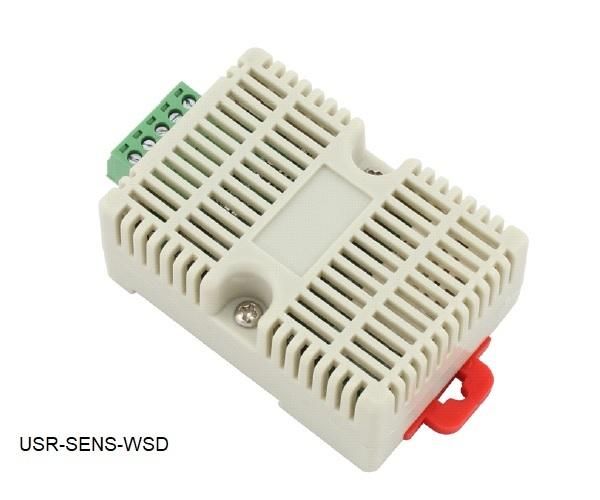
The USR-SENS-WSD-2 module uses the MAX232 device but I connected the 5 volt input to a spare "Data" pin to drive the HC-05 module.
The details are explained >>>>https://www.instructables.com/Temperature-and-Humidity-Data-Transmitter
The receiving HC-05 module can be connected directly to the 1062 Smart LCD so all that is needed is to "pair" the devices and provide power.
Once this is achieved then the system functions but other issues can be considered that can improve the system such as battery consumption and user satisfaction.
Content
This "Instructable" is now going to take three courses:
How to "pair" HC-05 modules.
Reduce power consumption from default values.
Improve "readability" of data.
HC-05/06 Module Details
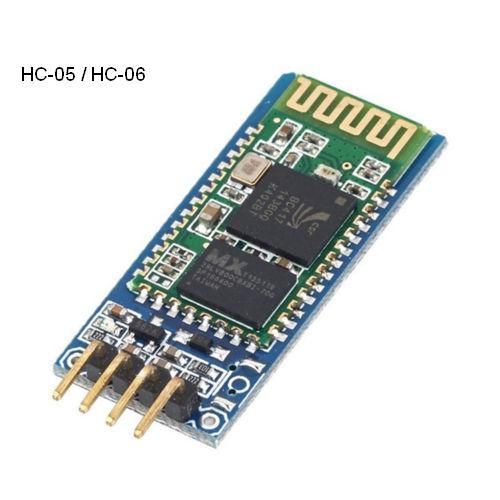
HC-05 is a Bluetooth module which is designed for wireless communication. This module can be used in a master or slave configuration.
It has 6 pins,
1. Key/EN: It is used to bring Bluetooth module in AT commands mode. If Key/EN pin is set to high, then this module will work in command mode. Otherwise by default it is in data mode. The default baud rate of HC-05 in command mode is 38400bps and 9600 in data mode.
HC-05 module has two modes,
1. Data mode: Exchange of data between devices.
2. Command mode: It uses AT commands which are used to change setting of HC-05. To send these commands to module serial (USART) port is used.
2. VCC: Connect 5 V or 3.3 V to this Pin (see further explanation **).
3. GND: Ground Pin of module.
4. TXD: Transmit Serial data (wirelessly received data by Bluetooth module transmitted out serially on TXD pin)
5. RXD: Receive data serially (received data will be transmitted wirelessly by Bluetooth module).
6. State: It tells whether module is connected or not.
HC-05 module Information
HC-05 has red LED which indicates connection status; Before "pairing" this red LED blinks continuously, when it gets connected to any other Bluetooth device it's blinking rate changes down to two seconds.
This module works on 3.3V.
The module has on board 5 to 3.3 V regulator so the supply voltage can be 5 to 3.6 volts.**
HC-05 Bluetooth module has 3.3V level for RX/TX.
HC-05 has AT commands to configure some functions.
(AT Mode 2).
To use HC-05 Bluetooth module in AT command mode, connect “Key” pin to High (VCC) 3.3 volt; apply power.
Default Baud rate of HC-05 in command mode is 38400bps.
(AT Mode 1).
It has been said that AT command mode can also be set under power but the Baud rate will remain at 9600
The “Key” pin High level can be removed after AT command mode is achieved.
Pairing: The master device can not only "pair" with the specified Bluetooth address, like cell-phone, computer adapter, slave device but also can search and make "pair" with the slave device automatically.
How to "pair" HC-05 Modules
In AT command mode, all commands should end up with /CR/LF
The following are the commands likely to be used in "pairing" devices.
AT/CR/LF Checking communication Response: OK
AT+ROLE=0 Set the module to be slave mode.
AT+ROLE=1 Set the module to be master mode.
AT+ROLE?
AT+CMODE=1 Set the module to make pair with the other Bluetooth module of specified address.
***
Param: 0 connect the module to the specified Bluetooth address. (Bluetooth address can be specified by the binding command).
1 connect the module to any address (The specifying address has no effect for this mode).
***
AT+NAME=XXXX Set Bluetooth Device Name e.g. AT+NAME=MyHC-05
AT+NAME?
AT+ADDR? Get module Bluetooth address Response: address
AT+BIND bind Bluetooth address
AT+ BIND?
Default address: 00:00:00:00:00:00
AT+FSAD Seek the authenticated device in the Bluetooth pair list Parameter: Bluetooth device address
Response 1. OK success
2. FAIL failure
AT+PMSAD Delete authenticated device in the Bluetooth pair list
Parameter: Bluetooth device address
AT+MRAD? Get the Bluetooth address of Most Recently Used Authenticated Device
AT+PAIR=<Param1>,<Param2> Param1: Bluetooth address of remote device:Param2: time out of connection (seconds)
Make pairing with the remote Bluetooth device
1. OK success
2. FAIL failure
???
Connect device
AT+LINK=<Param>
???
Reduce Power Consumption From Default Values
Reduce power consumption from default values.
USR-SENS-WSD-2 reading rate
1062 Smart LCD back light
The "front end" USR-SENS-WSD-2 and HC-05 will be run on battery power so power consumption is an issue
The only data I found for the USR-SENS-WSD-2 suggests less than 50mA so, with out hooking up an oscilloscope and in-line resistor, I suspect that the 50Ma value is related to the time of transmission which is not relevant as I am not using the RS232 section.
As the device outputs every 2 seconds which is 30 times a minute the current consumption is going to be 50/2= 25mA or less (duty cycle =1/2) or using the 9600 Baud rate works out at 2mA plus the operating current (unknown) so let us say 20mA ish. :)
There is a limited ASCII character instruction set: “READ”, “AUTO”, “STOP” which would allow a reduction of power use which I will explore in the next section.
The HC-05 module data sheet gives 2.5 mA with 50mA peak i.e transmitting so reducing reading rate would save power.
***
Current consumption: During the pairing, the current is fluctuant in the range of 30-40mA. The mean current is about 25mA. After pairing, no matter processing communication or not, the current is 8mA.
***
Batteries in use are Ni-Cad 1.2 volt 750mA giving an expected minimum duration of 750/25 = 30 hours: his can be improved by reducing the reading rate and I will address this in the next section.
The 1602 Smart LCD has a basic 7mA current consumption with the Backlight consuming upto 21mA depending on luminosity i.e 28mA max.
As already noted, the HC-05 module data sheet gives 2.5 mA with 50mA peak, however, I use a 5 volt Mains power adapter (wall-wart) so current consumption is not really important though I do address the issue of the Backlight brilliance in the next section.
Improve "readability" of Data
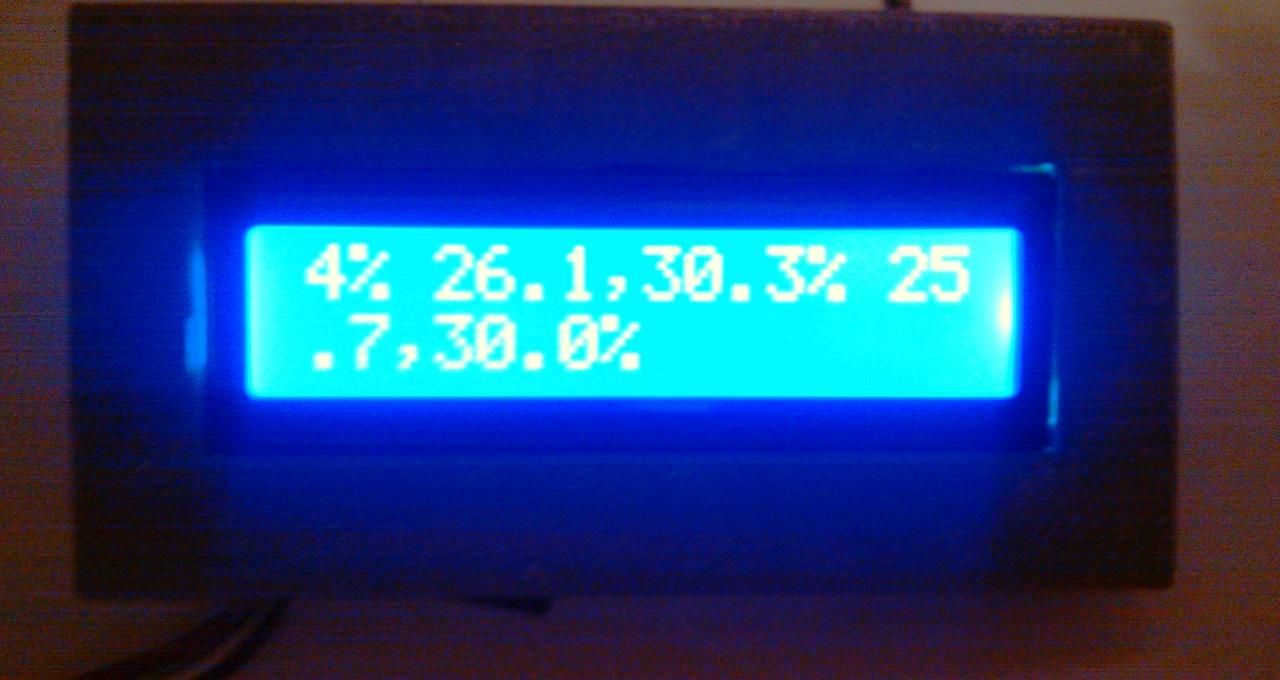
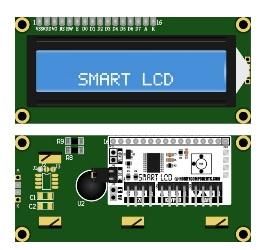
This section explores what we can do with a bit of computing power. You have seen the result of the basic set-up, which performs it's purpose but could be better.
If a micro-controller is placed between the receiving HC-05 and the 1602 Smart LCD then not only can the formatting be changed, there is now a back-channel for the USR-SENS-WSD-2 commands. There is also the capability to add bells and whistles, literally!
Three objectives:
Change data format presentation.
Start/stop the reading.
Detect and warn of low battery voltage.
The USR-SENS-WSD-2 data format is 29.8,56.5% with a leading space character.
i.e space char.,TempºC, comma, Humidity% e.g 21.1,37.7%
There is no capability to modify the data format.
1602 Smart LCD AT commands.
AT+PR=String String: ASCII string to be printed
ASCII Bell (BEL) 7 only with Loudspeaker output
AT+BL=Level Level: Backlight brightness level (0 = 0%, 10 = 100%)
AT+CT=Level Level: Contrast level (0 = max, 255 = min)
AT+BE=Note,Time Note: Index of note to play (0 to 11) Time: Duration of note in 10ms increments (10ms to 2.55 seconds)
Function ASCII Code (dec)
Printable alphanumeric characters 32 to 126
Carriage return (CR) 13
Line feed (LF) 10
Form feed (FF) 12
Bell * (BEL) 7 * Requires optional Smart Keypad accessory
Backspace (BS) 8
Horizontal tab (TAB) 9
Delete (DEL) 127