The BLOOM - Building Local Opportunity, Outreach, and Mobilization
by Dhruv Goyal in Design > 3D Design
30 Views, 1 Favorites, 0 Comments
The BLOOM - Building Local Opportunity, Outreach, and Mobilization
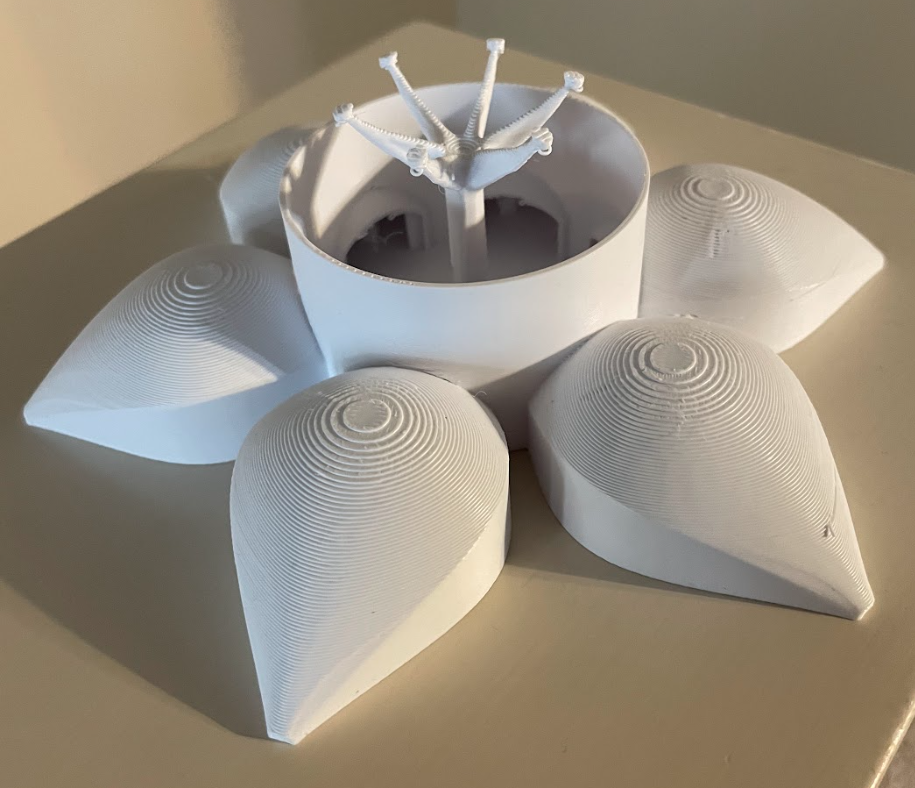
The BLOOM - Building Local Opportunity, Outreach, and Mobilization
June to November is the scariest time for most Houstonians like me. Houston experiences flash floods multiple times per week and hurricanes biannually. The water comes without much warning, takes everything it can reach, and leaves behind not just billions of dollars in physical destruction, but a community filled with grief and exhaustion, feeling completely forgotten by the system that was supposed to protect them. Even as someone pretty young and in high school, I still remember Hurricane Harvey destroying the area around me. My home.
So I wondered: What if there was a way the built environment could fight back, heal our community?
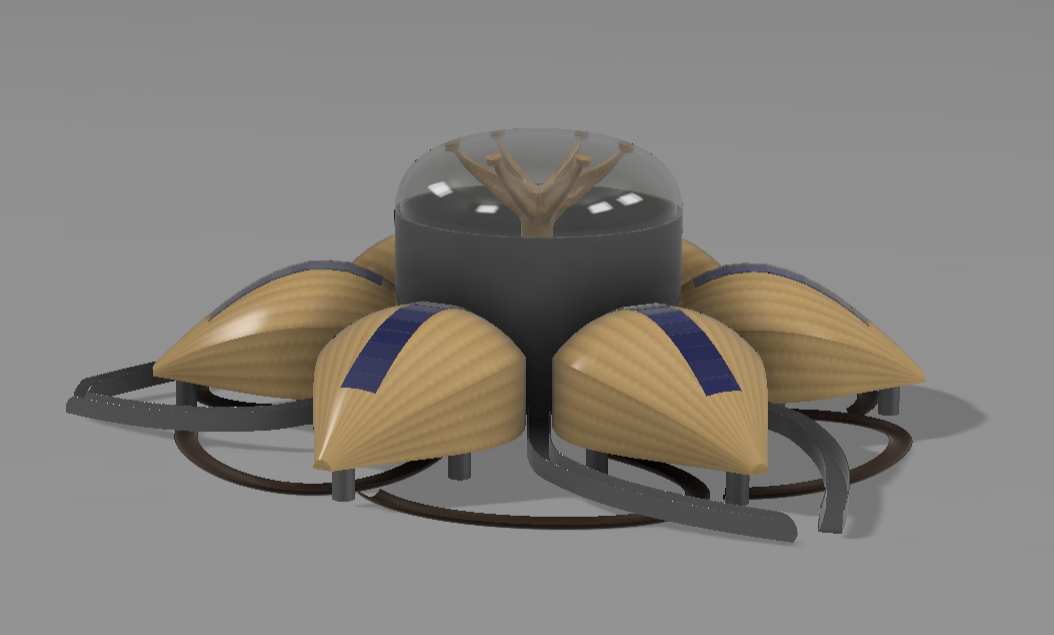
The BLOOM is my answer. It is a next-generation civic architecture, community makerspace, and environmental resilience hub designed explicitly for Houston's floods. Rather than relying on "defensive infrastructure" such as brutalist concrete seawalls that disconnect communities from their natural environment, The Bloom the cultural landscape around it to bring together communities while fighting against disasters.
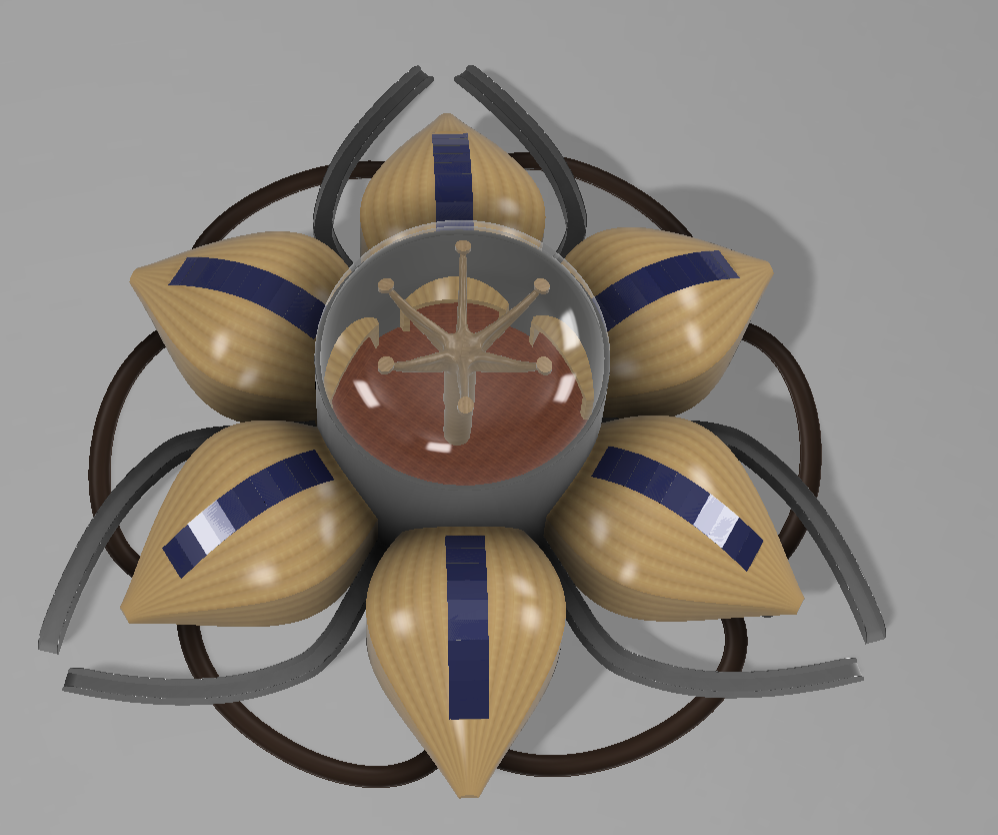
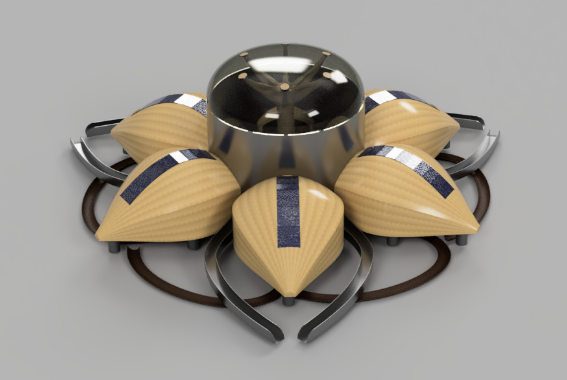
Architecturally, the building is composed of six identical mass-timber "petals" that radiate with perfect 60-degree symmetry from a central civic atrium. During normal weather conditions, The Bloom functions as an open, highly accessible public community library, workshops, makerspace, a youth center, a community hall, and a resilience hub. However, when extreme weather hits, the building transforms from a passive community anchor into an active defense mechanism that can save hundreds of lives.
Core Capabilities
The structure operates in two distinct operational profiles, driven by a series of high-performance architectural systems:
- Flood Armor (Ground Level) : The entire structure is permanently elevated on a network of 25 structurally reinforced concrete piers that raise the building above flood level.
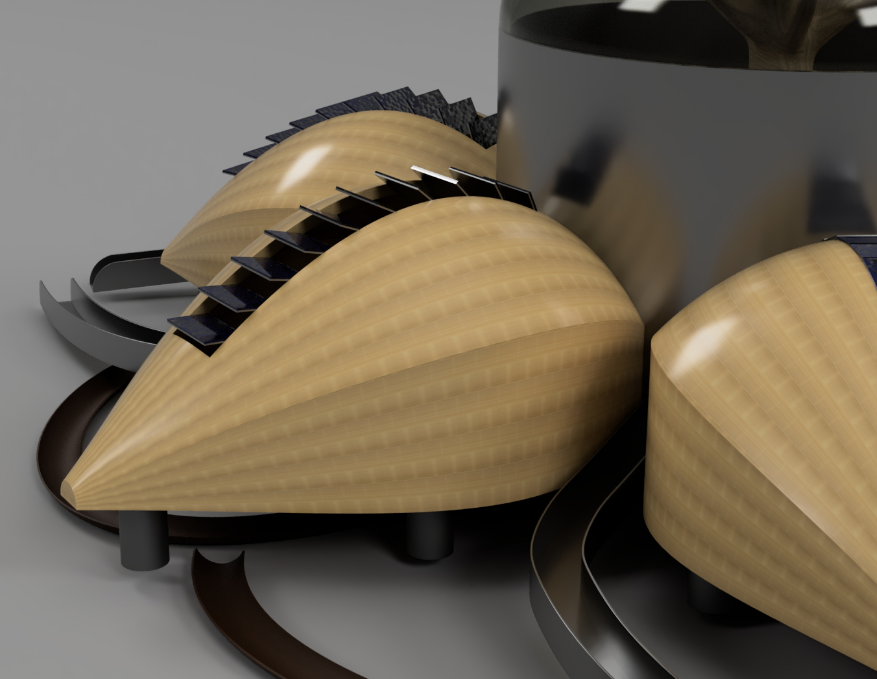
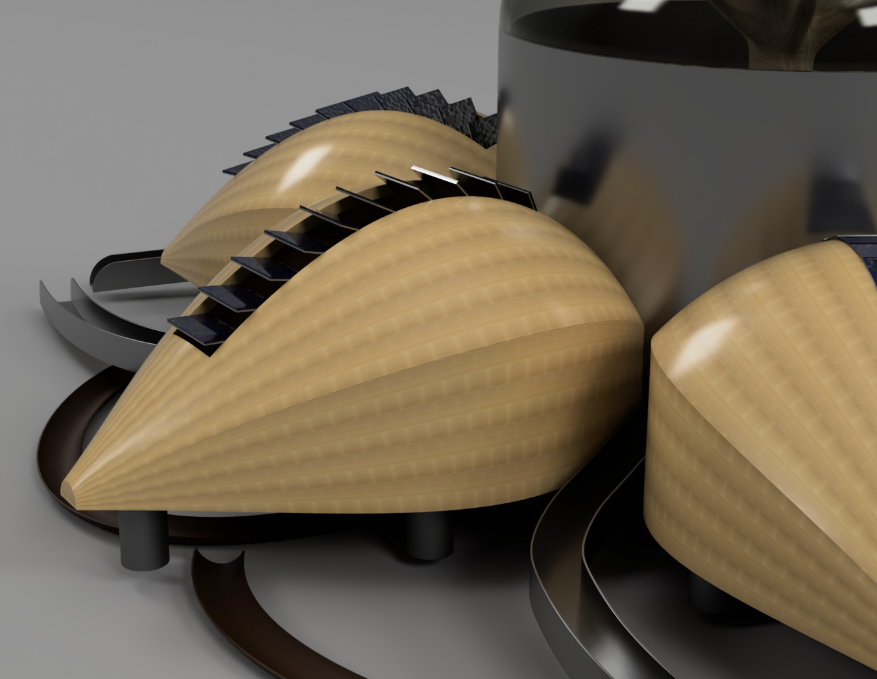
- Parametric Microclimate Management (Roof Ridge): Each petal features an array of 10 integrated louvers. Controlled by automated mechanical actuators, these louvers adjust dynamically between 0° (a compression-sealed, storm-tight gasket lock) and 75° (allowing for maximum ventilation). Each louver has a 144HF solar panel and a transparent shield to ensure the elimination of energy grid reliance to supply power during a disaster.
- High Structural Tolerance: Using generative design and specially picked materials such as CLT, the BLOOM can withstand high pressures and hurricanes to become resilient despite disasters.
- Disaster Self-Sufficiency: When emergency mode is activated, the building transitions into a FEMA-compliant emergency shelter capable of housing 300 occupants for 72 hours with complete water, power, and communication independence.
The Six Petals
To ensure the building serves a dual civic and defensive purpose, the building's petals each have a specialized purpose:
- Petal 1 (North, 0°): Digital Makerspace: Equipped with 3D printers, laser cutters, computers, CNC machines, etc.
- Petal 2 (North-East, 60°): Library & Community Archive: A quiet study zone housing books alongside an archive dedicated to documenting local flood histories.
- Petal 3 (South-East, 120°): Flexible Community Hall: An open assembly space that serves as a town hall to host events or community gatherings.
- Petal 4 (South, 180°): Workshop: A resource hub with power tools and fabrication for the community to learn and create.
- Petal 5 (South-West, 240°): Youth & After-School Space: A safe educational zone for children's tutoring, creative play, and mentorship programs.
- Petal 6 (West, 300°): Resilience Hub: The command center of the building with flood monitoring systems, medical supplies, and ready when disaster strikes.
This Instructable documents the complete, comprehensive design methodology of The Bloom. From initial inspiration and research to Fusion's generative design and testing with physical models.
Supplies



CAD Modeling:
Fusion 360 - Fusion is uniquely suited for this project because it has a generative design workspace, allowing for organic and biophilic designs. Fusions can easily handle smooth, natural architectural design and 3D parametric design.
3D Printing:
Any slicer and printer (I used my community's Bambu X1C)
Building the physical model:
- Paper
- Axels
- Rubber Shaft Collars
- Tape
- Cork
Houston and Water
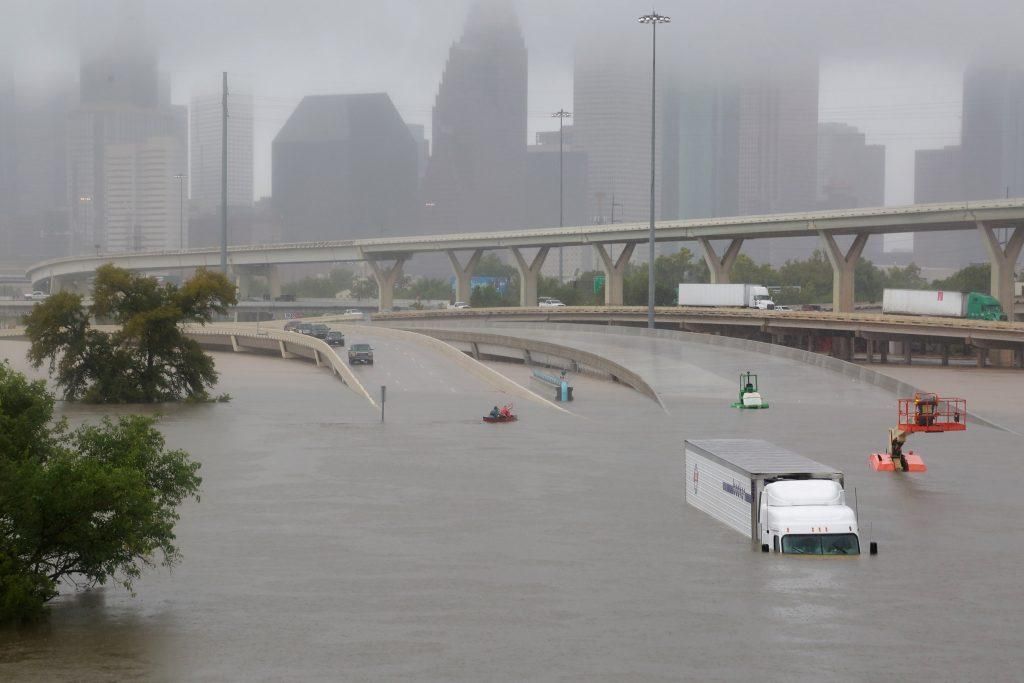
Houston’s geography makes flooding an unavoidable reality. Located on the flat Gulf Coastal Plain of Southeast Texas, the city sits barely above sea level and is built on dense clay soil that absorbs little water. Combined with Houston’s proximity to the warm, moisture-rich Gulf of Mexico, these conditions create an environment highly vulnerable to severe flooding. Between 2015 and 2017, Houston experienced three major “500-year floods,” including the devastating Hurricane Harvey in 2017. Harvey stalled over the region for four days, dropping record-breaking rainfall and causing catastrophic destruction - around 300,000 structures flooded, tens of thousands of people were displaced, and damages reached an estimated $125 billion.
The aftermath of Harvey revealed deep inequalities in Houston’s recovery process. Research from Rice University’s Kinder Institute found that lower-income neighborhoods and communities of color, such as the Fifth Ward, Kashmere Gardens, and the East End, recovered far more slowly due to limited flood insurance coverage, fewer financial resources, and difficulty accessing FEMA assistance. For many residents, Harvey became a life-changing dividing line between “before” and “after.” The Bloom is proposed not simply as a response to one disaster, but as a long-term investment in vulnerable communities that will continue to face future floods as climate risks increase.
Constraints and Goals
Before designing The Bloom, the project’s needs and limitations had to be clearly defined. The building is designed specifically for Houston's east working-class community in inner Harris County, entirely within the 100-year flood plain. During Hurricane Harvey, the area received 30–45 inches of rainfall and experienced severe flooding for days. The neighborhood also lacks community infrastructure, with limited libraries, community centers, and almost no access to digital fabrication or job-training resources.
To address these concerns, I plan to include:
- Accessible gathering spaces
- After-school and youth programs
- Technology and job-training access
- Emergency shelter capacity
- A building that acts as a long-term community anchor
As a result, The Bloom is designed to function in two modes: everyday community use and emergency flood activation.
These requirements directly shaped the architecture. The structure is elevated 1.8 meters above grade on concrete piers to sit above local Harvey flood levels and comply with FEMA flood-zone regulations. Open foundations allow floodwater to pass beneath the building, while all electrical and mechanical systems are elevated above the piers. The design also follows FEMA P-361 safe-room standards for hurricane resilience, Texas building codes for public assembly spaces, and full ADA accessibility standards through features such as a 1:12 accessible ramp system.
Flood Resilience:
- Floor levels above Harvey peak.
- Pier elevation of 1.8 meters.
- Base flood elevation plus 4 feet.
Emergency Shelter
- FEMA shelter-in-place capacity for 300 people.
- Petal 3 atrium fits 300 cots.
Water Independence
- 72-hour water self-sufficiency.
- 75,000-liter underground cistern.
Wind Resistance
- Category 3 hurricane rating.
- Curved CLT shell rated for 200 km/h.
Sustainability
- Net-positive carbon impact - green energy
- CLT structure, bioswale stormwater, solar-ready roof.
Community Program
- Six petal wings for community programs.
- Each wing has a distinct function.
Accessibility
- Full ADA compliance.
- 1:12 switchback ramp and universal design.
Biophilic Design
- Nature-integrated environment.
- Organic forms, natural materials, and daylighting.
Materials and Systems Research
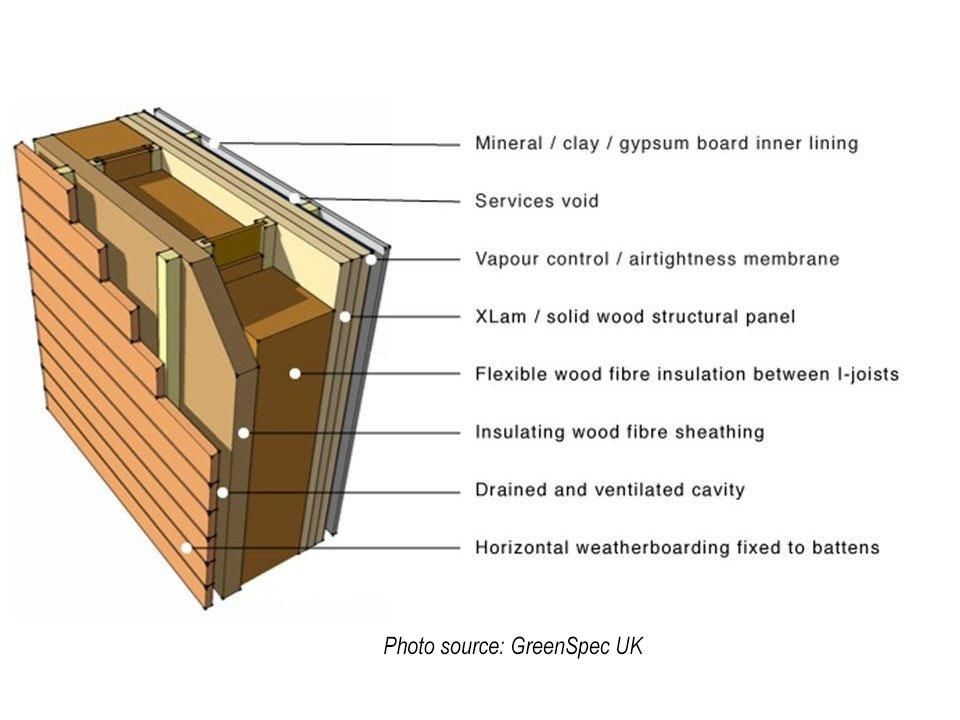

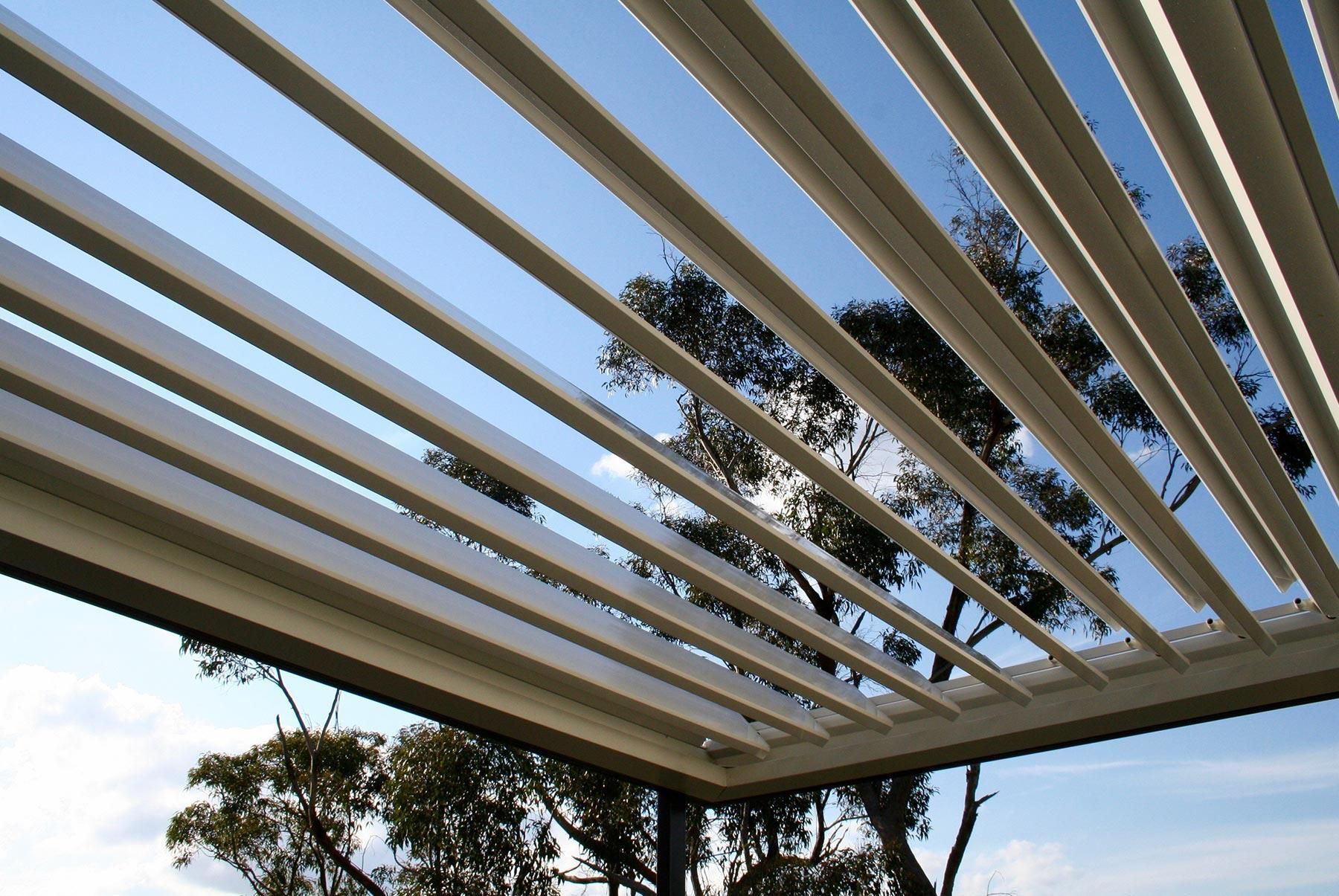

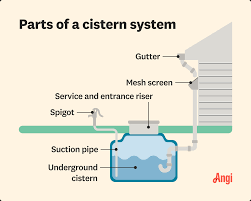

The materials and systems/mechanisms that I plan to use have been invented before and proven to be efficient and resilient.
1. Cross-Laminated Timber (CLT)
The Bloom’s primary structural material is Cross-Laminated Timber (CLT), an engineered wood panel made by layering lumber in perpendicular directions and bonding it under pressure. CLT was selected because it satisfies several structural and environmental requirements simultaneously.
Compared to reinforced concrete, CLT is significantly lighter, reducing the load placed on the elevated pier foundation system required in Houston’s flood zones. It also stores carbon absorbed during tree growth, making it far more sustainable than concrete or steel. Research shows that mid-rise CLT buildings can reduce overall carbon impact by tens of tonnes compared to traditional construction methods.
CLT also performs well in fire conditions. Rather than failing suddenly, the outer surface chars at a predictable rate, insulating the structural core and allowing engineers to design precise fire-resistance ratings. In addition, CLT panels can be prefabricated off-site with CNC machining, shortening construction time and improving precision.
Although Houston’s humid climate creates moisture concerns for timber construction, modern CLT products use moisture-resistant adhesives and protective detailing. Elevated floors, waterproofed connections, and efficient roof drainage help protect the structure from long-term moisture exposure.
Why CLT Instead of Concrete or Steel?
CLT was compared directly against reinforced concrete and structural steel for the project. Concrete offers strong flood resistance but has a high carbon footprint and slower construction time. Steel allows long spans but performs poorly in fire without extensive fireproofing and creates acoustic issues in public spaces.
CLT offered the best balance of low weight, carbon sequestration, fast prefabricated construction, strong acoustic performance, and biophilic qualities. Its natural appearance also supports the project’s goal of creating a welcoming and community-centered environment rather than an institutional shelter. For a low-rise civic building in Houston, CLT provided the most effective combination of resilience, sustainability, and human comfort.
Additionally, FEMA P-361 safe-room standards require "near perfect" resistance to wind, hurricane, rain, etc. Even with some of the drawbacks of CLT, the material still meets this standard.
2. Bioswale Systems
Houston’s flooding problem is worsened by the city’s large amount of impervious surface, which prevents rainwater from soaking into the ground. To address this, the spaces between The Bloom’s six petals function as bioswales - vegetated drainage channels that slow, filter, and absorb stormwater.
Each bioswale is planted with flood-tolerant native species such as Gulf muhly grass, Virginia blue flag iris, and bald cypress trees. These plants help stabilize soil, absorb water, and improve filtration. The bioswales direct runoff into the building’s underground cistern through gravity-fed filtration trenches beneath the structure.
The system is designed to capture and manage the first inch of rainfall entirely on-site, reducing polluted runoff and easing pressure on Houston’s drainage infrastructure. According to EPA stormwater modeling, bioswale systems can reduce peak runoff significantly during major rain events.
3. Kinetic Architecture
The Bloom includes movable architectural systems that respond to weather and emergency conditions.
Roof ridge louvers remain open during normal operation to support passive cooling through stack ventilation and wind-driven airflow. During storms, sensors automatically close the louvers to seal the building against wind and rain.
4. Rainwater Cistern System
The Bloom incorporates a 75,000-liter underground rainwater cistern designed to provide emergency water storage during flood events and infrastructure outages. In Houston, severe storms often overwhelm municipal systems, making independent water access critical for emergency shelter operation. The cistern allows the building to maintain approximately 72 hours of non-potable water supply for sanitation, cleaning, irrigation, and emergency use during disaster conditions.
The 3D planned petal geometry of The Bloom directly supports this system. Each curved petal shell slopes inward toward central drainage valleys between the petals, naturally channeling rainwater by gravity into the bioswale network and filtration trenches below. From there, water flows into the underground cistern without requiring active pumping during collection. This passive, gravity-assisted drainage strategy reduces mechanical complexity, improves reliability during power outages, and turns the building’s sculptural form into part of its environmental infrastructure.
Setting Up Fusion 360
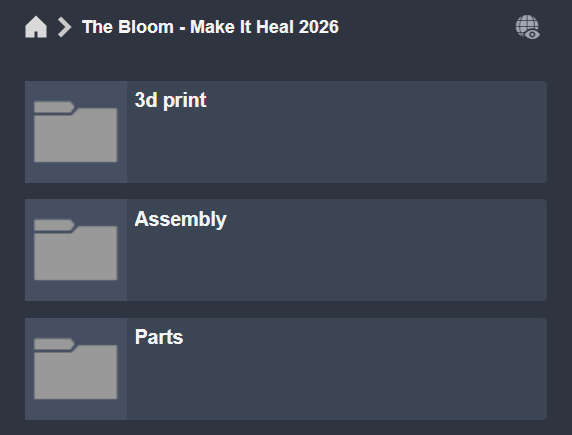
Now we can start CADing the building.
Fusion uses intent-driven designs, which can help simplify the workflow.
To get started, divide your project folder into three files as shown above. This is to ensure neat and organized CAD practices so that you can easily keep track of all parts.
Bloom Atrium

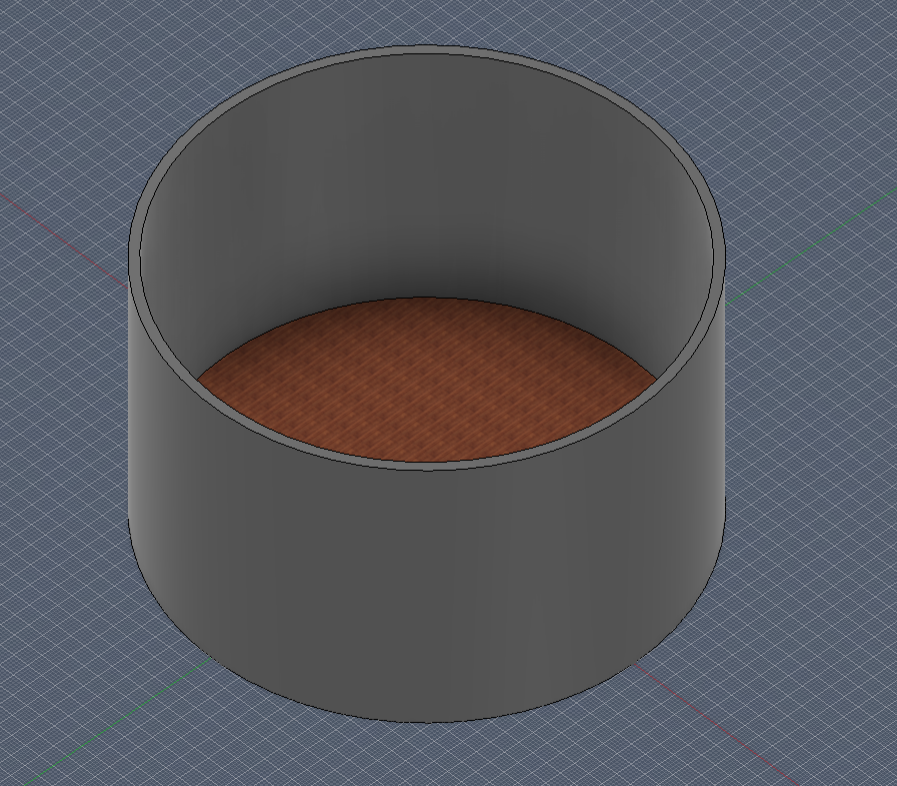
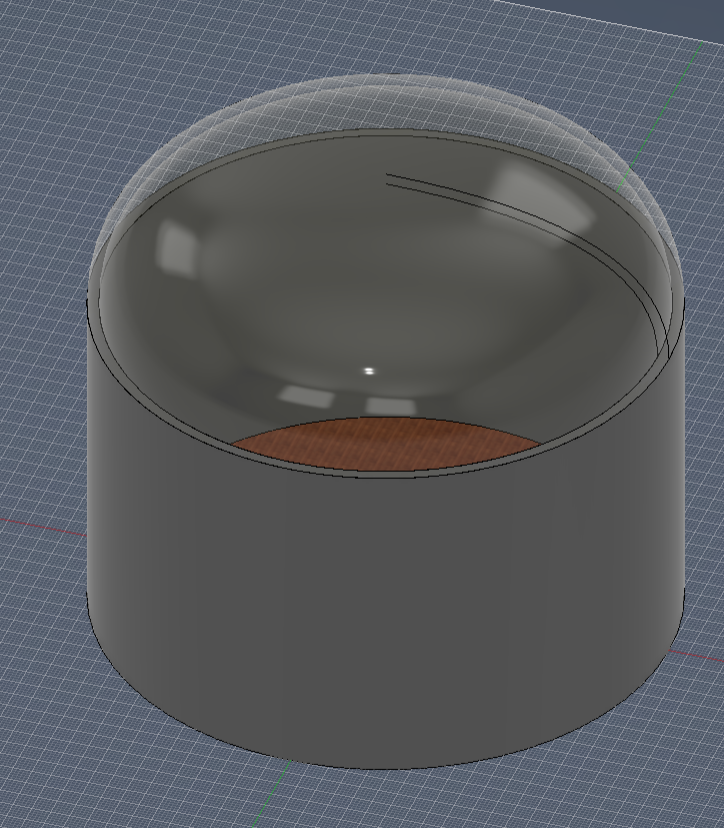
Fusion is well known for its parametric-based designs.
We will be taking advantage of this.
Start by using the parameters shown above. This is important because when the time comes to reference a dimension or if you decide to change this building to how you please, doing so is very simple.
The atrium is a simple geometry consisting of a floor and a wall, which is just the diameter with the thickness extruded. Throughout the project, we will be using 0.3 meters for the thickness as that is a foot of CLT which can withstand high hurricane pressures.
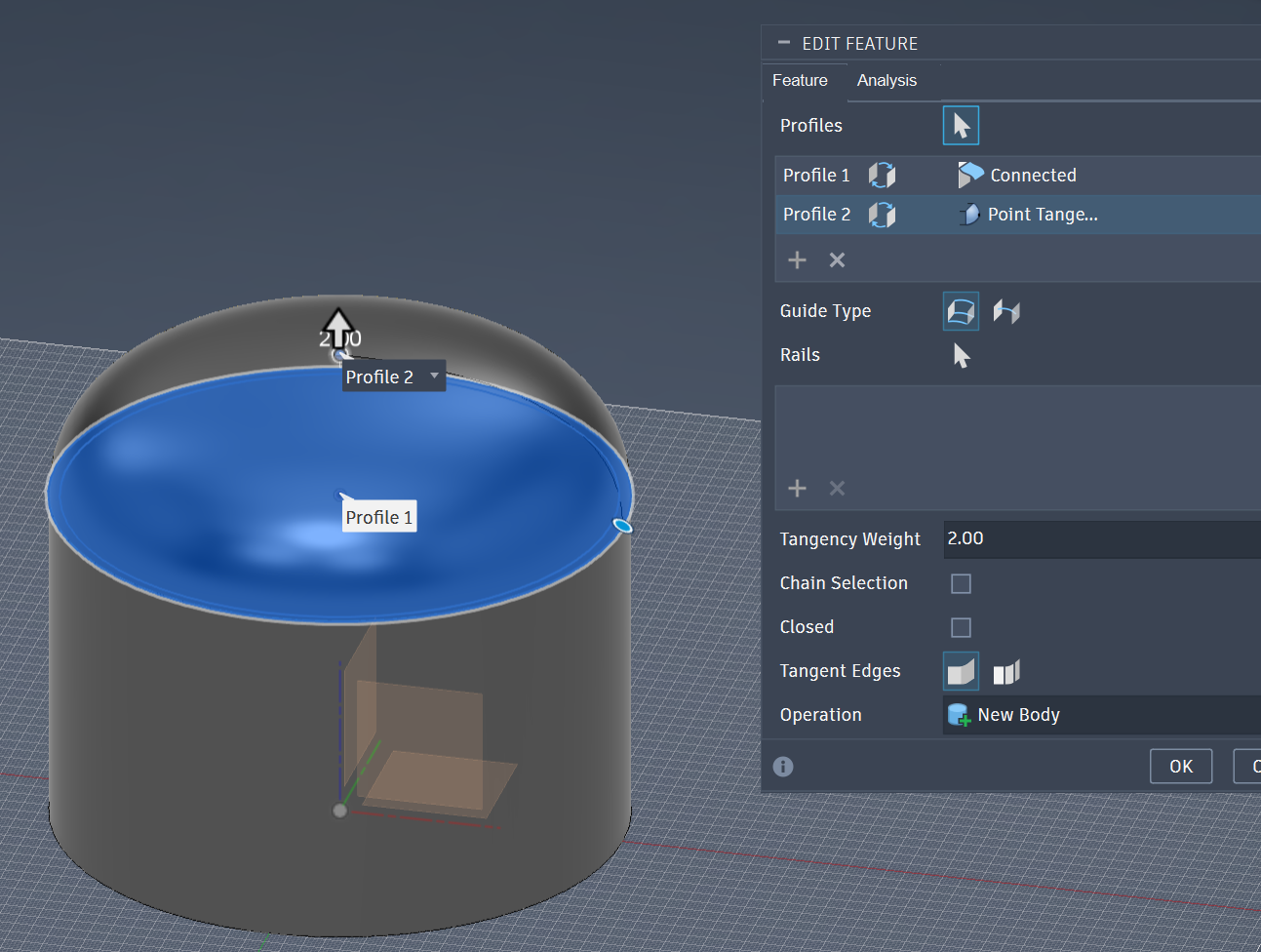
To create the dome, we will loft 2 planes (one on the wall and one on an offset plane) and edit the tangency to make a dome-shaped curvature.
Petal
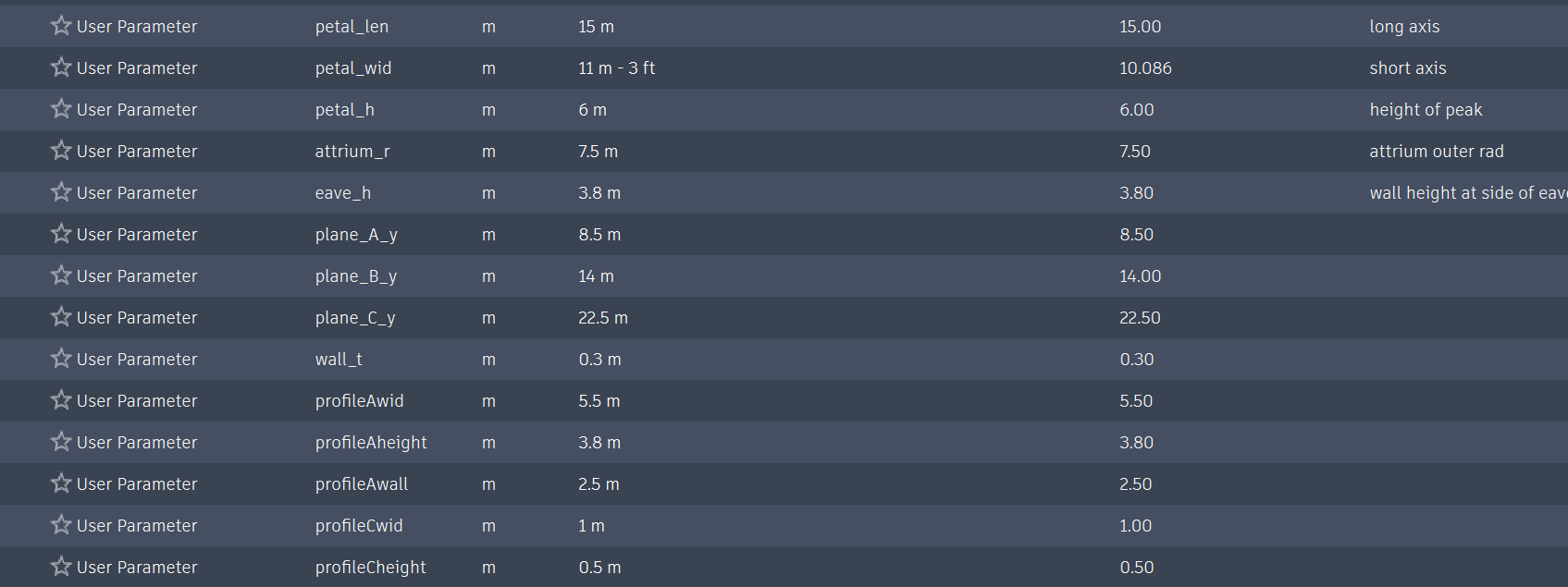
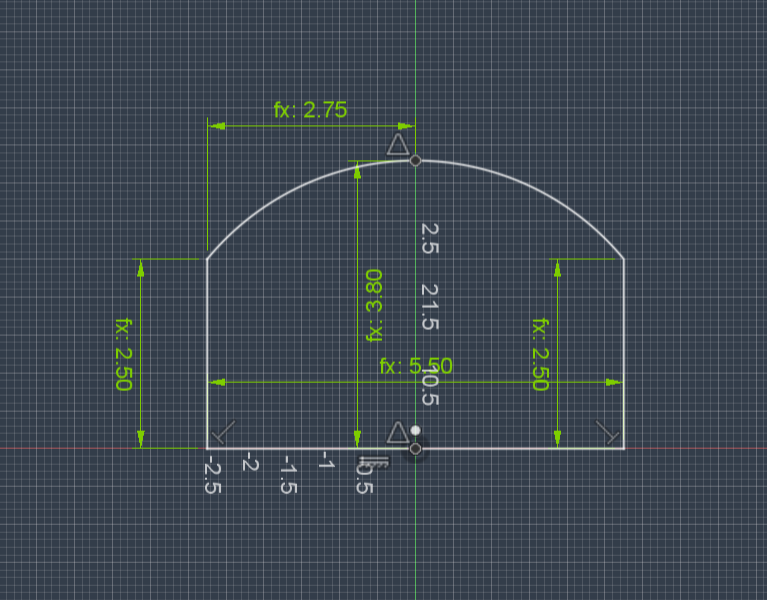
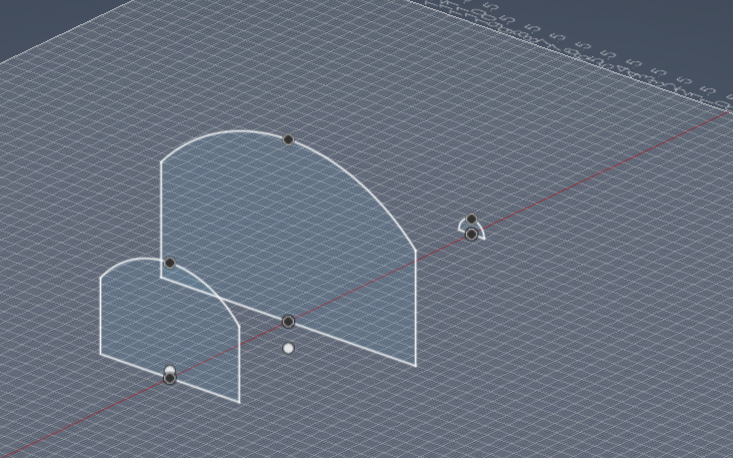

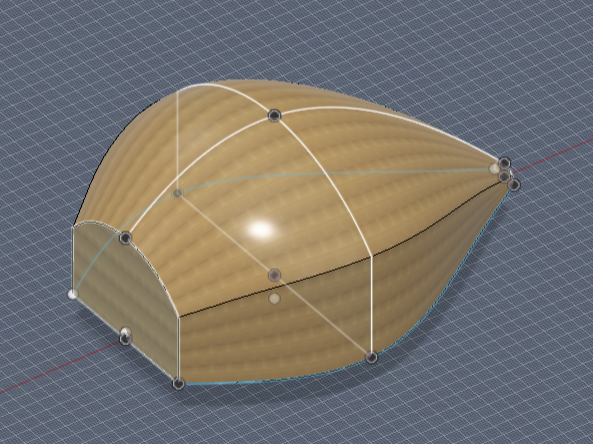

Once again, follow the parameters shown above.
To create a petal in an organic shape, we have to utilize the loft tool and use rails to define the curves.
Make 3 offset planes on the YZ axis and make the profile of the petal on the sketch. Doing this 3 times gives 3 different points the loft can reference.
Then on the XY and XZ planes. Make eaves and rails to touch all three profiles, creating a "skeleton" for the petal. Doing so, you can start to see it come to life. Make sure you use projections of the profiles to make the rails, so changing the parameters won't ruin everything.
Then use the loft function and select your rails, and you are left with a petal!
Seen in the last image, playing around with the parameters can get you different-shaped petals, allowing you to completely customize The Bloom. For now, I'm just stuck with parameters in the image.
Piers
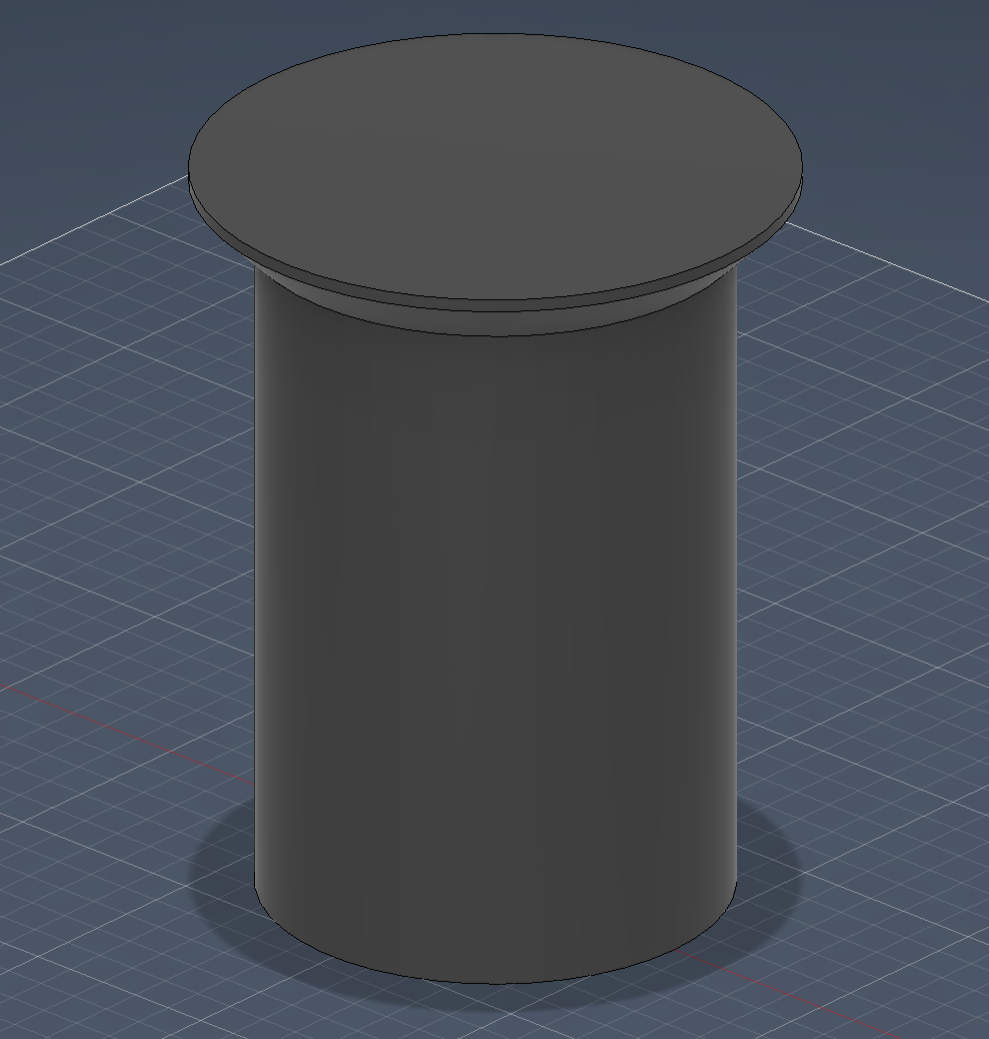
The pier's only real constraint is that it has to be 1.8 meters high.
So to do this, simply sketch a circle (1.1 meters in diameter) and extrude it 1.8 meters.
I added a chamfer to give more surface area on the face that supports the weight.
Bioswales
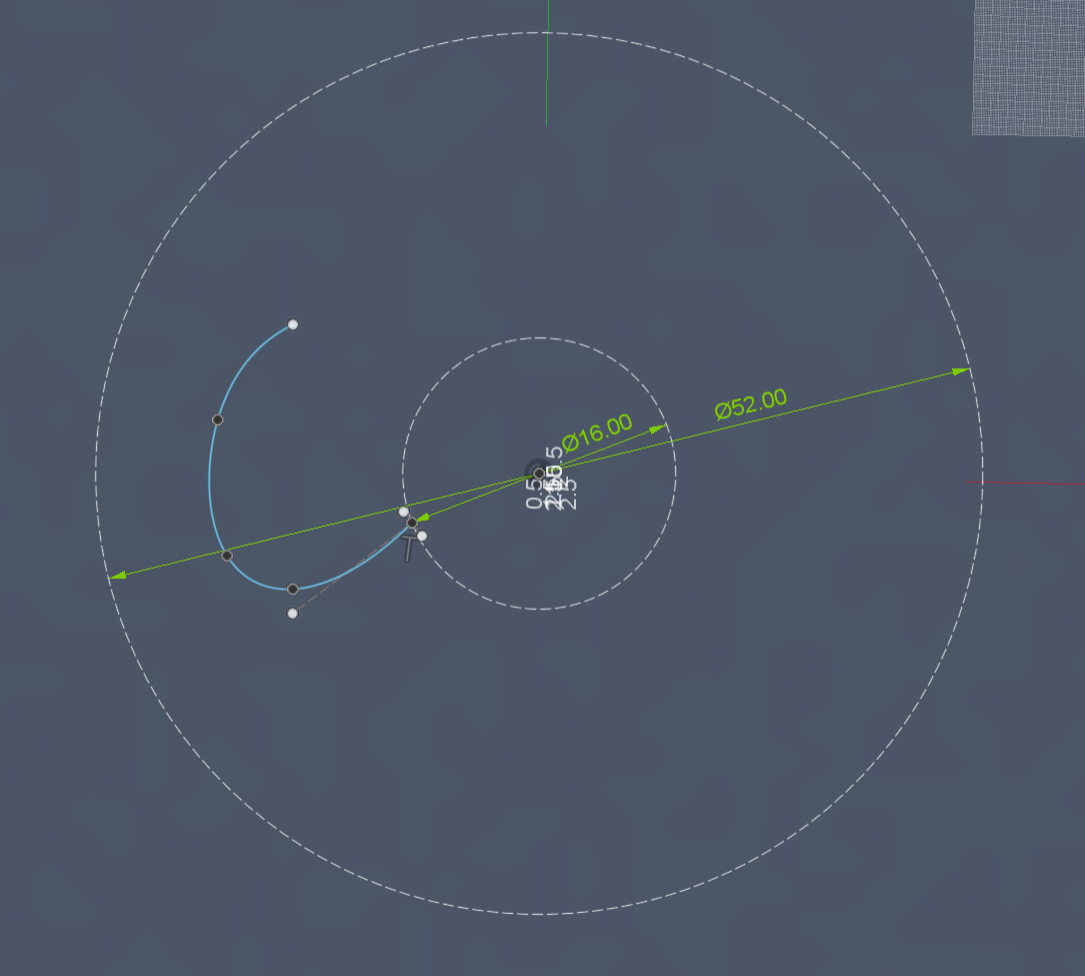

The bioswales are going to look like dug-out channels in the ground.
To keep the biophilic pattern, I use a circular pattern to create symmetric channels across the surface.
Start with a sketch on the XY plane and sketch out a spline of your choice to represent the shape of the bioswale.
Sweep and thicken the spline and then use a circular pattern to make it a circular shape.
Generatvie Design - Structural Supports
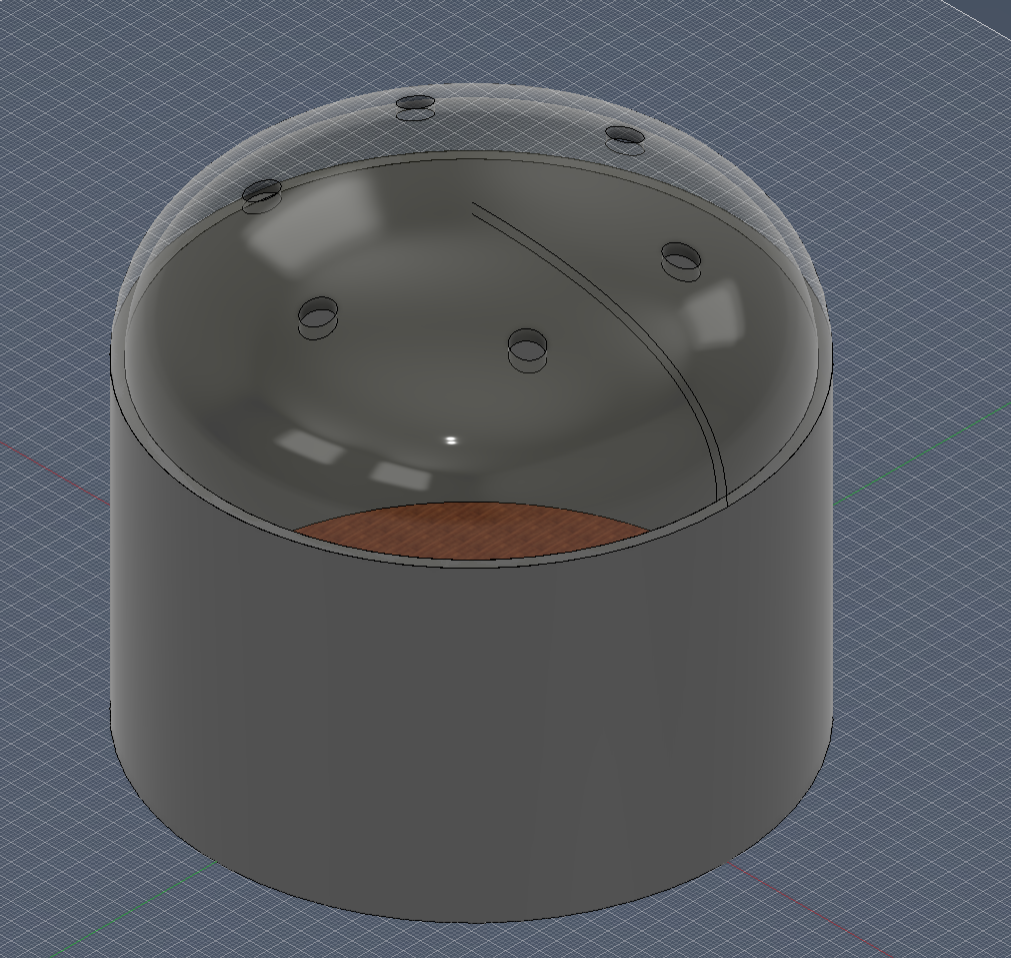
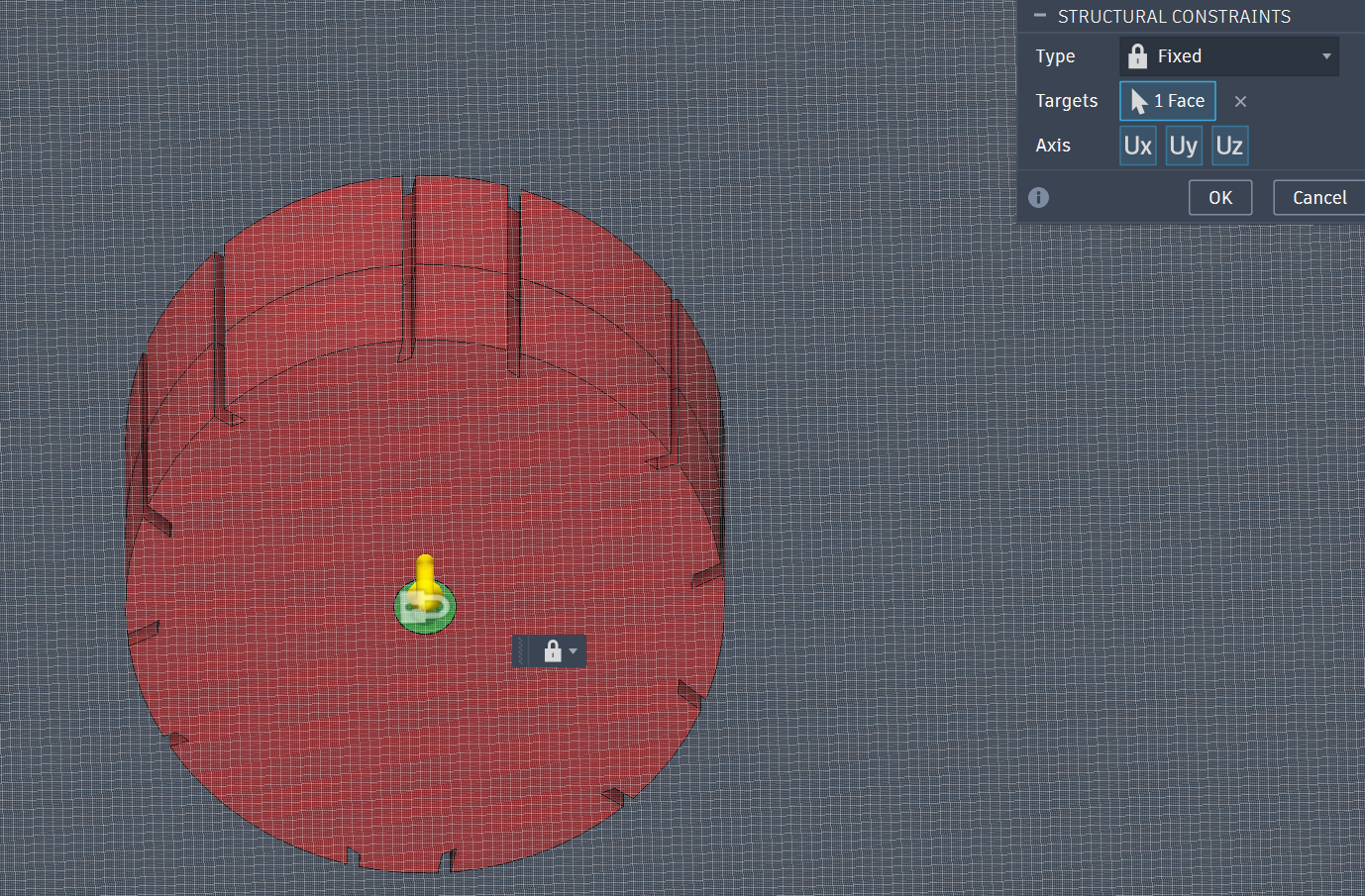
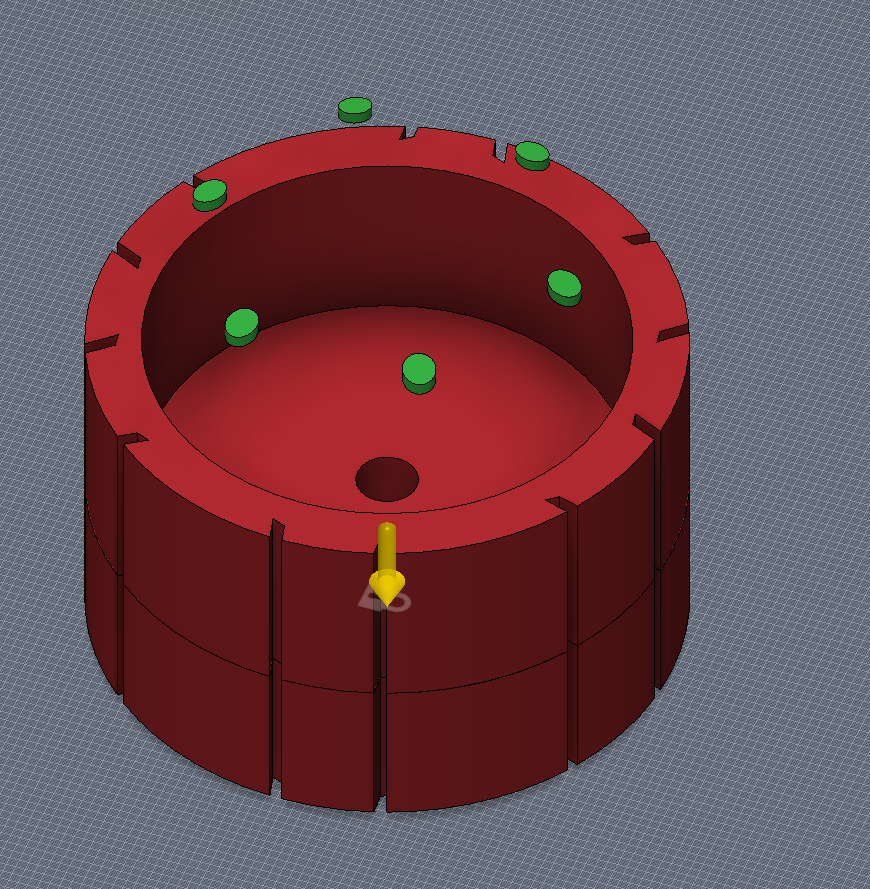
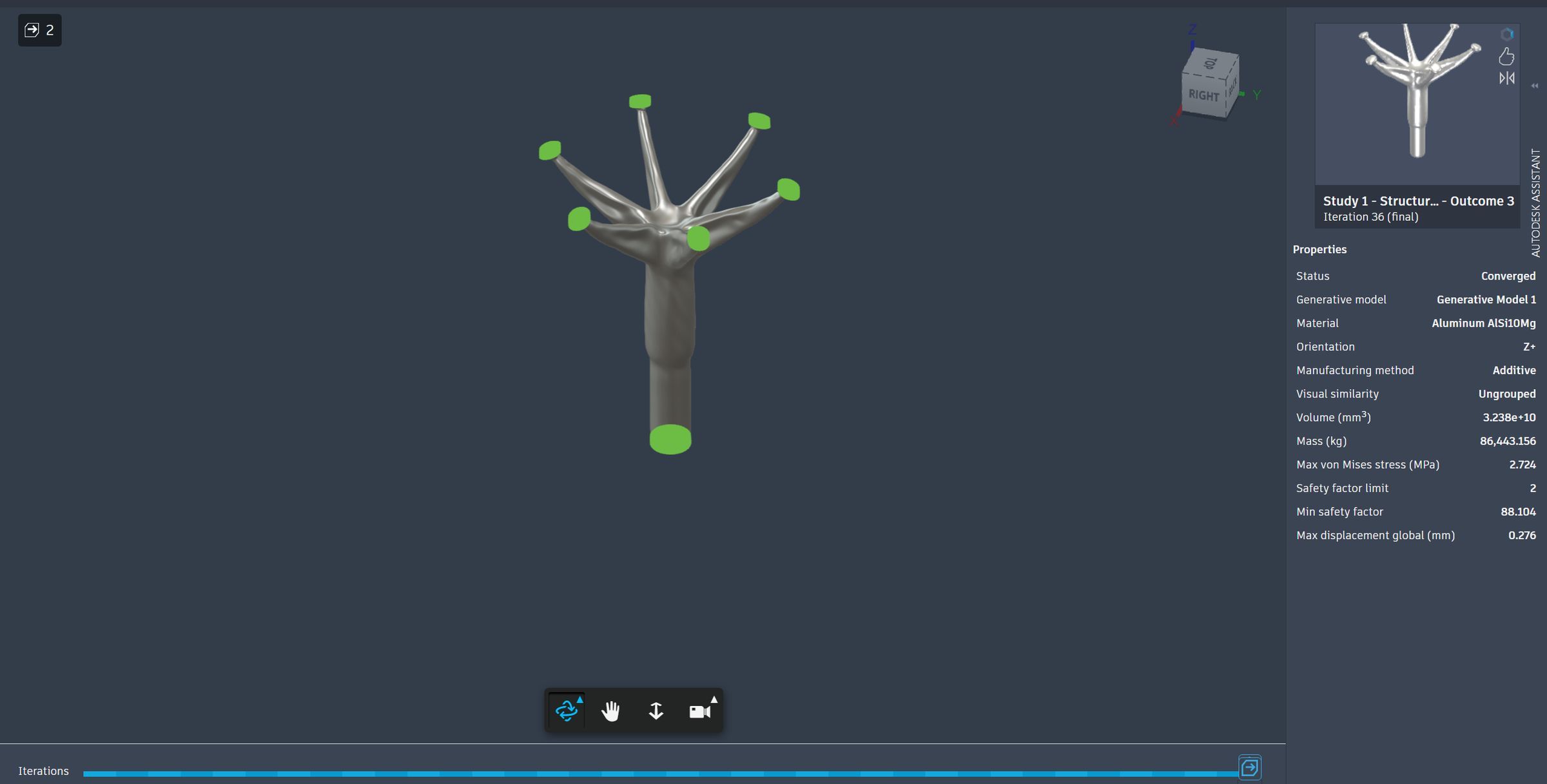
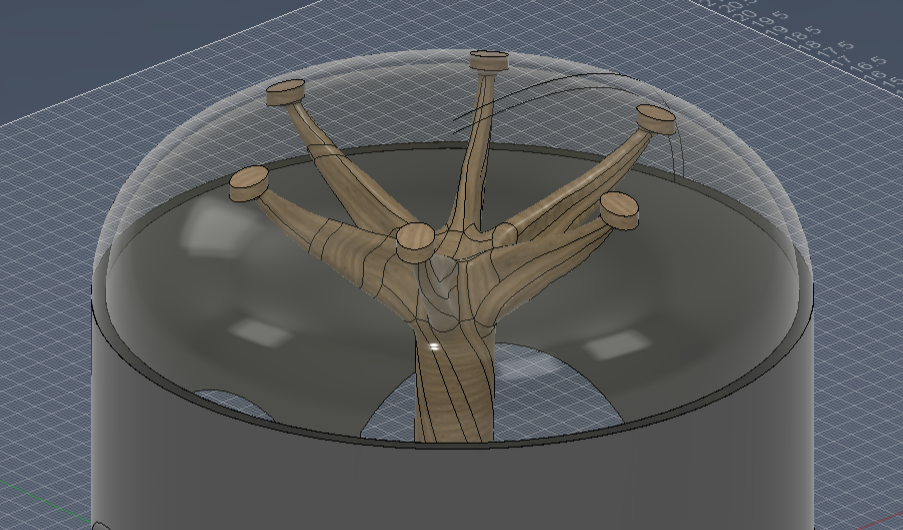
I noticed that the glass dome is not supported in any way. Instead of putting just a bunch of poles, I decided to put a tree that branches out.
Autodesk Fusion's generative design is supposed to mimic evolution and create organic shapes that can withstand multiple forces and factors.
- I created an offset plane and split the body of the dome to create "holes" for where the branches go.
- Then I created planes of symmetry for the generative design.
- Next, I created sketches inside the atrium and extruded them to create bodies. These bodies are my obstacle geometries and ensure that the generative design doesn't go near that. I decided that I wanted it so that the branches start branching high and that they don't touch anything close to the wall
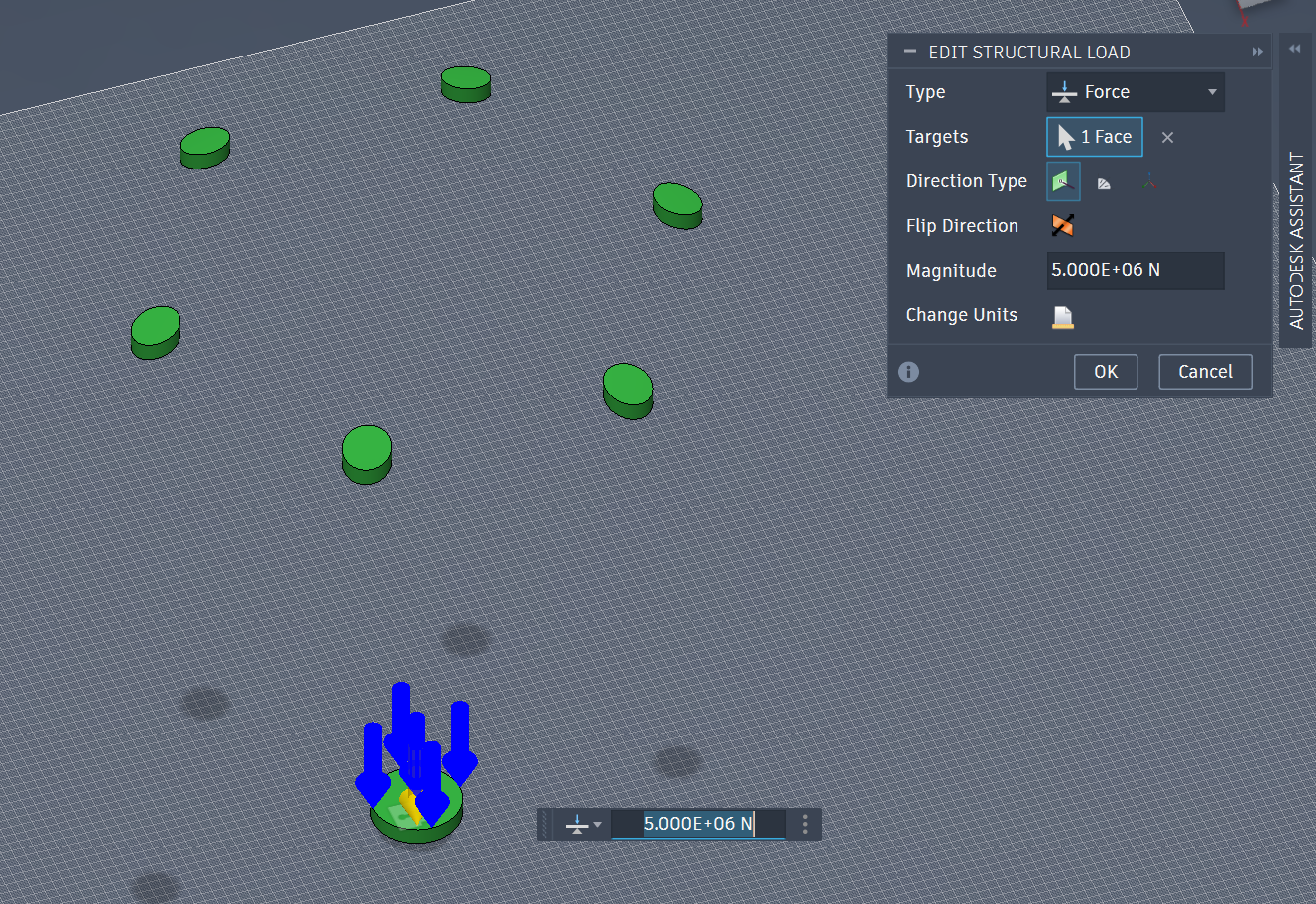
- Then I put forces. Calculating the weight of my glass dome, I found it needed a spread of 5 million newtons of force across all branches.
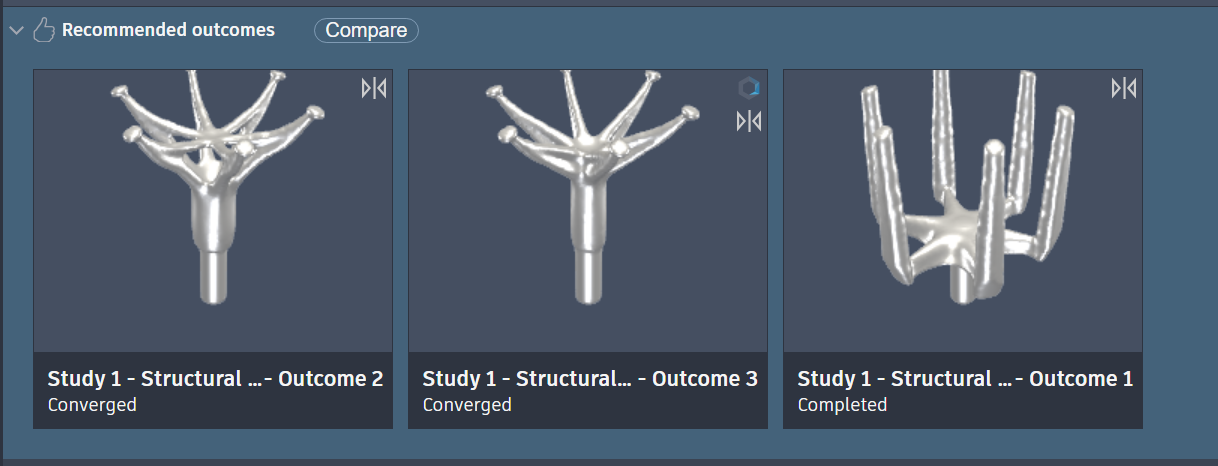
- I picked Aluminium for my material as it gives a balance of cost and weight.
- Once generated, you can select from a variety of options, but i chose the second one. Any works fine.
- After this, I exported this design and imported the component into the atrium part.
The last image depicts how the atrium looks with the glass dome and tree support.
Assembly
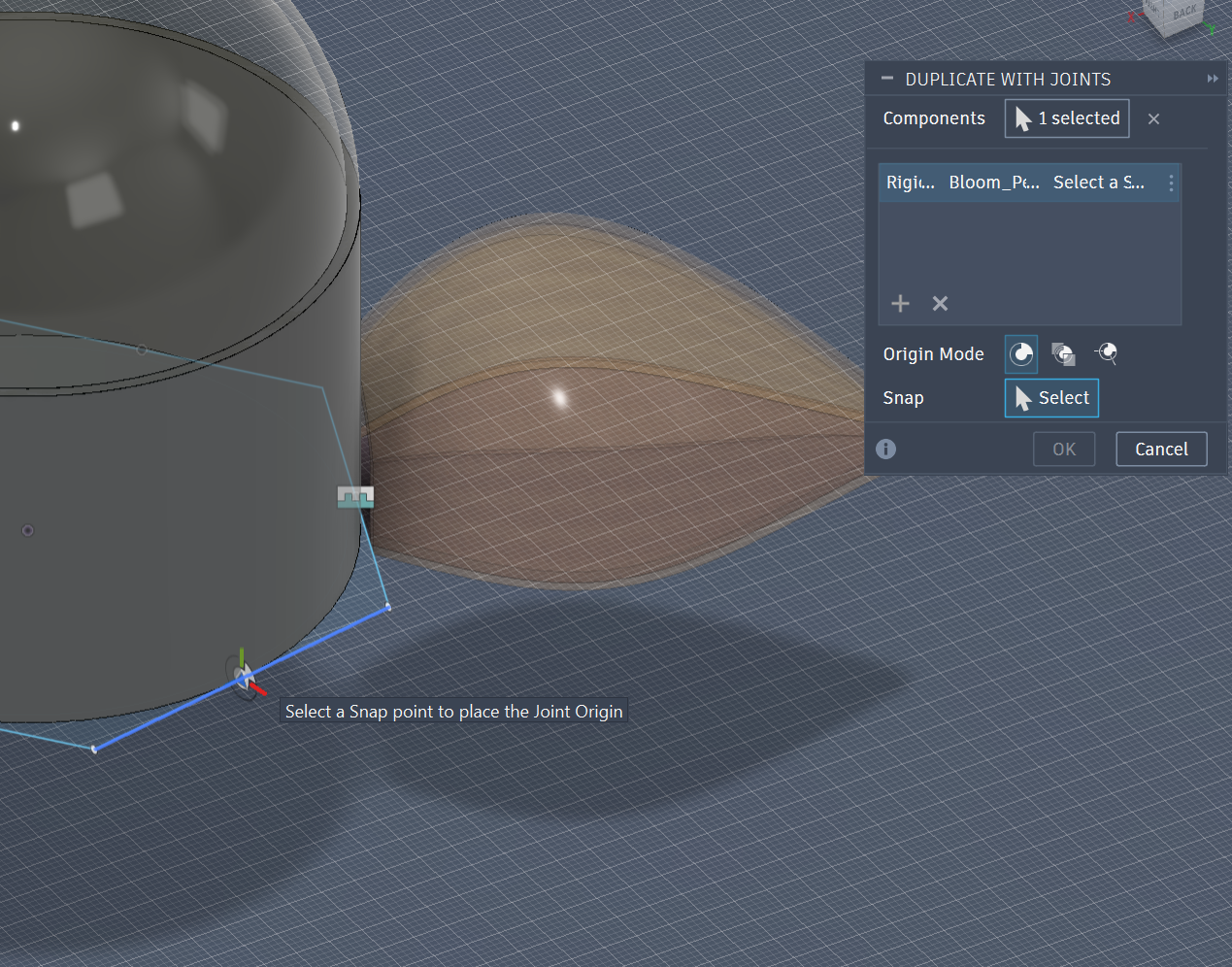
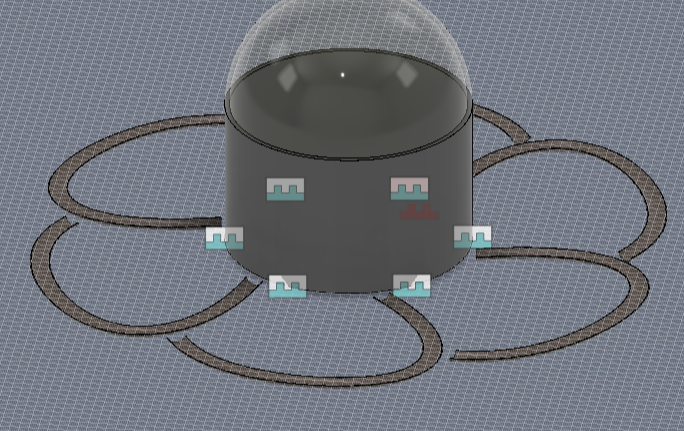
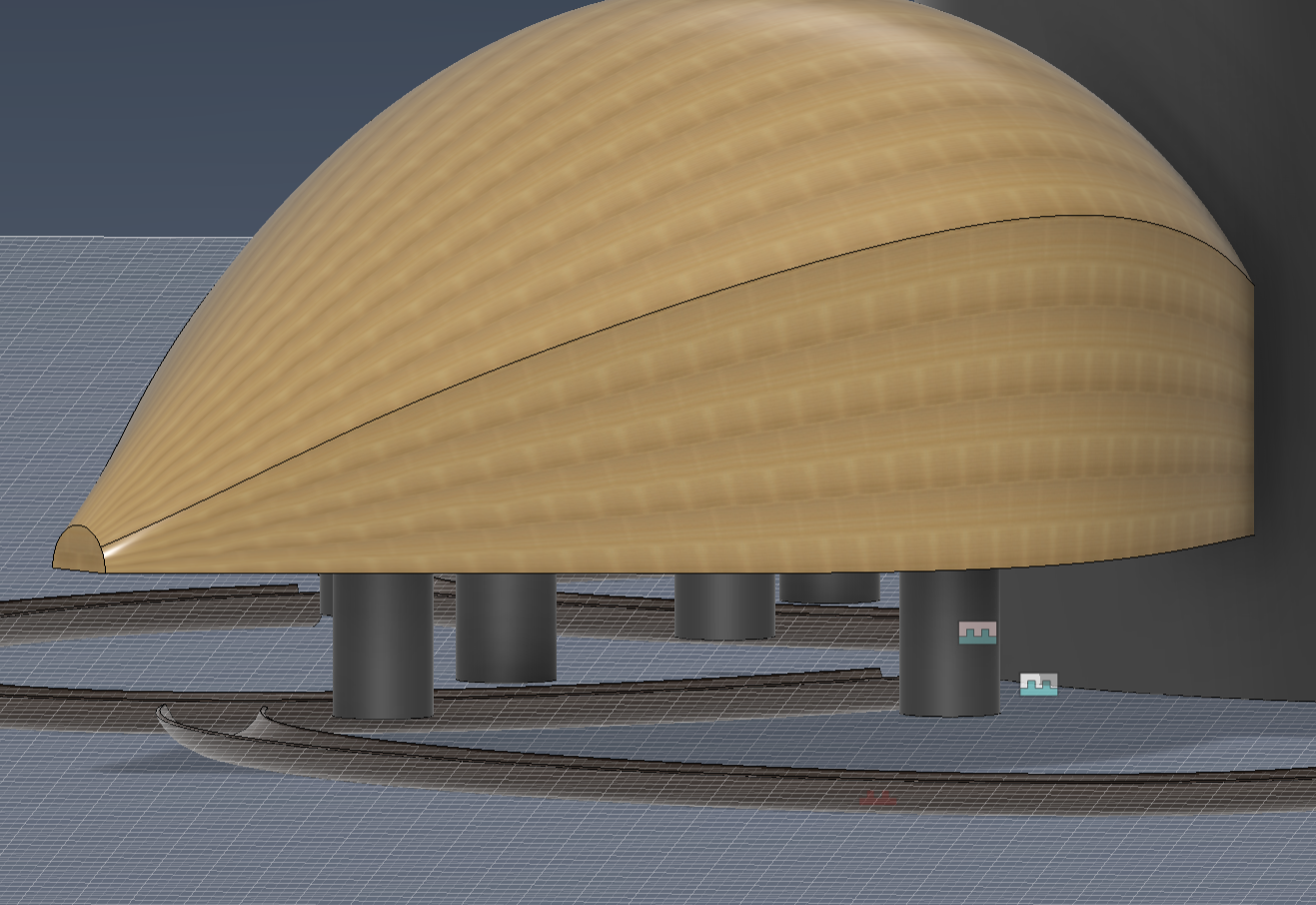
We have the following:
- Atrium
- Petals
- Piers
- Bioswale
This is enough to create a good assembly foundation
- Start by importing each component into the assembly file (in the assembly folder).
- Then create a sketch on the bottom face of the atrium. Create a circumscribed hexagon with a diameter as the diameter of the atrium (look back at your parameters).
- Doing so creates 6 equal sides that you can join your petals to.
- Press joint and select the floor of the petal and the midpoint of one side of the hexagon. Move the joint towards the atrium by 1.2 meters, showing that the petals are connected to the atrium.
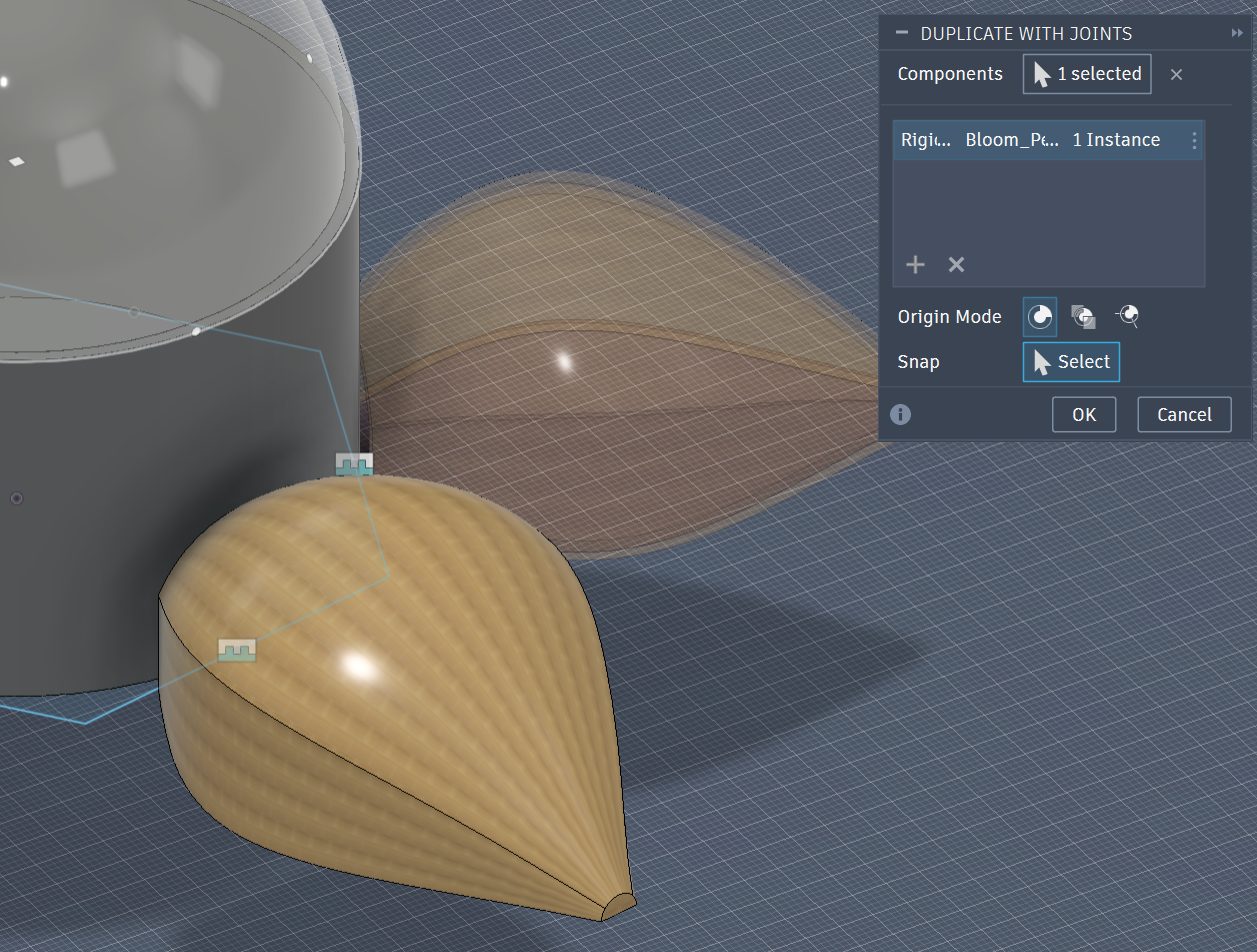
- Instead of doing this over and over, Fusion has a duplicate with joints feature. Select the already jointed petal and then select the remaining midpoints. Fusion should copy the component and joint automatically, and you are then left with an atrium and 6 petals.
- Next, import the bioswale file. Since the spline should already be revolved around the center, there is no need to join or move it anywhere. The bioswale being at the origin should give perfect symmetry in relation to the building. Make sure the component is grounded so it can't be moved.
- Lastly, add piers, 3 per petal, distributed to support the weight. The last image shows what you should see after all the steps. A lifted petal from piers and a dug-out channel on ground level representing a bioswale.
Solar Panel Louvers
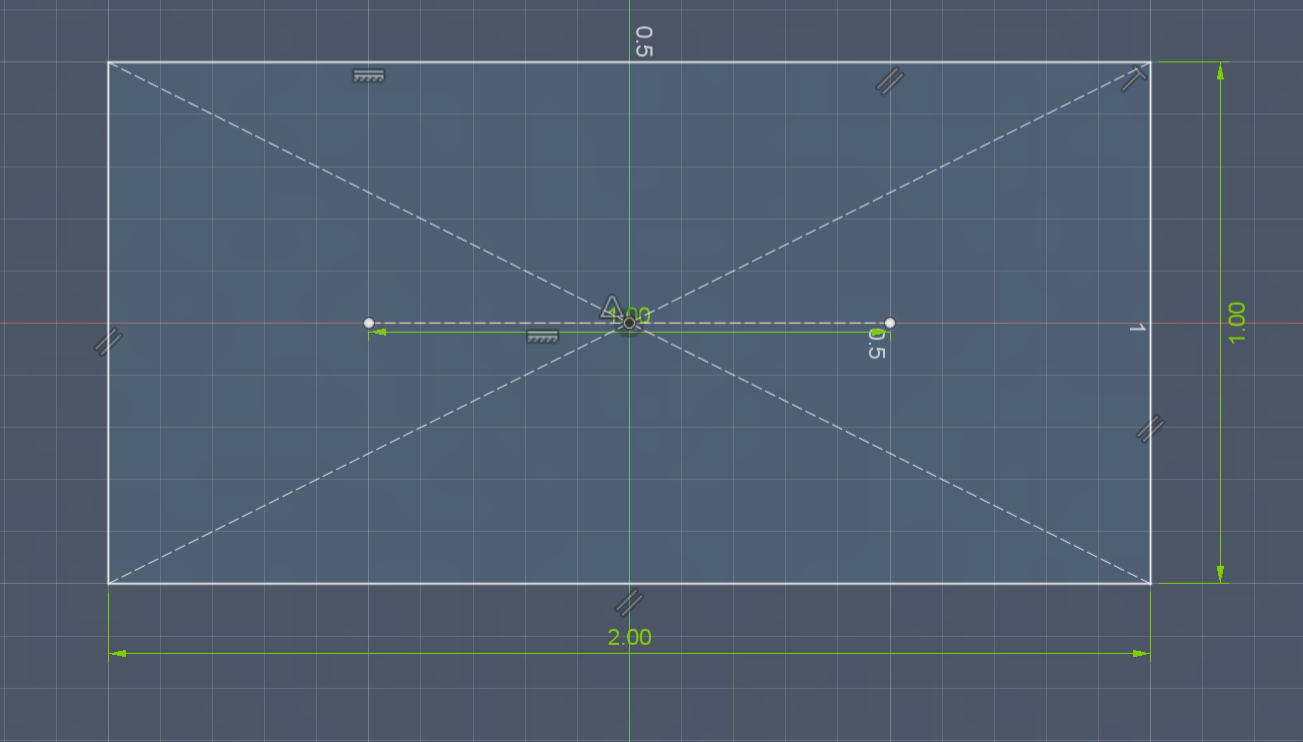
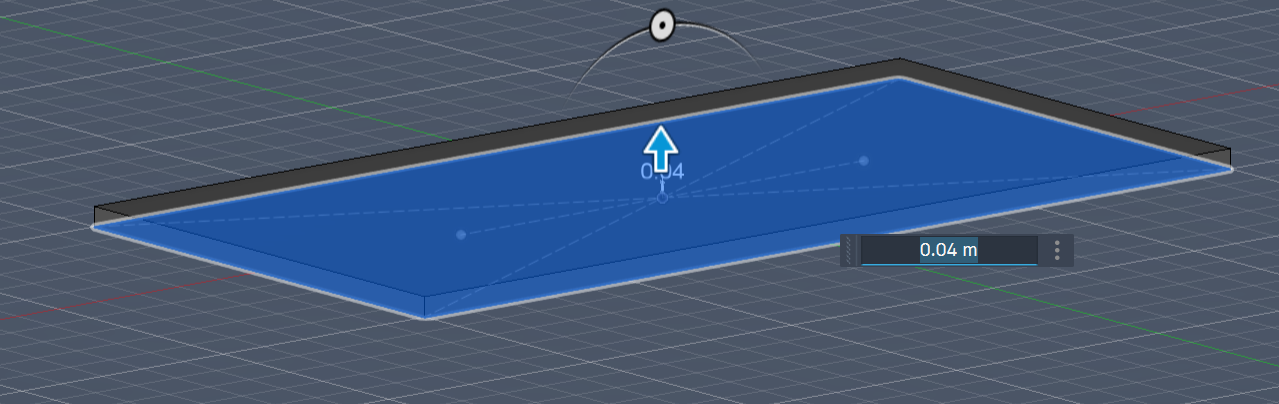
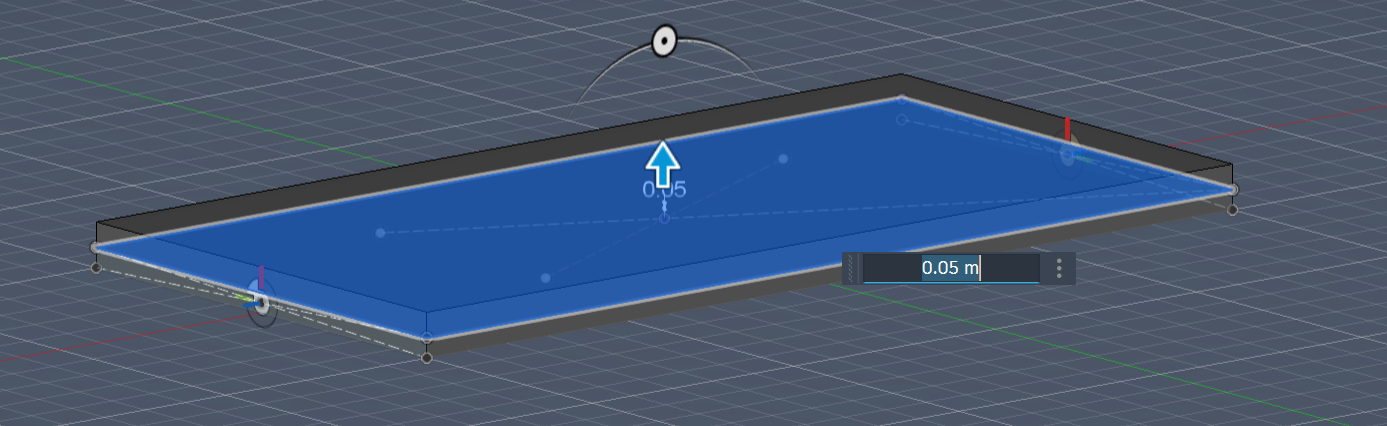
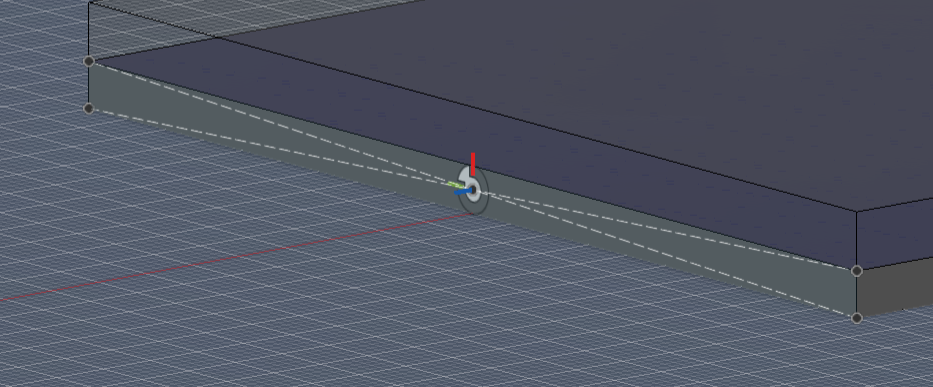
First, let's make the actual solar panels. NOTE - this is not the actual solar panels that will be deployed. Refer to Step 16 and onward for that. This is a mock representation for the CAD.
Solar panels consist of the following:
- Panel (2x1 meters for 144HF type)
- Transparent Shield (to protect from rain and hurricanes)
This process is very simple.
Sketch a rectangle on the XY plane of 2x1 dimensions. Then extrude it. Do this again, but sketch on the top face of the solar panel. This will create 2 bodies - the bottom is the solar panel, and the top is the shield. Apply a blue and a glass appearance to the top and bottom, respectively.
Sketch on the sides of the SOLAR PANEl. Create construction lines to pinpoint the center of the face and put a joint on that point. This is important because it will help assemble the solar panel louver on the petal.
Louver + Petal Integration
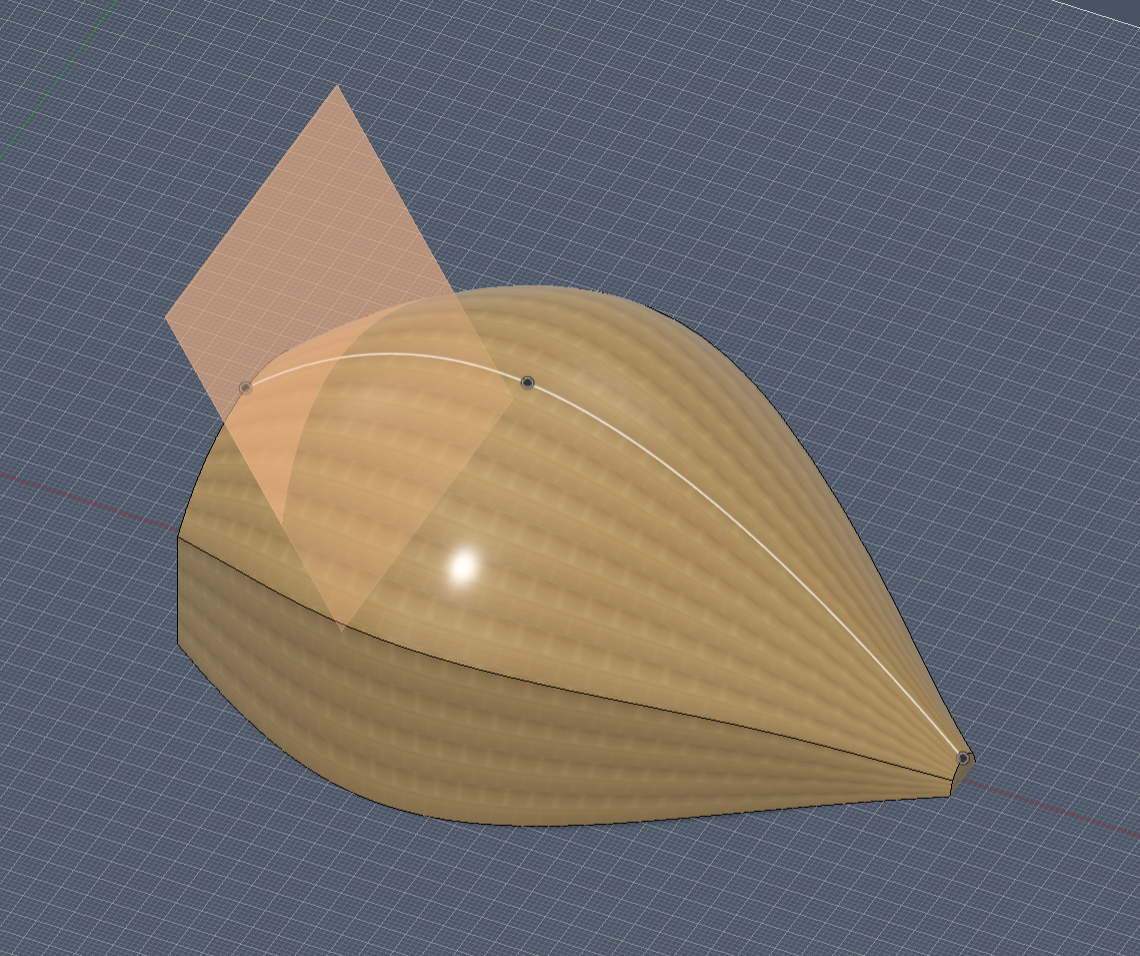
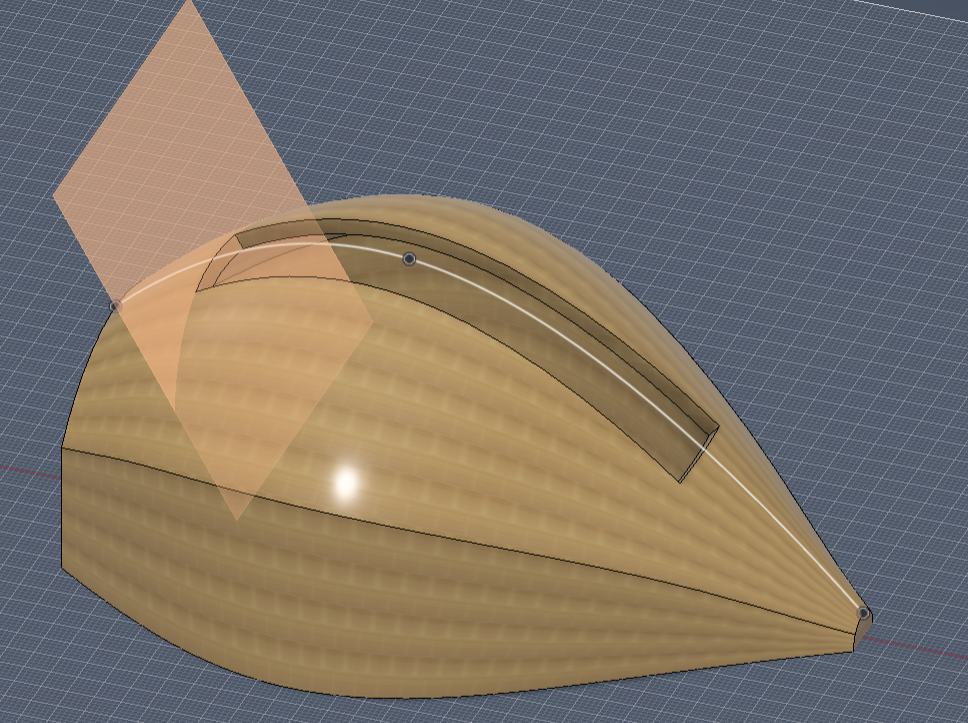

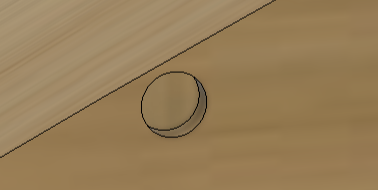
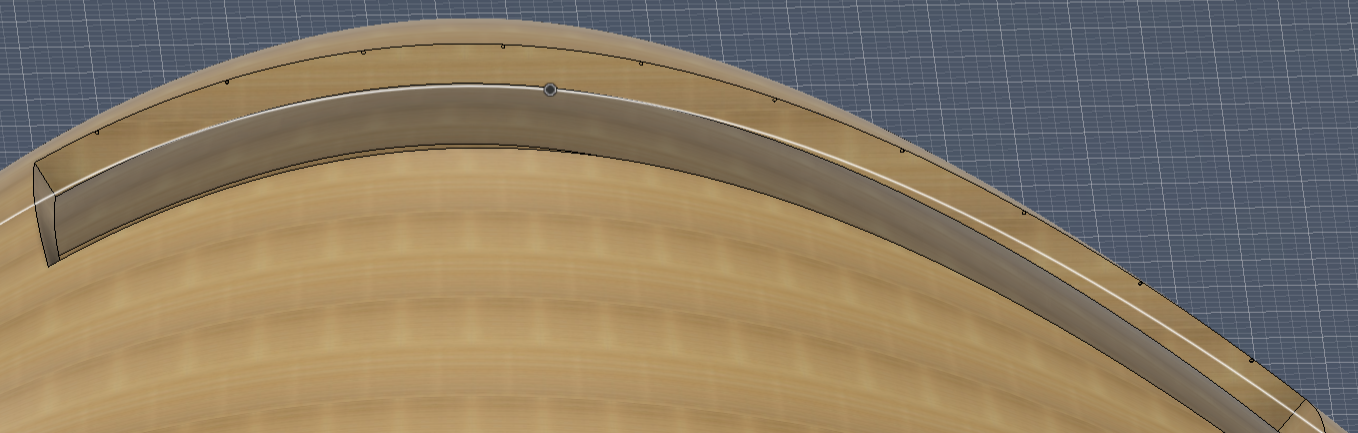
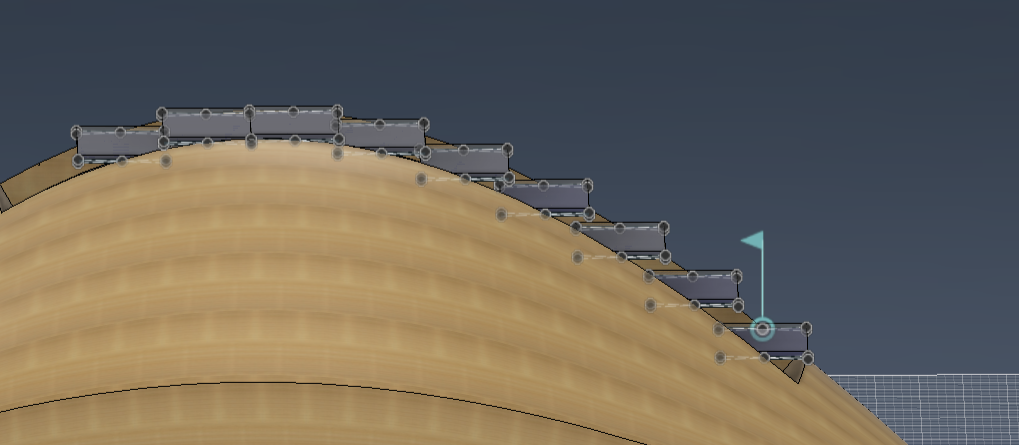
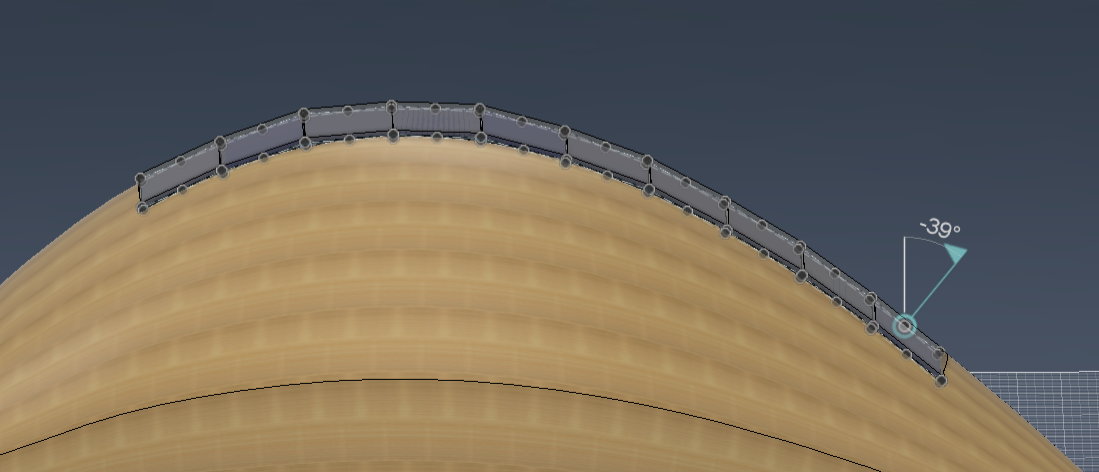
Here is how to integrate the louvers inside the petal.
- Start by creating a plane on the path and selecting the top ridge rail.
- Create a sketch on this path and sweep the sketch to cut out a 2-meter-wide rectangular hole through the petal. This hole will be filled by solar panels. *Note that a sweep on a path is a percentage of a path, so calculate how long this sweep will be beforehand to fit an integer amount of solar panels.
- Next, we will move the first panel to your desired location. Create a sketch on the inside facing face that was newly exposed through the sweep and project the midpoint of the solar panel.
- Create a tiny hole from this projected point and create a pattern on the path to repeat this 10 times on the ridge rail.
- After doing so, you can repeat why you did for the petals. Join the joint created on the solar panel to the hole
- Click Duplicate Joint and select the jointed module, and then select all the holes you want to join.
- Make sure each joint is a revolute joint and rotate them to roughly match the angle from the petal. Save the design, and because of how Fusion works, this change is repeated through all your petals!
*Cool tip - to make them all move simultaneously like a real louver, motion the joints so they move together.
Refining Assembly
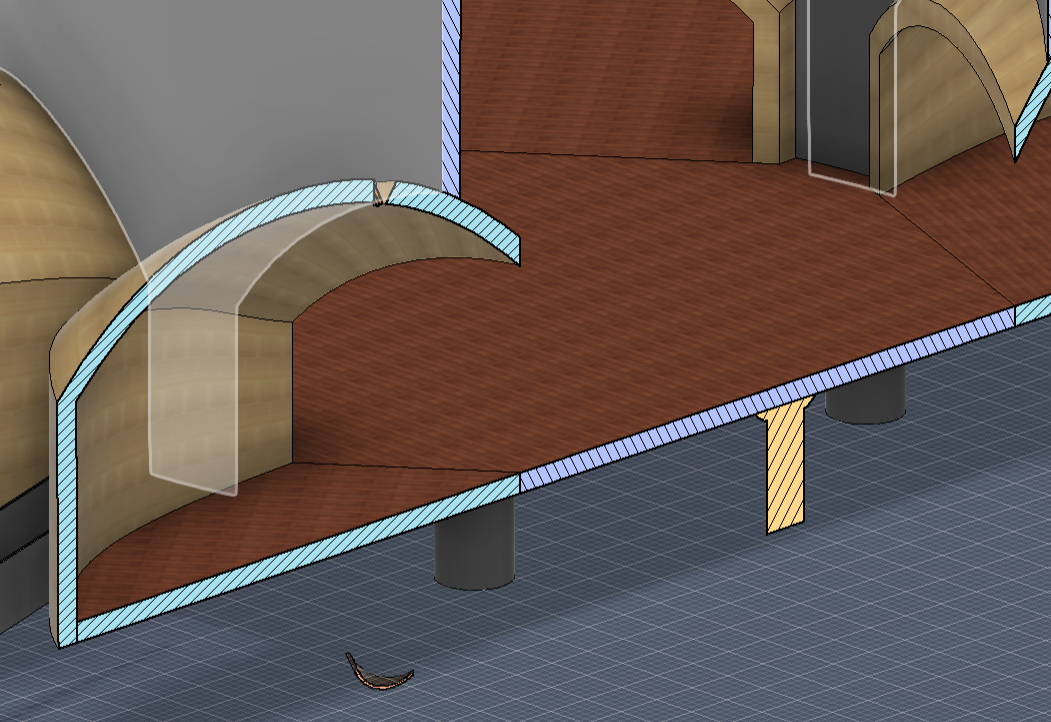
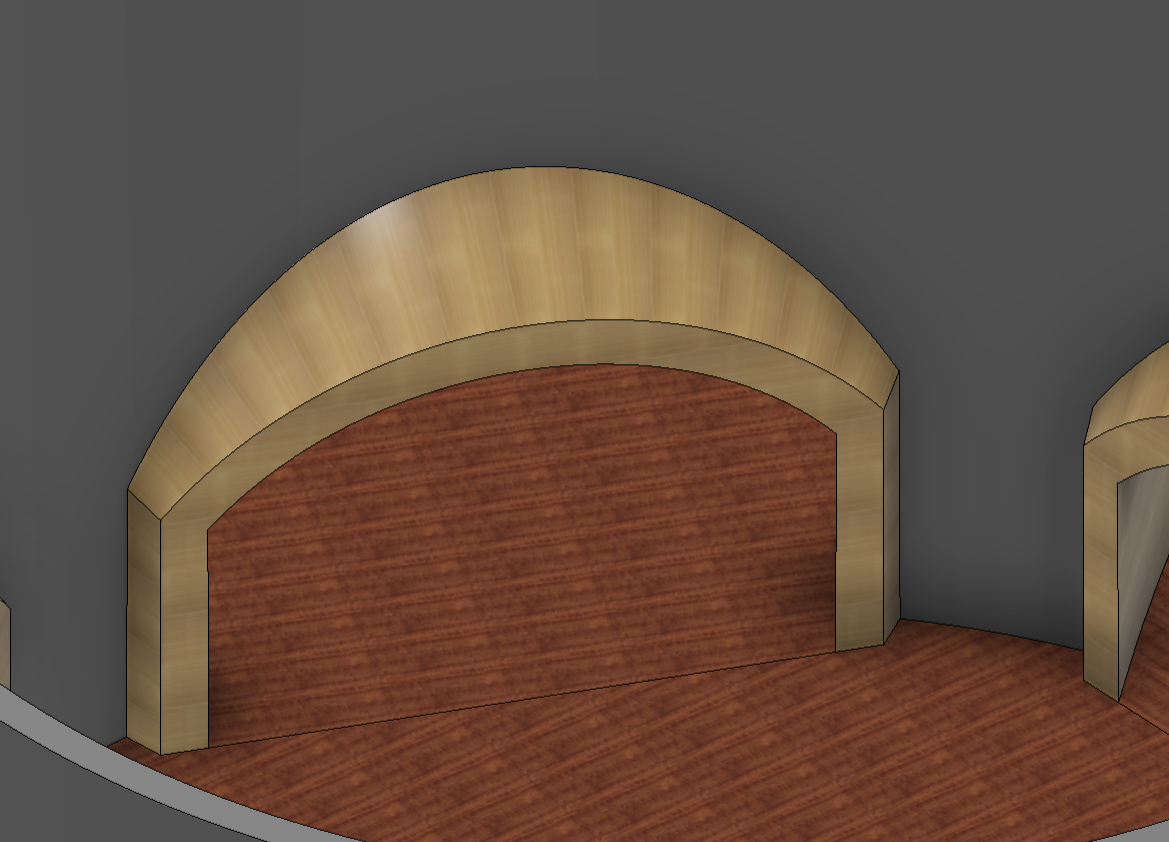
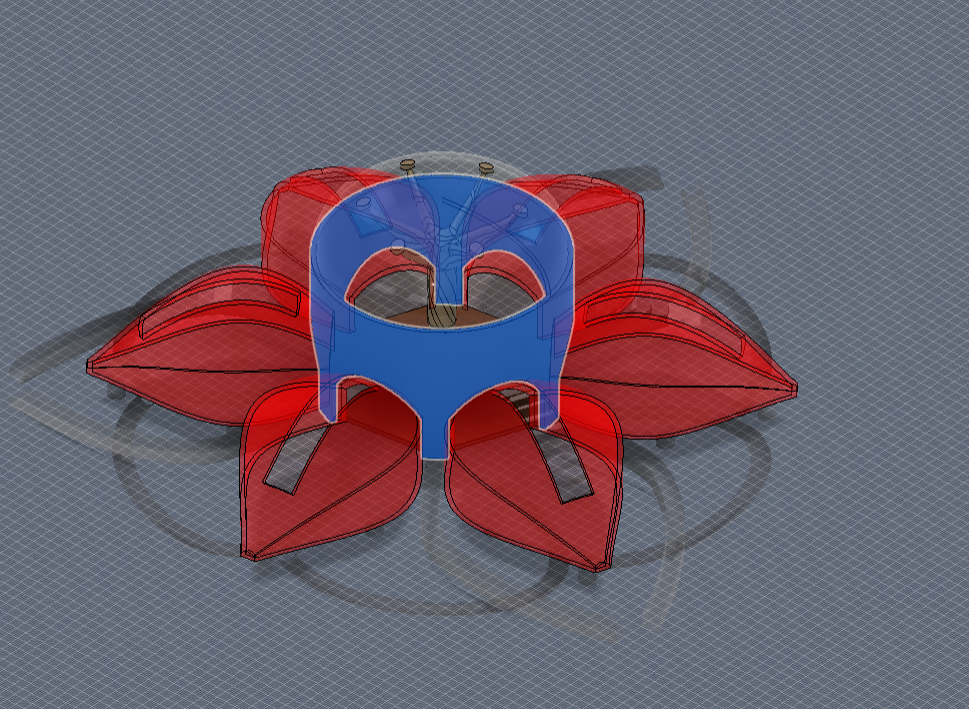
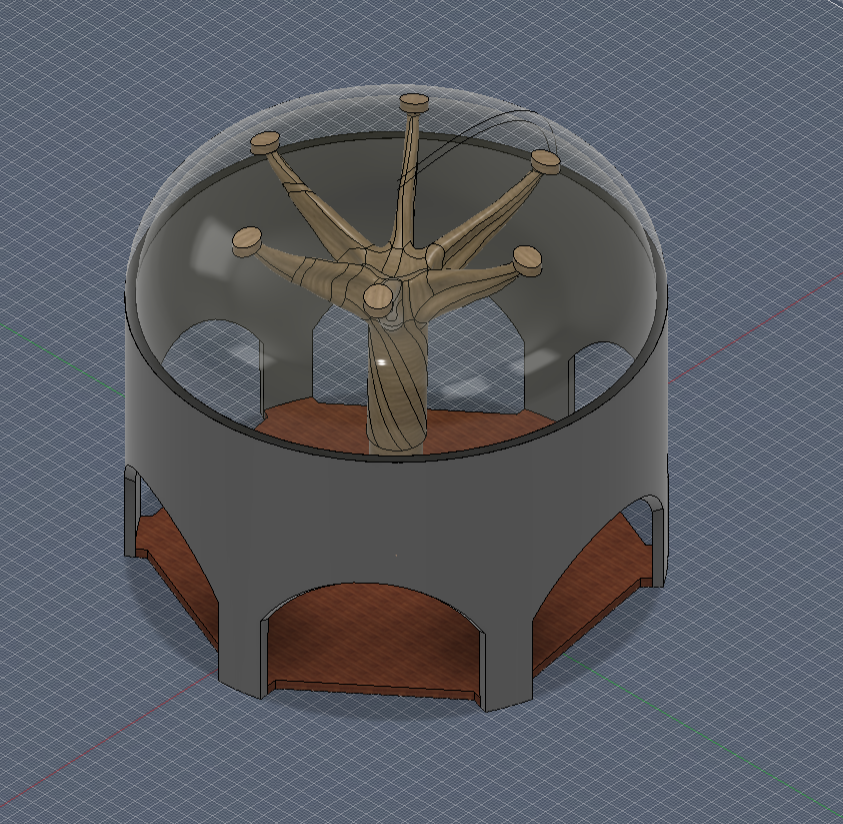
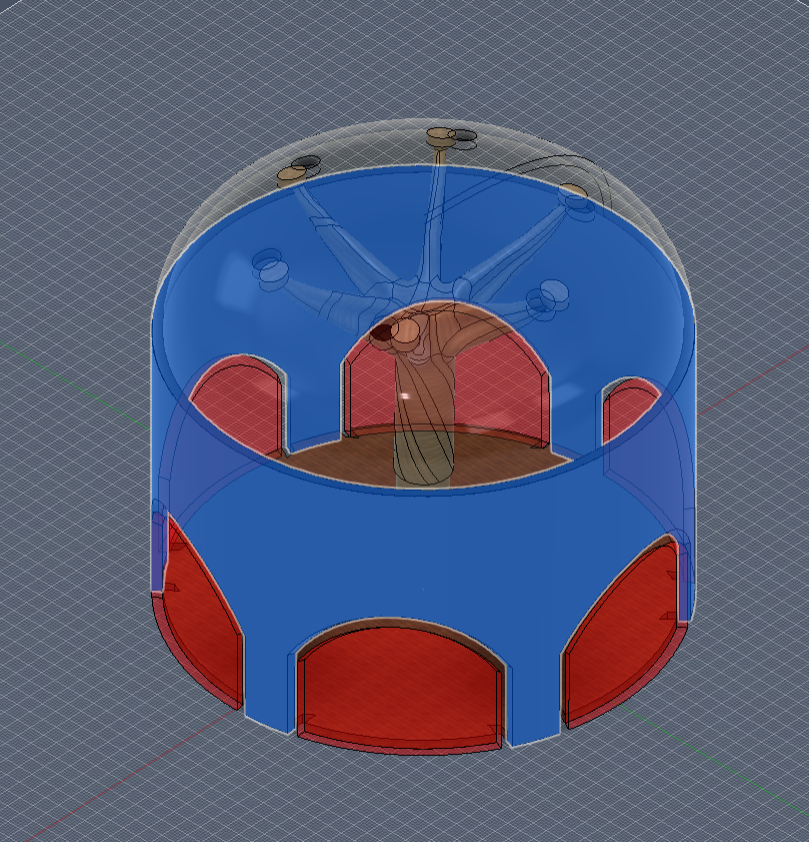
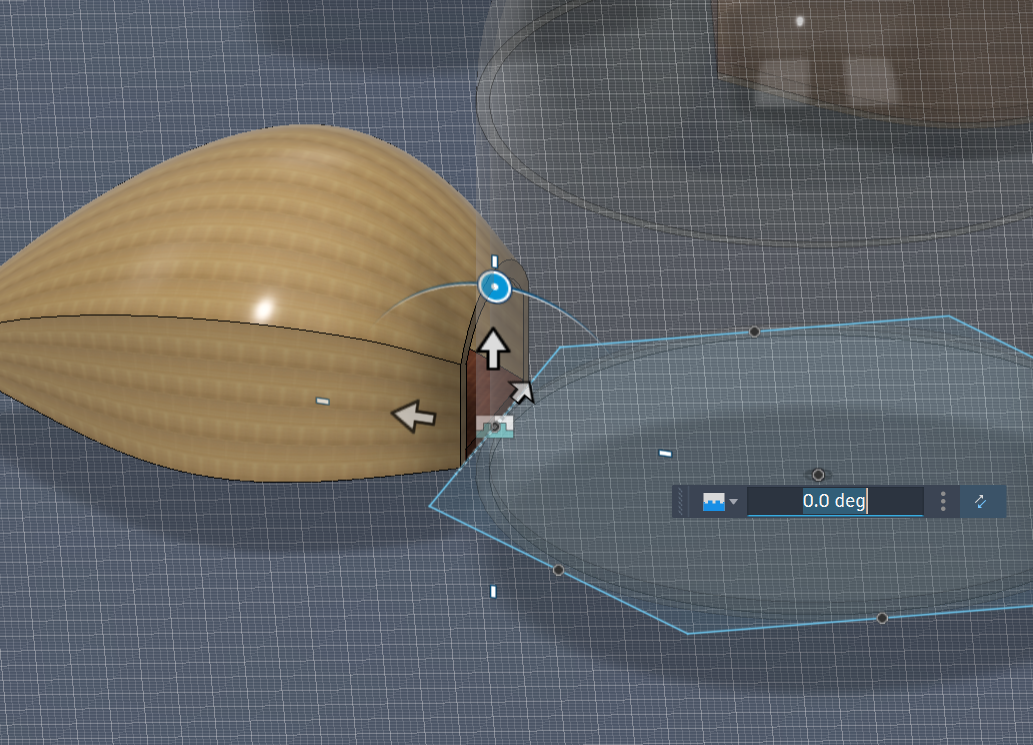
Look at the first image. This is what you see as the relationship between the petal and the atrium. Since we had to move the petals inwards, the atrium wall goes through the petals.
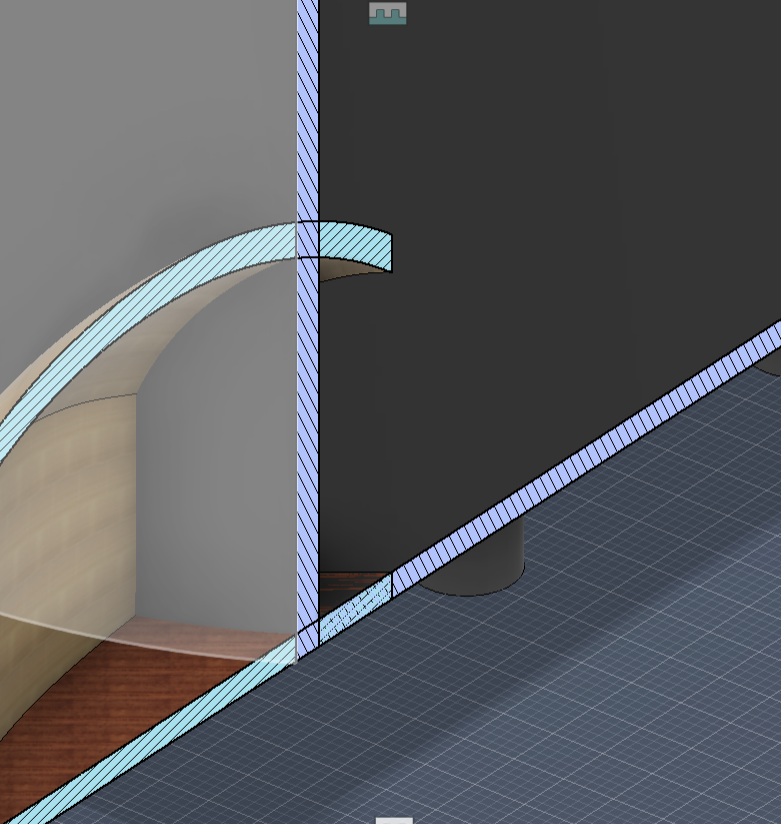
To fix this, we can use Fusion's edit in place and reference the petals in a combine function.
- Select the atrium in the assembly
- Click the pencil icon to edit in place
- Click the combine tool
- The target body is the atrium wall, tool bodies are all the petals
- Keep tools should be checked
- The operation should be cut
- Press okay
- Repeat for the Atrium Floor body
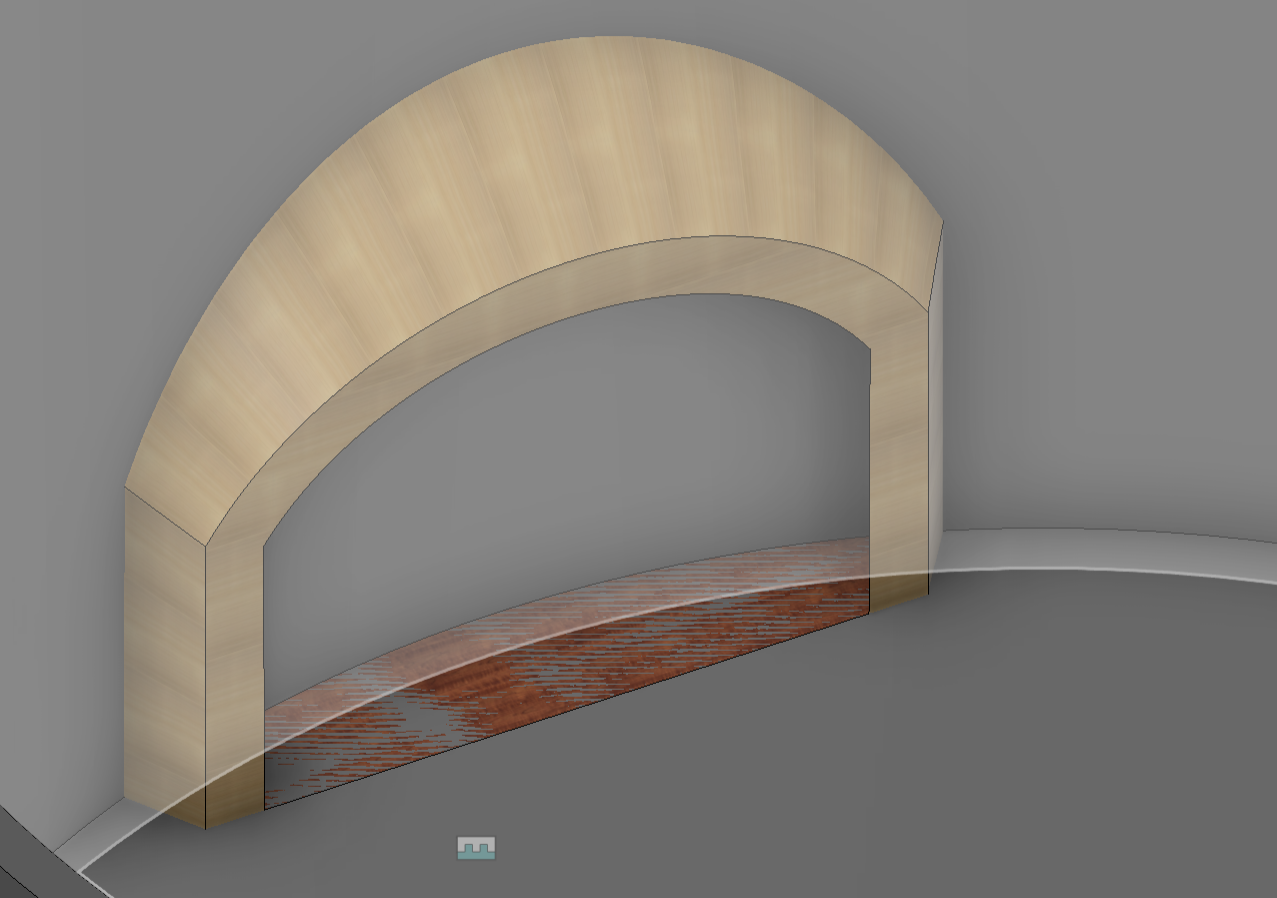
Now there is a hole in the floor and wall, which allows for no intersection and a clean building.
The pictures show a before (CAD and section analysis), the combine tool in the edit in place and from the perspective of the individual part, and the after (CAD and section analysis).
Entrance/Exit
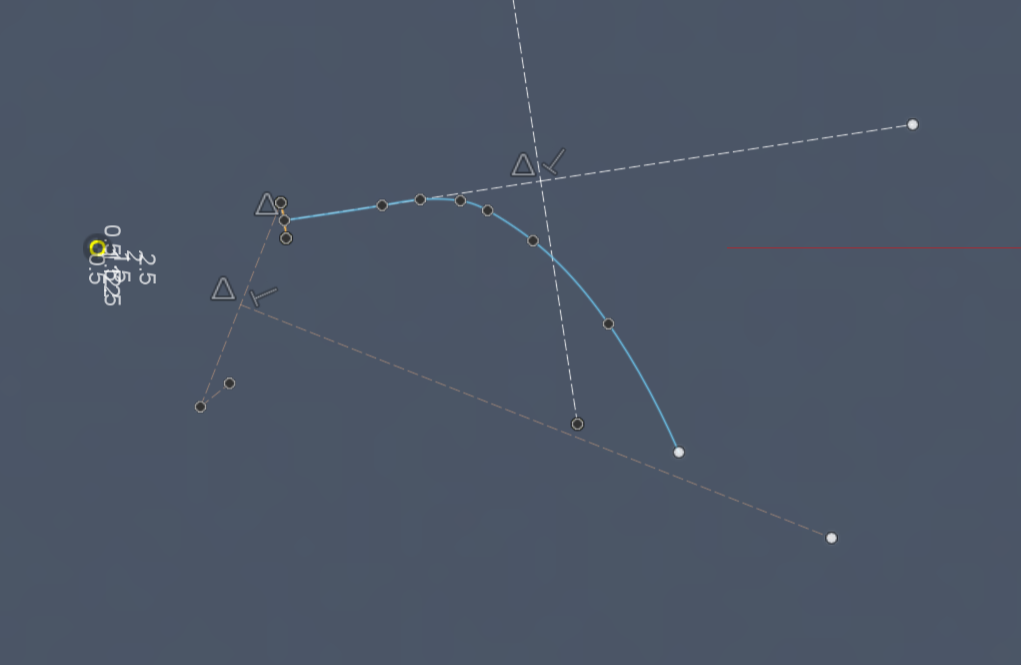
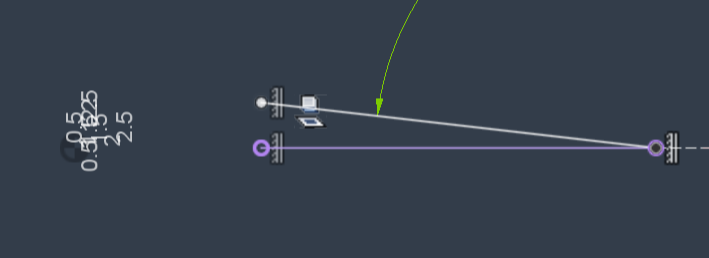
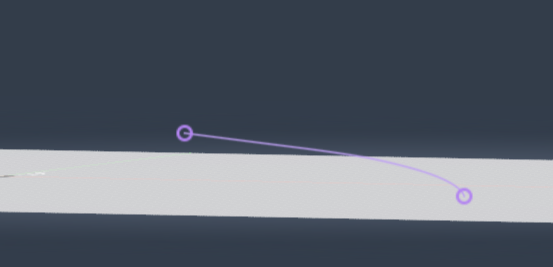
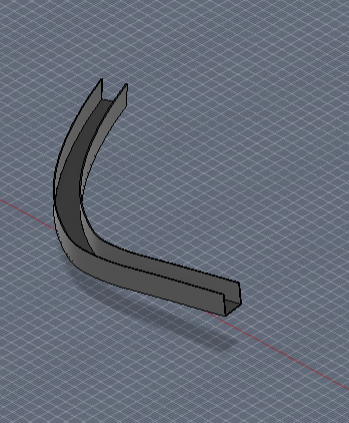
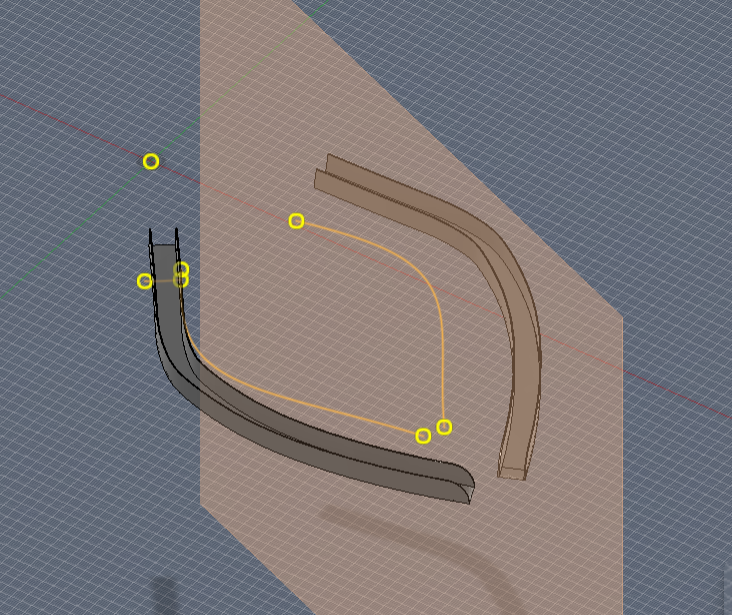
Americans with Disabilities Act (ADA) states that ramps should not be sloped more than 5 degrees. My minimum entrance height is 1.8 meters. This means that with a 5-degree slope, I need at least 26.5 meters of path.
First, I want to shape my path as an "offset petal" that would follow the curvature and general shape of the petal. I would circular pattern this to make 2 more copies. Going up from the right is entering, and down the left is exiting.
One constraint for the path is that it must be parametric. This is because later changes or aesthetics prefernces might cause a slight change in the spline the ceates the path. If this isn't parametric, every change results in a restart in progress.
To ensure this, we should use projections.
- Start by creating your top-down view in a spline of your path (XY plane)
- Then create a side view of the ramp. This is just a straight line of the angle at which the spline lies.
- Create a 3D sketch on any plane. Go to Project/Include -> Include 3D Geometries. Select the two lines. This creates a "meshed" version of the two sketches. Essentially, a spline is going to be slanted.
- Repeating the Bioswale steps, create a sketch and sweep.
- This creates a body that can be mirrored to exit with the entrance
Cistern
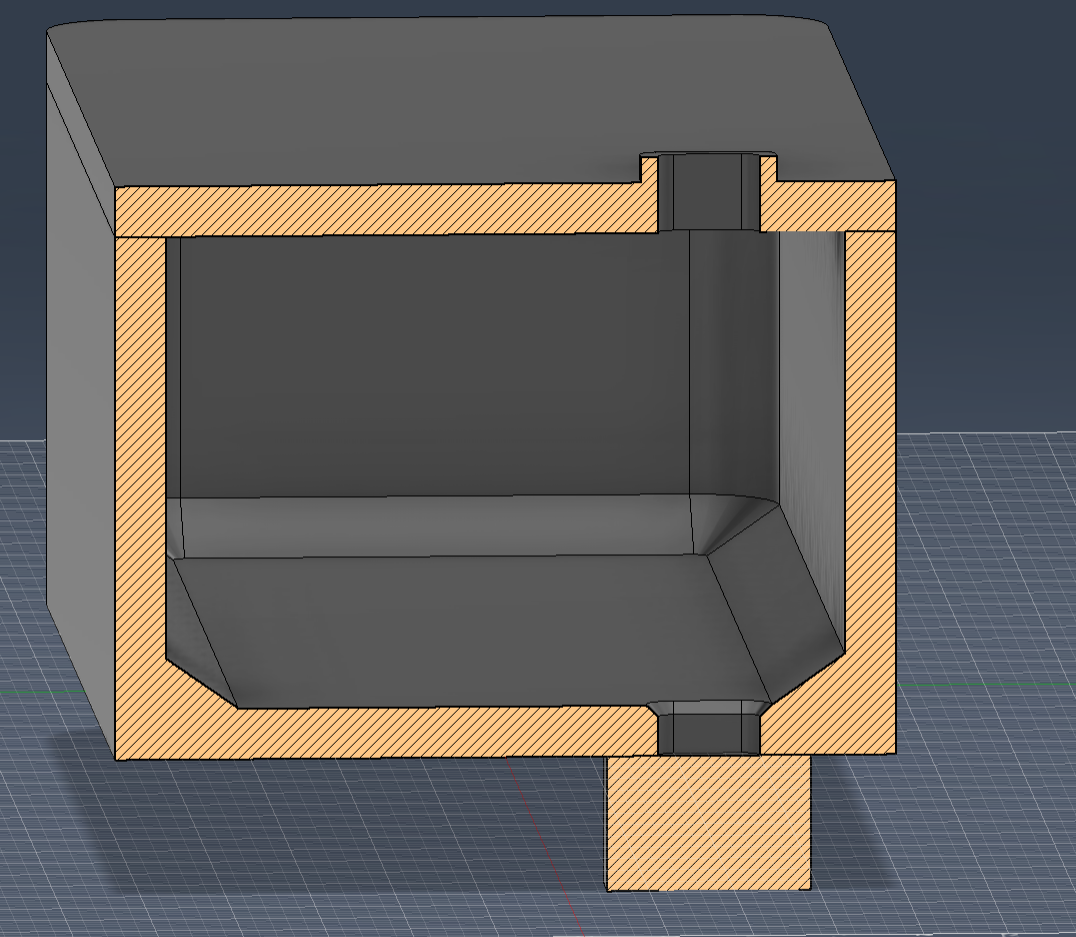
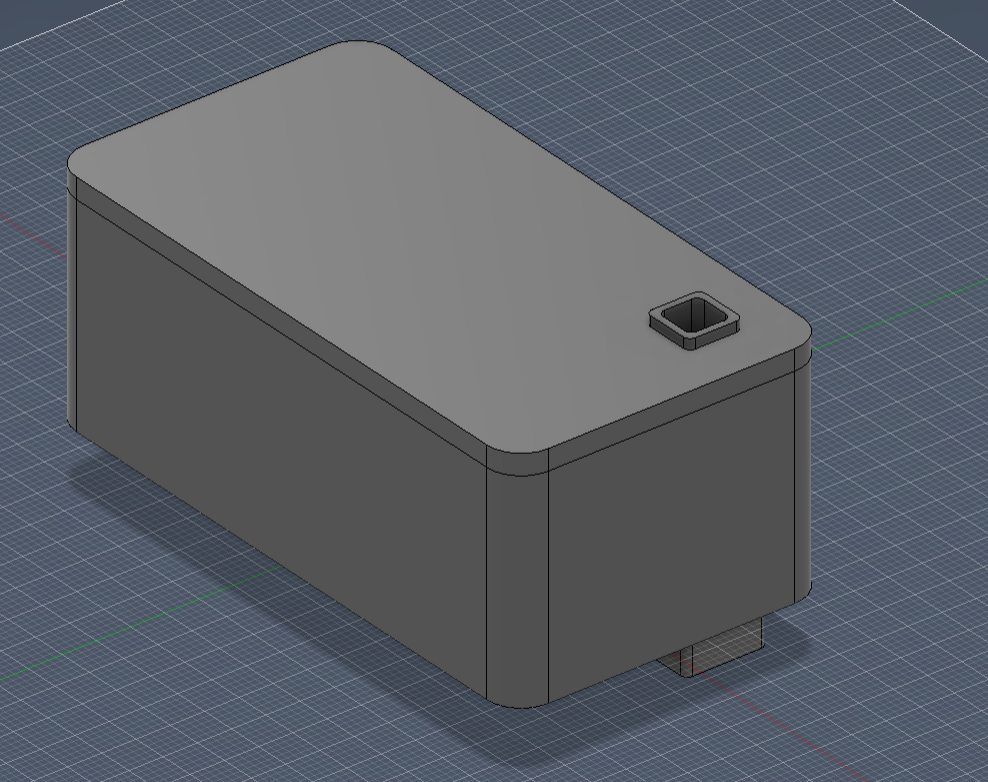
A cistern is an underground water tank.
This cistern is set to hold 75kL of water.
To create this:
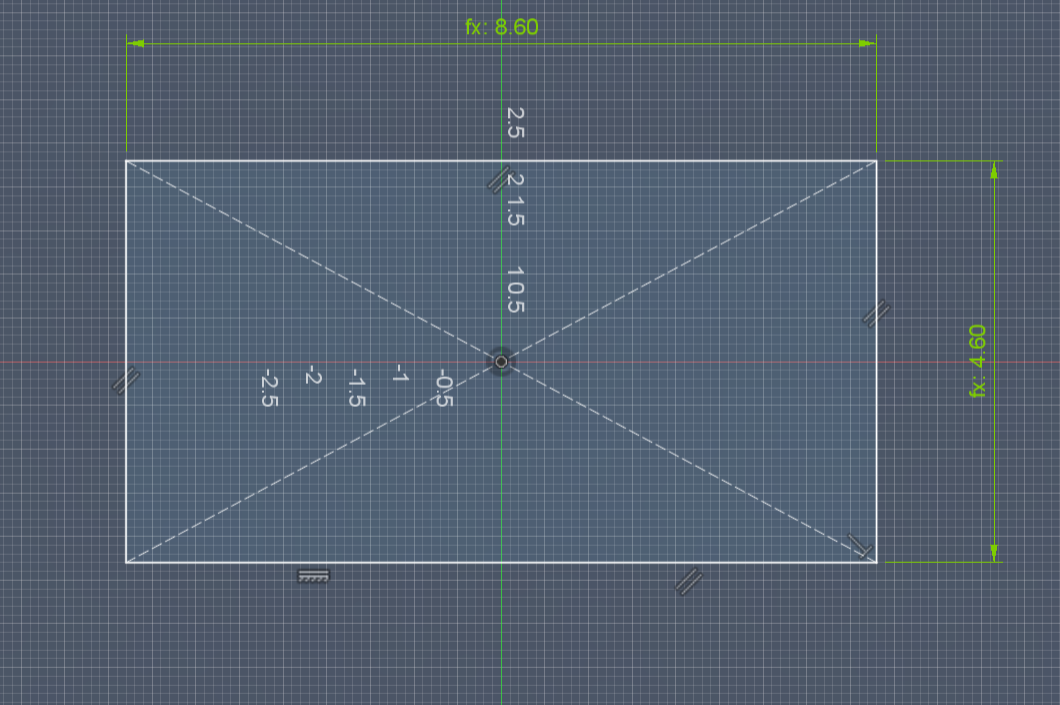
- Create a sketch on the XY plane that is 8.6x4.6 meters long.
- Extrude by 3.4 meters long.
- Shell the insides by 0.3 meters.
- This creates a follow box with around 80kL of capacity. Fillet and chamfer the insides to redirect watter to one corner of the tank where the pump is.
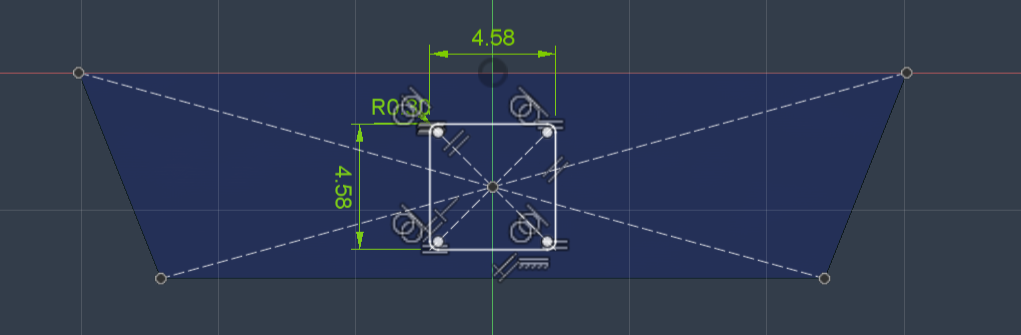
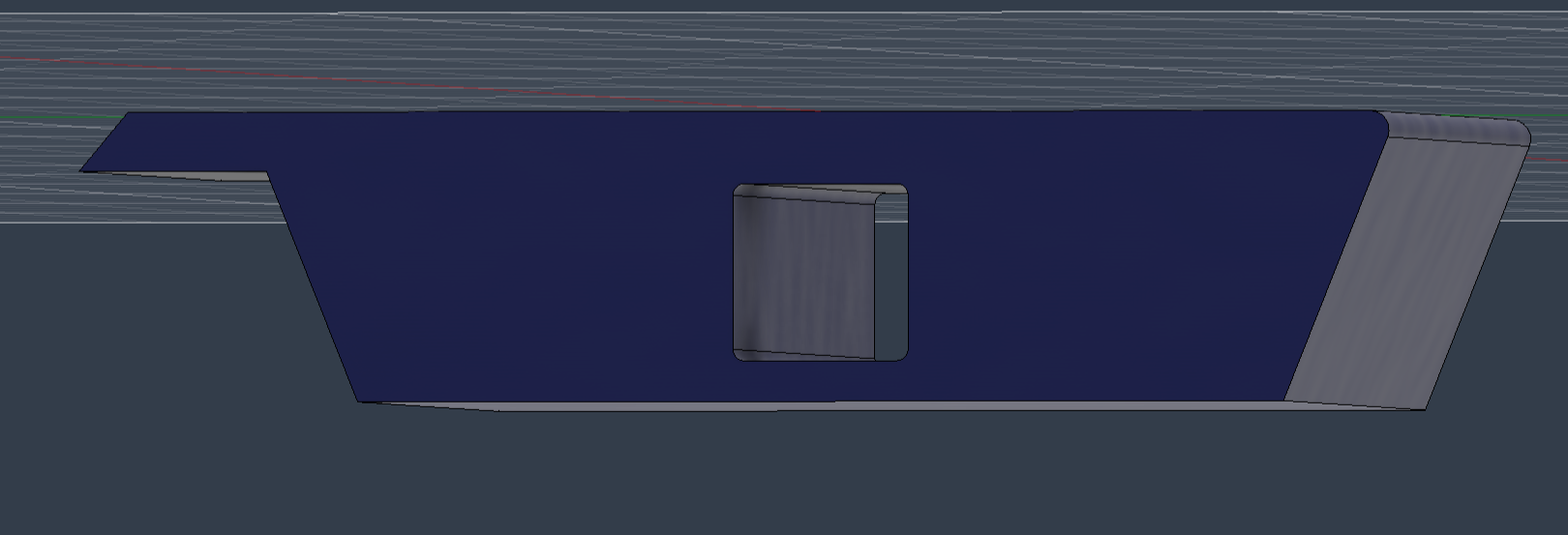
- Extrude a small square sketch from the tank top surface and create a hole to represent the pipe entrance and caps of the cistern.
Solar Panel Modules
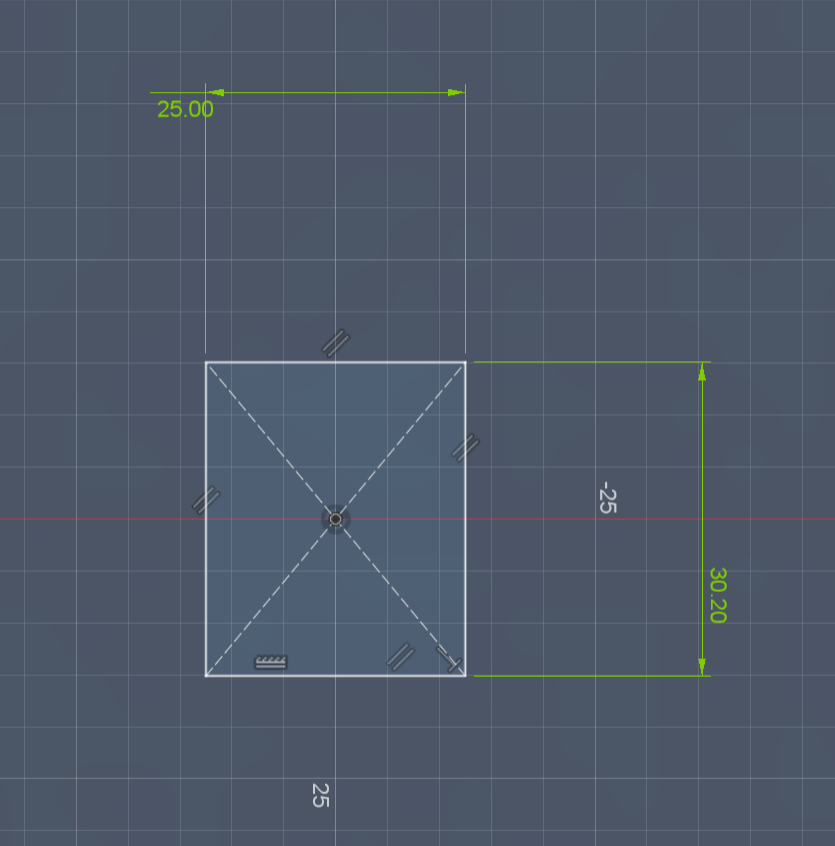
We have completed the CAD model for our building, but one thing is left. What good is a CAD model, especially one with moving mechanisms, if not portrayed in the real world?
This is the real beauty of 3D printing. Making different mechanisms come to life and getting proof of concepts.
The proof of concept here is that it is possible to make a water-tight seal when the solar panels are closed. Along with designing and proving this, I will also make a model that represents a "cross section" of the petal that allows you to rotate the solar panels, mimicking the kenetic architecture.
Let's design the actual solar panel module. We need some design checkpoints:
- Each panel can individually spin without colliding, allowing full freedom for the louvers
- A water-tight mechanism does not interfere with the space needed for the solar panel
- When there is rain, water goes either towards the atrium and to the ground or follows the downward slope of the petal and falls down there. IT SHOULD NOT GO INSIDE THE PETAL.
With that in mind, let's start with making the solar panel module:
- In the 3D Print folder, start by setting the environment to millimeters because these modules are going to be 3D printed.
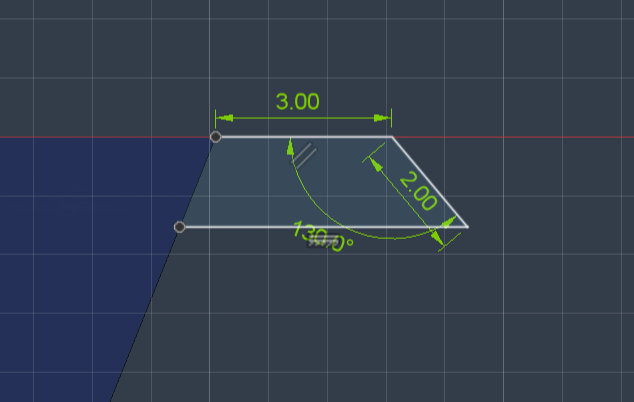
- Sketch on the XY plane. 25x30.2mm (to keep it small to save filament)
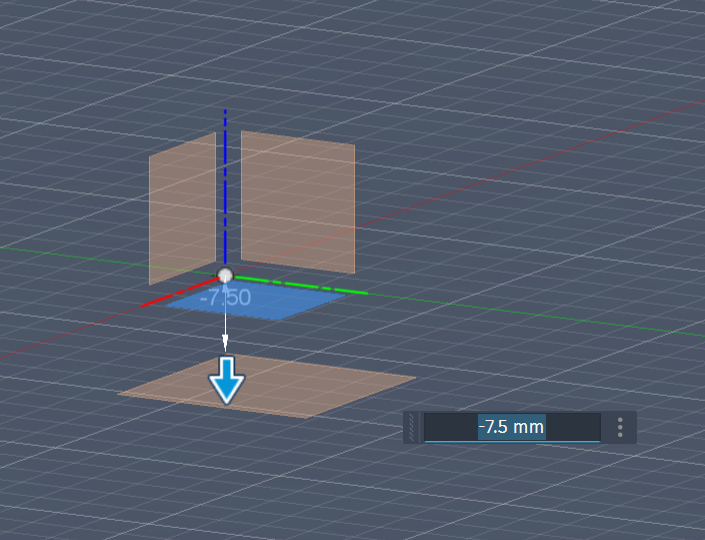
- Create an offset plane 7.5 mm from the first
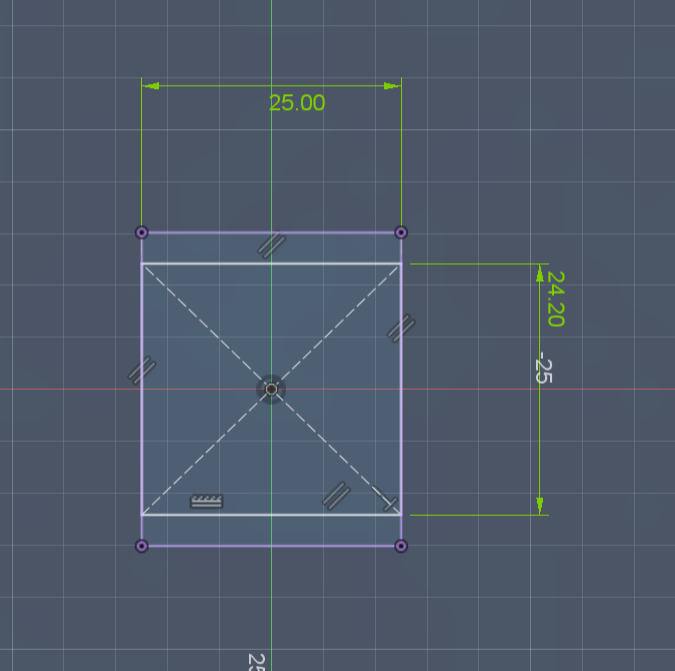
- Create a second rectangle, this time a little smaller. How small doesn't matter that much.
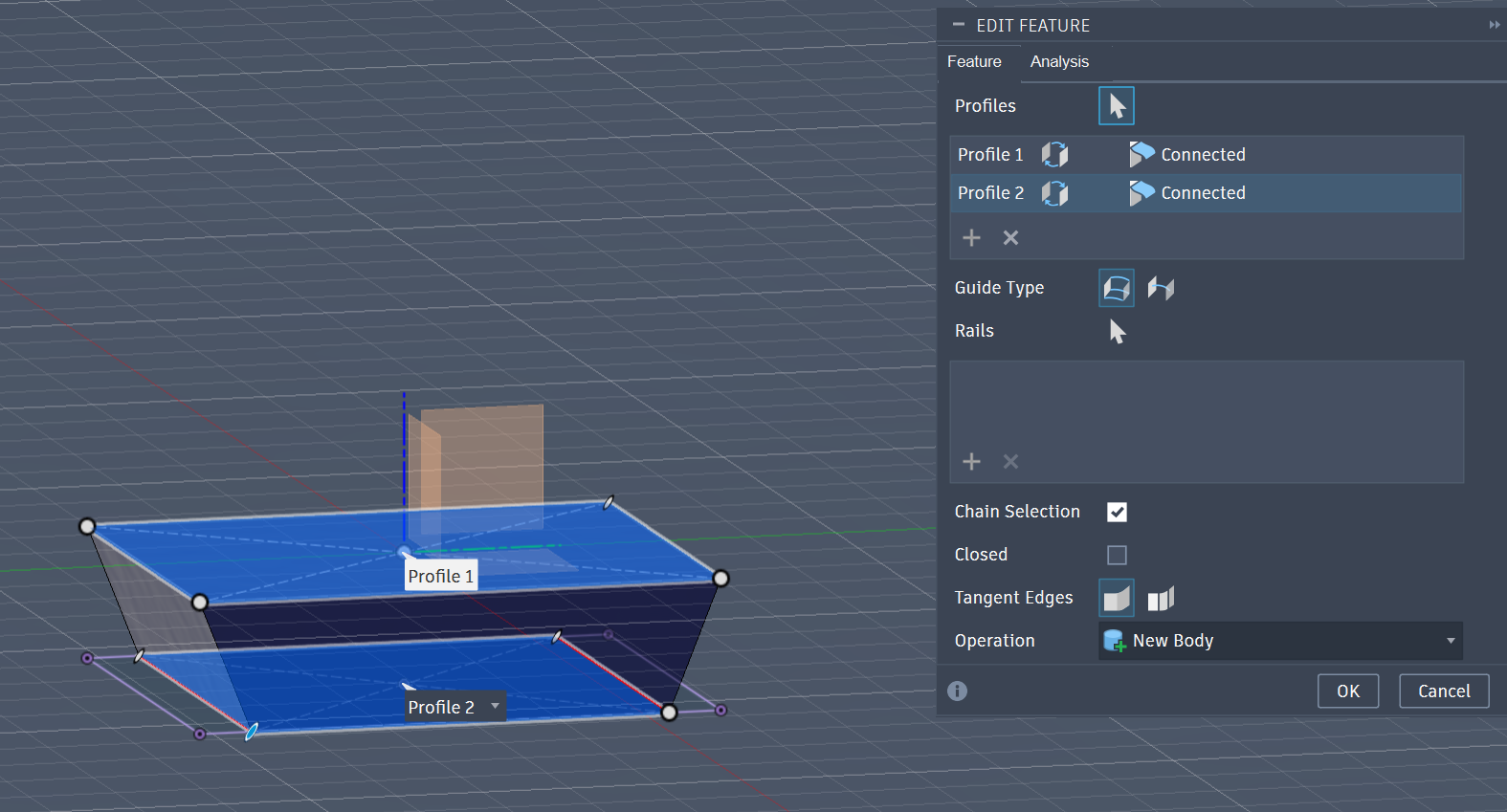
- Then we will Loft. This creates an "extruded trapezoid." The reason for a trapezoid is so that the pieces can rotate freely without clashing. Without it, the bottom corners of the modules would intersect with each other.
- We will create the "gasket" mechanism. We will sketch a rectangle with a downward slant. This is to allow water to continuously flow down. When these solar panels are put together, they form a slope where the water falls to the ground and not inside the panel.
- Extrude this sketch across the length of the solar panel
- Then we will create a sketch on the front (flat face) of the solar panel to create a hole where the axle would go. My axles are around 4.52 mm, so I added a little tolerance on each side.
- Extrude to cut a hole.
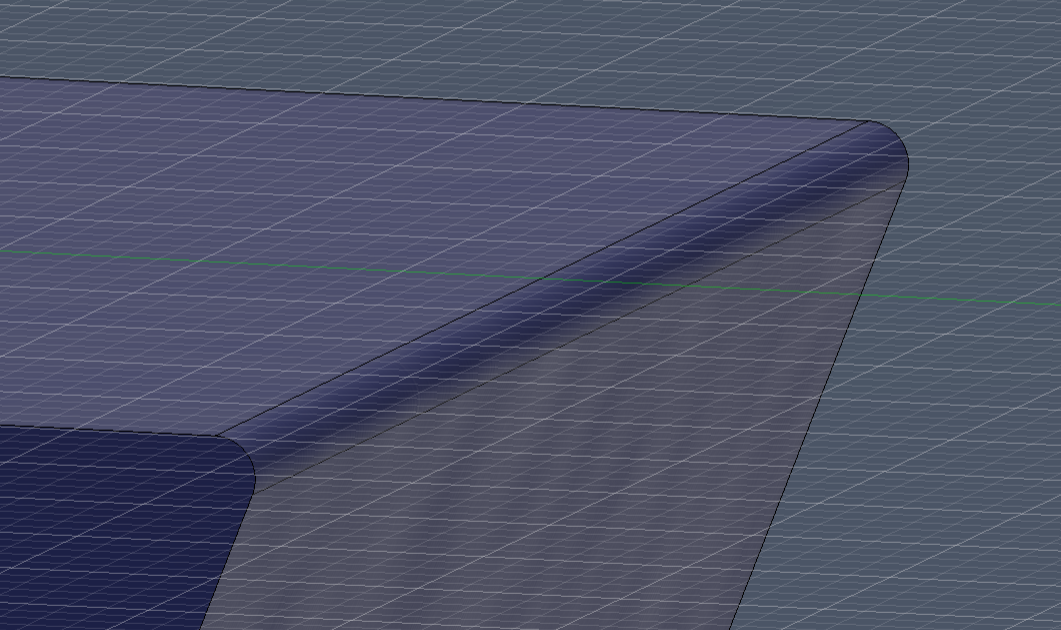
- Lastly, I fillet the other side of the module so that there is more tolerance while turning the modules.
Solar Panel Module Continued
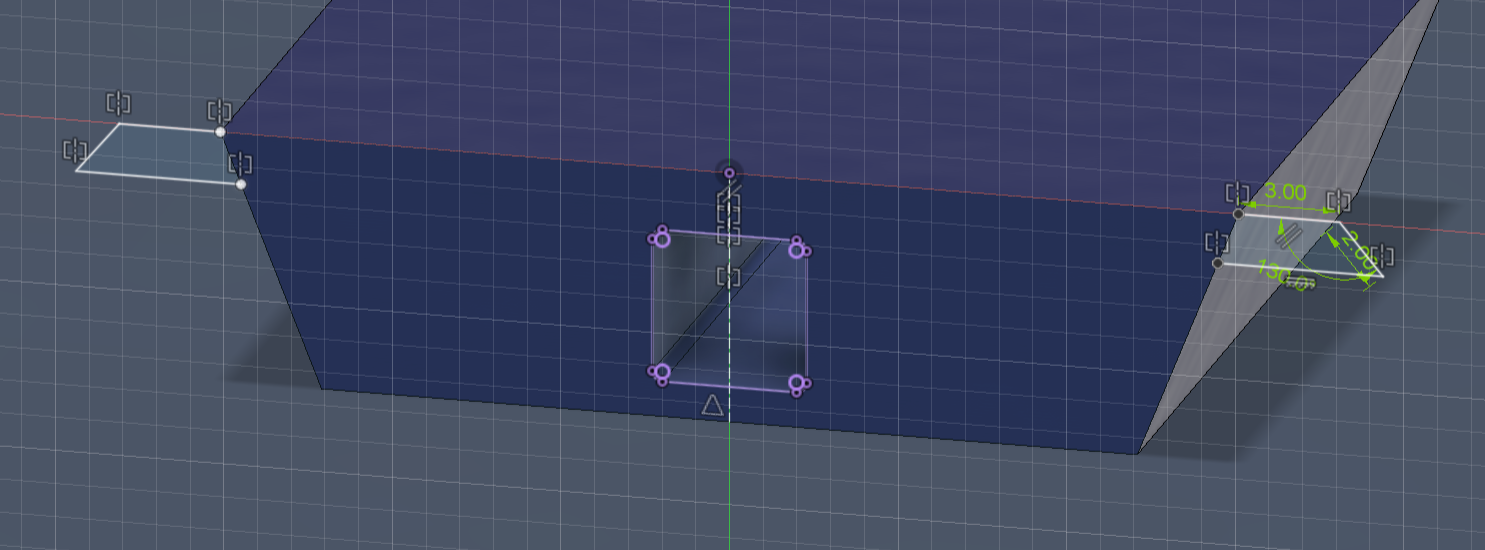

Because the ridge of the petal has a peak, this means it is the turning point of where the water goes (towards the atrium or away to the ground). This means there has to be one solar panel module with the "sloped wings" on both sides.
To do this:
- Go to the solar panel modules and SAVE AS.
- Save as a new file (top solar panel)
- Go to the sketch where you made the wings
- Mirror the sketch along the middle of the solar panel module
- Extrude this new sketch, too
- Delete the fillet
That's all!
Louver Frame
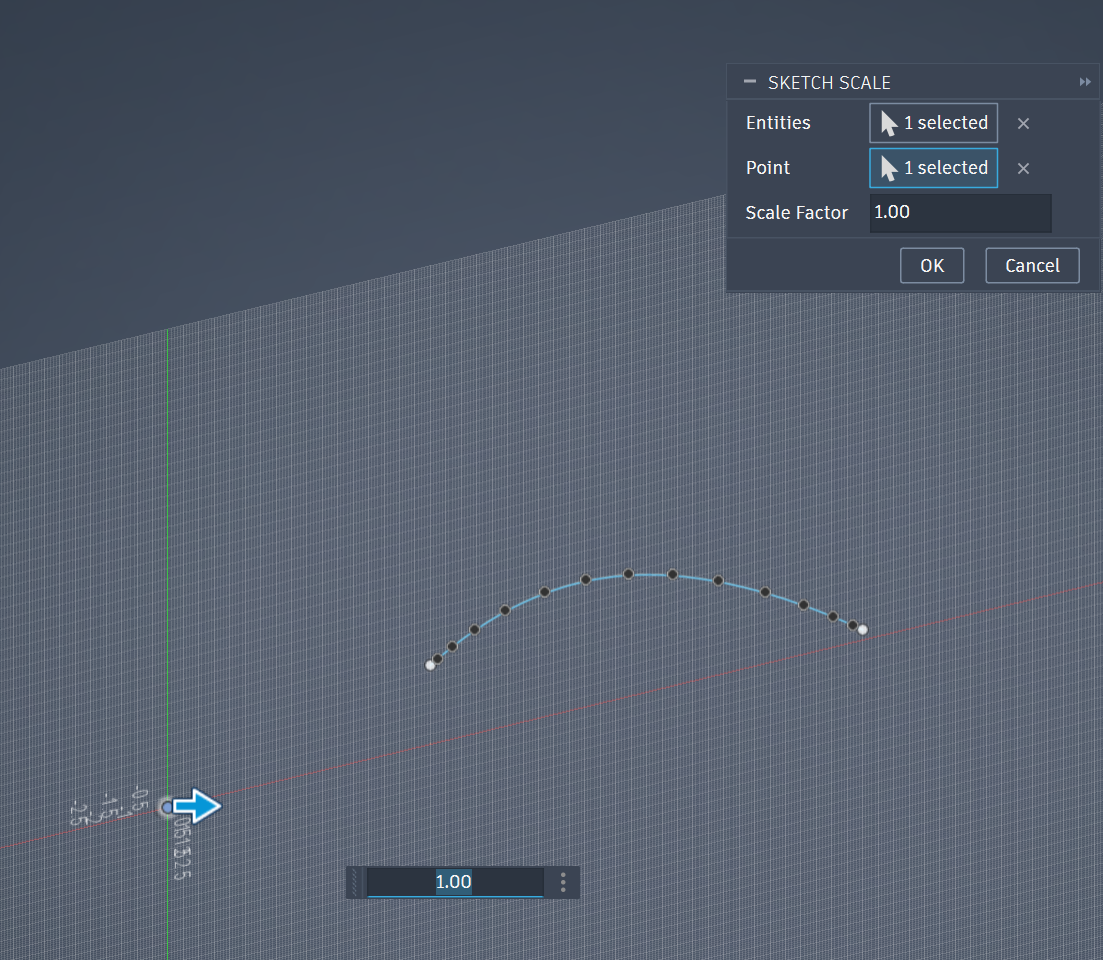
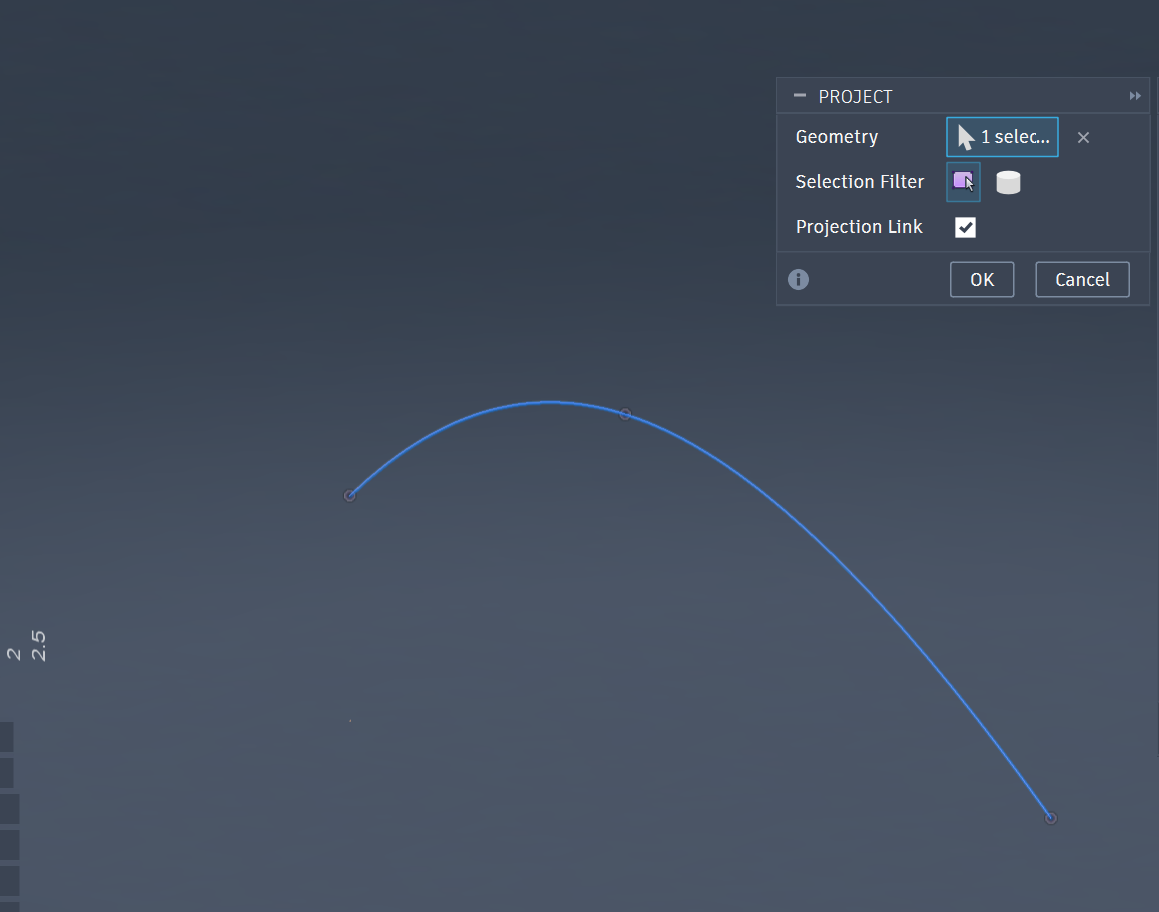
We need something to hold the solar panels to test. Therefore, we should make a frame. This will follow a similar process that we did for the petals.
One thing is that we should try to make the frame mimic the curvature of the petal.
- Go to your petal file.
- SAVE AS a new file (Louver Frame)
- Hide everything of the petal but the ridge line.
- Sketch on the XZ plane and project the spline
- Break the projection link so you can select the projected spline as an entity.
- Scale this down to around 1/88.
- Complete the 2D shape and extrude.
- With one frame, you can repeat steps 3-7 in step 12.
- Now you can import another frame and mirror it to the other side.
- Now you have an assembly of the solar panels in relation to the scaled petal curve.
3D Printing the Solar Panel Louver Mechanism
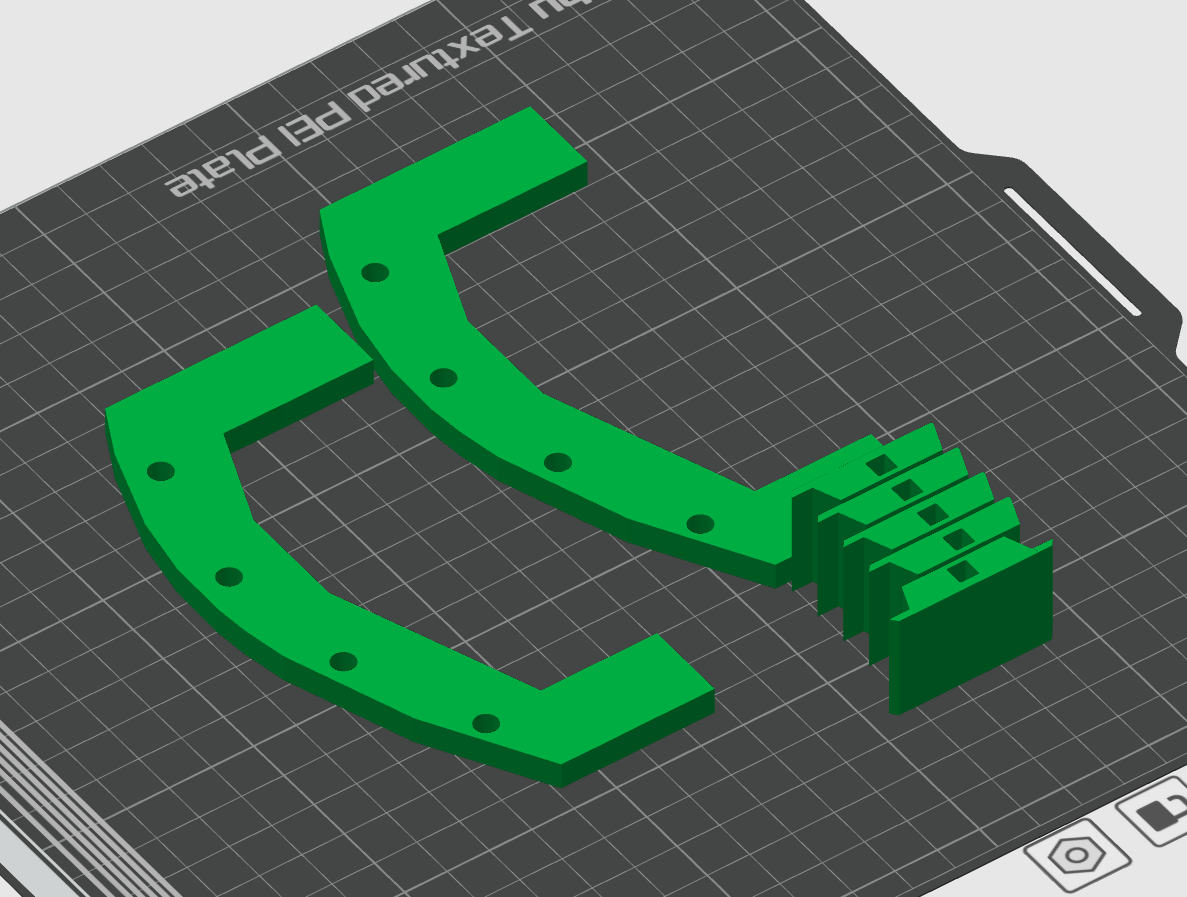
My community had a Bambu X1C, so I opened Bambu Slicer and put 2 frames, a top solar panel, and 3 normal modules.
I used the default 0.28mm Extra Draft setting. All I did was put the infill as 5%. Which puts the print just under an hour.
Downloads
3D Printing the Entire Assembly
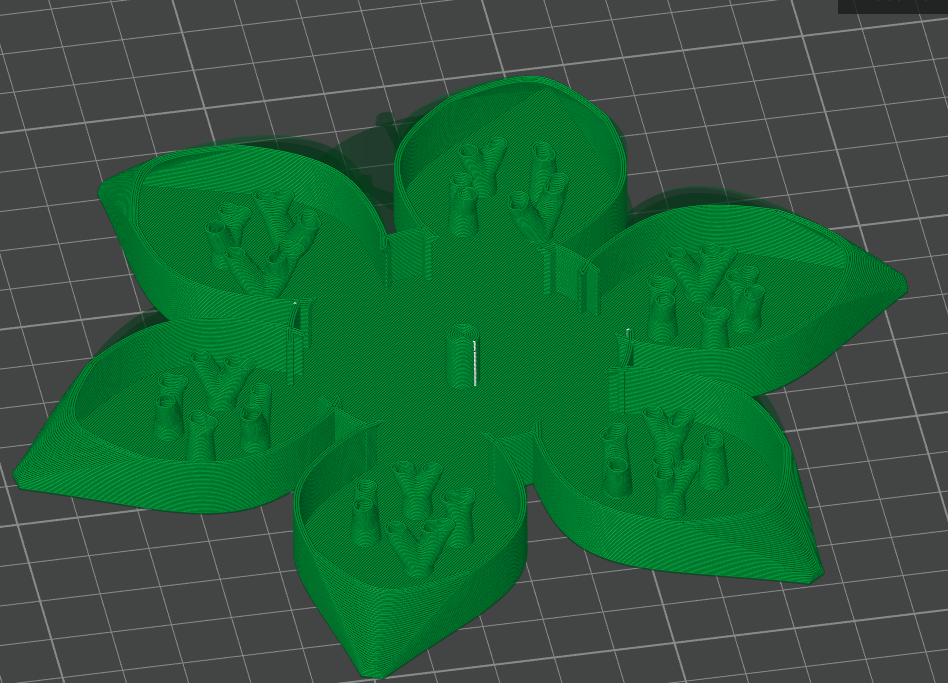
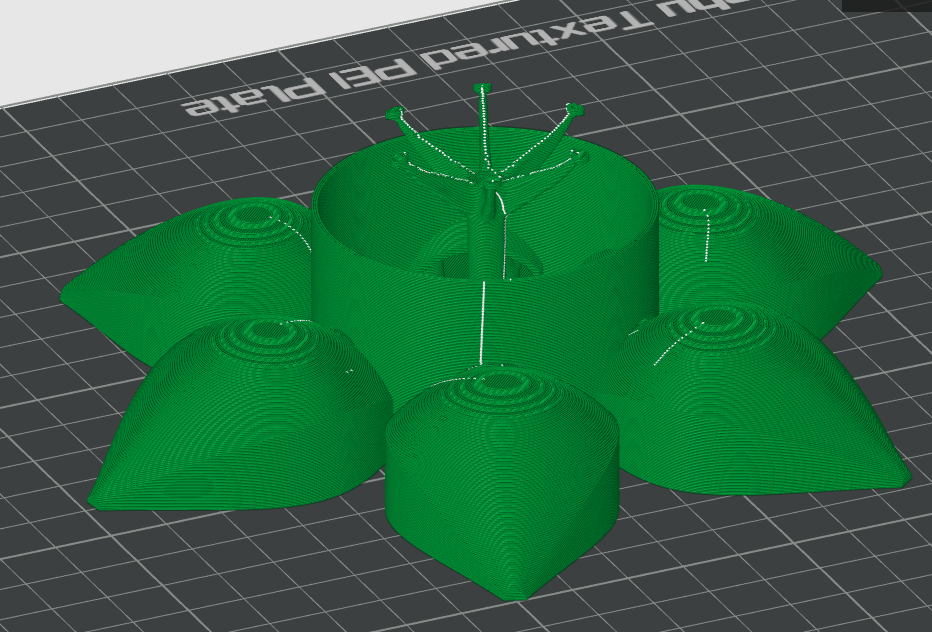
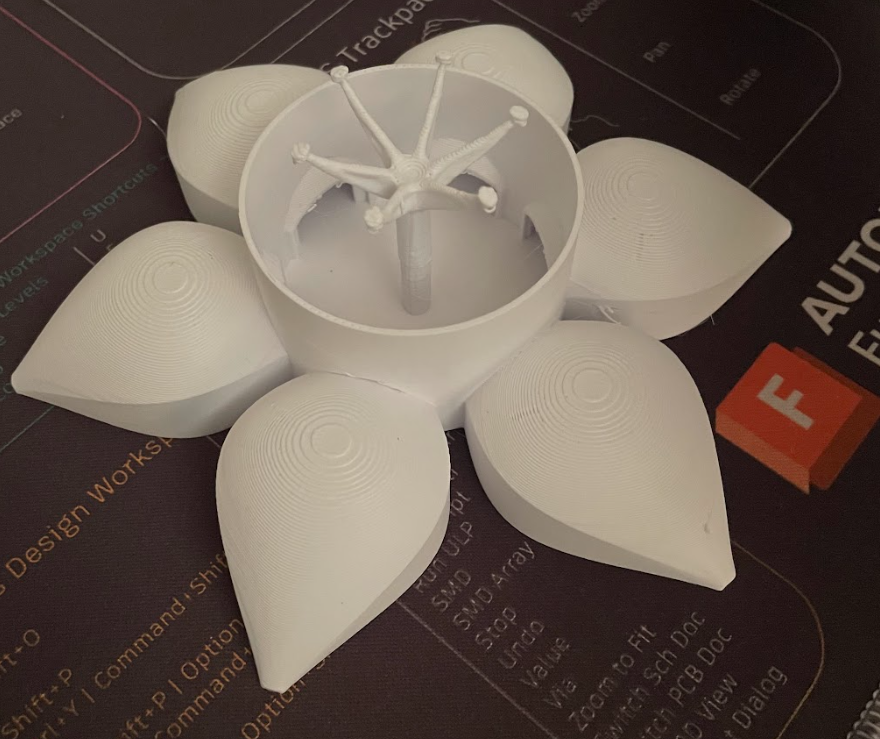
I wanted to 3D print the entire building to see how it would look at scale.
Scaling the X down to 145 mm, the print takes 2 hours to print.
I put tree organic supports at critical points and was surprised to see that the Fusion-generated support tree didn't need 3d printed supports, which proves the power of Fusion.
Although for this print, I had to remove the dome, bioswales, piers, and solar panels, as that would be a little unnecessary and require immense support.
I used the same settings as the louver mechanism and then turned on Tree Organic support.
Downloads
Assembling the Louver Mechanism
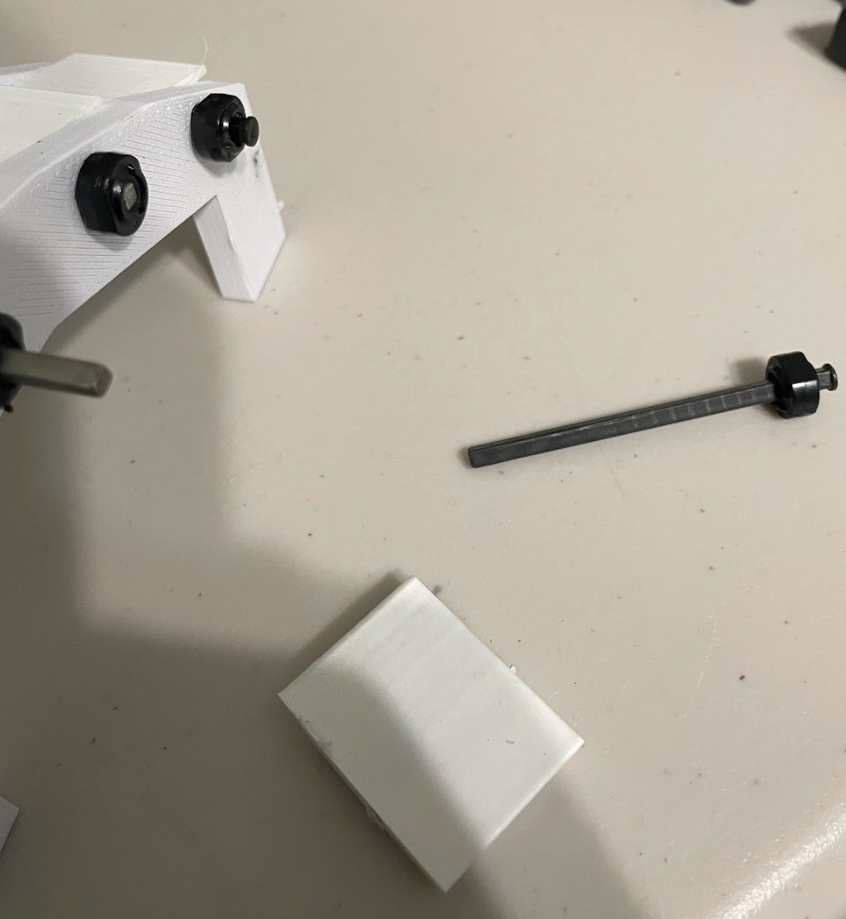
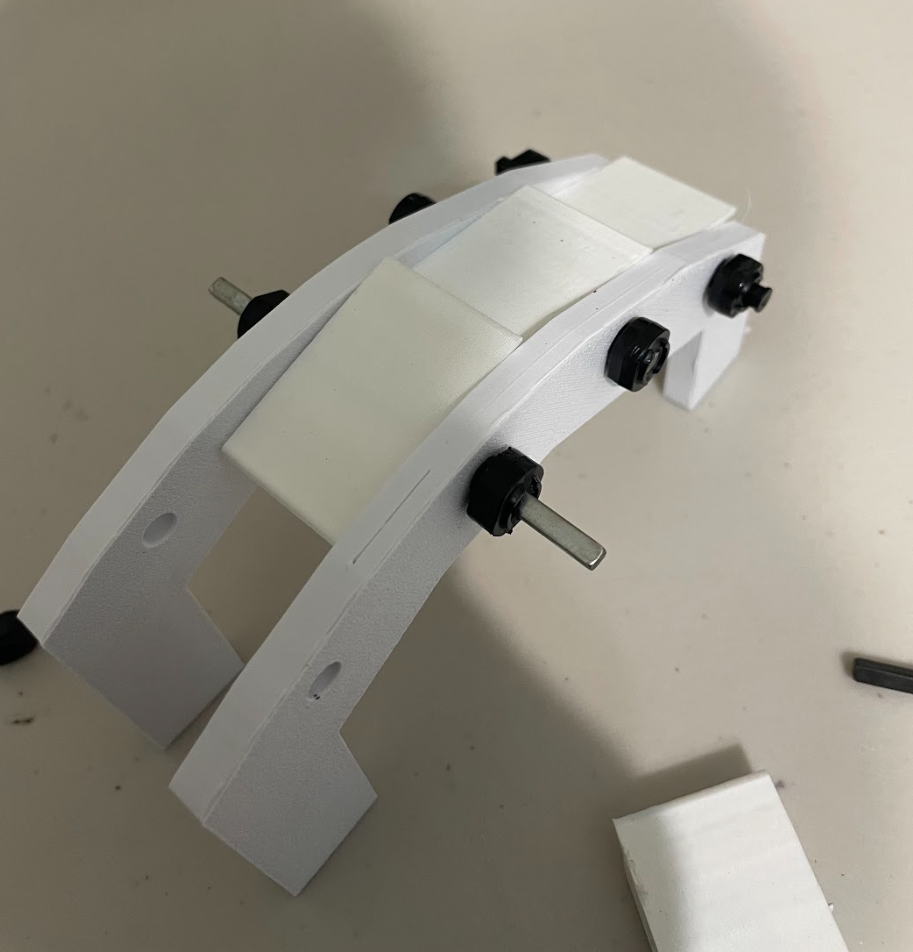
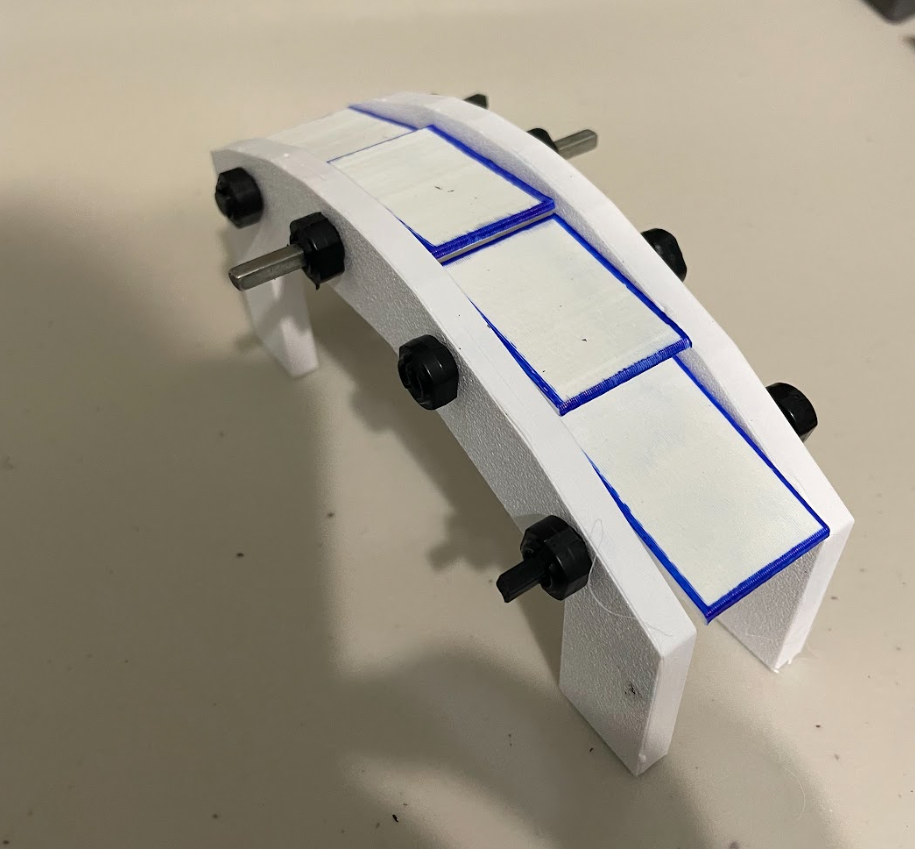
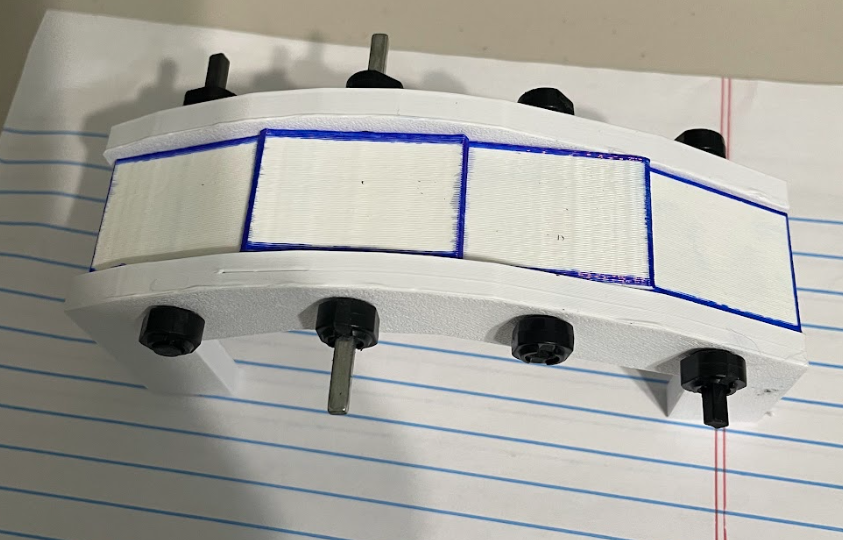
We have 2 frames and 4 solar panel modules.
Start by putting an axle through a frame, module, and another frame.
Then, put a rubber shaft collar on each side to stop the modules from moving side to side.
When you finish putting all 4, you are basically completed.
Kinetic Movement of the Louvers
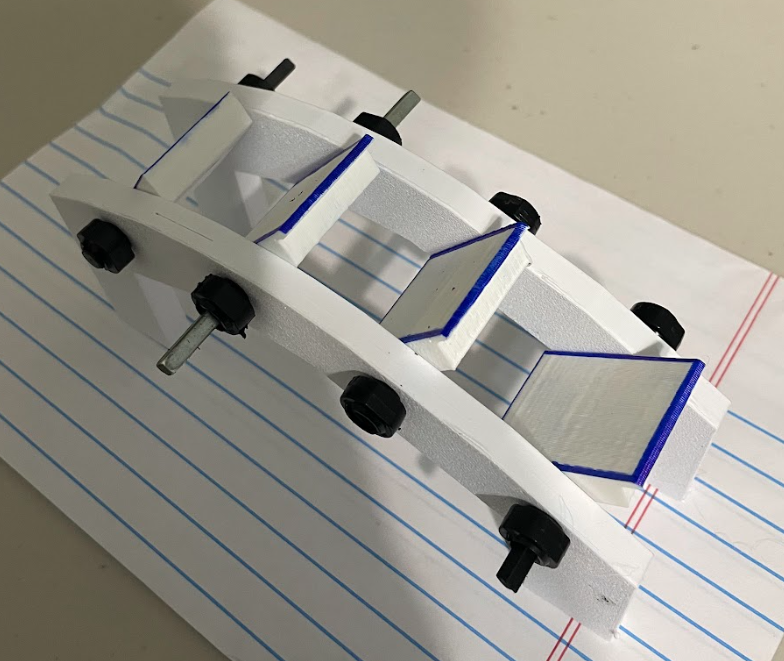
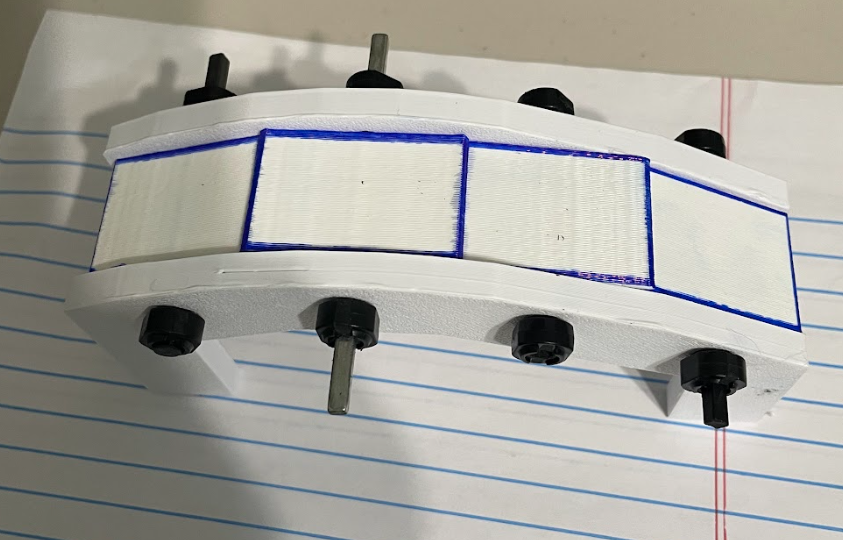
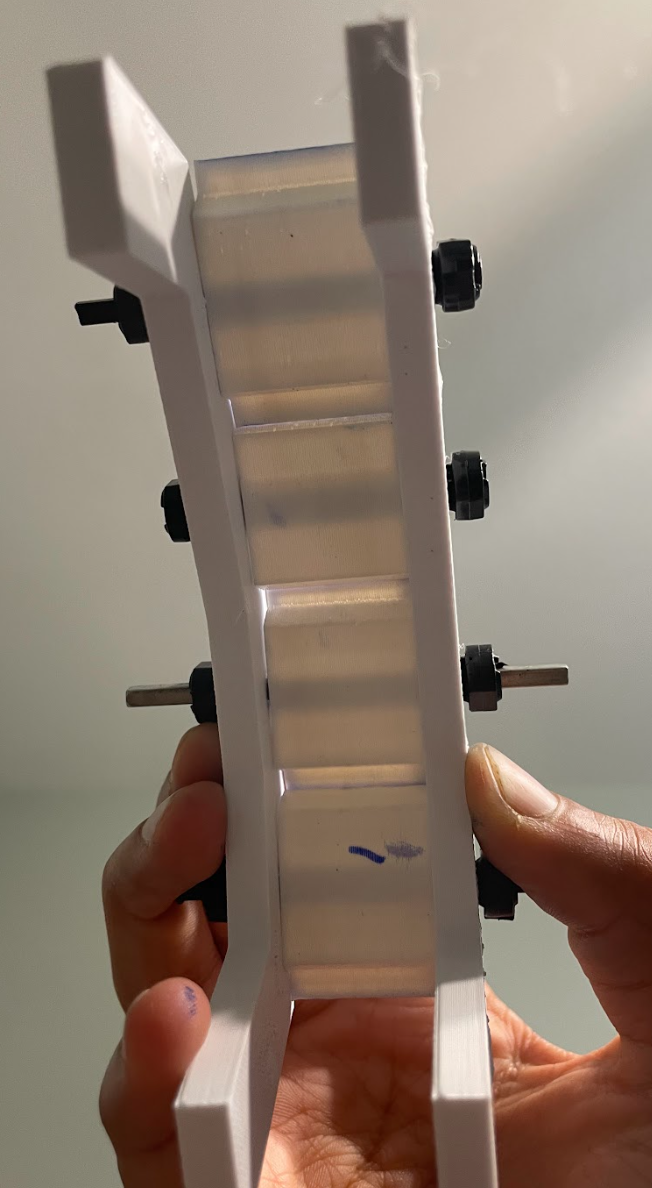
You are now able to freely rotate the solar panels (blue outlined rectangle).
The first image shows the ventilated form on a normal day, allowing sunlight to go through.
The second image shows the closed, disaster mode of the solar panels, which follows the curve of the petal. You can see in the third image that the geometry of the panels creates an enclosed roof.
Water Study 1 - Kinetic Roofing
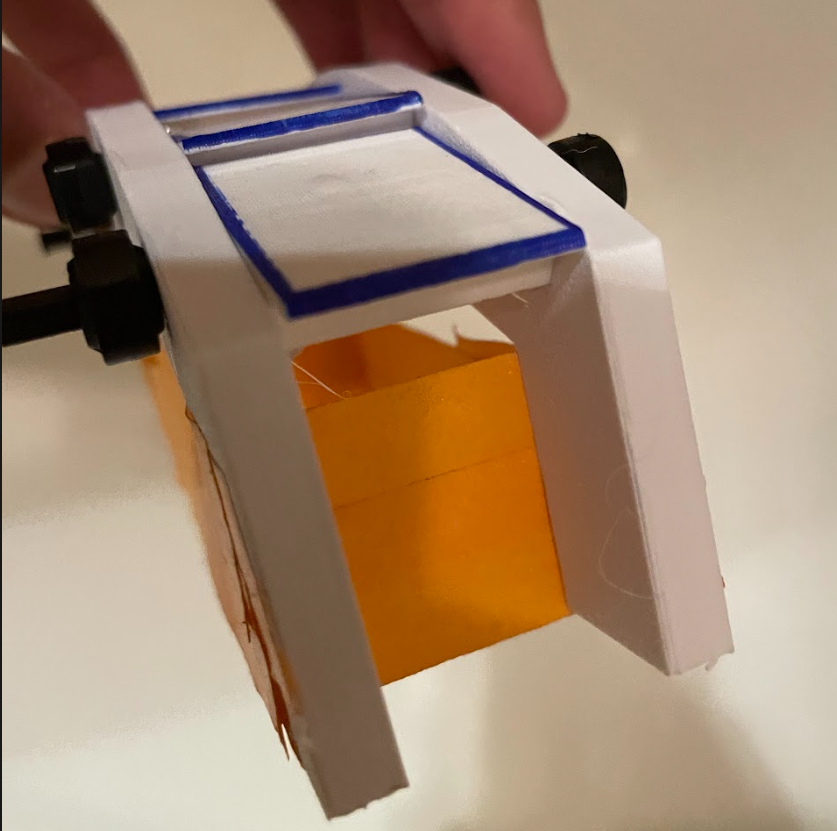
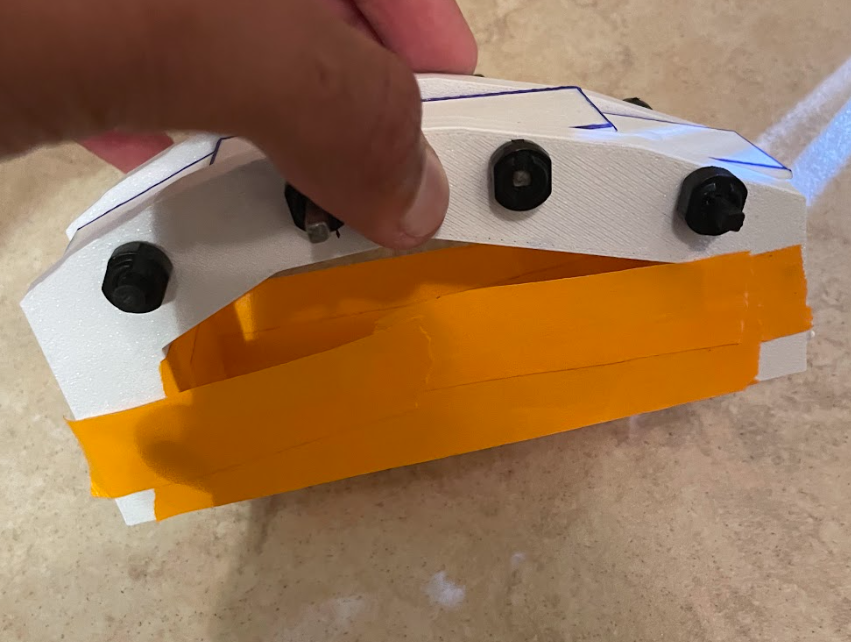
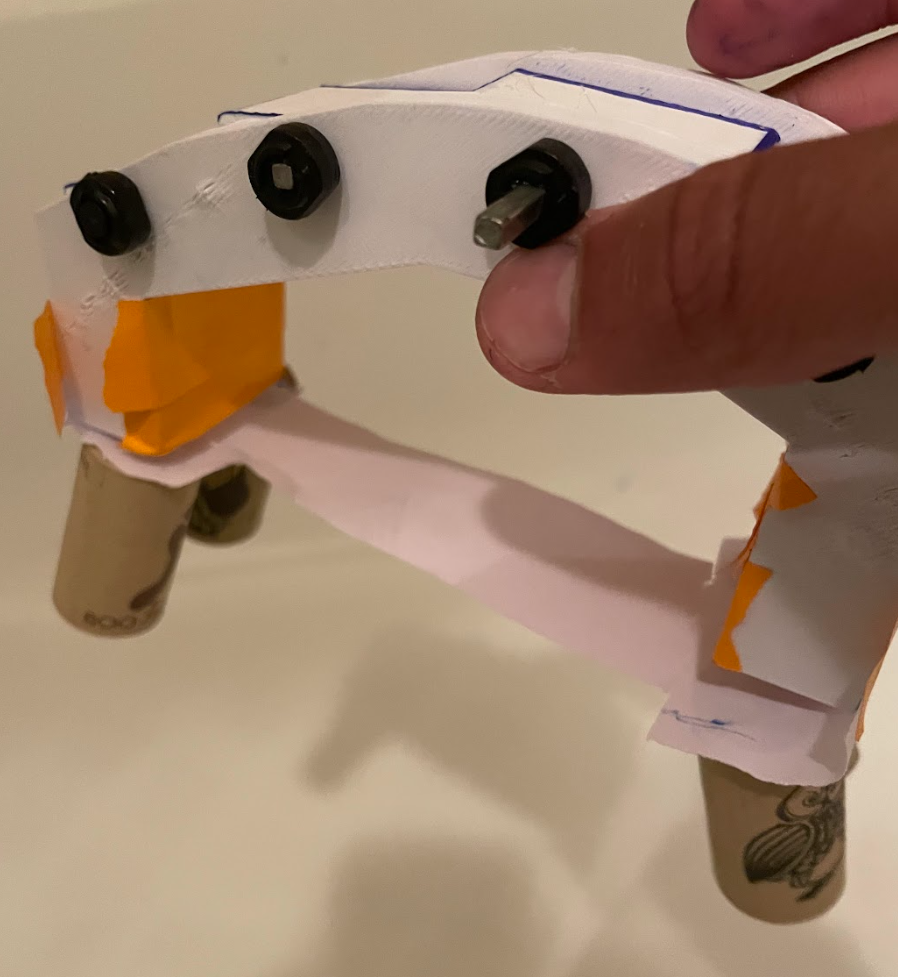
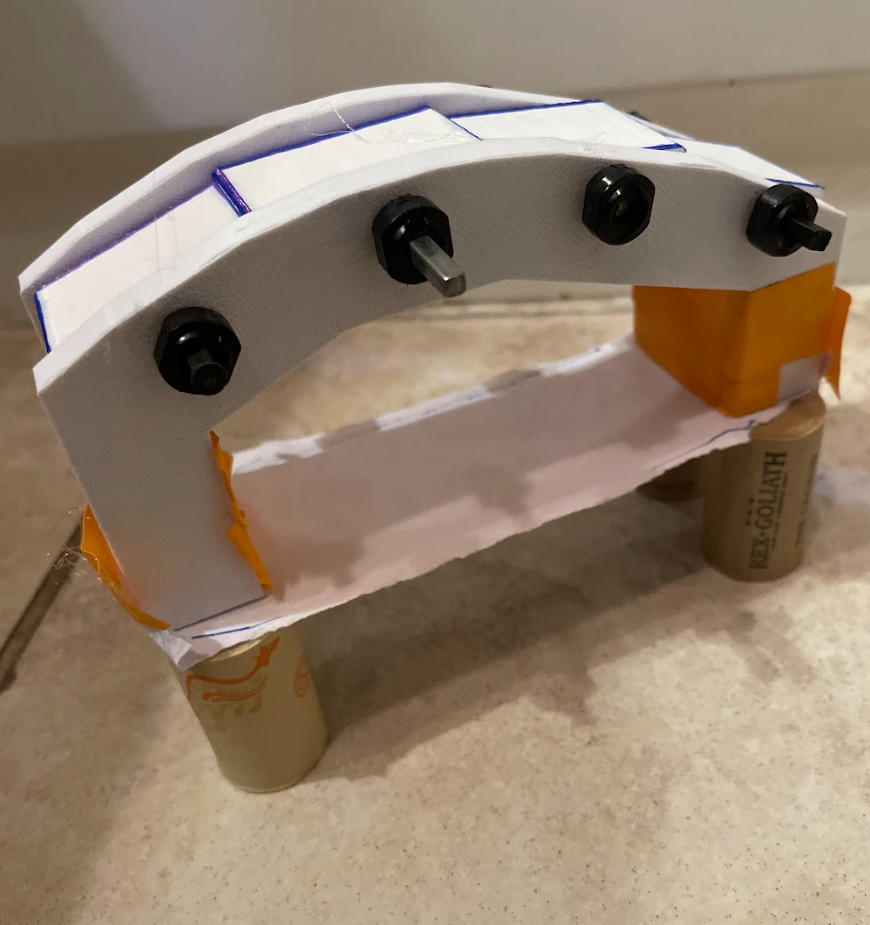
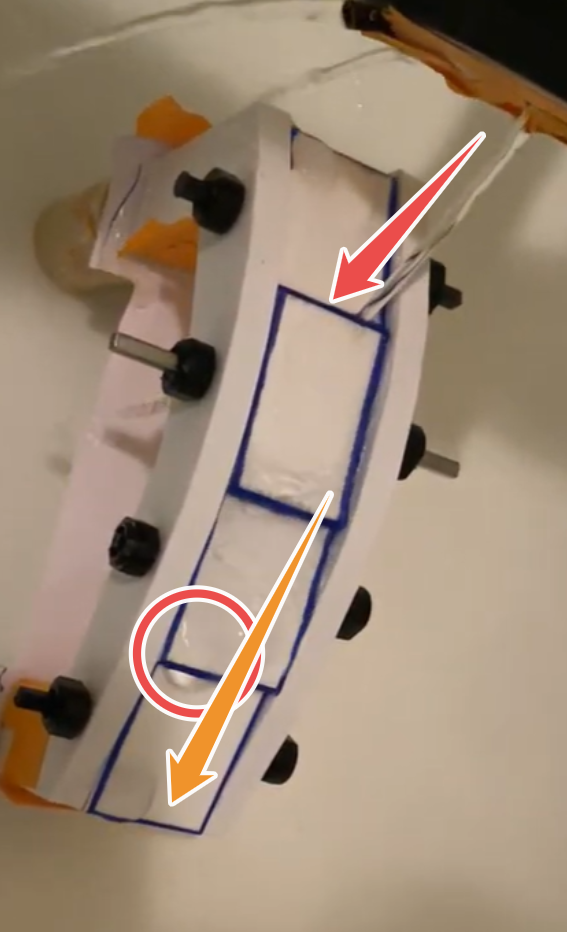
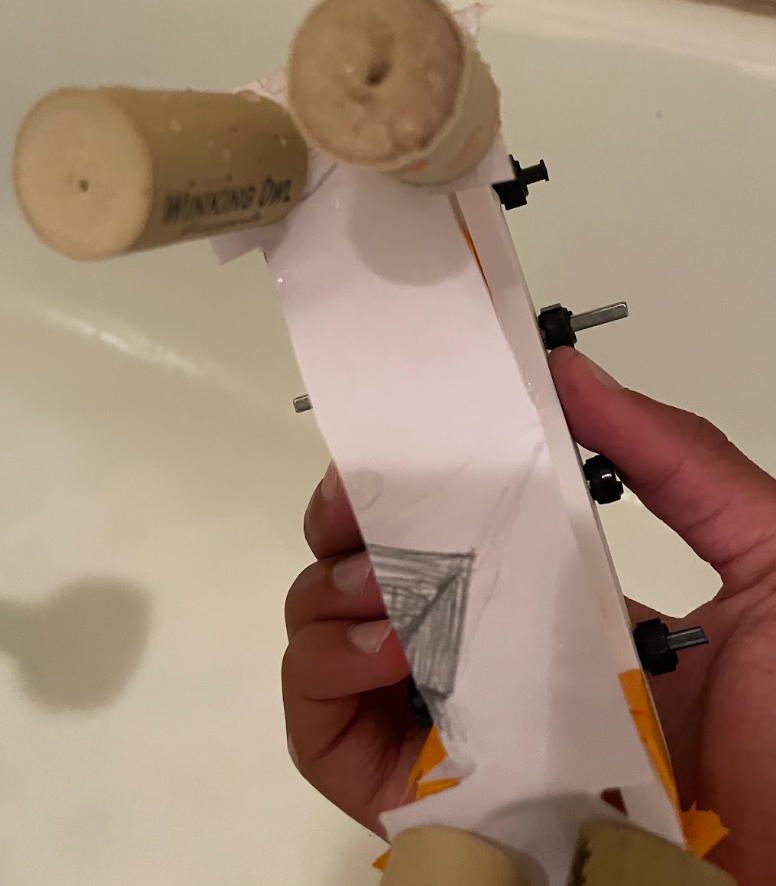
As mentioned before, I wanted to see if any water falls below in disaster mode.
To do this, I replicated an actual petal by putting up tape walls and a paper floor (paper so it is easy to show if it gets wet). Then I put corks at the bottom to represent piers for the water to flow under.
I cut the paper a little so that it represents the rectangular projection from the solar panels. IF water gets in the middle, it shows that the module DOES NOT WORK.
I used a gardening can to get a steady flow and started pouring water. Below is the video.
http://vimeo.com/1197757669 (Embed is slow)
You can see that there are basically no droplets on the water. The water flows down to the ground by using the slants in the module. The last image shows the back side of the paper, and if the paper were fully wet, the back side would be soaked. But here you can see it is fully dry.
You might see one or two droplets on the side, but that is only because there is no wall. The water droplets go out the side and drop inside. This would not happen with a proper petal wall (see step 24).
I did this test multiple times, and the same result showed. The solar panel module works!
Water Study 2 - Bloom Assembly
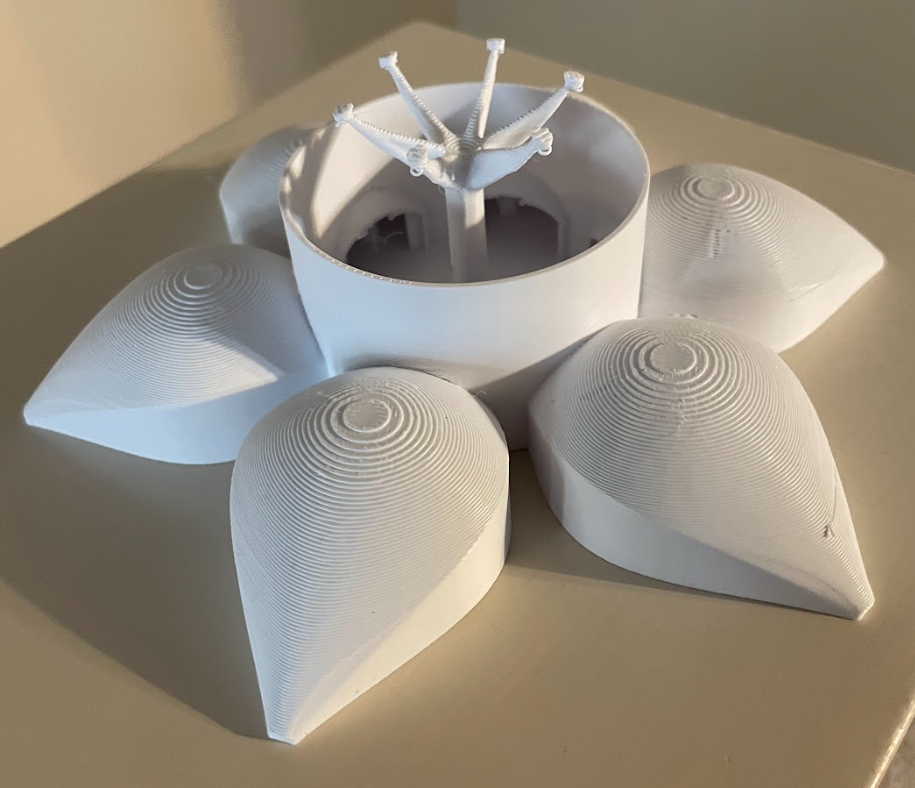
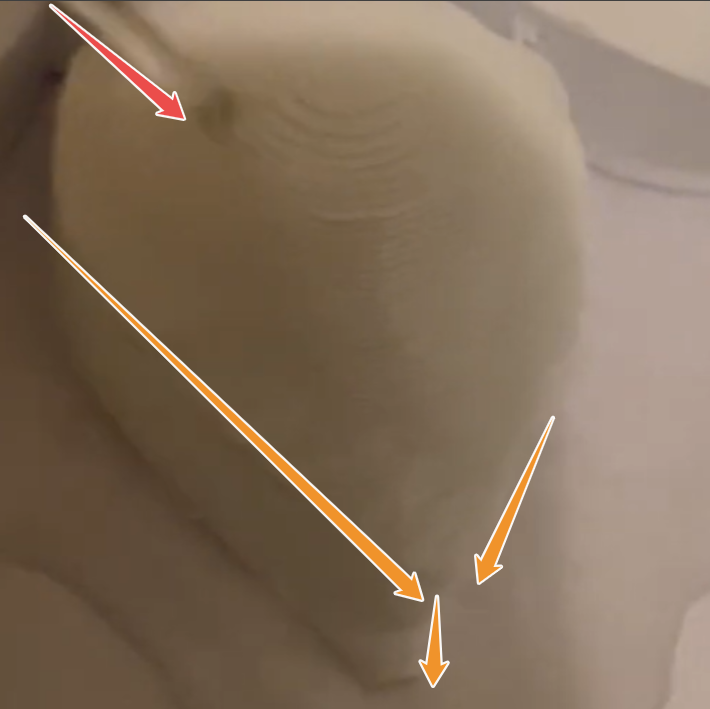
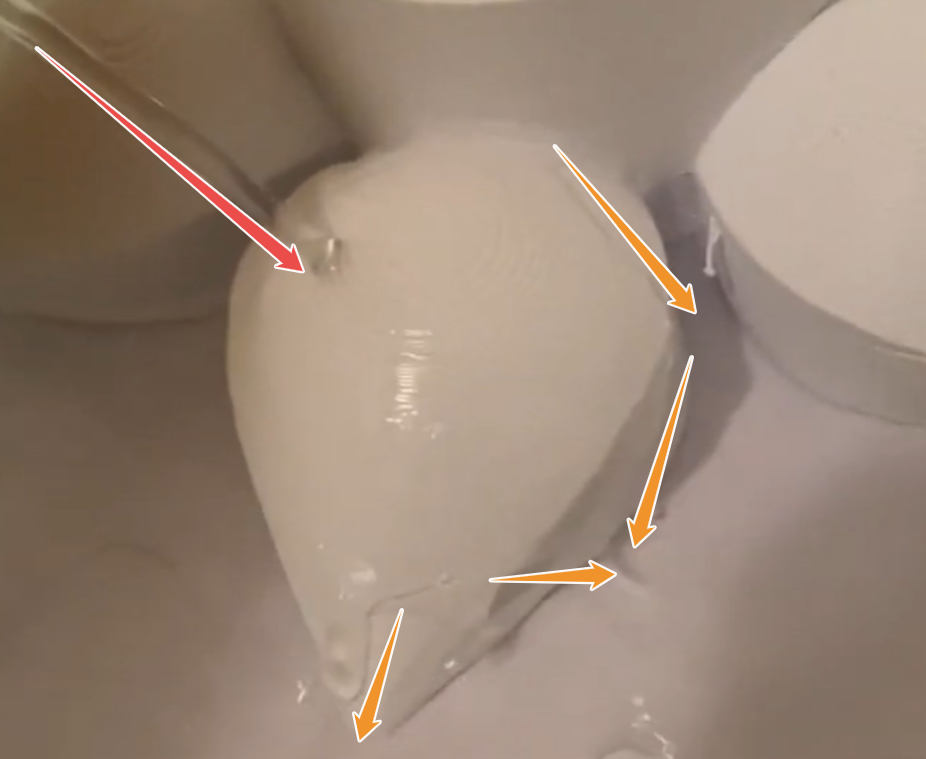
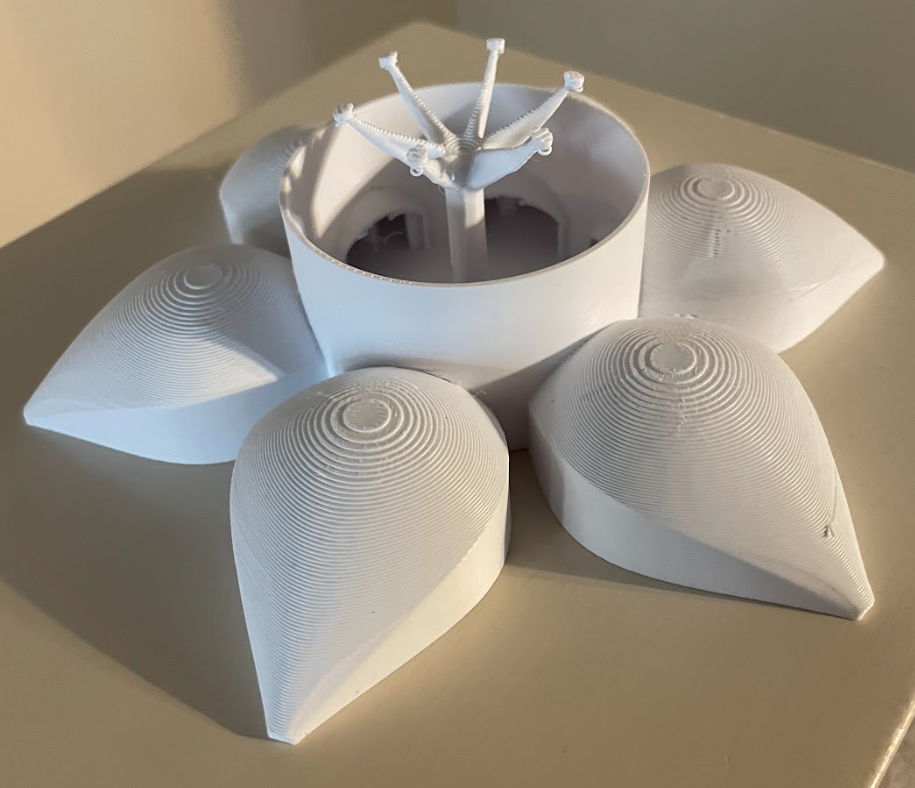
The first image shows the fully printed assembly. It turned out that supports aren't needed for the Bambu, but are recommended for other printers.
Either way, my plan with this is to pour water on the petal to show how the water flows around the petal and onto the ground.
Here is the video:
https://vimeo.com/1197761351 (embed is slow)
The video and annotated images show the water flow around the curve of the petal ot displace the water in front of it and also put it towards the sides. This is actually perfect, as that is exactly where the bioswales are positioned and where the drainage systems are for the pipes leading to the cistern.
This means that the idea of gravity-assisted grainage and the unique shape of the petal work perfectly in the rainy conditions of Houston.
Conclusion
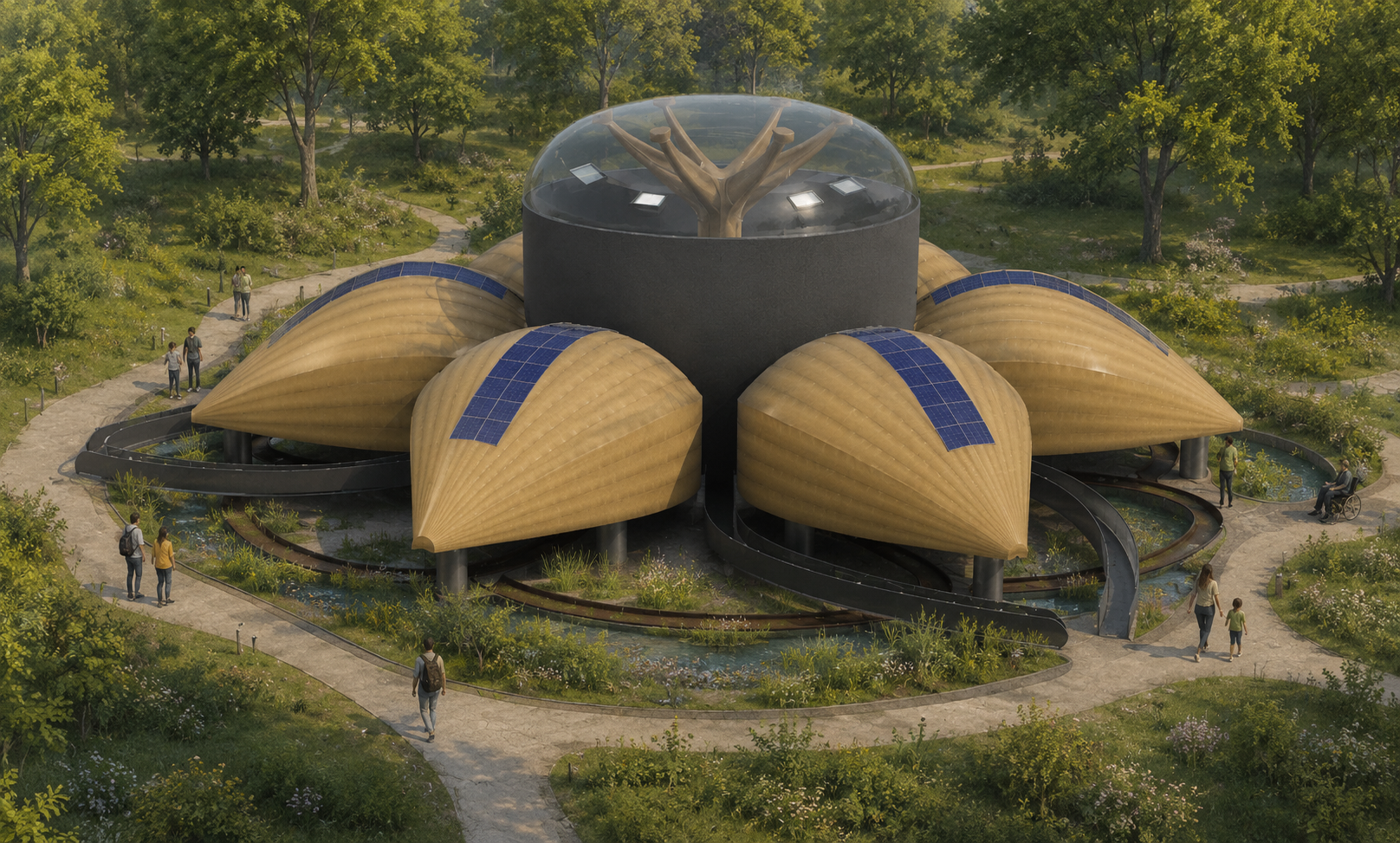
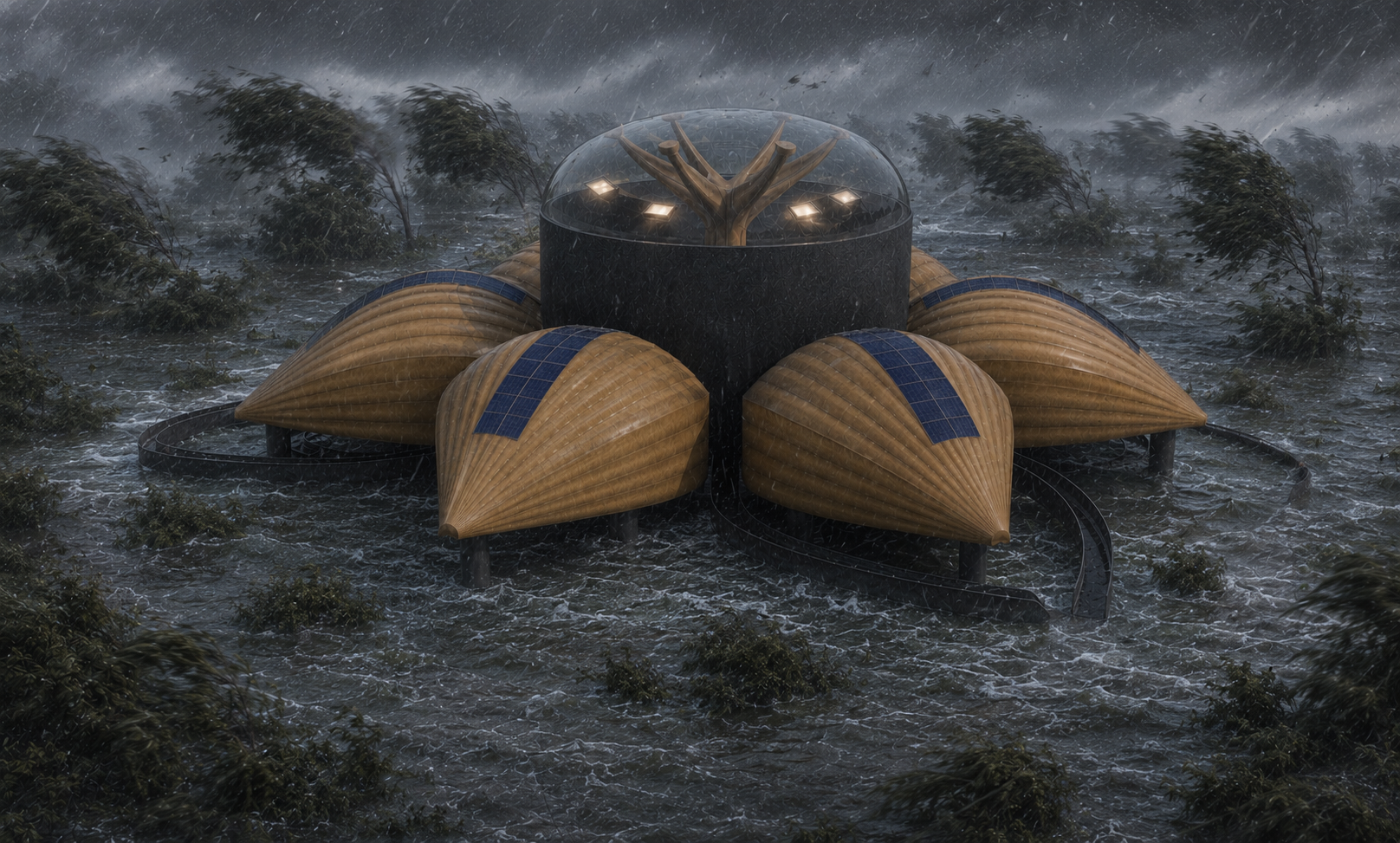

The BLOOM (Building Local Opportunity, Outreach, and Mobilization) is more than just a physical installation - it is an adaptable framework designed to empower neighborhoods, spark local economies, and heal the community. By building a multi-functional, hub-like structure, this project proves that the built environment can bring communities together and help the surroundings.
As you design your own Bloom Module for Houston or your home city, remember that the building is only a framework. It is up to you to decide how you can utilize Bloom to help the community around you.
As a Houstonian, floods still scare us every year. But with The Bloom, our community can resist disasters as a permanent structure built to help the community daily and to save lives when needed.