The Pi Pendulum: Calculating Pi With Physics and Code
by AyatEsbolat in Design > 3D Design
487 Views, 1 Favorites, 0 Comments
The Pi Pendulum: Calculating Pi With Physics and Code
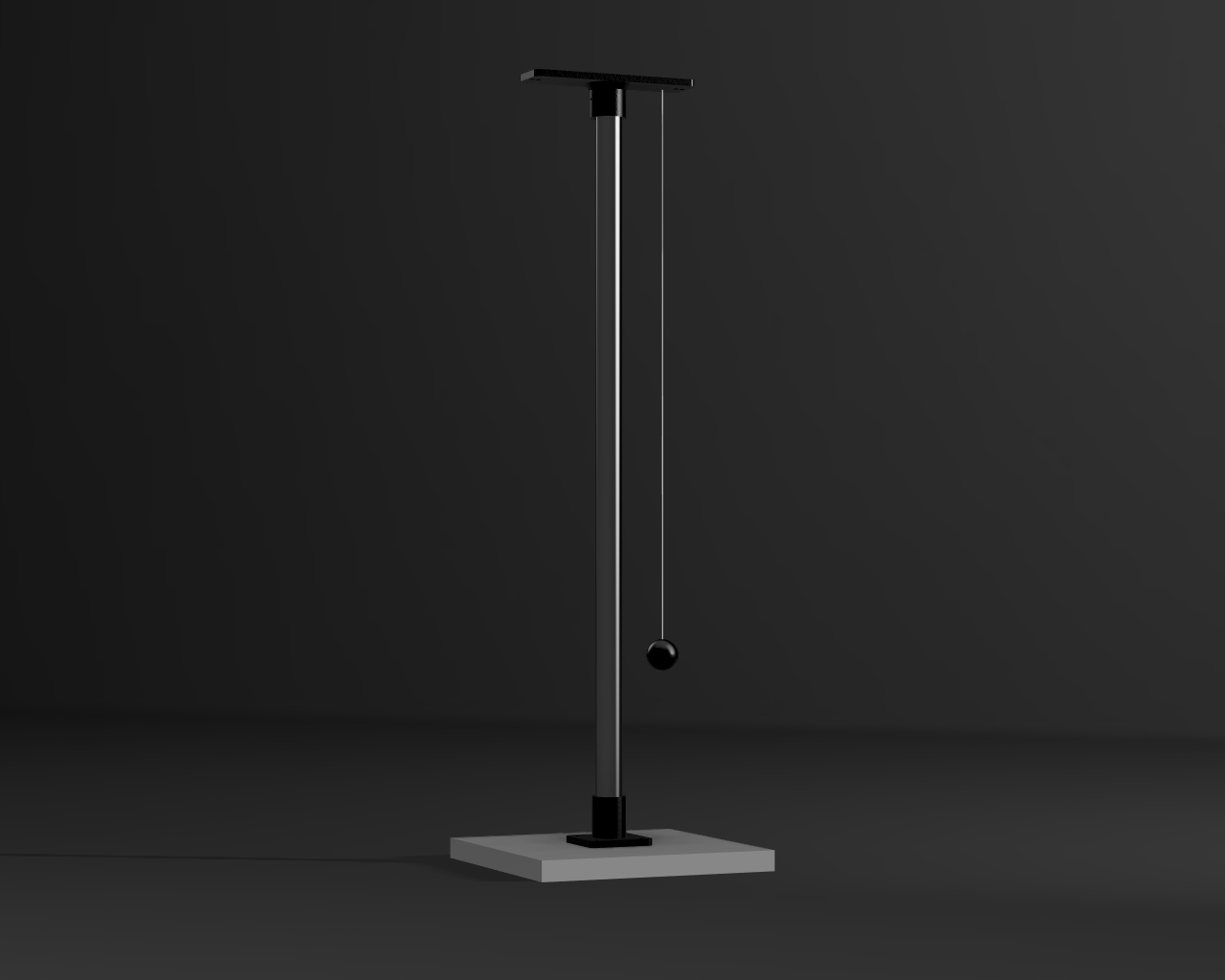
The textbook formula for a pendulum is beautiful, but it hides a fundamental limitation.
In physics class, we are taught the elegant equation T = 2π √(L/g). It suggests that calculating Pi is as simple as measuring a string and timing a swinging weight. But this formula relies on the "small-angle approximation" sin(θ) ≈ θ. It only works perfectly if the pendulum is barely moving. Once you drop it from a large angle like 45 or 90 degrees, the elegant math begins to break down.
For the "All Things Pi" contest, I wanted to test this exact breaking point. I built a custom 3D-printed digital pendulum. This isn't a high-end laboratory installation, but rather a hands-on desktop physics experiment designed to visually and mathematically track where the standard formula diverges from reality.
To ensure the highest accuracy for the test, I designed a rigid MVP (Minimum Viable Product) frame. To keep the physics pure, I intentionally kept the pendulum bob completely free of heavy microcontrollers or sensors that would alter its aerodynamics. Instead, all data tracking is handled strictly through software.
In this Instructable, I will show you how to build this testing stand, capture the telemetric data, and prove how our calculated value of $\pi$ distorts and breaks away from the true mathematical constant as the swing amplitude increases.
Supplies

Materials (Hardware):
- A heavy ball/sphere (around 50-100g is ideal to minimize air resistance interference).
- Tough string or fishing line (at least 70cm long).
- Frame pipe (Length: 40cm or more. PVC or metal works best).
- Wooden base (Minimum size 180x180mm. I used a 180x350mm board to allow for future upgrades and better stability).
- Self-tapping screws (For mounting the 3D printed parts to the wooden base).
- 3D Printing Filament(~50-80g).
Tools:
- 3D Printer (I used a Bambu Lab A1 Mini).
- Screwdriver / Drill (To make holes in the wooden base and fix the parts).
- Patience (Crucial for fine-tuning the physics and catching that 0.01s difference).
The Geometry of the Error

Understanding the Arc Before building the physical pendulum, we need to understand the "Small-Angle Approximation." Look at the first screenshot of the unit circle. Try to estimate the length of the arc between points B and D. Because the angle is so small, this arc is almost a perfectly straight vertical line. Looking at the Y-axis next to it, the height is 0.2. Now, if we measure the actual angle in the simulation, it shows 0.2013 radians. Conclusion: In a unit circle, the length of the arc is exactly equal to the angle in radians.
The Geometry of the Error Part 2

The Breaking Point Now I will show you where the classic formula fails. In our unit circle, sin(θ) is represented by the Y-axis. As we just saw, at a small angle of 11.5 degrees (0.2013 rad), the angle and its sine are almost identical (0.2 ≈ 0.2013). This is the small-angle approximation in action: sin(θ) ≈ θ.
But what happens if we use a larger angle? Look at the second screenshot. The arc is much more curved, meaning its path is noticeably longer than the straight Y-axis line. Here, the Y-axis (the sine) is exactly 0.6, but the arc length (the angle) is 0.643 radians. The arc length exceeds the Y-axis by almost 8%. Conclusion: The assumption that the angle equals its sine only works well up to about 15 degrees. Beyond that, the error becomes significant.
Why This Matters This geometric truth is the key to our project. The classic textbook formula relies entirely on this approximation. Our goal now is to build the hardware, follow the steps below, and physically prove that this simplified formula is unfit for precise calculations at large angles.
Prototyping and Final 3D Printing


Test Fit Before wasting time and around 70 grams of filament on printing the full mounts, it is highly recommended to print a small test slice. PVC or metal pipes from different manufacturers often have slight variations in their dimensions. For our pendulum to provide accurate data, the frame must be absolutely rigid. Any wobble caused by a loose fit will absorb kinetic energy and ruin the physics experiment.
The Screw Clearance Test In addition to testing the pipe fit, you must print the ScrewToleranceTest file to check the clearance for your self-tapping screws. There is a crucial mechanical requirement here: the screw must pass freely through the holes in the 3D-printed Adapter. The threads should only bite into the wooden base underneath. If the screw threads catch onto the plastic Adapter as well, it will push the two parts away from each other as you tighten it. This creates an undesirable gap between the printed part and the wood, compromising the rigid clamping force required for our experiment.
Adjusting to Your Pipe (Inner & Outer Fit) I have attached the standard STL files and the original Fusion 360 (.f3d) file. Print the thin test slices first — it takes only a few grams of plastic and about 10 minutes. Crucial step: Make sure to test the fit for both the inner and outer diameters of your pipe. The custom 3D-printed mount is designed to grip the pipe simultaneously from the inside and the outside to lock it completely in place. If either side is too loose or too tight, adjust the parameters directly in the provided .f3d file or scale it slightly in your slicer until you get a perfectly snug double-grip.
Final Printing Settings Once the tolerance is perfectly tuned, you can print the main structural mounts. Use the following settings to ensure the frame does not flex during large swings:
- Material: PLA or PETG.
- Infill: 30% (Gyroid).
- Walls: 4+perimeters for maximum rigidity.
Aerodynamic Considerations: The Pendulum Sphere You might wonder why a custom 3D-printed sphere is necessary instead of just tying a string to a heavy object. The answer lies in fluid dynamics. If a string is simply glued to an irregular heavy weight, it will generate turbulent airflows and unpredictable aerodynamic drag during the swing, which severely degrades the accuracy of the experiment. A smooth spherical enclosure minimizes this drag. Furthermore, the internal geometry of this printed sphere is precisely designed with two different inner diameters: one to securely house the heavy inner core (the metal ball), and a second diameter to provide a specific clearance gap. The functional mechanics of this internal gap will be fully explained in Step 5.
Physical Assembly


With all components printed and the hardware gathered, it is time to assemble the apparatus. Precision during this stage is essential to eliminate unwanted vibrations.
1. Fit Check and Tolerances First, verify the friction fit between the pipe and the 3D-printed parts (the Adapter and the Bracing). They must fit snugly. If the pipe surface is slightly uneven and the fit feels loose, you do not necessarily need to reprint the parts. A highly effective workaround is to wrap a few layers of tape around the pipe ends to create a tight shim.
2. Marking the Base Position the Adapter on the wooden base. Using a marker or a sharp tool, trace the four mounting holes onto the wood to ensure perfect alignment.
3. Drilling Pilot Holes Observing proper safety precautions, use a drill bit slightly smaller than your self-tapping screws to create pilot holes at the marked locations. This prevents the wood from splitting. For maximum structural stability, the screws should penetrate the wooden base to a depth of at least 5-7 mm.
4. Securing the Mount Align the Adapter with your freshly drilled pilot holes and securely fasten it to the wooden board using the self-tapping screws. Make sure it sits completely flat against the surface.
5. Top Assembly Insert the main pipe into the secured Adapter, and then firmly press the Bracing onto the top end of the pipe. Check the entire frame for rigidity—it should not flex or twist.
Assembling the Pendulum Bob and Rigging
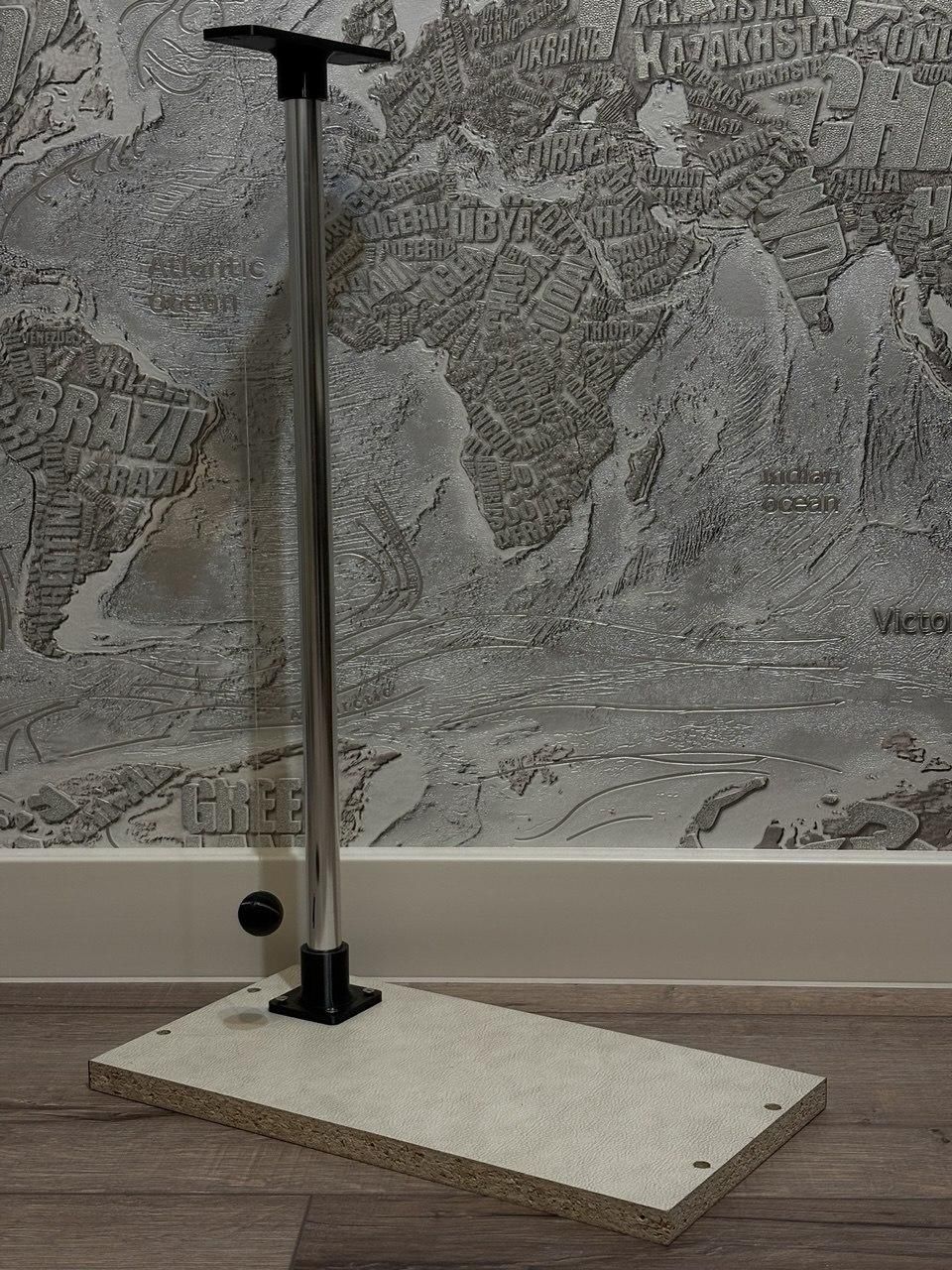
1. Encapsulating the Core As mentioned earlier, our custom 3D-printed sphere is designed to house a dense metal core. This dramatically increases the mass-to-surface-area ratio, helping the pendulum overcome aerodynamic drag.
- Threading: Take the bottom hemisphere and thread your string through the designated center hole. Secure it on the inside with a small drop of superglue . Make sure no glue spills on the outside, as a perfectly smooth exterior is vital for aerodynamics.
- Inserting the Mass: Place your heavy metal ball into the hemisphere. Ensure the internal diameter grips it tightly so there is zero play or wobble (internal movement absorbs kinetic energy). Add a drop of glue to lock it in place.
- Closing the Sphere: Mating the top hemisphere over the core so it clamps down on the string's exit path. Seal the two halves with superglue. You now have a perfectly aerodynamic pendulum bob.
2. Rigging for a Planar Swing Now we must attach the pendulum to the main frame. Thread the free end of the string upwards through the first hole on the 3D-printed Bracing. Then, loop it over and thread it downwards through the adjacent second hole. Adjust the string to your desired pendulum length, and tie the end securely to the section of string coming out of the first hole.
Why this specific threading? This routing method is highly intentional. By looping the string through two adjacent holes, we physically constrain the pivot axis. This forces the pendulum to swing in a strict, stable 2D plane—unlike those chaotic physics classroom pendulums that seem determined to twist, spin, and smash into everything around them. Since we will be recording the swing with a standard smartphone camera and analyzing the data frame-by-frame, eliminating this unpredictable "drunk" wobbling is absolutely critical. If the pendulum swings toward or away from the lens, perspective distortion will completely ruin our manual measurements.
High-Speed Data Collection and Frame Analysis

With the pendulum fully assembled, it is time to collect the data. To achieve extreme precision without relying on complex machine learning algorithms, I combined high-framerate smartphone video with a custom Python analysis tool.
1. The Recording Process
- Camera Placement: Set up your smartphone on a tripod so it is perfectly still and perfectly perpendicular to the pendulum's plane of swing. Record the video in slow-motion (high frame rate) for maximum temporal resolution.
- The Launch: Pull the pendulum back to your desired starting angle and release it.
- The Stabilization Phase: Do not start measuring immediately. Allow the pendulum to swing back and forth a few times. This allows the bob to settle, eliminating any hand-induced vibrations, twisting, or transient aerodynamic effects from the release.
2. The Custom Python Analyzer To process the video accurately, I wrote a custom Python script that acts as both a frame extractor and a calculator. Instead of guessing timestamps on a phone screen, this script gives you complete control over the data. Here is how the workflow operates:
- Frame Navigation: The script loads the video and allows you to scrub through it frame-by-frame using the arrow keys on your keyboard.
- Finding the Start Frame: Using a visual reference point behind the pendulum (e.g., a line or mark), step forward with the arrow keys until you find the exact frame where the bob touches the mark while traveling in one direction (e.g., right to left). Log this frame number.
- Finding the End Frame: Keep stepping forward. The pendulum will swing to the left, return past the center (left to right), and go to the right limit. Ignore all of this. Stop at the exact frame where the bob touches the center mark again, traveling in the exact same direction (right to left). Log this frame.
- Automatic Calculation: Once you input the Start Frame, the End Frame, and your camera's FPS, the script automatically calculates the exact period of oscillation (More information is in the file itself).
The Hidden Variables: Gravity and Length My Python script strictly calculates the precise period of oscillation (T). To manually calculate Pi from this period, two other physical parameters must be defined with extreme accuracy to avoid mathematical drift:
- Local Gravity (g): The textbook value of 9.81 m/s^2 is merely a global average. To achieve a high-precision result, I had to determine the exact local acceleration of gravity based on my specific geographical coordinates and elevation.
- True Pendulum Length (L): A common mistake is measuring only the visible string. In physics, the effective length L must be measured from the exact pivot point (where the string exits the 3D-printed Bracing) all the way down to the Center of Mass (CoM) of the pendulum bob, which roughly corresponds to the geometric center of the assembled 3D-printed sphere.
Downloads
Results and the "Small Angle" Truth


1. The Data
Here is the summary of the frame-by-frame analysis across multiple days and varying release angles. The values in parentheses represent the measured period T in seconds.
What surprised me the most was the extreme repeatability of the experiment. The "Small Angle" tests and "High Angle" tests were conducted on completely different days. I frankly did not expect my manual hand-release technique to be consistent enough to produce near-identical data across separate sessions, but the numbers held up beautifully.
2. Breaking the Classroom Formula
As seen in the "Small Angle" column, the calculated value of Pi averages around 3.15. Considering this is a DIY apparatus built from a wooden board, 3D-printed parts, and tracked with a smartphone, achieving a result this close to the true constant (3.14159...) is a massive success. It validates our aerodynamic sphere and the rigid planar-swing design.
However, the "High Angle" column reveals the real physics lesson. When the pendulum was released from a larger amplitude, the calculated value of Pi spiked to 3.19 - 3.21. This significant drift proves exactly where the classic pendulum equation breaks down. The formula fundamentally relies on the "small-angle approximation" sin(θ) ≈ θ. By pushing the amplitude, we physically demonstrated the limitations of this mathematical shortcut in the real world.
3. Acknowledging the Flaws (The Road to V2) While the data clearly proves the concept, as an engineer, I see many flaws in this current setup that degrade absolute precision. Currently, the apparatus suffers from:
- Inconsistent Release: Launching by hand introduces micro-vibrations and lateral forces.
- Unknown Exact Angles: I don't have a built-in protractor or digital sensor to measure the precise release degree.
- Imperfect Aerodynamics: The 3D-printed sphere still has layer lines that create micro-turbulence.
- Suspension Friction: The string rubbing against the plastic holes at the pivot point absorbs trace amounts of kinetic energy.
- Measurement Limits: Relying on a smartphone camera and manual frame selection, while effective, still has a margin of human error.
I am already working on fixing every single one of these issues for the next iteration of this project, replacing manual labor with mechanical triggers and digital sensors.
Conclusion This project proves that with a 3D printer, a smartphone camera, and custom Python automation, you can conduct university-level physics experiments on your desk and challenge classroom formulas.
Thank you for reading, and happy making!