VOICE CONTROL ROBOTIC CAR
by prajaktagumphalwar in Circuits > Robots
194 Views, 0 Favorites, 0 Comments
VOICE CONTROL ROBOTIC CAR

INTRODUCTION:-
This project demonstrait how to build a bluetooth voice control robot car using arduino leanardo,HC-05 Bluetooth module and L298N motor driver module The motor can move forward , backward, left and right using both mobile app button and voice command it also include LED Light and control thourgh Bluetooth command.
Supplies


FOR THIS PROJECT YOU NEED FOLLWING COMPONENTS AND MATERIAL :-
- Arduino leaonardo (for control the system)
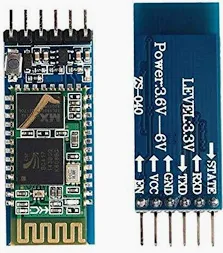
- HC-05 bluetooth module (for sending and receving voice command)
- L298N Motor driver ( for motor controlling)
- RPM Bo motor (four motor )
- wheel four
- On off switch
- two LED
- Jumper wire
- Resistor (two 220k,one 1K)
- Battery Holder
- Four Battery (3.7*14.8)
- Glue gun
Optional :-
- Breadboard
- cable ties
- multimeter
Downloads
CIRCUIT DIAGRAM

CIRCUIT DIAGRAM
Step 1

- ASSEMBLE THE ROBOT CHASSIS
- Assemble the first base for Robot car
- what we do
- Attach 4 BO motor on Robot chassis using glue (depend on our robot chassis if you made from other material you can attach from screw ect)
Step 2

CONNECTION ARDUINO LEAONARDO TO L298N MOTOR DRIVER :-
- pin 7 - IN1
- pin 8 - IN2
- pin ~9-IN3
- pin ~10 - IN4
- ENB and ENA jumper connected
- VIN -5V
- GND -GND
Step 3

CONNECTION OF BLUETOOTH HC-05 TO ARDUINO LEAONARDO:-
- 3.3V RXD -Resistor 1k -pin 1 TX (Because 3.3 RX pin is very sensitive when we directly attach pin to arduino the bluetooth module will be damage)
- TX - pin 0 RX
- GND -GND
- 5V -5V
Step 4
CONNECTION OF BATTERY ,SWITCH AND MOTOR DRIVER:-
- Battery (+) - switch pin 1
- Battery (-) GND (motor driver)
- switch pin 2 - 12 v ( motor driver)
CONNECTION OF LED TO ARDUINO LEONARDO :-
- led 1 (+) - 2 , led 1 (-) - GND
- led 2 (+) - 3 , led 2 (-) - GND
COMMAN MISTAKE
- Always connect motor driver pin 5v and GND to Arduino Leonardo 5v and GND
- You must connect 3.3v RX pin of Bluetooth module to voltage driver (resistor ) beacuse this pin is sensitive they requied voltage driver (resistor ) otherwise they damage bluetooth module
- maximum 12 v requires to BO motor for movement so make sure you attach maximum 12v beacause we use 4 BO RPM motor so power reqired more.
Working
WORKING:-
The voice control robot car work using bluetooth communication between smartphone and robot .The mobile application send Button command voice command to HC-05 Bluetooth module connected to arduino leaonardo.
The Arduino Receive this command and process them to control the motor through the L298N motor driver module .Depending on received command ,the motor moves forward and backward and stop .
The Light can also controlled using bluetooth command such light on ,light off .
BLUETOOTH COMMUNICATION
The HC-05 Bluetooth module create wireless serial communication link between smartphone and arduino .command from Arduino bluetooth control app are send wirelessly to the robot
CONCLUSION
CONCLUSION :-
In this project ,a voice control robot car was successfully buit using arduino leonardo ,HC-05 Bluetooth module and L298N Motor driver module .The robot can be control wirelessly thourgh mobile app button and voice command .
This project demonstart the practical use of bluetooth communication motor driver interfacing and arduino programming in robotic appliaction .It is beginner friendly project that help in undestading embedded system ,automaion and wireless robot control.