VeggieVault - Fogponic Farming Machine
by plr88 in Workshop > 3D Printing
62 Views, 0 Favorites, 0 Comments
VeggieVault - Fogponic Farming Machine

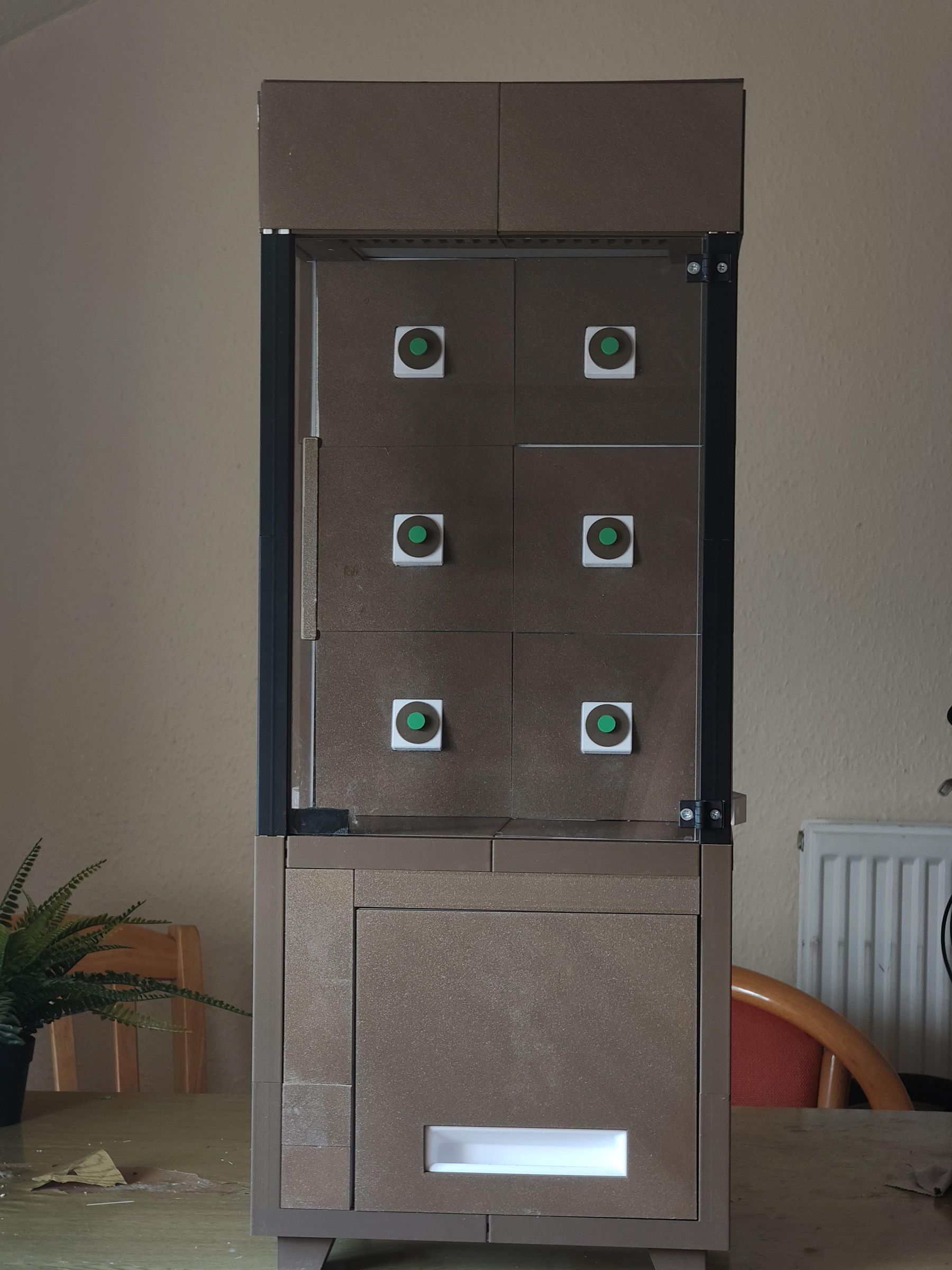
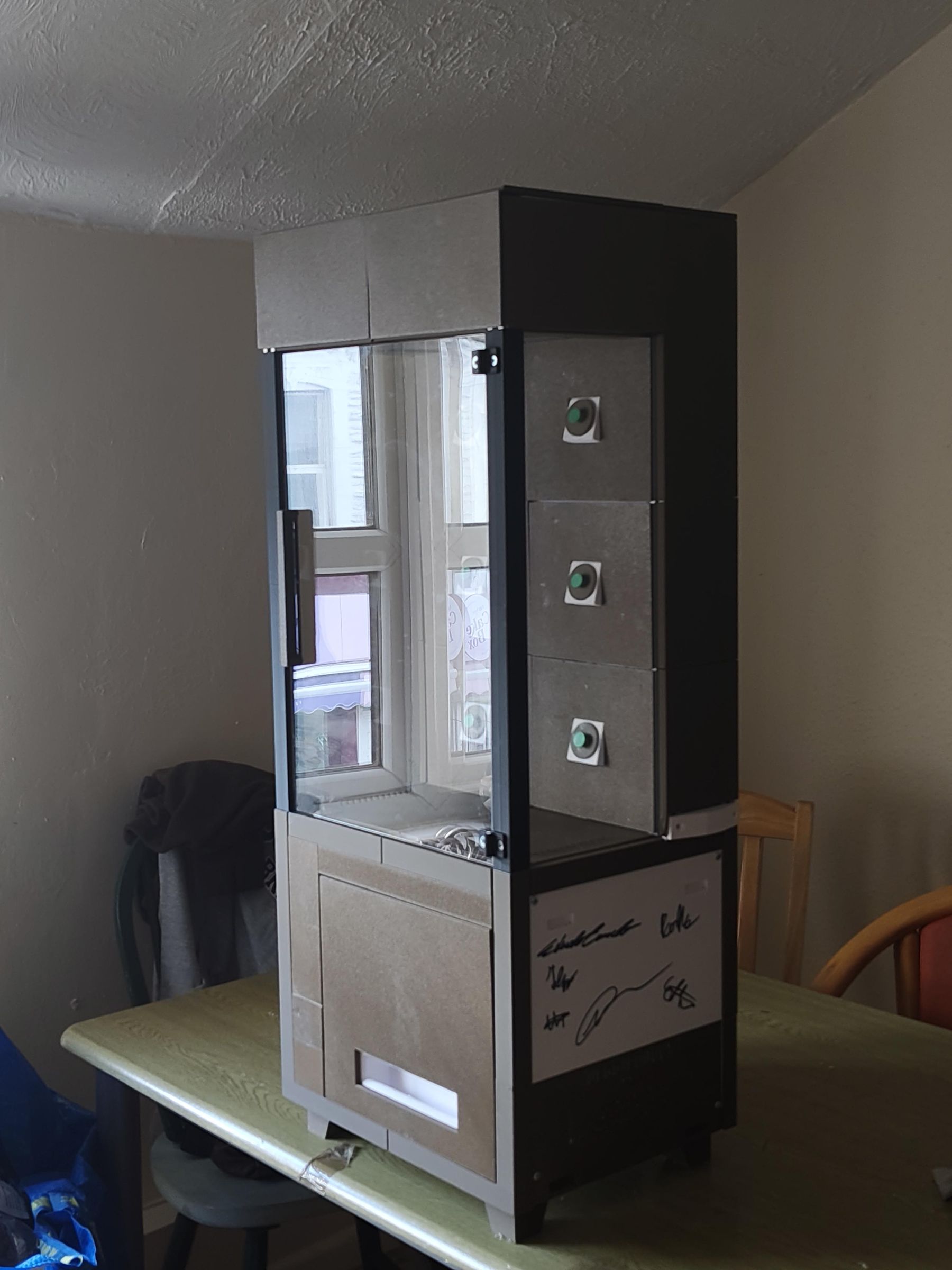
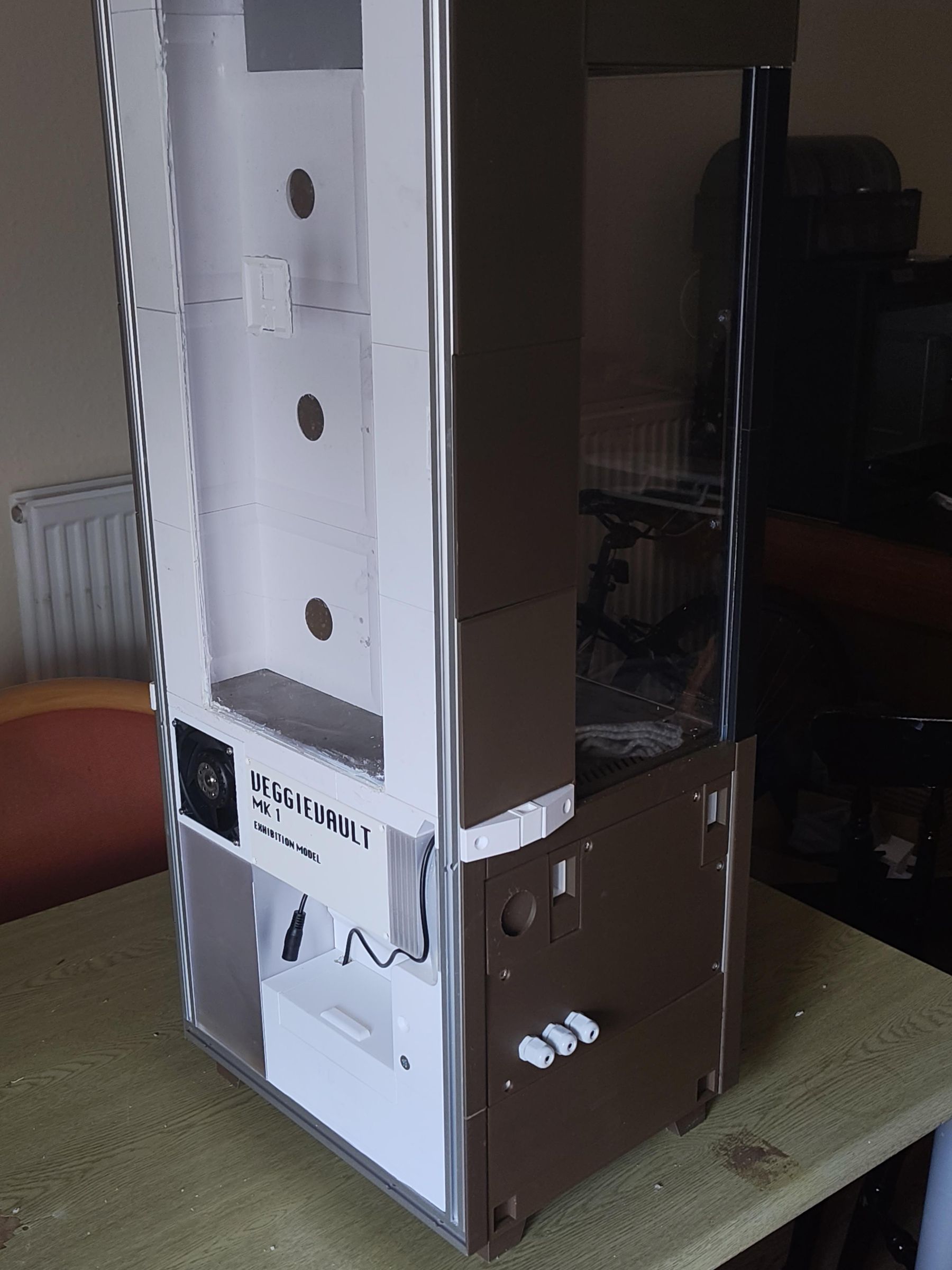
Welcome to VeggieVault.
VeggieVault (in its final form) is a 3D-printed fogponics plant growing machine designed for domestic use. Or more simply: it's a cupboard-sized unit that sits in the corner of a kitchen or utility room and grows leafy herbs and vegetables without soil! It uses ultrasonic atomisation to deliver a fine mist directly to suspended plant roots, combining high water efficiency with a tidy, furniture-friendly aesthetic.
What this build gives you
The build here is an open-source early stage prototype developed as an engineering project at the University of Bristol. In its current state, it provides a well-validated structural and electronic foundation for a fully functional fogponics system. Specifically:
- The complete water loop has been physically constructed and verified. This includes a two-stage gravity fed filtration system and water pumps.
- All wet zones have been validated for watertightness, with appropriate material choices, gaskets and epoxy-bonded tongue-and-groove joints throughout
- The mist chamber geometry was validated by CFD simulation, confirming that mist propagates downward into the root chamber by gravity as intended
- An Arduino Uno R4 WiFi microcontroller runs the control logic, managing misting cycles, pump timing, and safety shutdowns, with remote monitoring via Arduino Cloud
- A suite of sensors is integrated: water level sensing in both the reservoir and misting tray, chamber temperature and humidity, leak detection, and tank presence detection
- Looks cool
What it cannot yet do, and what you'd need to add
VeggieVault has not been tested with plants, and in its current form it cannot support plant growth. Before any crops go in, the following additions are required:
- Nutrient delivery: Either pH and EC sensing with peristaltic dosing pumps and additional shut-off valves to automatically manage nutrient concentration, OR a manually premixed nutrient solution as a simpler interim approach. Either route will also require additional wiring and further plumbing integration.
- Permanent electronics: The current prototype uses a breadboard and single-filament hookup wires. These should be replaced with a properly soldered, permanent wiring solution before long-term use.
- LED grow lights: The plant chamber has physical space reserved for full-spectrum grow lights, but these have not been installed or wired.
- UV sanitisation: The sanitisation tank and UV module mount are present in the design but the UV light has not been included in this build.
- Ventilation fan: A fan is physically mounted in the plant chamber, but has not yet been programmed into the control logic.
Each of these additions has been accounted for in the physical layout, and the microcontroller system has been designed to accommodate future expansion. Think of it as a solid chassis waiting for its engine.
If you want to reproduce this build, extend it, or take it further, all design files are released under a CC0 license.
A supplementary design report has been added (the actual submission for our university project). If you wish to gain a better understanding on the machine's function and limitations, the content there might help you!
Thanks for reading!
Supplies

A Bill of Materials is attached below. This lists each component, tells you where to buy it alongside a price. But most importantly, each component is numbered, which you'll need to reference when using the assembly guide manual. The numbering follows this convention:
([n]A) = Aluminium profiles
([n]F) = Fasteners
([n]E) = Electrical components
([n]S) = Miscellaneous off-shelf components
([n]P) = 3D printed components
...and ([n]PV) refers to 3D printed components that serve a purely aesthetic role. If you're building this for research, these may not be necessary and can be ignored.
Also attached is a .3MF file with .stl files for all 3D printed components (see the screenshot above). Each component is placed in the correct build orientation, aside from a few exceptions, see the comments in the BoM. There are also 6 print setting profiles included. Check the BoM to see which components need what settings!
The components appear in rough order of appearance in the assembly guide. Since there are so many parts, it's recommend that you print as you build. Technically, you could print directly from the .3MF plates, but I'd advise you to split it across more plates to minimise the severity of print fails.
If you'd like to alter the machine, .STEP files for every component are included below. There are also a few DXF files for laser cutting PETG sheets & gaskets.
Downloads
Quick Overview
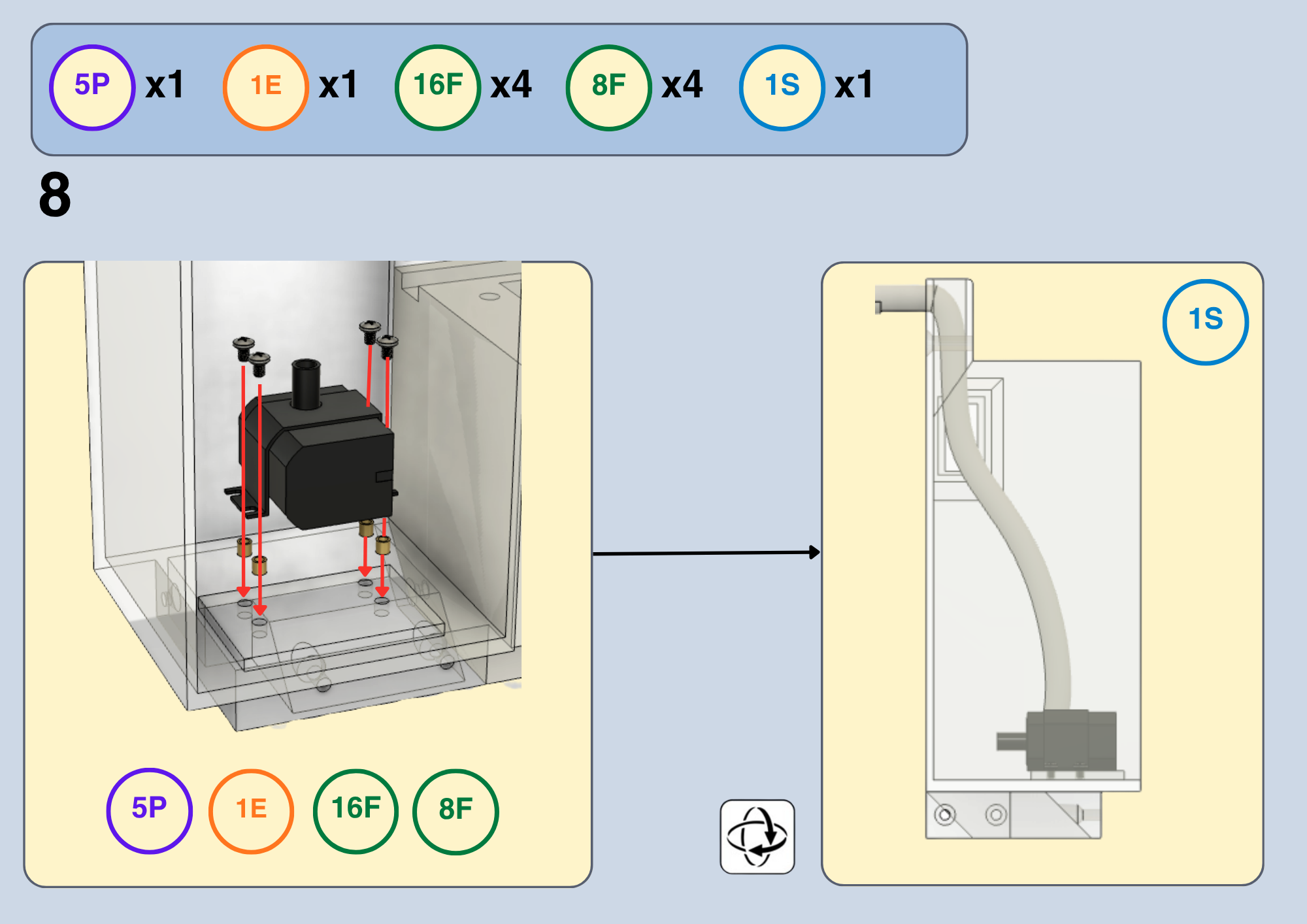
Quick overview of the Assembly Guide
The guide is structured like a Lego instruction book in hopes of making it feel intuitive!
On the top left/right of each page you'll see circled numbers that correspond to the required components, as well as a quantity. It's recommended to have the BoM document open whilst you work.
Tan lines are used for labelling components when it isn't obvious
Black lines dictate a chronological order of sub-steps
Red lines describe how a component should be moved into place
Any other eccentricities in the manual will be explained when introduced.
3D Printing?
The original prototype was fabricated with a Bambu lab P1S using a 0.4mm hardened steel nozzle. The settings, filament expenditure and print time in the BoM reflect this equipment. Feel free to use any printer or nozzle, your mileage will vary.
What if I don't care about aesthetic components?
If you're building this for research/testing, it totally makes sense not to print the additional 50+ aesthetic components. As mentioned previously, the order of the build plates in the .3MF file reflect the order of component appearance. Within this ordering, the ([n]P) and ([n]PV) components are split across different ranges of build plates:
([n]P): plates 1-21
([n]PV): plates 22-36
Some functional components utilise aesthetic filament (Wood PLA, PLA matte). Please print these with the spare PETG HF you have, or any other filament you have lying around.
Where are the electronics?
Only the water pump was explicitly shown in the assembly guide. At each step where it makes sense to integrate an electronic component, this will be indicated in text beneath the image.
Have any questions?
Please shoot me an email at cethan880@gmail.com if you need clarification on anything, or if you have feedback on the design. Happy building!
.

.

.

.

.

.

.

.
.

.

.

.

.

3E should be mounted on 49P here, and the wires routed through the cable gland
.

.

Once the electronic case (7P) is in, pump wires can be routed through.
- Pump within 5P routed through the hole in 6P, and through the cable gland and into 7P
- Pump within 4P routed through the hole in the lid of 4P, and through the cable gland into 7P
The capacitive sensor (5E) can also be inserted in the divot.
.

.
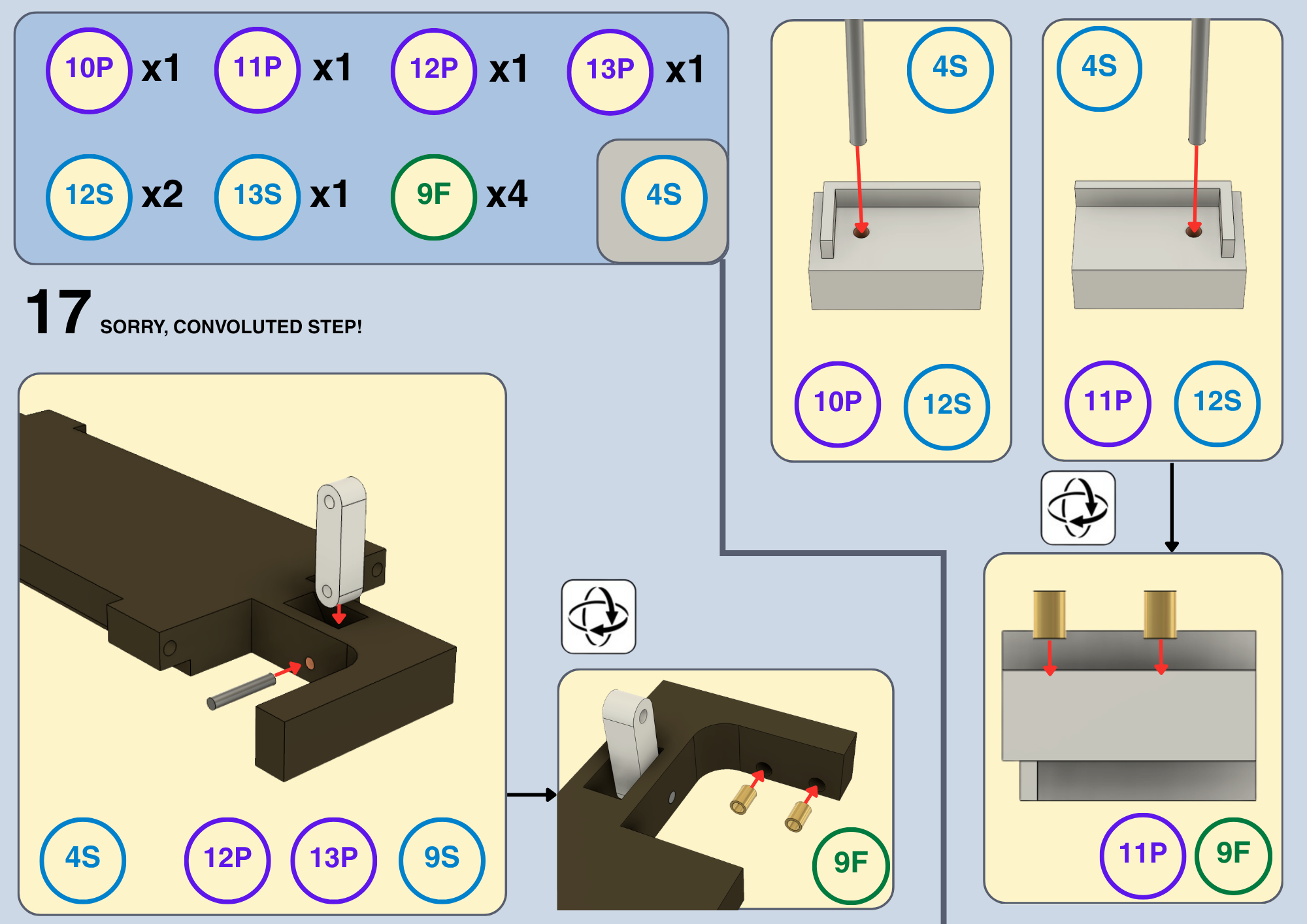
The passive magnet (7E) should be mounted to 12P here
The active magnet proximity sensor (6E) should be mounted to 11P. Wires can be routed through the hole in 4P, and through the cable glands into the electronic case
.

.
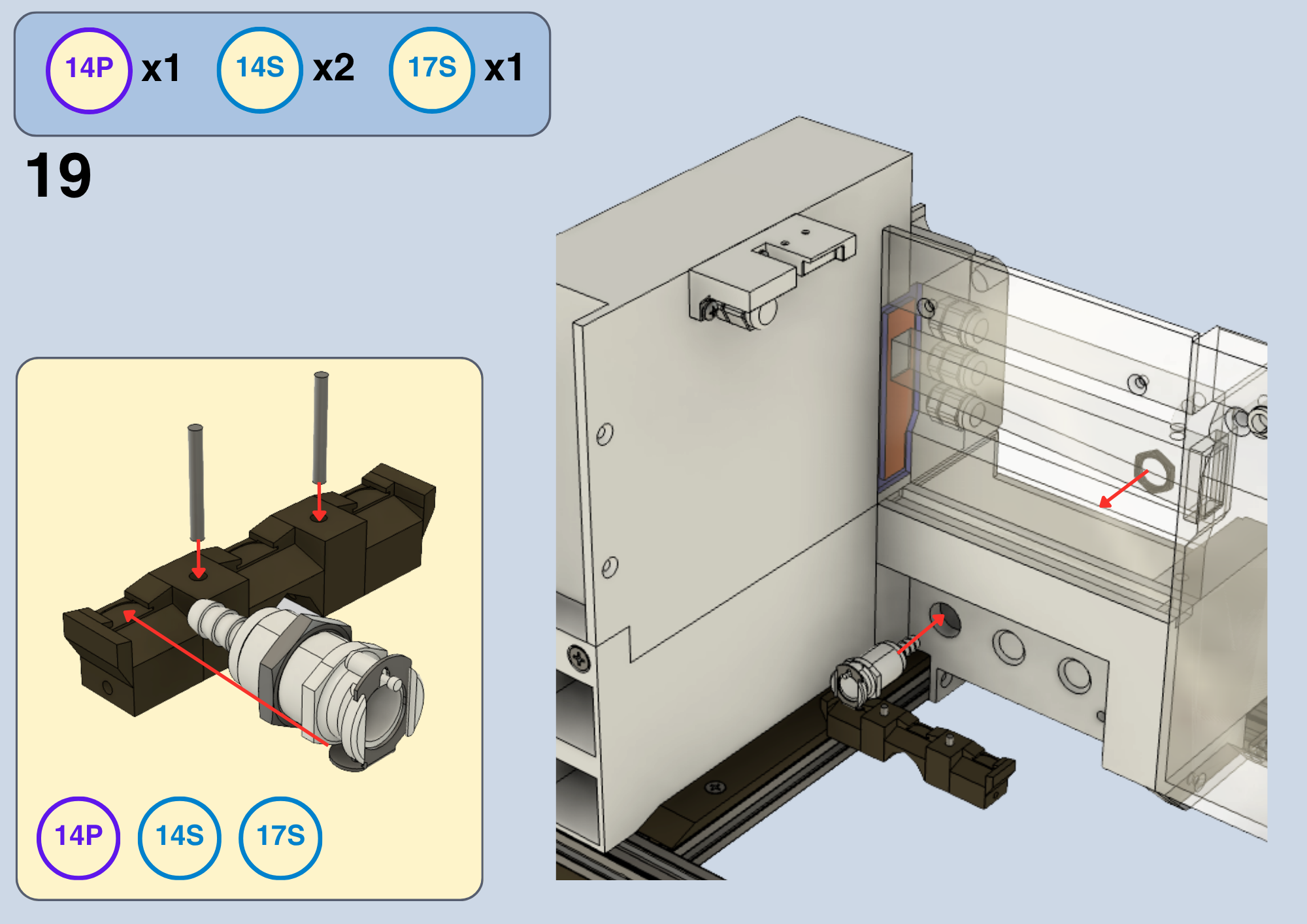
.

.

.

.

.

.

.

.

.

.

.

.

.

.

.

.

.

.
.

.

.

.

.

.

.

.

.

.

Once the fan holder (25P) is locked into place, the ventilation fan can be inserted (4E). Ensure the wires go into the ventilation duct, and route the wire through the hole in (16P), and through the same cable glands as 3E. If you wish to secure the fan wires, there are clips modelled into 16P to attach zip ties.
.

.

.

.
.

.

.

.

.

.

.

.

.

.
.
.

.

.

.

.

.

.

.

.

.

.

.

.
.

.

.

.

.

.

.

.

.

.

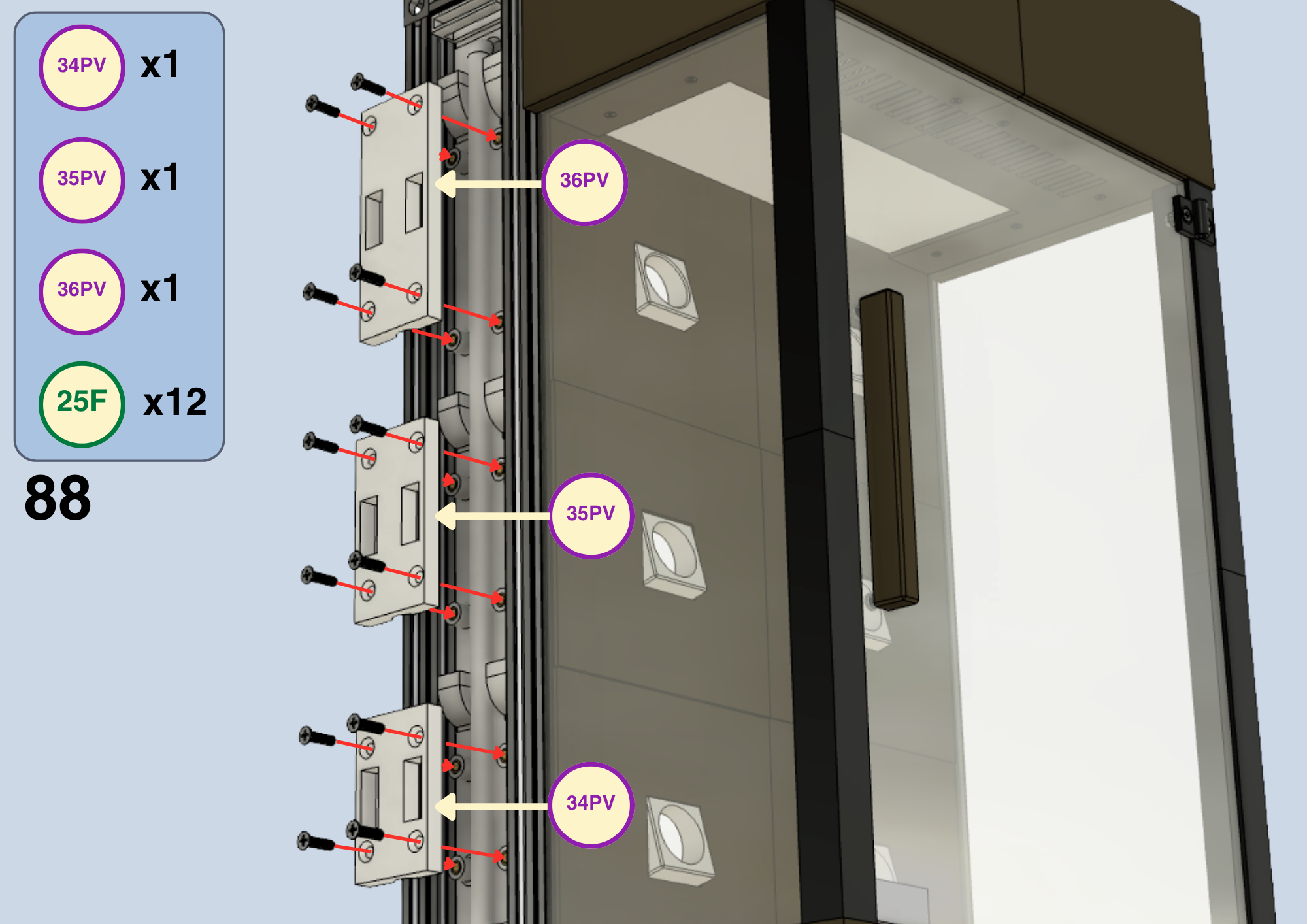
Now that the mist tray (42P) is in, you can place the mist maker (9E) inside. Route the cable through the hole on the left, down the mist chamber and through a cable gland into the electronic case.
.

.

.
.

.

.
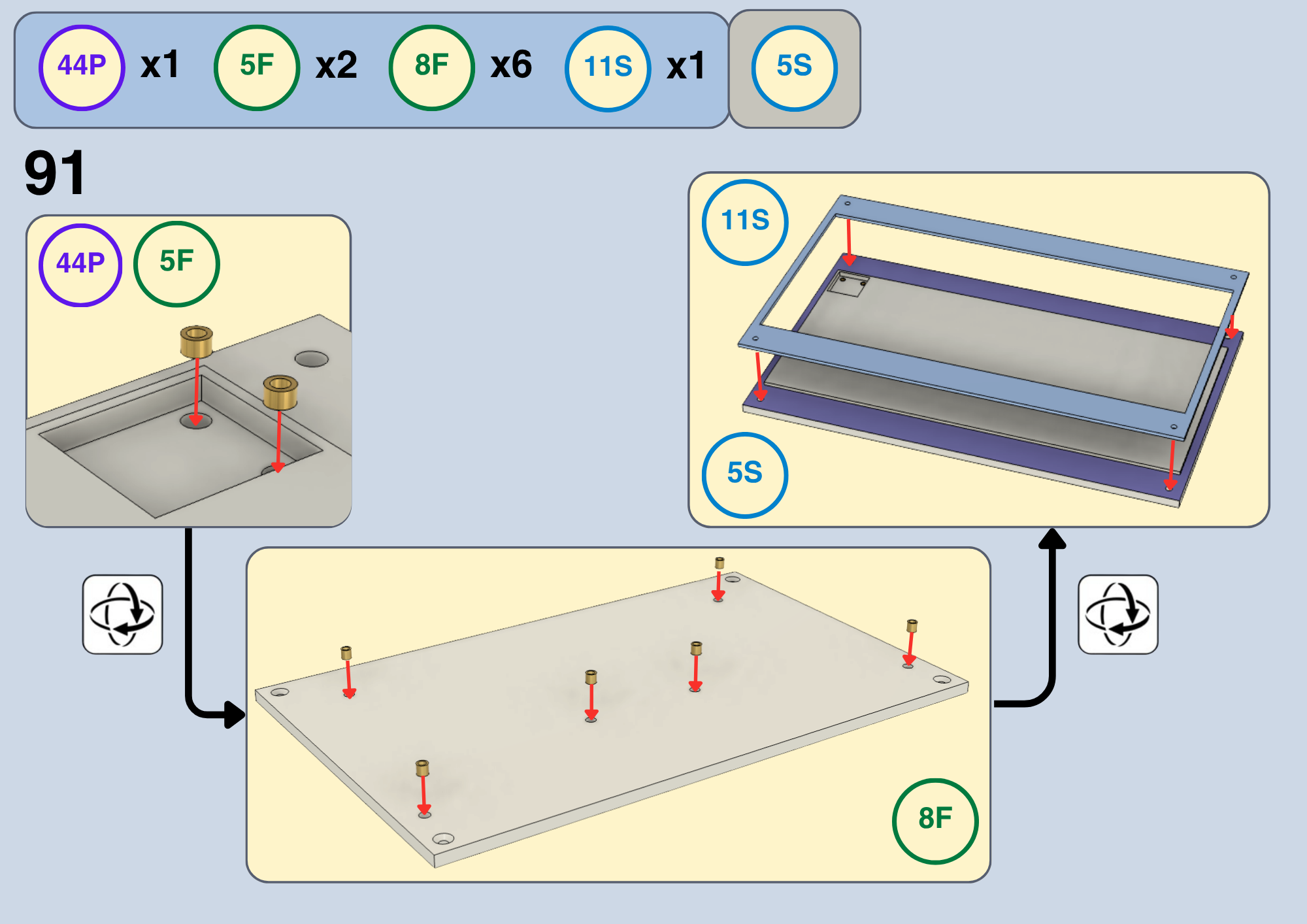
Mount the second ToF sensor (3E) to the divot in the tray lid (44P). Route the cables alongside the mist maker.
.

.

.

.

.
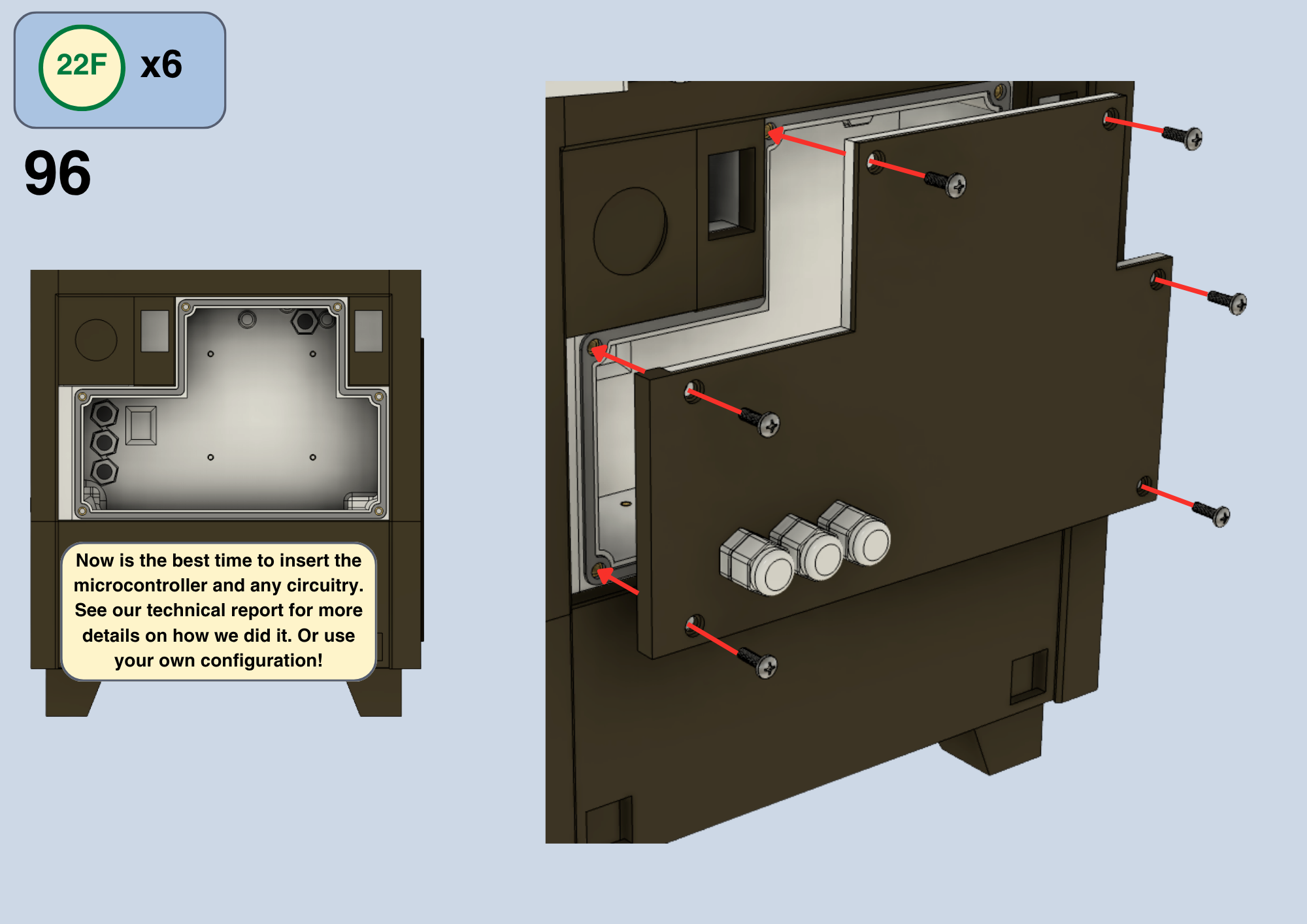
This time I remembered to give electronic guidance in the manual
.

.

.

.

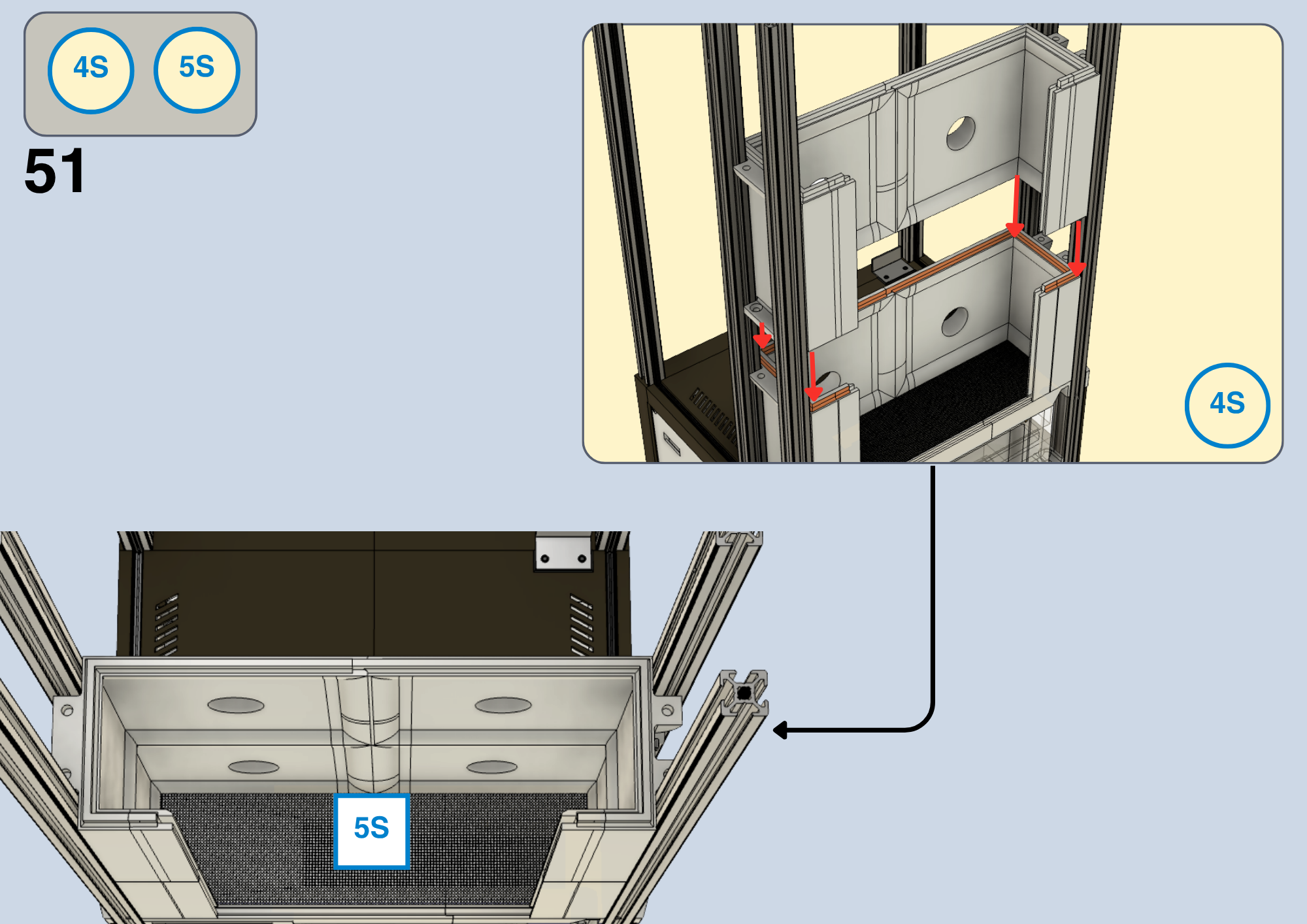
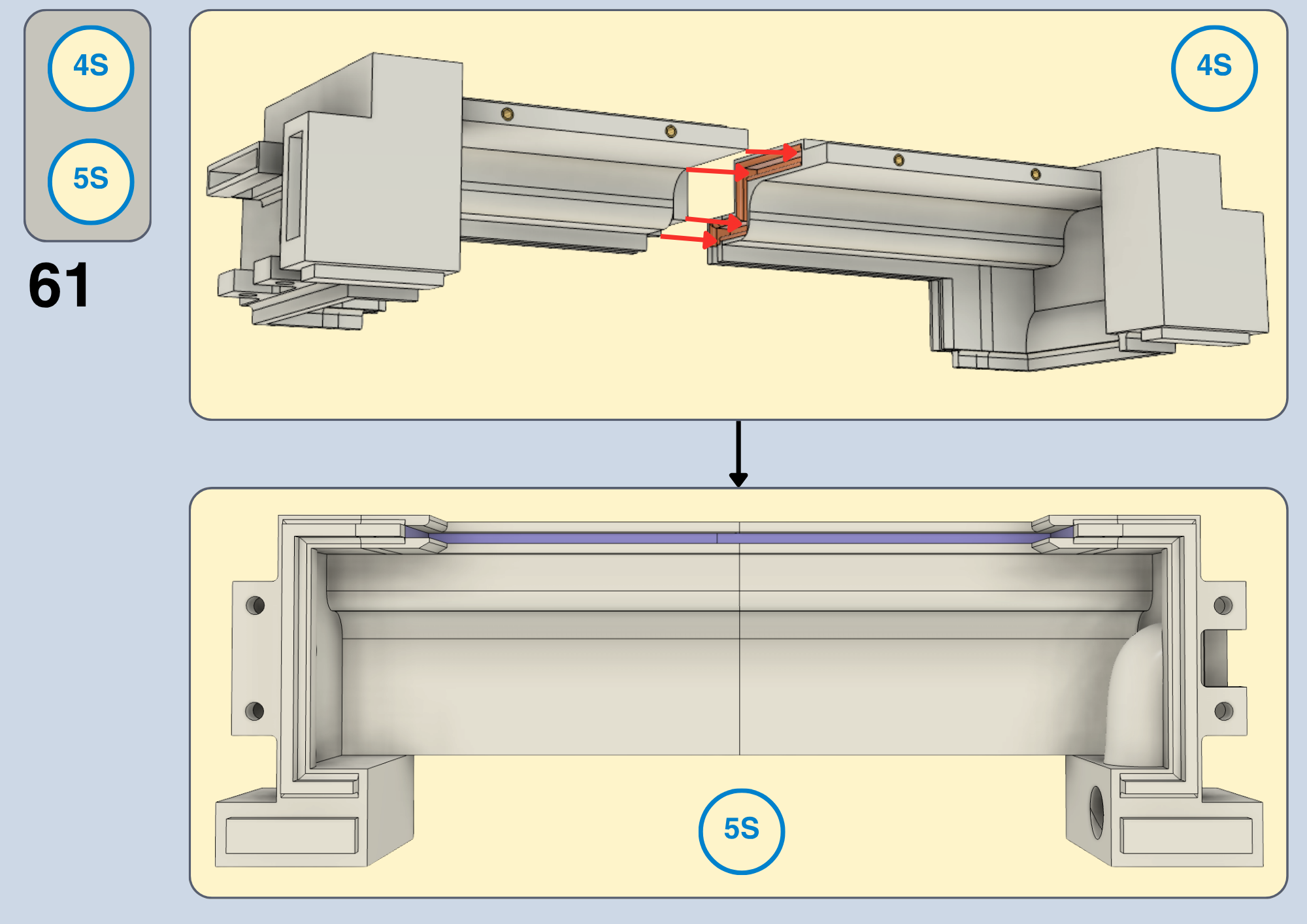
One step was left out of the manual: the integration of the temperature and humidity sensor. The component 50P is suited to house the DHT11 sensor (10E), and should be inserted in the cutout on (20S) alongside some silicone glue (5S).
But I implore you to redesign this component to house the SHT85 sensor instead (2E) (unless you specifically want a sensor with a 1 degree celsius measuring resolution).
Congratulations! You have now reproduced the VeggieVault MK1. In future, this Instructable may be updated with an explicit guide on microcontroller programming. But for now, our technical report has everything you need to set up the control logic. See Section 5.5.
If you make any further progress on VeggieVault, please reach out and share your developments! I'd love to see it. Thank you for reading this far.
-Ethan Grocott