Very Simple Robot for Beginners
by Nikus in Circuits > Arduino
58407 Views, 678 Favorites, 0 Comments
Very Simple Robot for Beginners
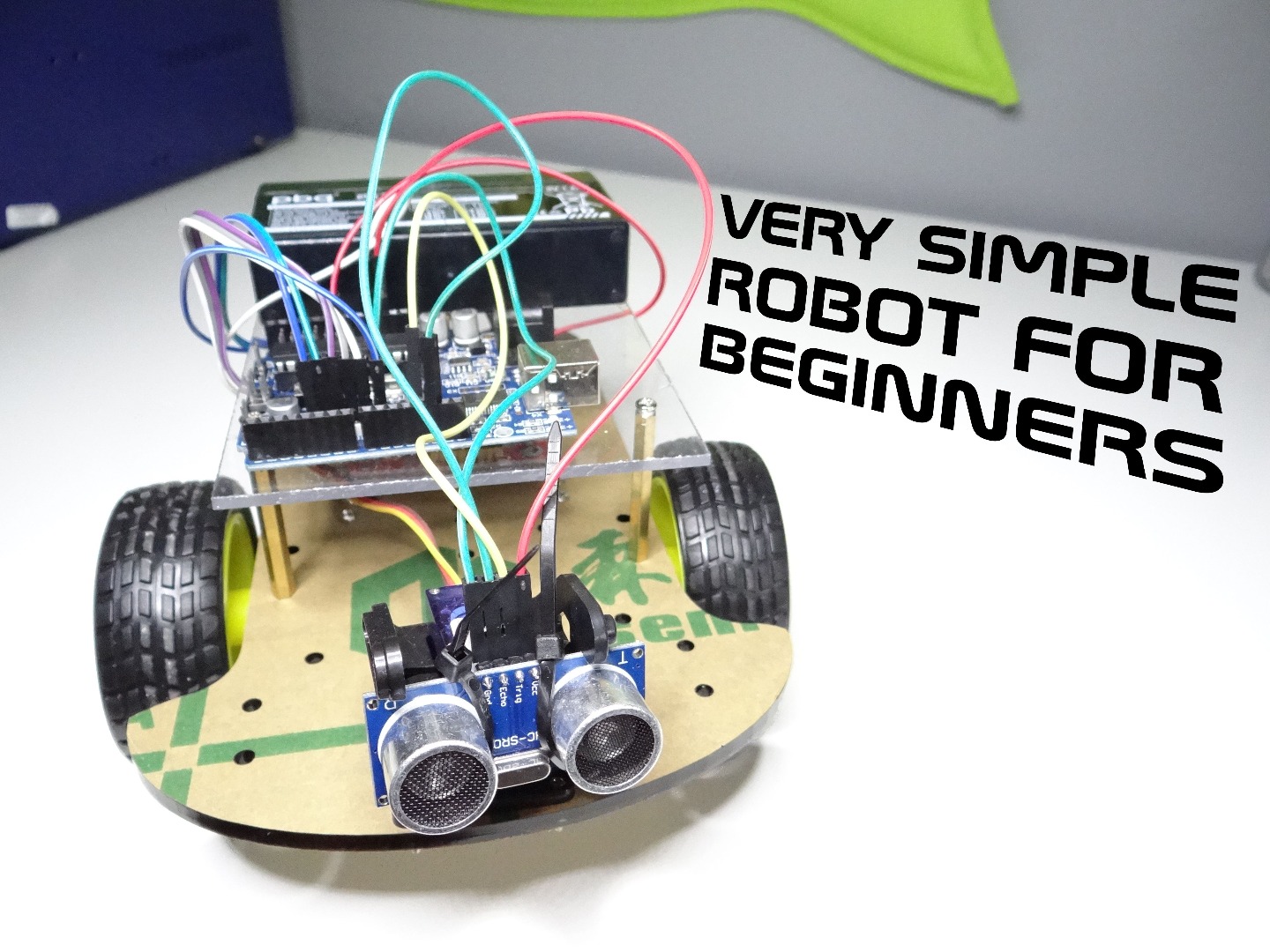
This instructable shows you how to make very simple robot. It will detect obstacles and avoiding it. This is great project for someone who is new to arduino and want to make first robot.
Why robot?
Because it's great way to learn arduino programming and how e.g. motor driver works. In addition It's nice feeling when you build your first robot and its detects and avoids objects.
Why this kit is good for start?
When I started with arduino I don't know what e.g. H bridge means, which sensors or motors to buy. This kit is very practical, because you don't need to buy anything else to build your own robot. Only you need is screwdriver, zip-ties, nippers and arduino IDE.
Parts
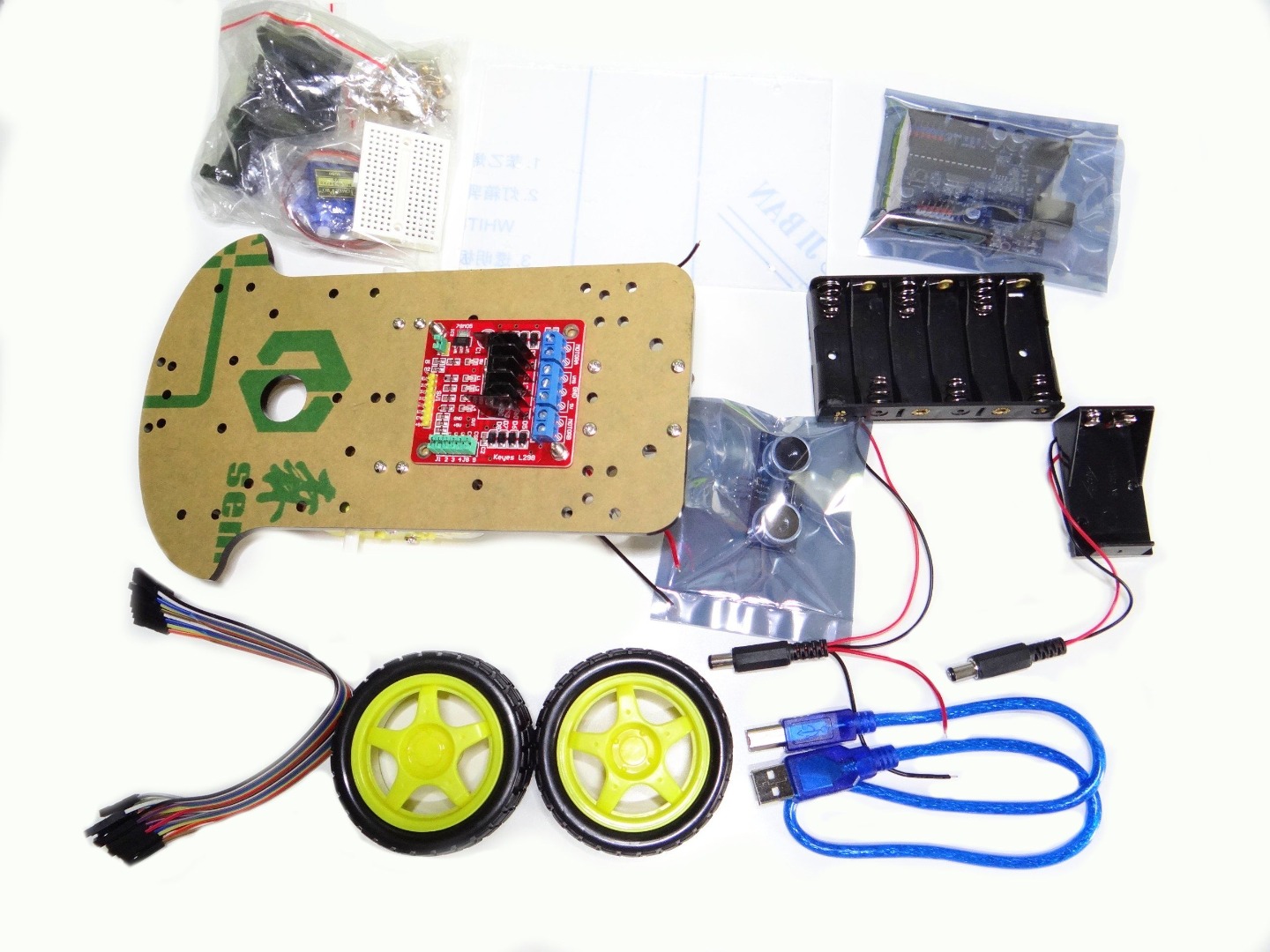
You can either buy a full kit with all the parts that I will use in this project, or you can buy everything separately.
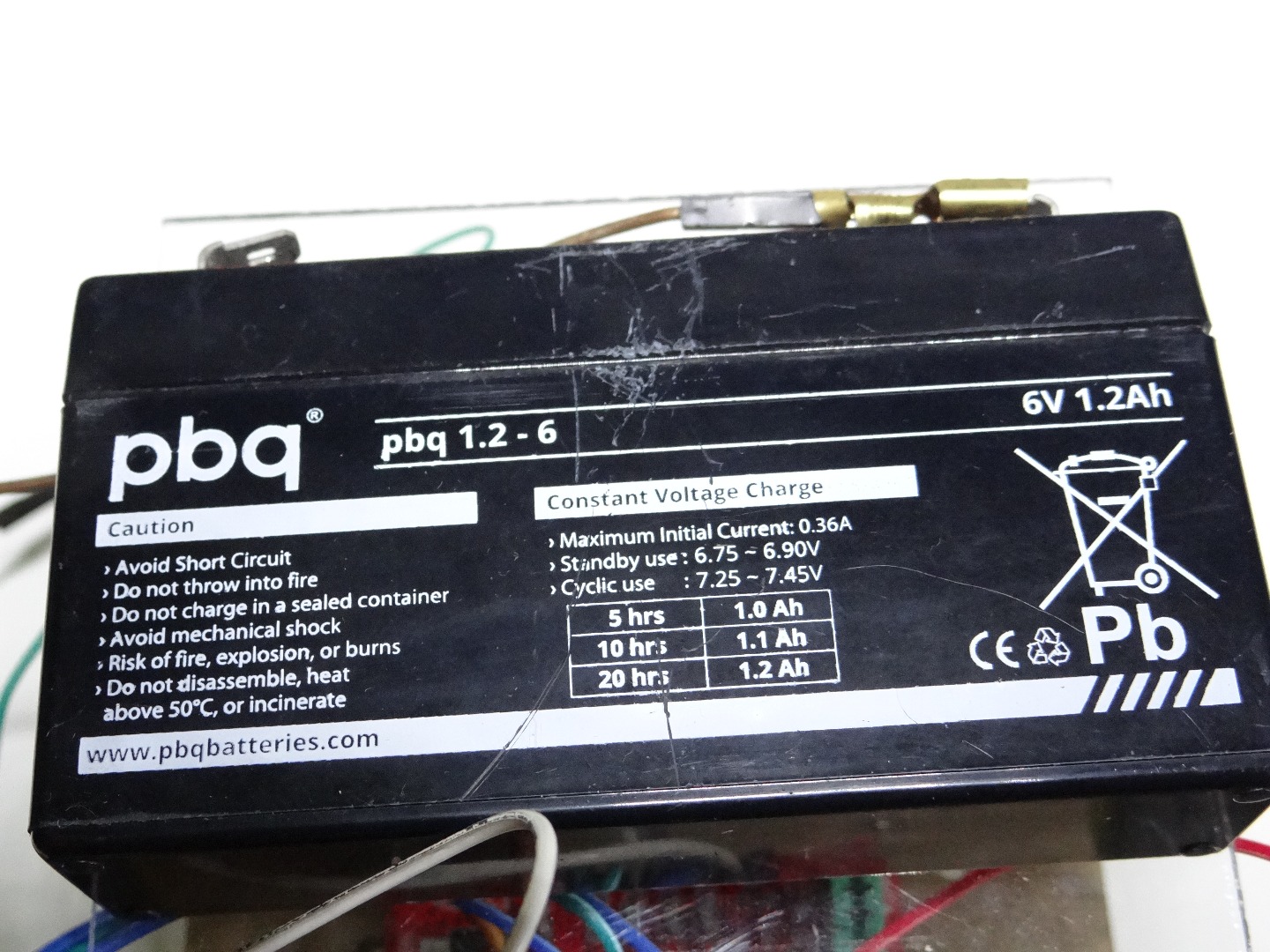
Because it is only 25$, it's pretty cheap, and in this kit you have all the things that you need to start with Arduino. Instead of 6 x 1.5V batteries, I use my 6V accumulator because I don't have 6 batteries. Additionally, you need 2 zip-ties to fasten the ultrasonic sensor.
What can you find in the kit?
- Arduino
- Motors driver
- Motors
- Ultrasonic sensor
- Servo
- Plastic plates to build a chassis
- Pieces of plastic to fasten a servo
- Wheels (two big and one small)
- Cables
- 6 x 1.5V and 9V battery holder
- USB cable
- Some small screws and other stuff
Chassis Building
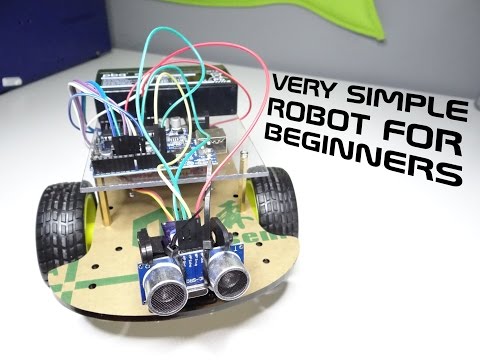
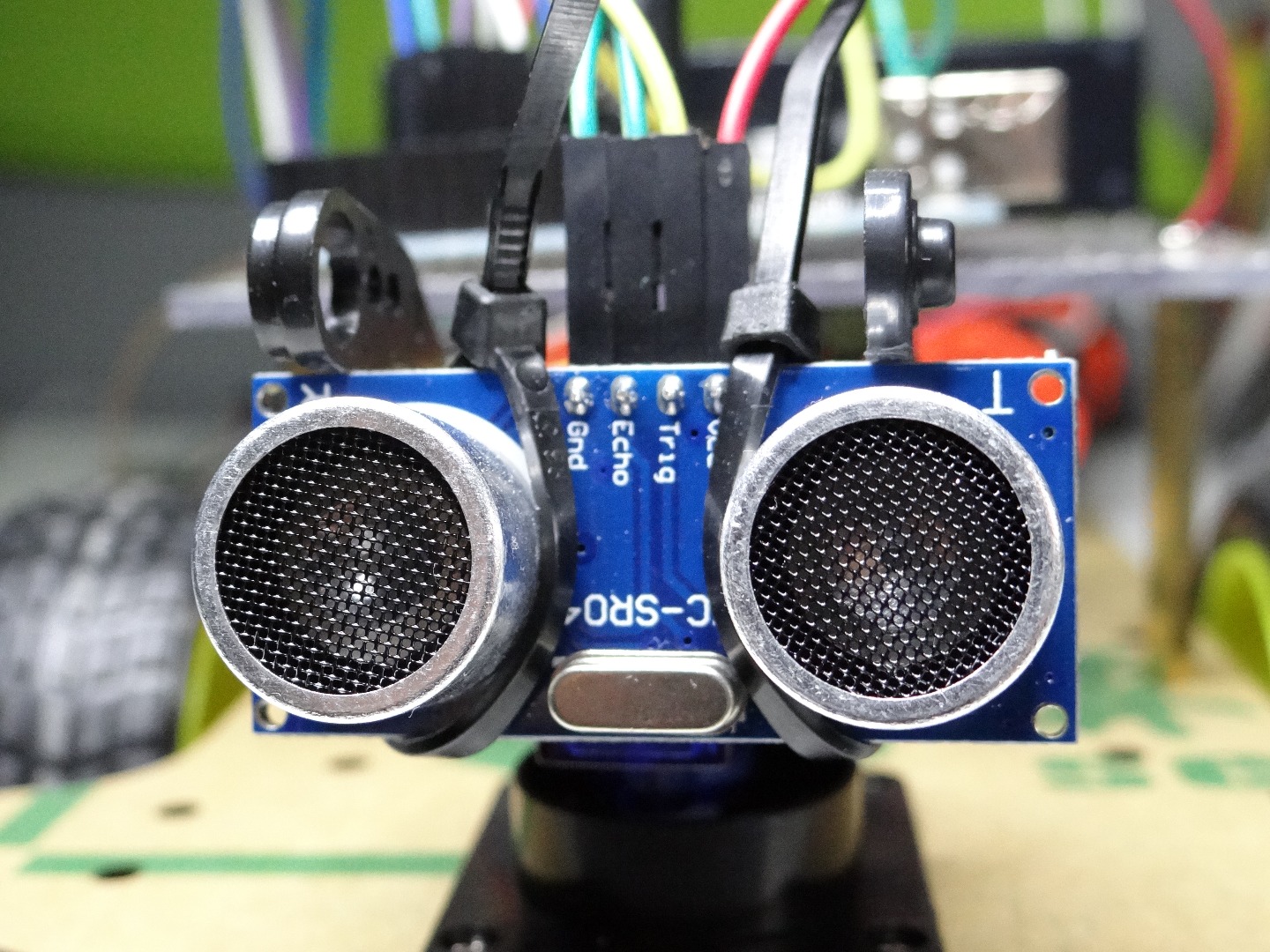
This chassis is very easy to build, it came with fitted motors, rear wheel and motor driver. On the video you can see what is inside the pack and how to build it. If this video is too fast for you, you can slow it down in video options on YouTube.
Connection
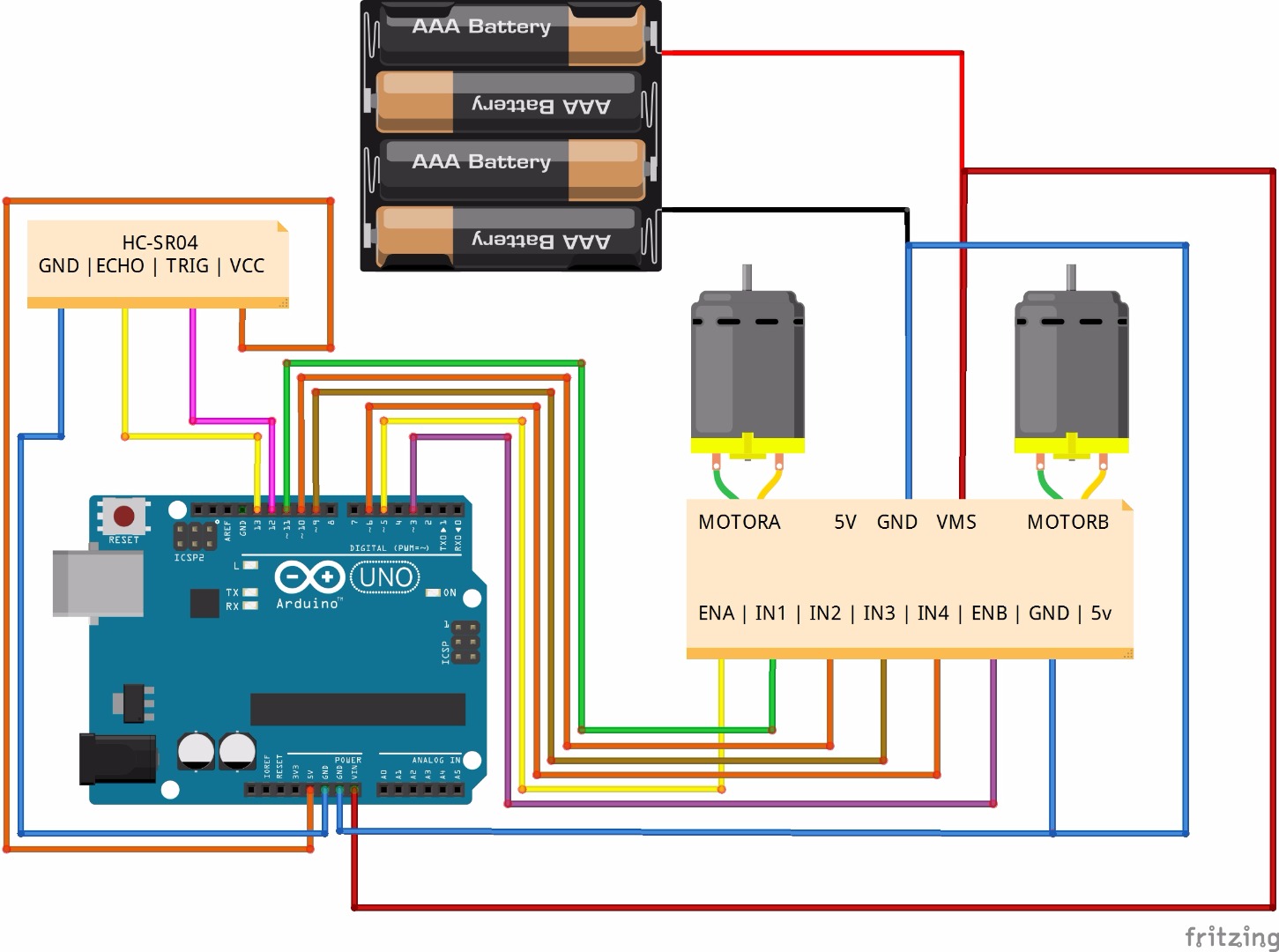
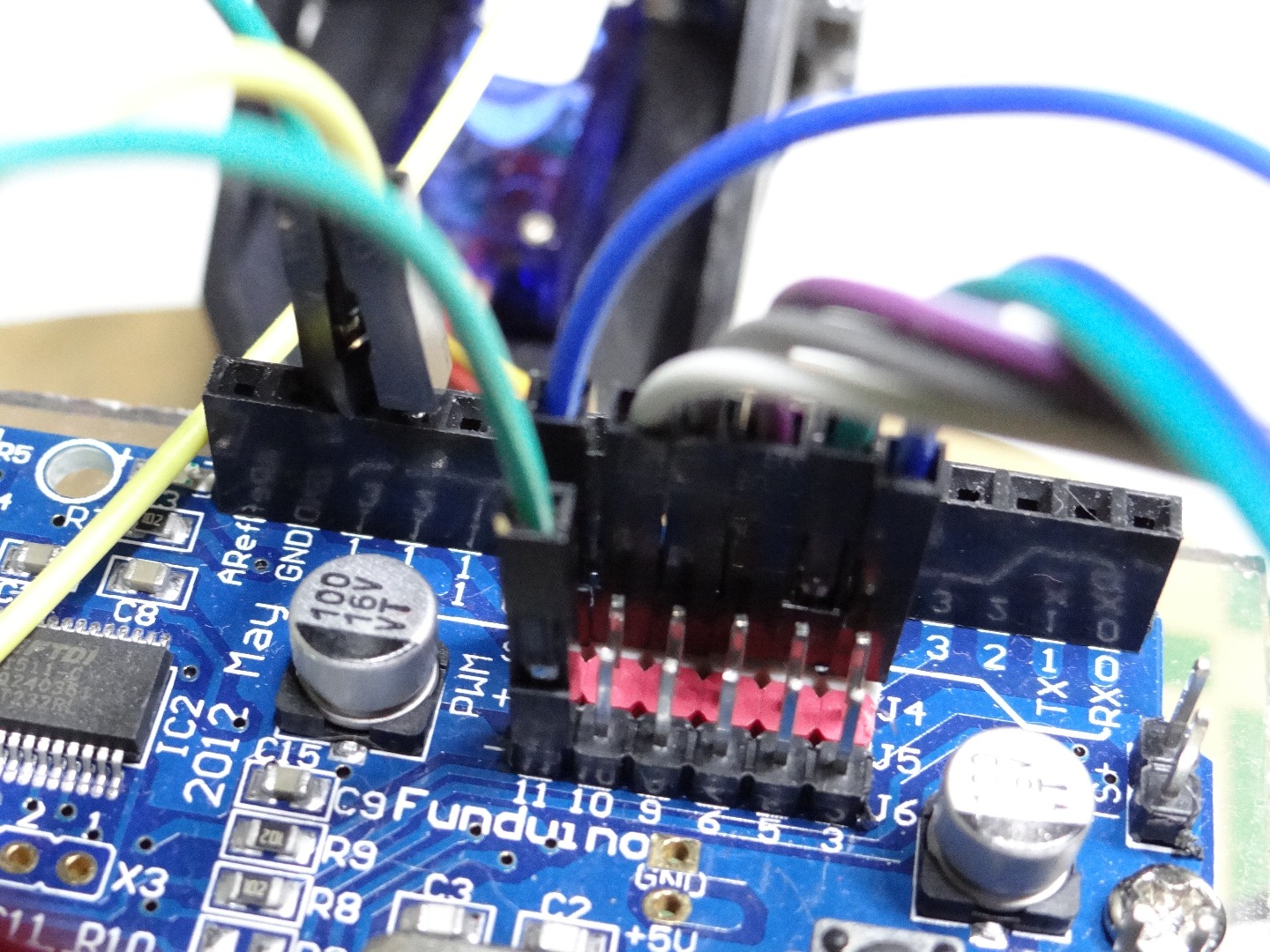
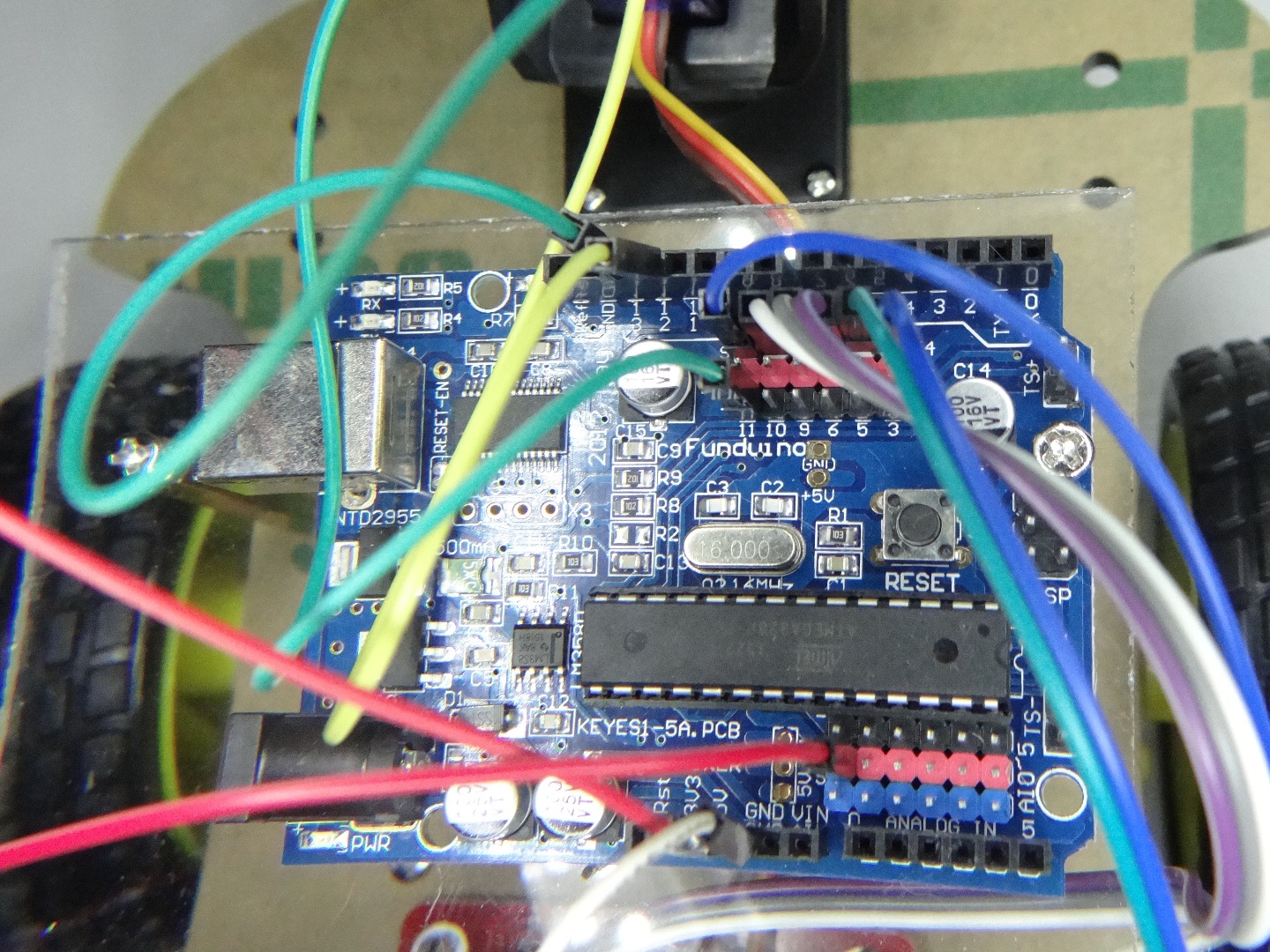
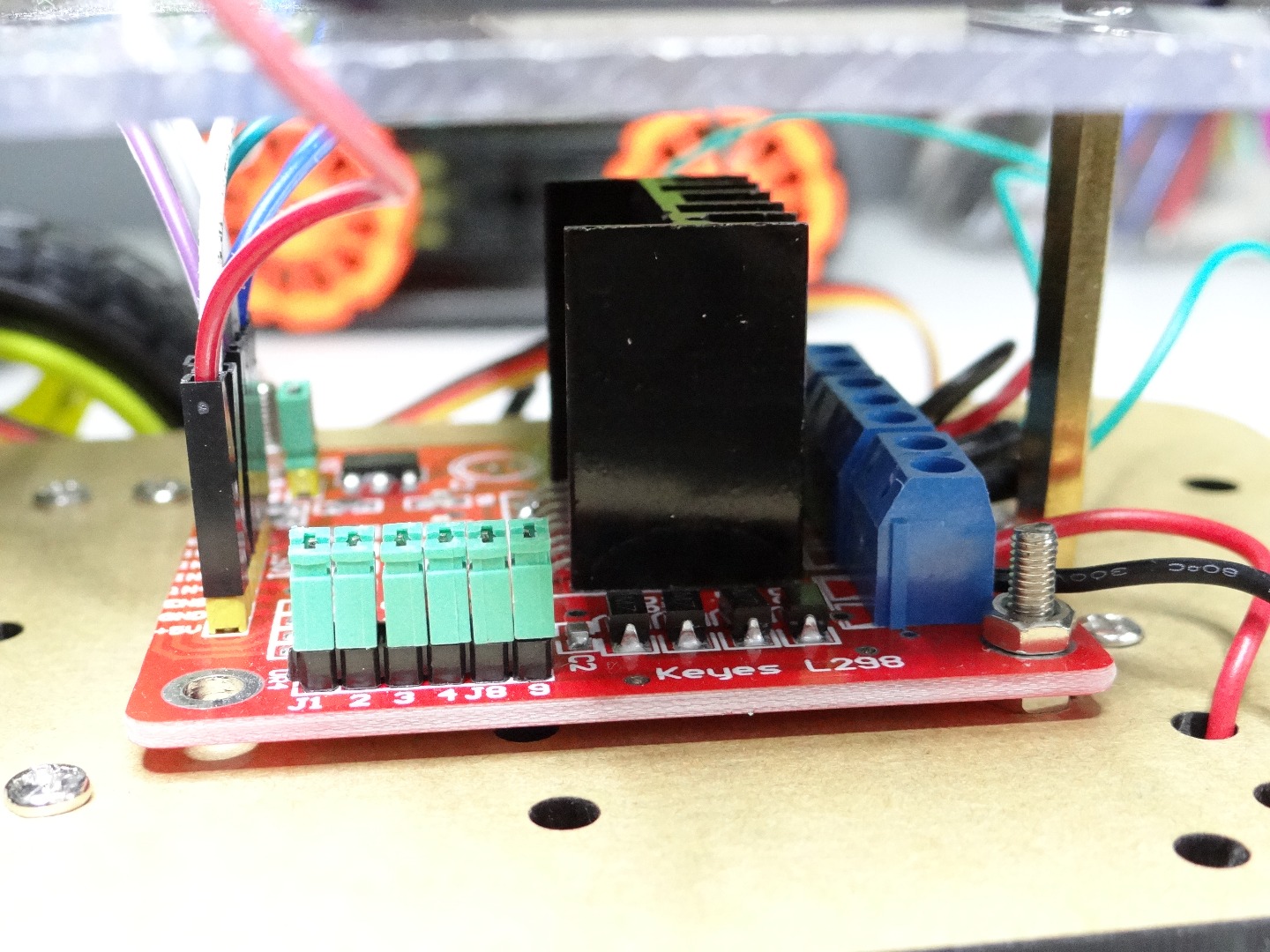
Sorry, that I added notes with names of pins but I can't find this parts on the internet. I connect all things without breadboard. If you have any questions leave a comment. I have not used breadboard to simplify connection and so looks less complicated.
Program
In comments I explained what each line makes. This is very simple code I have hope that you understand it.
/*
* Code wrtitten by Nikodem Bartnk
* visit:
* https://www.instructables.com/member/Nikus/
* http://arduinopolska.cba.pl/
* https://spongepie.com/
*
* C by Nikodem Bartnik
* If you have question you can write here:
* nikodem.bartnik@gmail.com
*/
//speed of motors betwen 0 and 255, if you like you can change it
int pwm_speed = 255;
//trig of ultrasonic sensor
int trig = 12;
//echo of ultrasonic sensor
int echo = 13;void setup() {
//pins for motor controller
pinMode(11, OUTPUT);
pinMode(10, OUTPUT);
pinMode(9, OUTPUT);
pinMode(6, OUTPUT);
pinMode(5, OUTPUT);
pinMode(3, OUTPUT);
//set trig as output and echo as input for ultrasonic sensor
pinMode(trig, OUTPUT);
pinMode(echo,INPUT);}
void loop() {
digitalWrite(trig, LOW);
delayMicroseconds(2);
digitalWrite(trig, HIGH);
delayMicroseconds(5);
digitalWrite(trig, LOW);int duration = pulseIn(echo, HIGH);
int distance = duration / 29 / 2;if(distance > 10){
//move forward by 100 ms
forward(100);
}else if(distance < 10){
//backward by 1000ms = 1 second
backward(1000);
//left by 1000ms = 1 second
left(1000);
}
}// function for driving straight
void forward(int delay_time){
digitalWrite(11, HIGH);
digitalWrite(10, LOW);
digitalWrite(9, HIGH);
digitalWrite(6, LOW);analogWrite(5, pwm_speed);
analogWrite(3, pwm_speed);
delay(delay_time);
}//function for reversing
void backward(int delay_time){
digitalWrite(11, LOW);
digitalWrite(10, HIGH);
digitalWrite(9, LOW);
digitalWrite(6, HIGH);analogWrite(5, pwm_speed);
analogWrite(3, pwm_speed);
delay(delay_time);
}//function for turning left
void left(int delay_time){
digitalWrite(11, HIGH);
digitalWrite(10, LOW);
digitalWrite(9, LOW);
digitalWrite(6, LOW);analogWrite(5, pwm_speed);
analogWrite(3, 0);
delay(delay_time);
}//function for turning right
void right(int delay_time){
digitalWrite(11, LOW);
digitalWrite(10, LOW);
digitalWrite(9, HIGH);
digitalWrite(6, LOW);analogWrite(5, 0);
analogWrite(3, pwm_speed);
delay(delay_time);
}//function for stopping motors
void motors_stop(int delay_time){
digitalWrite(11, LOW);
digitalWrite(10, LOW);
digitalWrite(9,LOW);
digitalWrite(6, LOW);analogWrite(5, 0);
analogWrite(3, 0);
delay(delay_time);
}
Conclusion
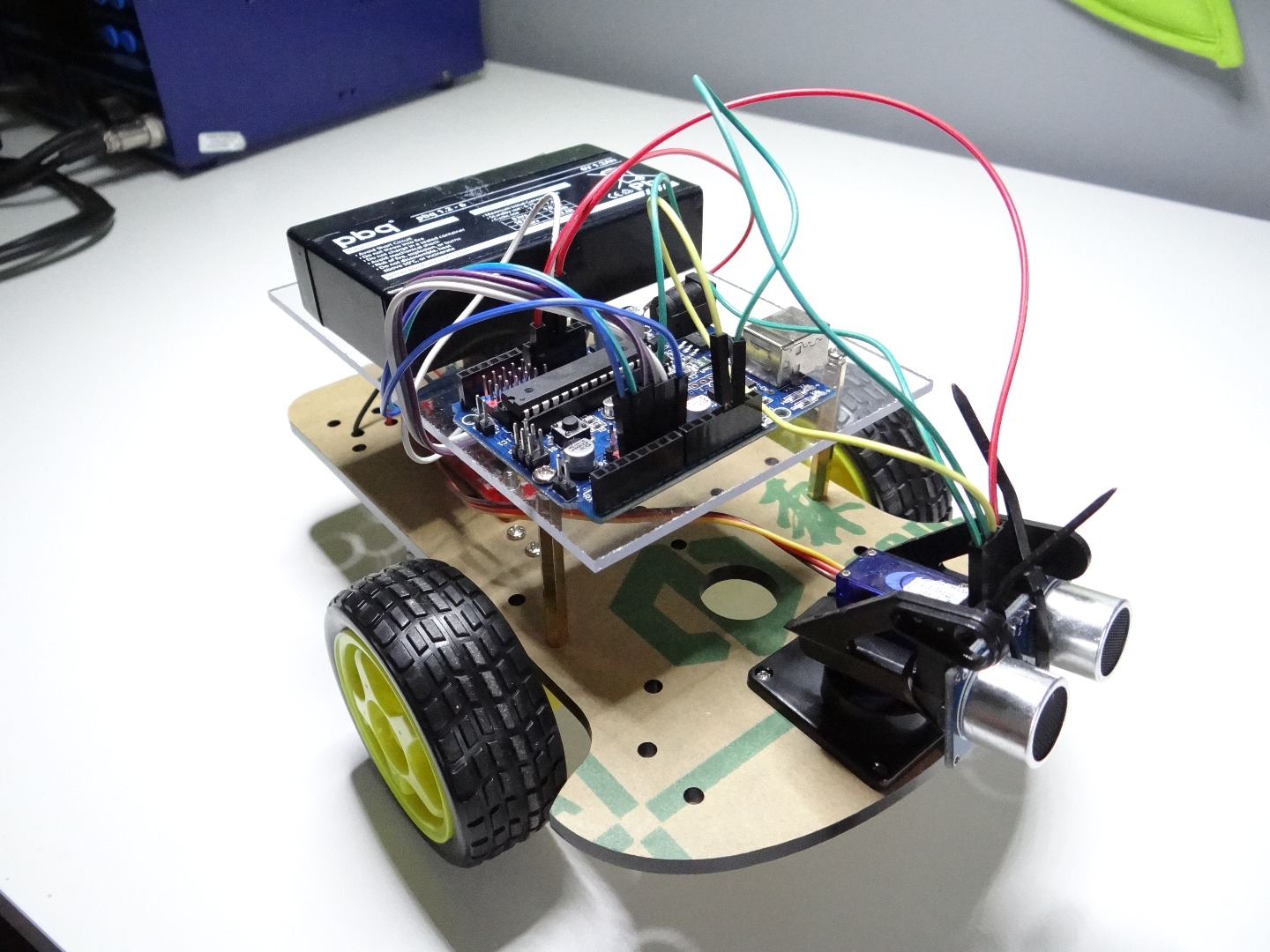
I think that this robot is great for someone who just started with arduino and like to build first robot. Of course if you like you can add some parts and make it more advanced e.g. add bluetooth, android phone and make object tracking robot. Don't forget to leave a comment :)
Have fun with your robot!