Wastewater Start Up and Shut Down
by churst011 in Workshop > Organizing
15 Views, 0 Favorites, 0 Comments
Wastewater Start Up and Shut Down
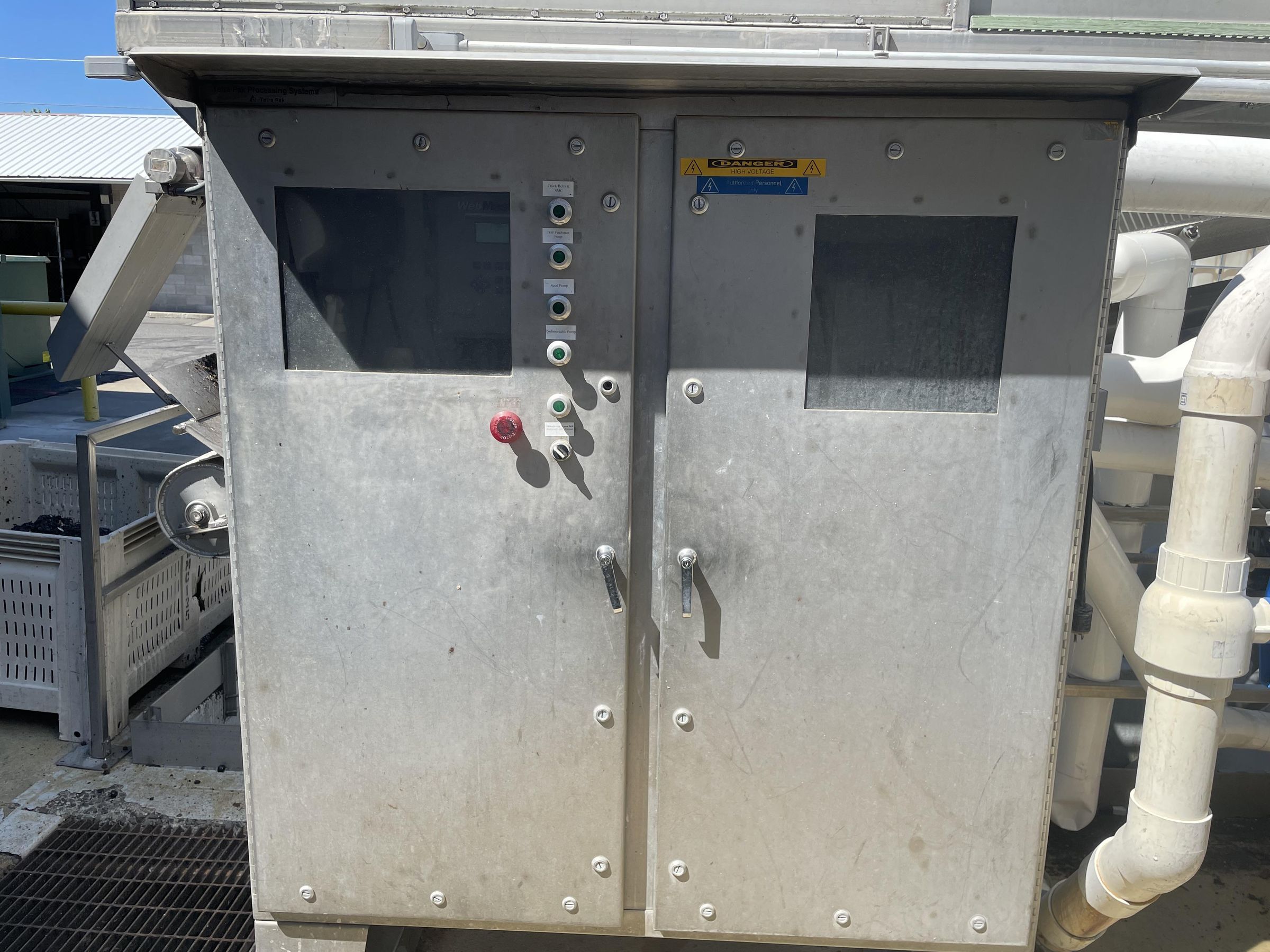
Start up/Shut down of the wastewater system.
Supplies
You will need your hands and eyeballs for this.
Submersible Pump
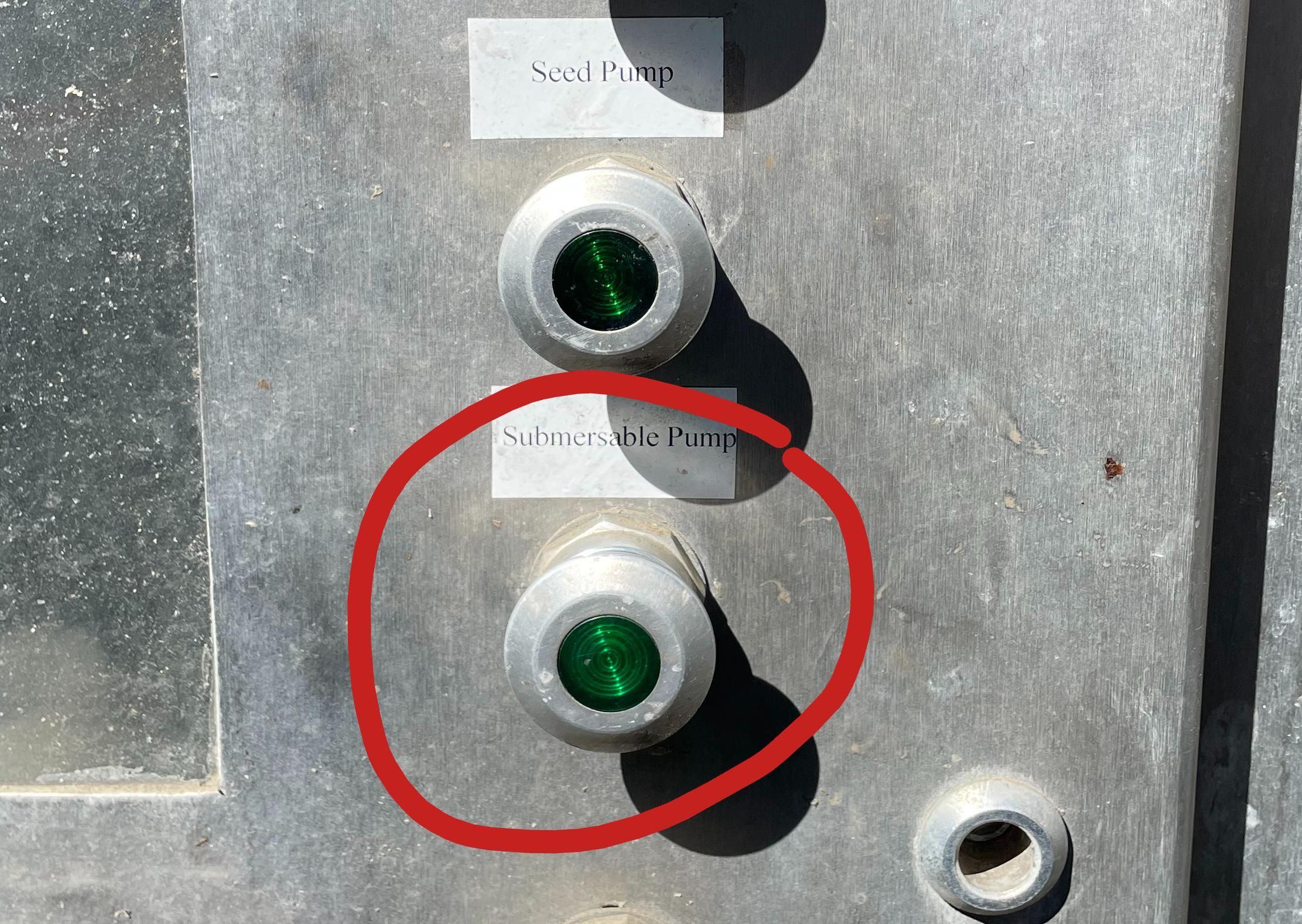
Ensure that the Submersible Pump is on.
- Pop the button out to turn the pump on.
- Press the button in to turn the pump off.
Chemical Pumps
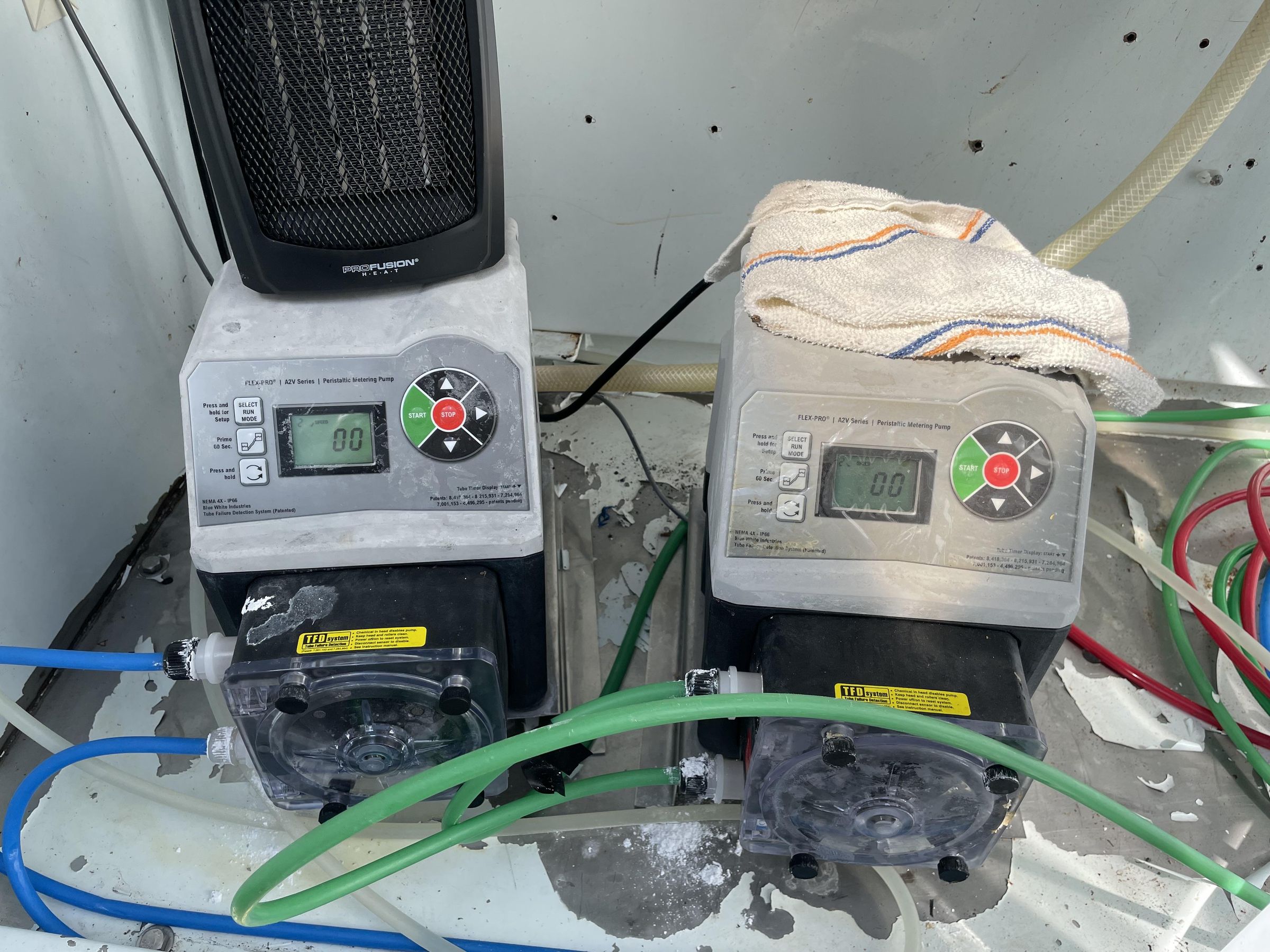
Open the cabinet and turn on both FLEX-PRO chemical pumps by pressing the green "Start" buttons.
If the power is on the screen will read "00"
If the power is off the screen will read "Off"
Inner Valves
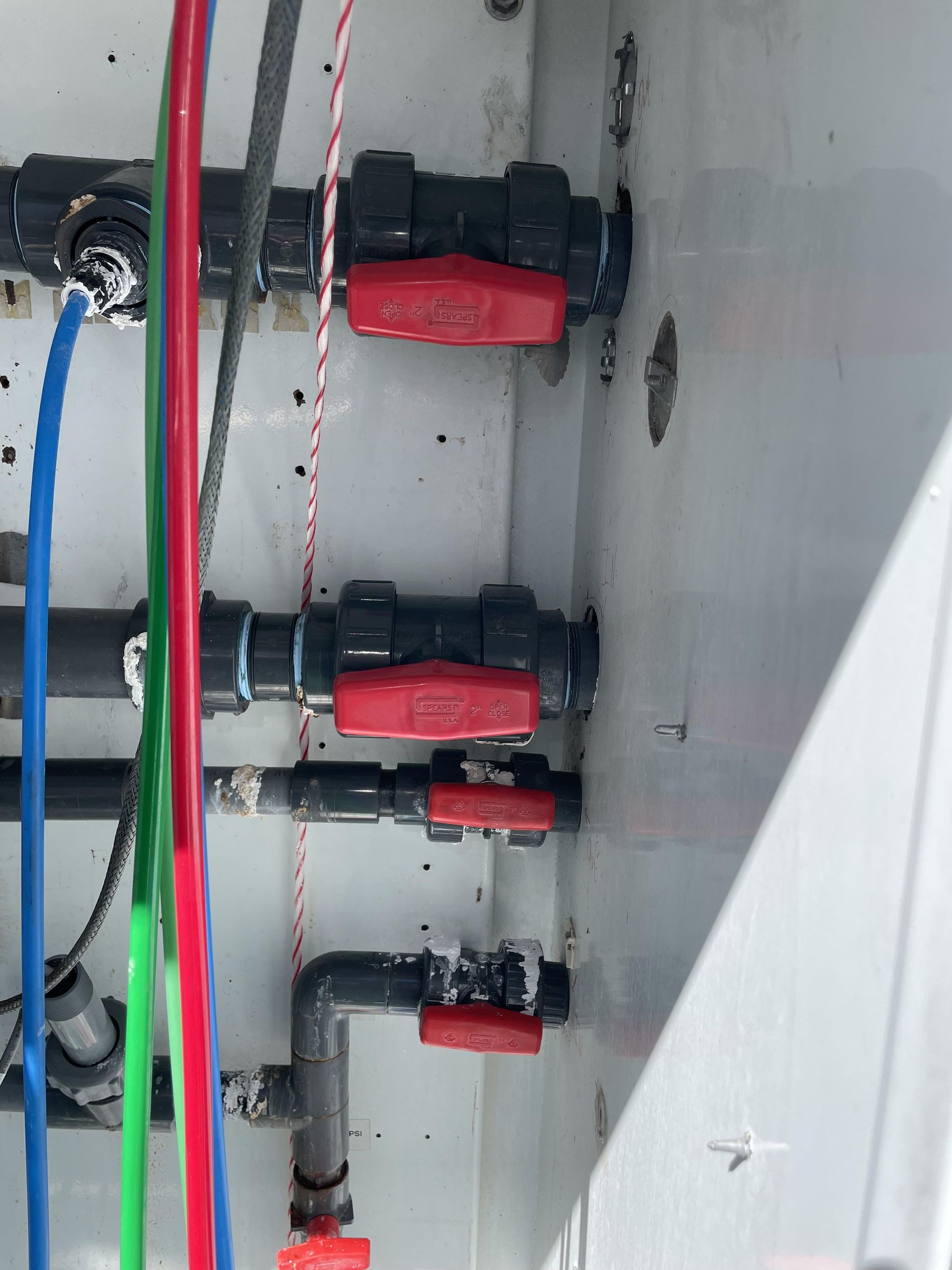
On the right side of the cabinet, ensure that all valves are open.
Horizontal = open (as seen in photograph)
Vertical = closed
Outer Valve
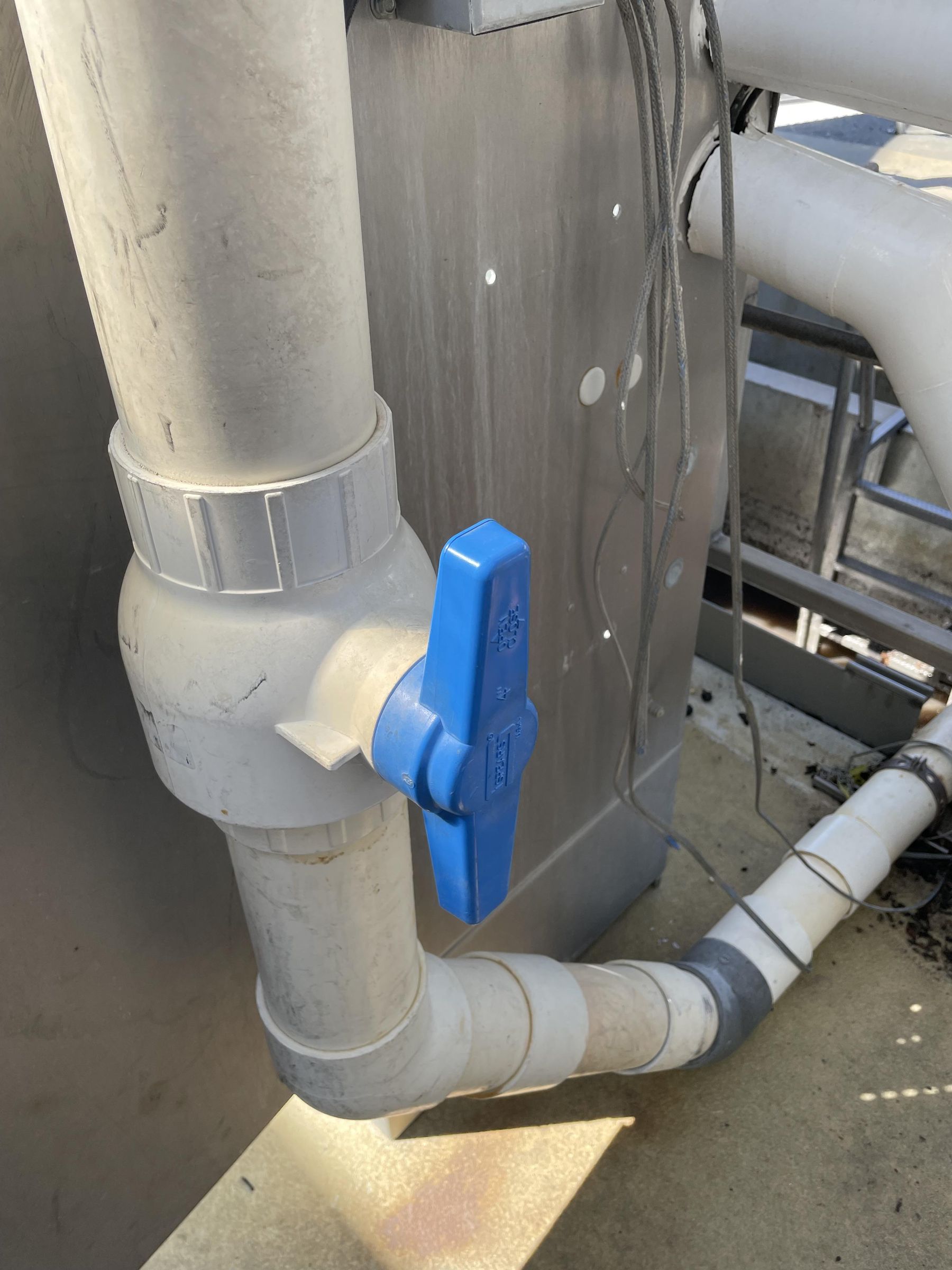
Ensure that the outer valve to the right of the cabinet is in the open position.
Vertical = open (as seen in photograph)
Horizontal = closed
Shut Down
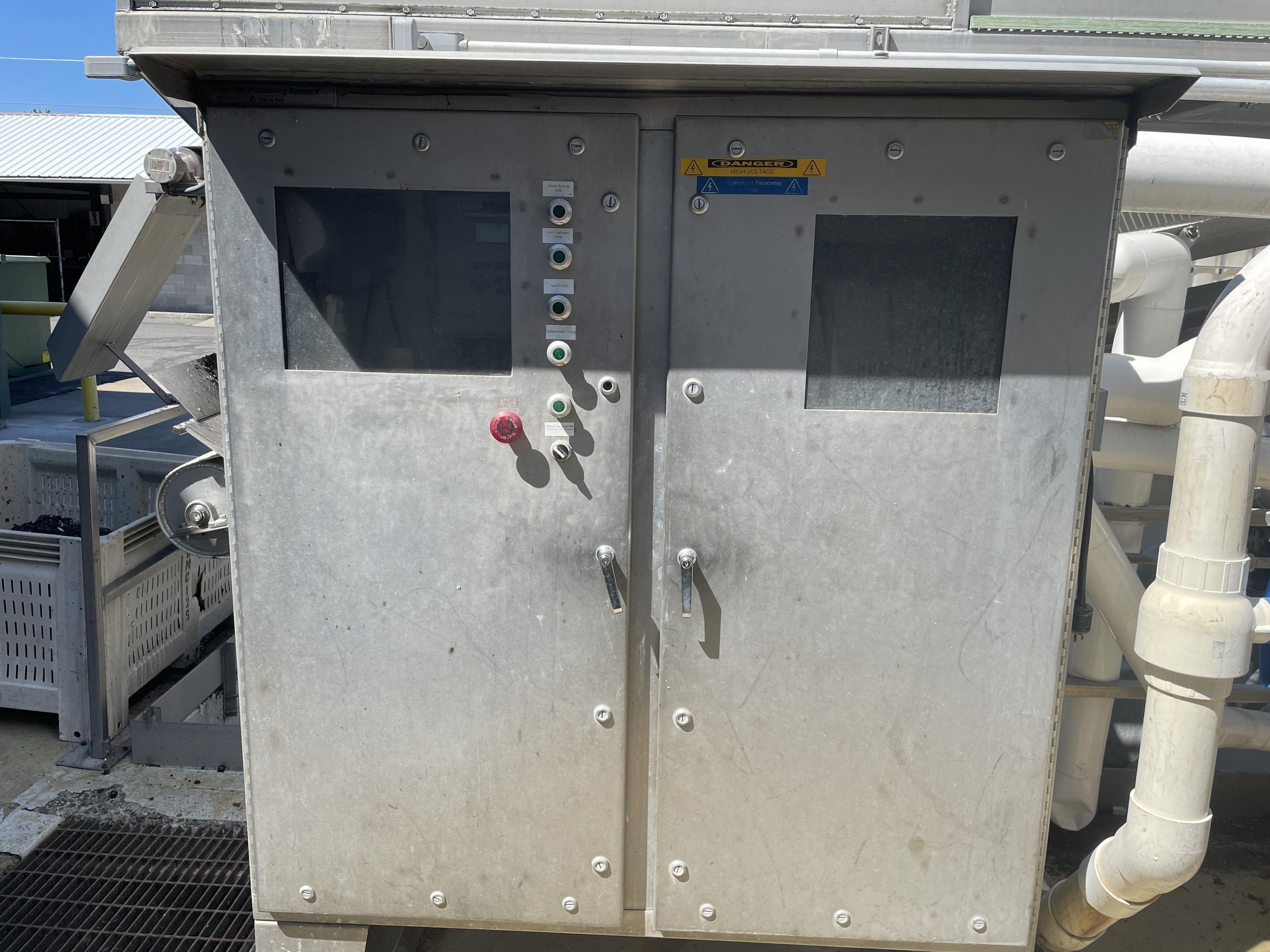
Step 1: Shut off submersible pump (Press button in)
Step 2: Open the cabinet and shut off both FLEX-PRO chemical pumps by pressing the red "Stop" buttons. (Screens will read "Off")
Step 3: Close all inner valves. (Turn valves to the vertical position)
Step 4: Close outer valve. (Turn valve to the horizontal position)