ZeroDesk V1.0
.jpeg)
.jpeg)
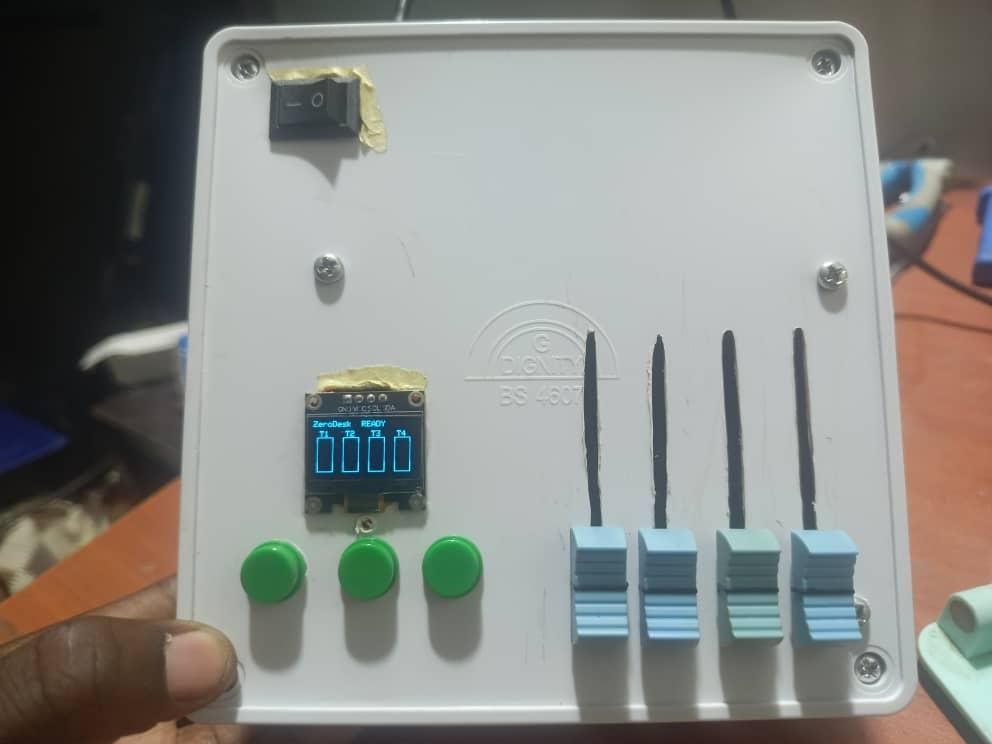
What does a better world look like for the next generation of music producers?
It looks like one where the tools to create, record, and produce music are not locked behind a $600 price tag. It looks like one where a student in Lagos, a producer in Nairobi, or an engineer in Manila has the same access to professional studio hardware as someone in New York or London.
That world does not exist yet. ZeroDesk is a small step toward building it.
ZeroDesk is a fully open-source DAW control surface built on the Arduino Uno for under $15 in components. It gives music producers, podcasters, and audio engineers real-time hardware control over any major Digital Audio Workstation, the same control that commercial hardware costing $150 to $600 provides freely available for anyone in the world to build, modify, and improve.
Professional music production hardware is geographically and economically inaccessible to the majority of the world's creators. Import costs, limited local supply, and pricing built for western markets create a barrier that has nothing to do with talent or creativity and everything to do with geography and income. ZeroDesk exists to tear that barrier down, one open-source build at a time.
Supplies
HARDWARE COMPONENTS
- Arduino Uno (ATmega328P) — core microcontroller
- 0.96" I2C OLED Display (SSD1306, 4-pin — GND/VCC/SCL/SDA)
- 4× 10K Slide Potentiometers — analog channel faders
- 3× Momentary Push Buttons — Play, Stop, Record
TOTAL COMPONENT COST: under $15
Understanding the Problem & Designing the Solution
The starting point for ZeroDesk was a real frustration.
Working in audio engineering, I regularly needed a DAW controller — but professional hardware costs $150–$600, and where I live, import costs and limited availability push that barrier even higher.
Rather than accepting that limitation, I treated it as an engineering challenge. I researched how commercial DAW controllers communicate with software — discovering that most use the MIDI protocol over USB — and designed a solution around components I could access locally for under $15.
The core design decision was to use the Arduino Uno as the central microcontroller, transmitting standard MIDI messages over serial communication via Hairless MIDI software, making ZeroDesk compatible with any DAW on any operating system.
Component Selection & Circuit Design
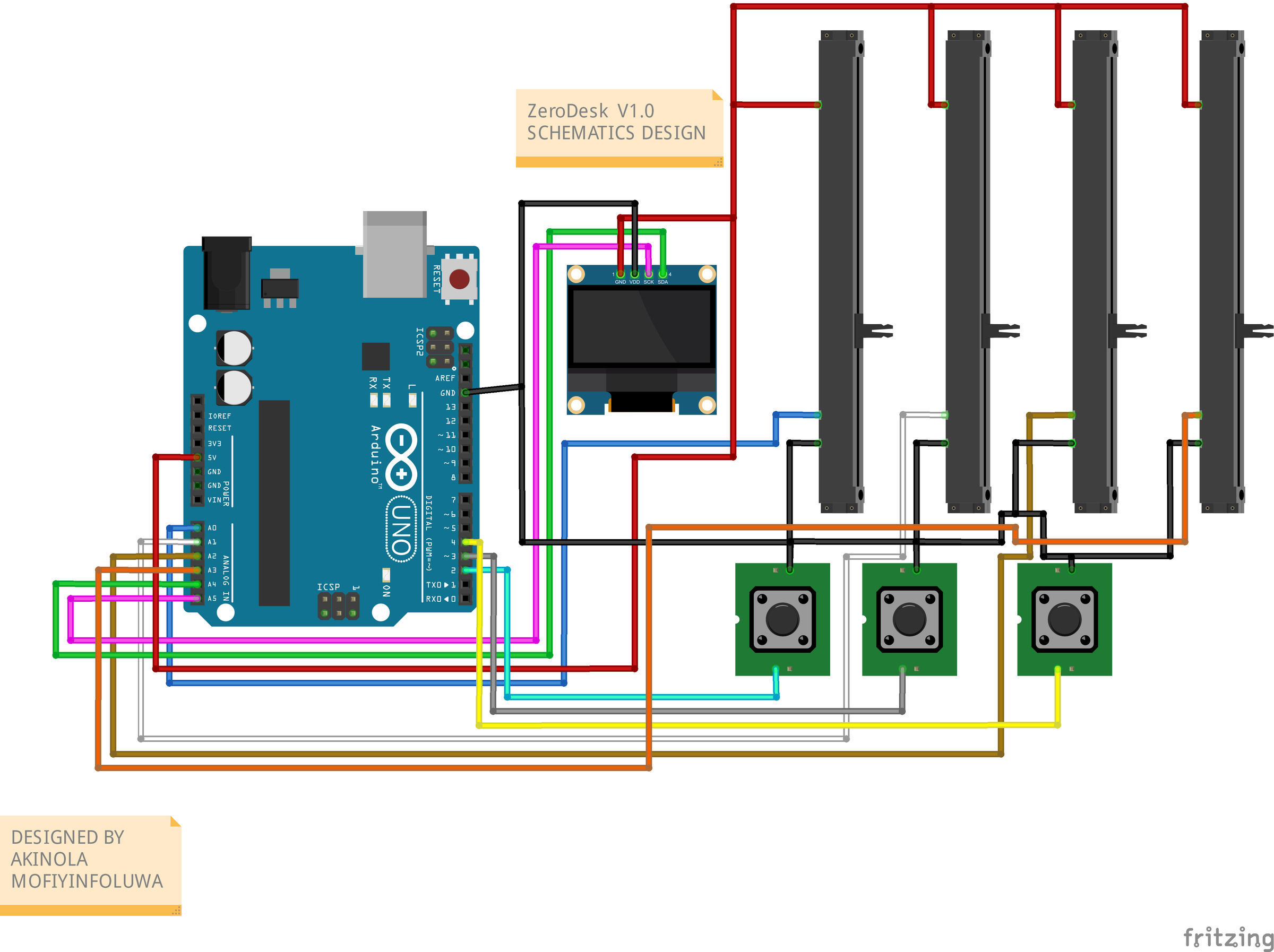
With the concept defined, I selected the minimum set of components needed to deliver a fully functional controller:
- Arduino Uno — central microcontroller and MIDI transmitter
- 4× 10K slide potentiometers — smooth analog faders for four DAW channels
- 3× momentary push buttons — Play, Stop, and Record transport controls
- 0.96" I2C OLED display (SSD1306) — live mixer view and transport status
The circuit is deliberately minimal. All buttons use the Arduino Uno's internal pull-up resistors — eliminating the need for external resistors entirely. The OLED connects via I2C using only two signal wires (SDA on A4, SCL on A5). Each potentiometer's wiper connects to an analog input(A0–A3), with outer pins tied to 5V and GND.
Total component cost: under $15.
Wiring the Hardware
.jpeg)
.jpeg)
.jpeg)
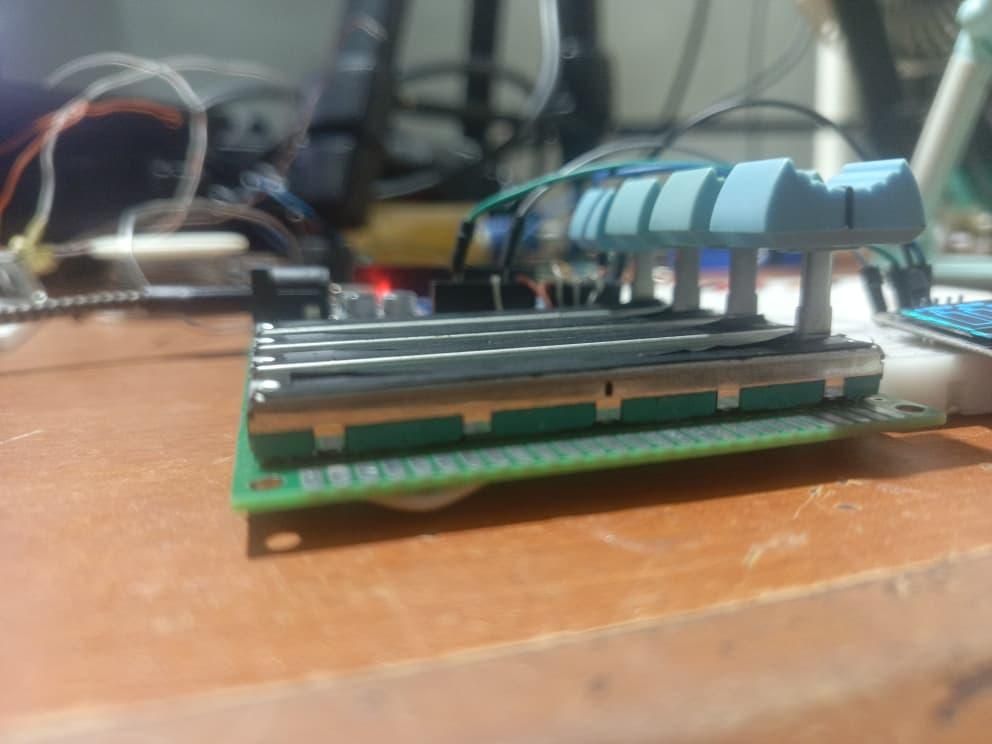
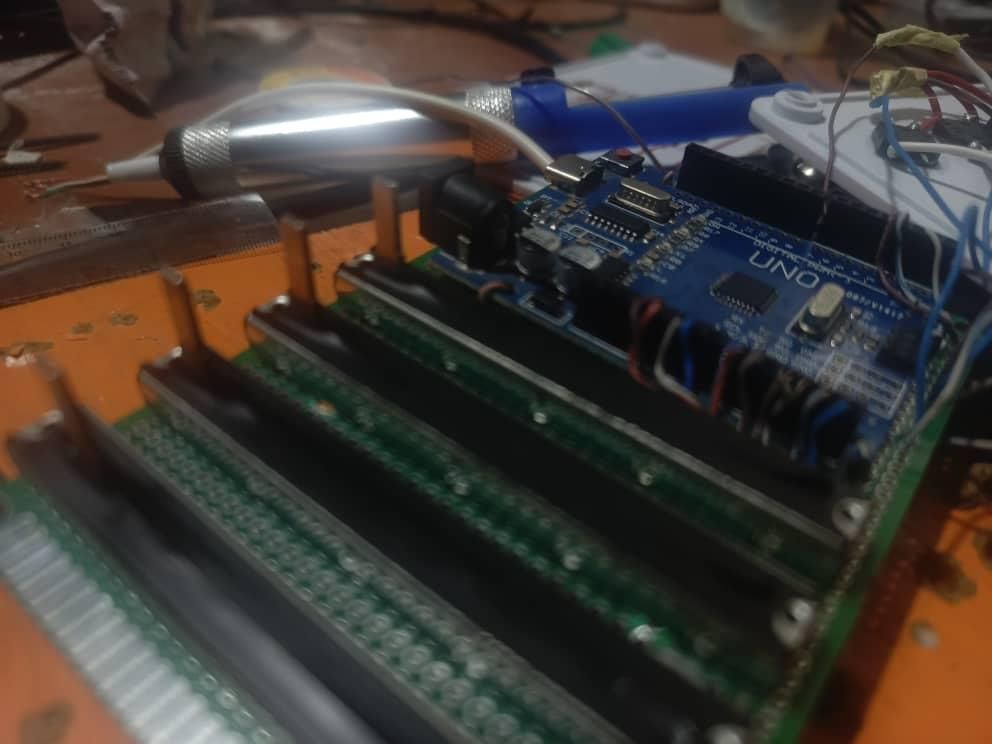
All components were wired to the Arduino Uno as follows:
OLED DISPLAY (I2C)
- GND goes to GND
- VCC goes to 5V
- SDA goes to A4
- SCL goes to A5
POTENTIOMETERS (×4)
- Left pin goes to GND
- Middle pin (wiper) goes to A0, A1, A2, A3
- Right pin goes to 5V
BUTTONS (×3)
- One leg goes to Digital pins 2, 3, 4
- Other leg goes to GND
The wiring is clean and minimal by design. Every connection has a clear purpose and every component is directly interfaced with the Arduino Uno — no additional ICs or modules required.
Writing the Firmware
The firmware was written in Arduino C++ and uploaded via Arduino IDE. Key firmware features include:
STARTUP SCREEN
On power-up, the OLED displays the ZeroDesk v1.0 branding with an animated loading bar over 3 seconds before the mixer view loads. This gives the device a polished, product-like feel.
8-SAMPLE ROLLING AVERAGE SMOOTHING
Each potentiometer reading passes through an 8-sample rolling average filter, eliminating analog noise and delivering studio-grade fader smoothness. A deadband threshold of 2 MIDI steps prevents jitter from generating redundant MIDI messages.
MIDI TRANSMISSION
The Arduino Uno transmits standard MIDI CC messages (CC 7, 8, 9, 10) for volume control and MIDI Note On/Off messages for transport buttons at 115200 baud over serial. This maps directly to standard DAW volume assignments — no remapping required in most DAWs.
RATE-LIMITED OLED RENDERING
The display updates at 10 frames per second, fully decoupled from the input polling loop — ensuring hardware control always takes priority over visuals.
DISPLAY ORDER REMAPPING
The four fader bars on the OLED are remapped to match the physical layout of the potentiometers on the panel, ensuring the visual representation matches the physical control positions exactly.
Enclosure & Packaging
The most challenging aspect of ZeroDesk v1.0 was not the electronics — it was the physical enclosure.
Designing a housing that fits every component cleanly, positions the knobs and buttons ergonomically, and presents as a finished product rather than a bare circuit required significant iteration. Getting the cutouts right for the potentiometers, buttons, and OLED window — and ensuring everything sits flush and secure — demanded patience and several attempts.
This challenge was treated as an engineering problem in its own right. The goal was for ZeroDesk to look and feel like a product someone would buy, not a prototype someone built. Neatness of execution was a priority from the start.
Testing and Demonstration

ZeroDesk v1.0 was tested in a real DAW session using Cakewalk by bandlab on Windows.
FADER TEST
All four potentiometers were confirmed to move their assigned DAW channel faders smoothly and without jitter. The 8-sample smoothing algorithm was tuned under real session conditions not just bench testing, to ensure studio-grade response.
TRANSPORT TEST
Play, Stop, and Record buttons were mapped to Reaper transport actions and confirmed to trigger correctly with clean edge detection and no double-firing.
OLED TEST
The live mixer display was confirmed to update at 10 FPS with accurate volume bar representation and correct transport status display.
CROSS-DAW COMPATIBILITY
Because ZeroDesk transmits standard MIDI CC and Note messages, it is compatible with any DAW that accepts MIDI input like Reaper, Ableton, Logic, Cubase, Cakewalk by bandlab and more. No proprietary drivers. No locked ecosystem.
A full live demo video has been made available